https://github.com/macpaw/project-echo
Project Echo is macOS application that utilizes Accessibility and OpenAI API to control 3rd party applications
https://github.com/macpaw/project-echo
assistant echo macos trd
Last synced: about 1 year ago
JSON representation
Project Echo is macOS application that utilizes Accessibility and OpenAI API to control 3rd party applications
- Host: GitHub
- URL: https://github.com/macpaw/project-echo
- Owner: MacPaw
- License: mit
- Created: 2024-11-18T18:53:19.000Z (over 1 year ago)
- Default Branch: develop
- Last Pushed: 2025-02-20T10:59:23.000Z (over 1 year ago)
- Last Synced: 2025-04-11T22:12:29.996Z (about 1 year ago)
- Topics: assistant, echo, macos, trd
- Language: Swift
- Homepage:
- Size: 350 KB
- Stars: 17
- Watchers: 7
- Forks: 1
- Open Issues: 0
-
Metadata Files:
- Readme: README.md
- License: LICENSE
Awesome Lists containing this project
README
# Echo

**Echo** is a macOS application that demonstrates how to interact with macOS applications using Accessibility and [OpenAI](https://openai.com) APIs. It allows users to send prompts to the frontmost application and receive responses, showcasing a functional chat-like interface.

## Features
- **Real-Time Frontmost Application Detection**: Automatically detects the currently active macOS application.
- **User Prompts**: Send prompts to interact with text area of the detected application.
- **Chat View Interface**: Displays interactions in a chat-like interface
> [!WARNING]
> Project Echo is an experimental prototype that demonstrates an approach, use in on your own risk
## Requirements
- macOS 14.0 or later
- Xcode 15.0 or later
## Installation
1. Clone the repository:
```bash
git clone https://github.com/username/Echo.git
cd Echo
```
2. Open the project in Xcode:
```bash
open Echo.xcodeproj
```
3. Build and run the project:
- Select your target device (Mac).
- Press **Cmd + R** or click the Run button in Xcode.
## Usage
1. Launch **Echo** on macOS.
2. Activate/launch 3rd party application
3. Type your prompt into the text field
4. Click the **Send** button to interact with the frontmost application.
5. View the response in the chat interface.
Note: You should add OpenAI API key to environment variables.

## Code Overview
### Key Components
- **`ViewController`**:
- Manages the main app logic, including UI setup, handling user prompts, and interacting with applications.
- **`MessagesStore`**:
- Stores and manages messages displayed in the chat interface.
- **`Agent`**:
- Processes user prompts and generates responses based on the content of the frontmost application.
- **`FrontmostApplication`**:
- Observes and detects the currently active macOS application.
- **`AccessbilableApplication`**:
- Provides Accessibility API integration to fetch and update content in the frontmost application.
### View Hierarchy
- **Chat Interface**:
- Built using `SwiftUI` and embedded into `NSViewController` via `NSHostingController`.
## Accessibility Permissions
This app requires and asks automatically macOS Accessibility permissions to function correctly. Follow these steps to grant permissions:
1. Open **System Preferences** > **Privacy & Security** > **Accessibility**.
2. Click the lock to make changes and authenticate.
3. Add **Echo** to the list of allowed applications.
## Example Screenshots
### Xcode

### Safari

### TextMate

## Demo Video
[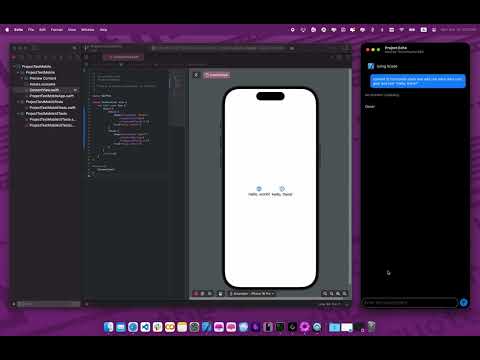](https://www.youtube.com/watch?v=RmiFfuKhAJQ)
## License
This project is licensed under the MIT License. See the [LICENSE](LICENSE) file for details.
## Author
Created by [MacPaw Research](https://research.macpaw.com)