https://github.com/maddhruv/google-maps-ext
Google Maps Chrome Extension. It lets you search :world_map: your query without the need to visit the maps website.
https://github.com/maddhruv/google-maps-ext
chrome chrome-extension crx google-maps maps
Last synced: about 1 year ago
JSON representation
Google Maps Chrome Extension. It lets you search :world_map: your query without the need to visit the maps website.
- Host: GitHub
- URL: https://github.com/maddhruv/google-maps-ext
- Owner: maddhruv
- License: apache-2.0
- Created: 2016-09-25T15:19:16.000Z (over 9 years ago)
- Default Branch: master
- Last Pushed: 2016-12-26T19:33:50.000Z (over 9 years ago)
- Last Synced: 2025-04-30T05:43:58.799Z (about 1 year ago)
- Topics: chrome, chrome-extension, crx, google-maps, maps
- Language: CSS
- Homepage:
- Size: 106 KB
- Stars: 8
- Watchers: 4
- Forks: 2
- Open Issues: 0
-
Metadata Files:
- Readme: README.md
- License: LICENSE
Awesome Lists containing this project
README
# Google Maps Chrome Extension
Google Maps Chrome Extension. It lets you search your query without the need to visit the maps website.
[](https://github.com/midhruvjaink/google-maps-ext/blob/master/LICENSE)
[](https://github.com/midhruvjaink/google-maps-ext/raw/master/releases/google-maps-ext.crx)
[](https://github.com/midhruvjaink/google-maps-ext/raw/master/releases/google-maps-ext.crx)
- No need to visit maps.google.com
- Icon right at the top bar of your browser
- Doesnt request new tab or page in your browser
You can also:
- View larger version of the map.
## Install
### **Step.1**-
[Download](https://github.com/midhruvjaink/google-maps-ext/raw/master/releases/google-maps-ext.crx "Download") the extension file from here.
A *.crx* file will be downloaded up to our computer.
```
google-maps-ext.crx
```
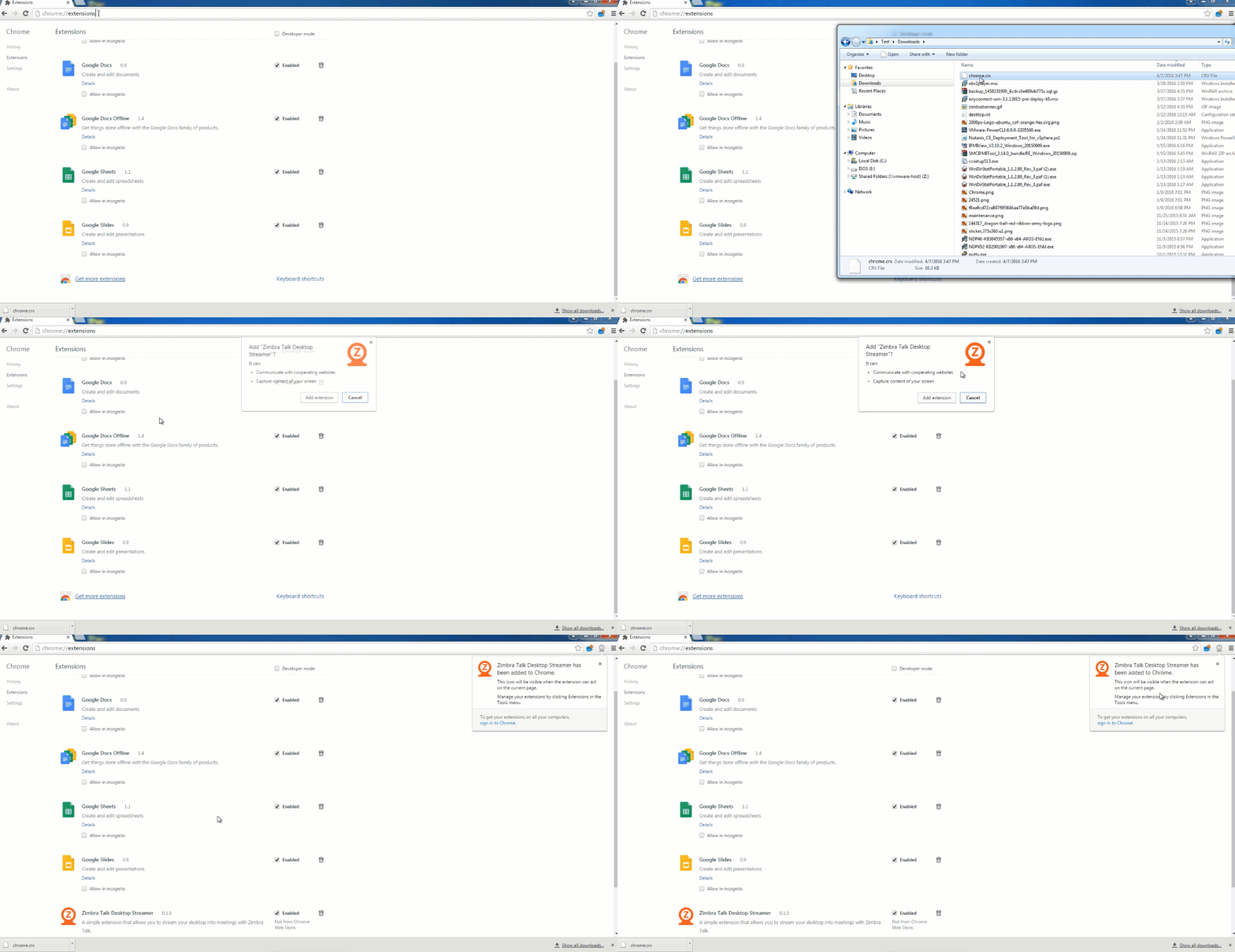
### **Step.2-**
Enter the following address in the URL bar-
```
chrome://extensions
```
### **Step.3-**
Enable the *developer mode* by clicking the check box at the top of the page.
### **Step.4-**
Now all you have to do is to *drag & drop* the downloaded *google-maps-ext.crx* file in this window, and allow permission in the pop-up window.
## You are all set to go
Click the Google maps icon  at the top extension bar of your browser.
## You can refer to this gif also
## License
### Open Sourced Under [Apache-2.0](https://github.com/midhruvjaink/google-maps-ext/blob/master/LICENSE)