https://github.com/madeindjs/build_my_portfolio
A resume / portfolio generator without database requirement.
https://github.com/madeindjs/build_my_portfolio
Last synced: 4 months ago
JSON representation
A resume / portfolio generator without database requirement.
- Host: GitHub
- URL: https://github.com/madeindjs/build_my_portfolio
- Owner: madeindjs
- License: mit
- Created: 2016-03-09T17:14:20.000Z (about 10 years ago)
- Default Branch: master
- Last Pushed: 2016-11-19T11:12:17.000Z (over 9 years ago)
- Last Synced: 2025-04-07T07:33:50.482Z (about 1 year ago)
- Language: PHP
- Homepage:
- Size: 2.04 MB
- Stars: 1
- Watchers: 2
- Forks: 0
- Open Issues: 5
-
Metadata Files:
- Readme: README.md
- License: LICENSE.txt
Awesome Lists containing this project
README
build_my_CV()
=============
A CV generator without database requirement.
Purpose
-------
The purpose is simple:
1. Install & configure this project on your server *(see installation section bellow)*
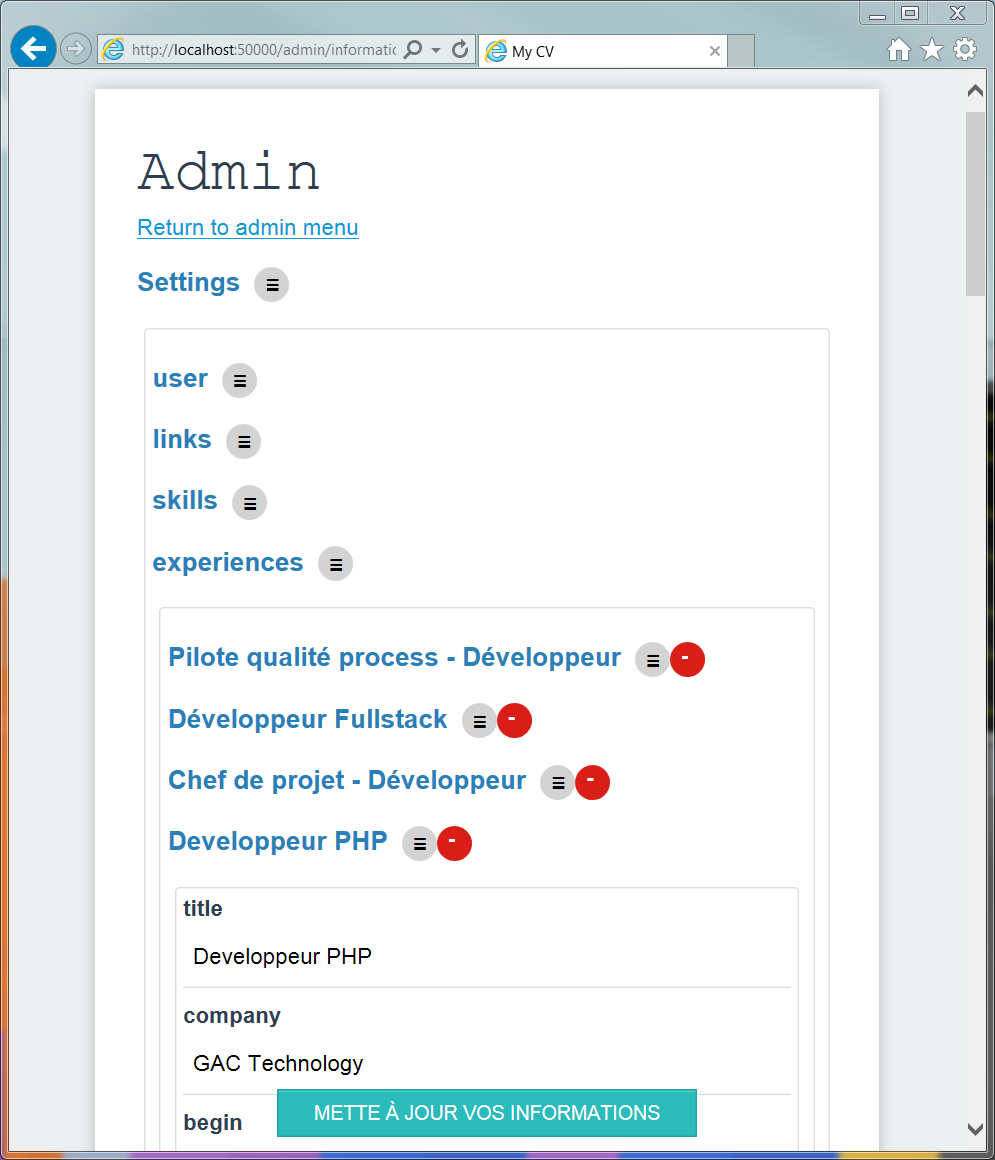
2. go to */admin* url and edit your personnal informations, add skills, experiences, etc..
3. That's all.
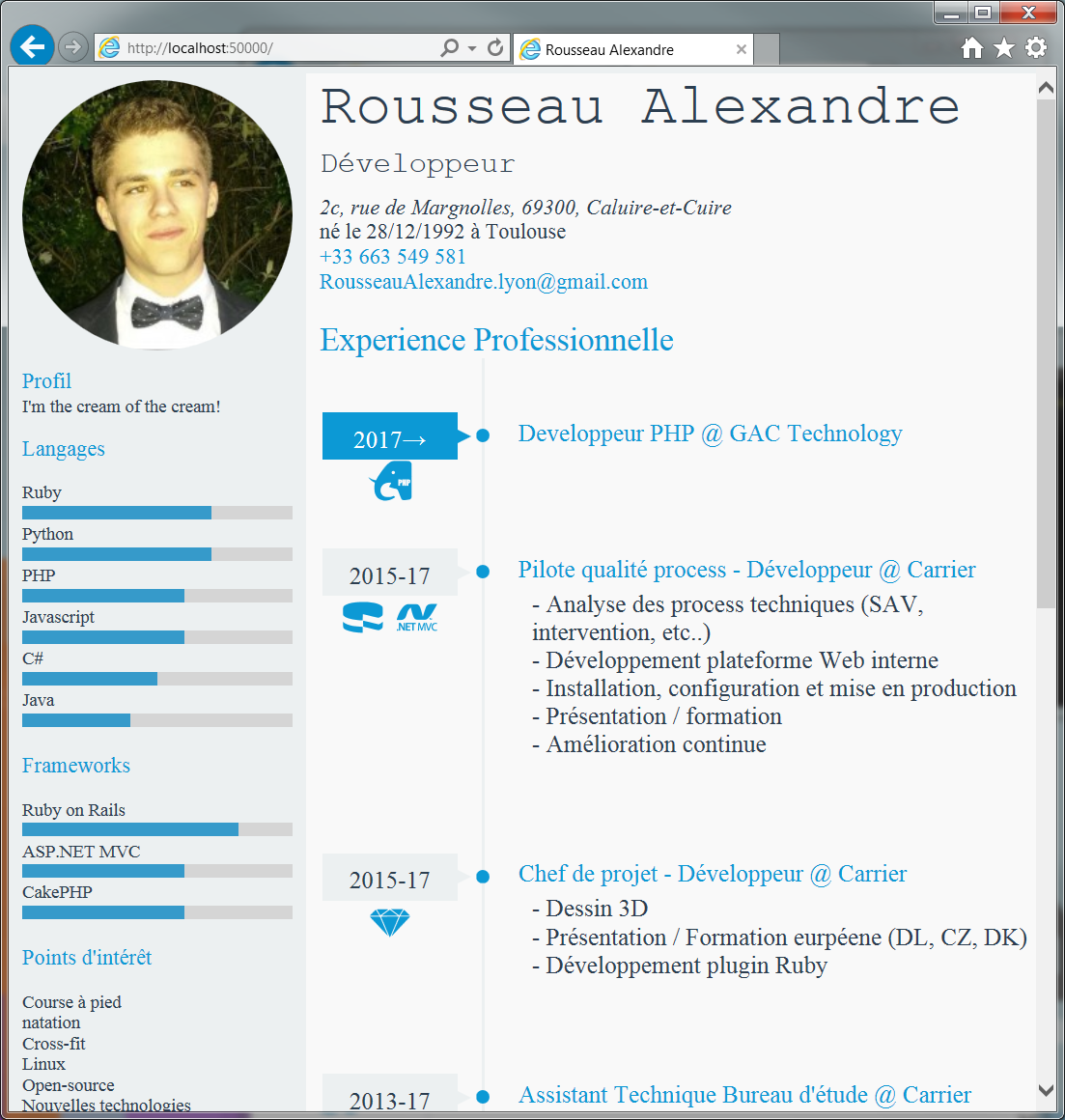
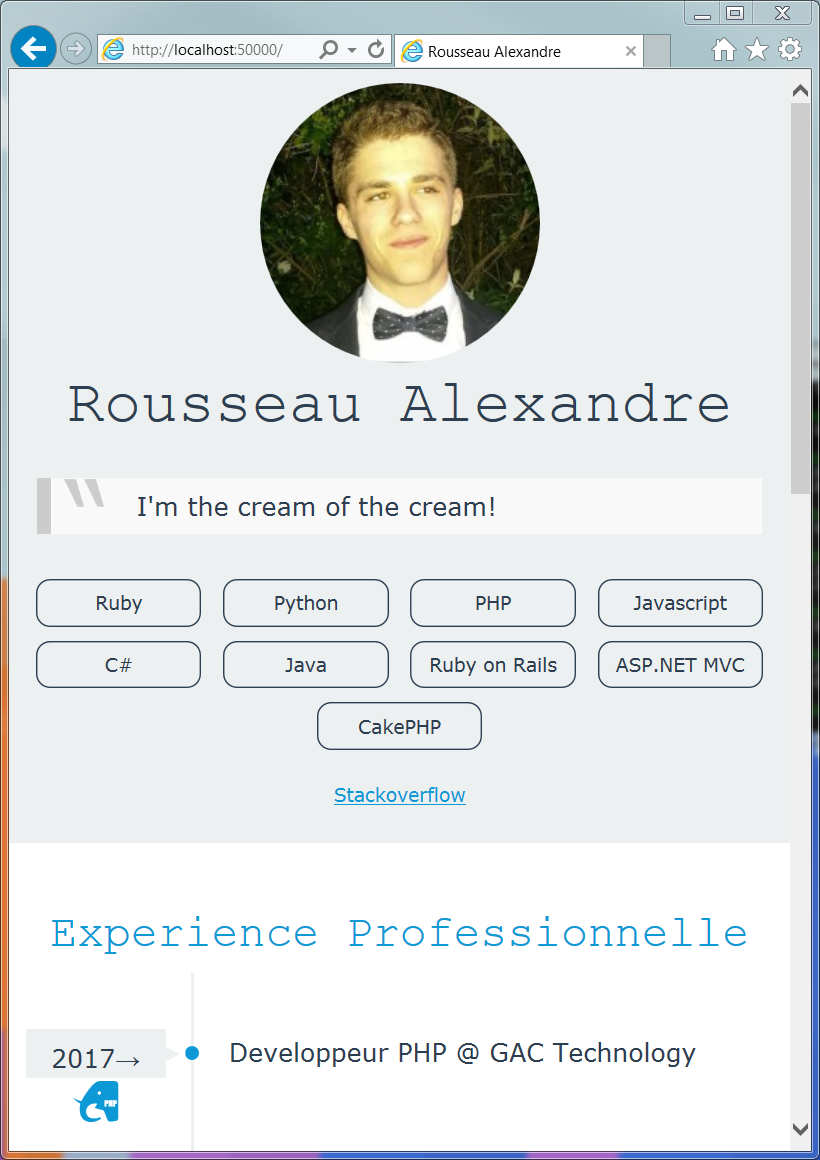
**build_my_CV()** will generate a beutifull responsive CV for you. You can easilly update your informations from the admin interface.
### some Screenshots
#### Admin interface
#### CV in dekstop view
#### CV in mobile view
You can visit an example at [rousseau-alexandre.fr](http://rousseau-alexandre.fr)
Instalation
-----------
#### Configuration on Apache Server
* clone this repository: `git clone https://github.com/madeindjs/build_my_cv.git`
* move into this folder: `cd build_my_cv`
* make *public* folder readable: `sudo chomd 777 src/public`
* Install dependencies with composer: `php composer.phar install`
* Create a symbolic link in you Apache server: `sudo ln -s /path/to/git/clone/build_my_cv /var/www/build_my_cv`
* Edit your apache configuration file: `sudo vim /etc/apache2/sites-enabled/000-default.conf` as bellow
```
DocumentRoot /var/www/build_my_cv/src/public/
Options Indexes FollowSymLinks MultiViews
AllowOverride All
Order allow,deny
allow from all
```
* Restart Apache server: `sudo /etc/init.d/apache2 restart`
#### Configuration of admin interface
The only configuration required is the password to access on admin interface. By default it's "*superuser*" but you can change it in the *config.json* file:
```
{
"admin" : {
"password" : "superuser"
}
}
```
Libraries
---------
**PHP**
* [Slim Framework](http://www.slimframework.com/)
* [Parsedown](https://github.com/erusev/parsedown/)
**Javascript**
* [JSON Editor](https://github.com/jdorn/json-editor/)
Future
------
* [x] create a json file generator
* [ ] add PHPUnits tests
* [ ] create projects pages
* [ ] support multilangage
* [x] create Markdown support
* [x] create a beautifull timeline
* [ ] add cache system
License
-----------
[MIT](https://opensource.org/licenses/MIT)
Author
----------
[Rousseau Alexandre](https://github.com/madeindjs)