https://github.com/mahatolalit/readme-previewer
View Markdown(.md) Files
https://github.com/mahatolalit/readme-previewer
markdown markdown-language md preview previewer readme view
Last synced: 2 months ago
JSON representation
View Markdown(.md) Files
- Host: GitHub
- URL: https://github.com/mahatolalit/readme-previewer
- Owner: mahatolalit
- License: other
- Created: 2025-08-19T07:28:18.000Z (11 months ago)
- Default Branch: main
- Last Pushed: 2025-11-15T03:24:06.000Z (8 months ago)
- Last Synced: 2025-11-15T04:10:36.980Z (8 months ago)
- Topics: markdown, markdown-language, md, preview, previewer, readme, view
- Language: CSS
- Homepage: https://marketplace.visualstudio.com/items?itemName=mahatolalit.readme-previewer
- Size: 5.29 MB
- Stars: 0
- Watchers: 0
- Forks: 0
- Open Issues: 0
-
Metadata Files:
- Readme: README.md
- Changelog: CHANGELOG.md
- Contributing: CONTRIBUTING.md
- License: LICENSE
- Code of conduct: CODE_OF_CONDUCT.md
- Security: SECURITY.md
Awesome Lists containing this project
README
# 📖 Readme Previewer – Markdown Preview for VS Code
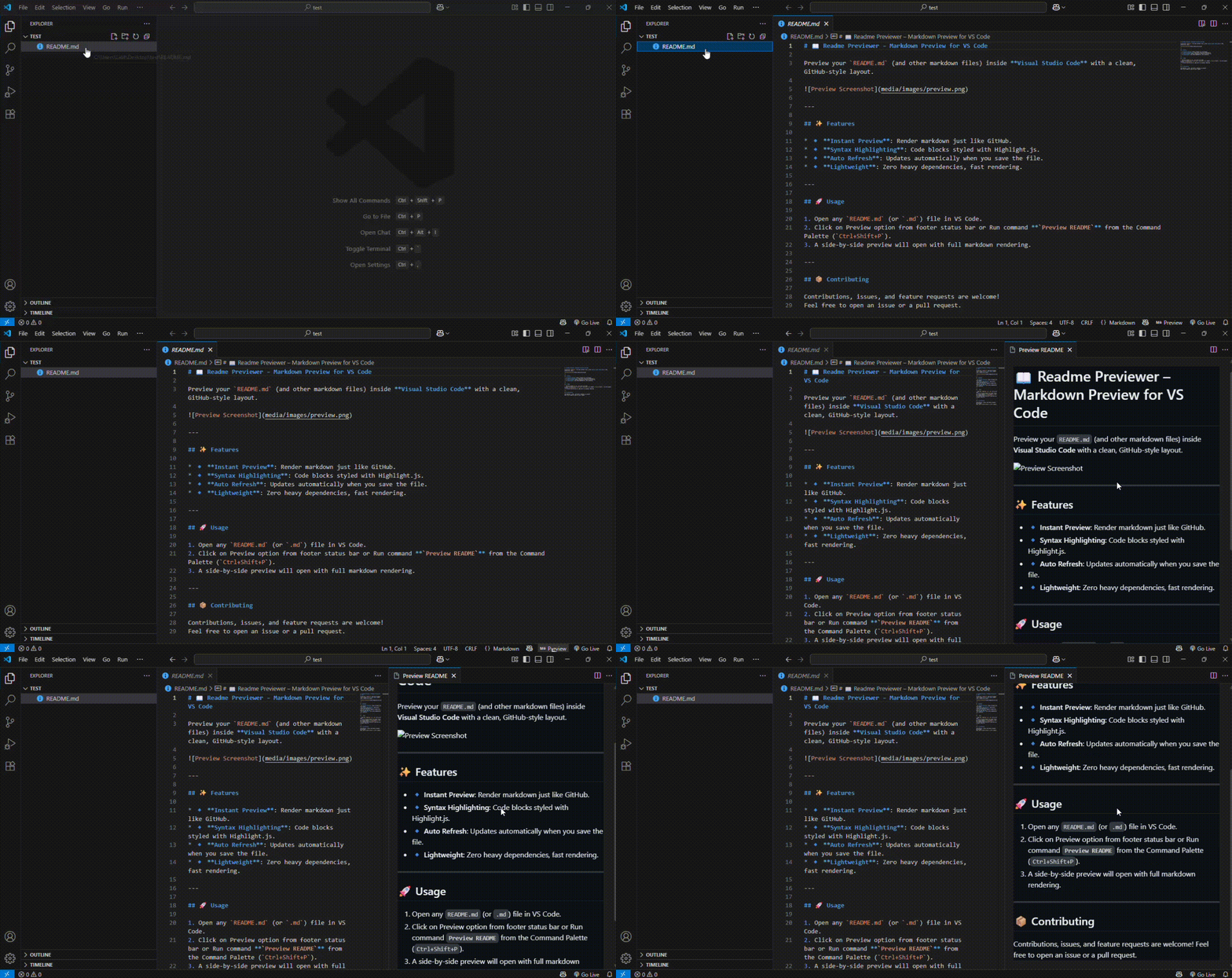
Preview your `README.md` (and other markdown files) inside **Visual Studio Code** with a clean layout that automatically adapts to your editor theme.
---
## ✨ Features
* 🔹 **Adapts to VS Code Theme**: Light, Dark, and High Contrast are supported automatically.
* 🔹 **Syntax Highlighting**: Code blocks styled with Highlight.js, matching your active theme.
* 🔹 **Auto Refresh**: Updates when you save the file.
* 🔹 **Works Offline**: No CDN requests; all styles are bundled.
---
## 🚀 Usage
1. Open any `README.md` (or `.md`) file in VS Code.
2. Click on Preview option from footer status bar or Run command **`Preview README`** from the Command Palette (`Ctrl+Shift+P`).
3. A side-by-side preview opens with full markdown rendering, following the active editor theme.
> Note: The preview’s appearance follows your current VS Code color theme automatically and works entirely offline.
---
## 📦 Contributing
Contributions, issues, and feature requests are welcome!
Feel free to open an issue or a pull request.