https://github.com/maia14/data-feed
An app that builds data feed using external API. User can filter data, update data, etc. Developed in TypeScript, Express & PostgreSQL.
https://github.com/maia14/data-feed
express nodejs postgresql server typescript
Last synced: about 2 months ago
JSON representation
An app that builds data feed using external API. User can filter data, update data, etc. Developed in TypeScript, Express & PostgreSQL.
- Host: GitHub
- URL: https://github.com/maia14/data-feed
- Owner: MaiA14
- Created: 2022-10-15T20:53:48.000Z (over 3 years ago)
- Default Branch: main
- Last Pushed: 2022-10-21T13:23:04.000Z (over 3 years ago)
- Last Synced: 2025-02-22T04:41:10.228Z (over 1 year ago)
- Topics: express, nodejs, postgresql, server, typescript
- Language: TypeScript
- Homepage:
- Size: 79.1 KB
- Stars: 0
- Watchers: 1
- Forks: 0
- Open Issues: 0
-
Metadata Files:
- Readme: README.md
Awesome Lists containing this project
README
# Data feed
A company is building a system for managing data feeds inputs from external sources.
Data feed is a collection of data that has keys and values ordered according to specific
structure.
Each source has a different way to login and extract the relevant data feed.
User can filter data using display options sidebar or update field value with new value.
## Design
The user should be logged into the system to view the data feed.
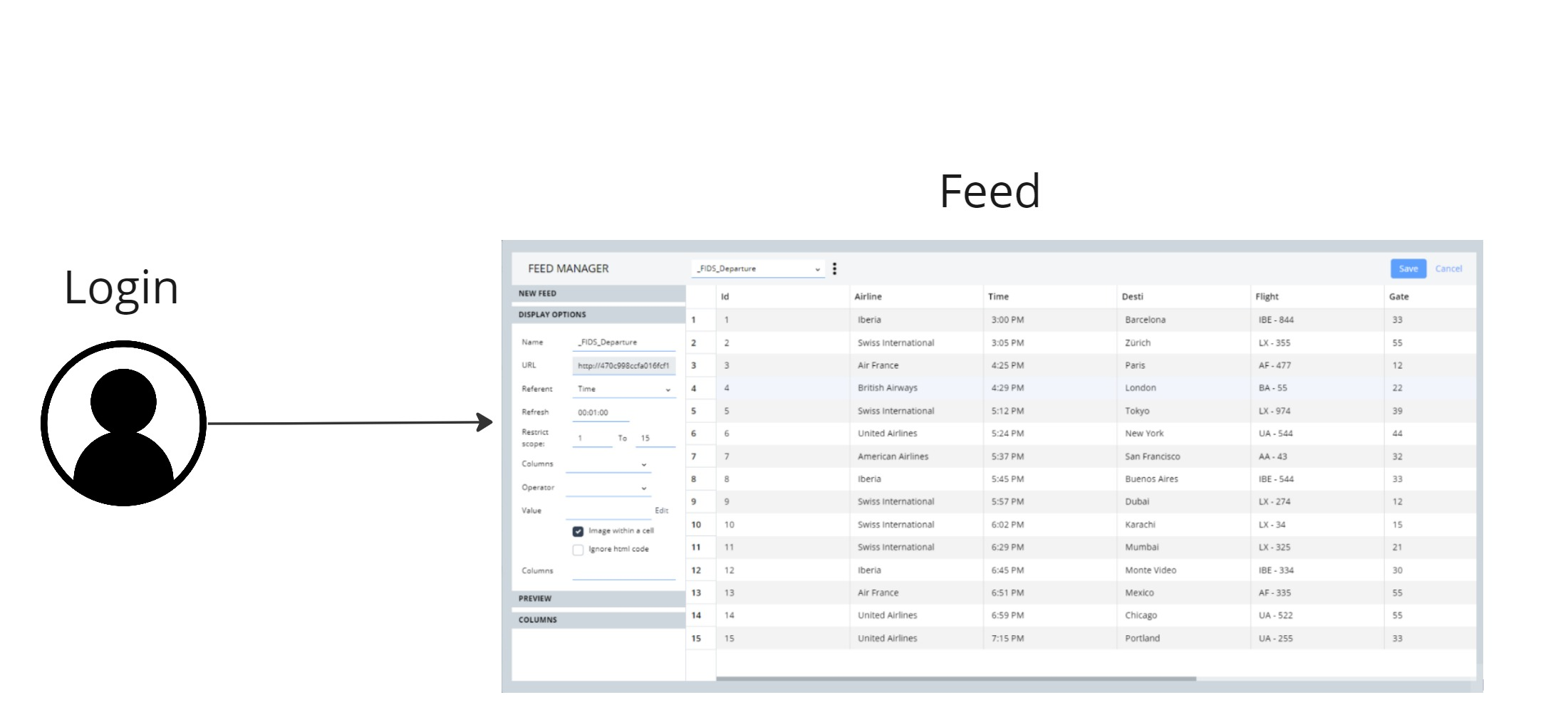
It means that the user can see only one feed at a time.
User's table:
user_id (Primary key)
username
pwd - password (in order to enable login functionality)
email
created_on - creation time of the user
last_login (might be helpful in future feature, for example - token refresh)
Note:
in the future, there will be secured login using token. This change will required adding token to user's table. Token will be generated as hash of email & password. The pwd (user's password) that is saved in DB will be encrypted. It means that in login implemention, the server should decrypt the saved password from DB in order to compare it to the sent password by client. If passwords are equal, server returns success, otherwise - failure. On login implemention we also need to consider the case where email & password exist in DB but the token expired, then server need to generate new one and user should be able to login with the new token. (client should support updating token on his side).
Feed's table:
feed_id (Primary key)
user_id (foriegn key, references user table)
updated_on - timestamp that represents the last time the feed was updated
feed_data - json that represnts the data of the feed
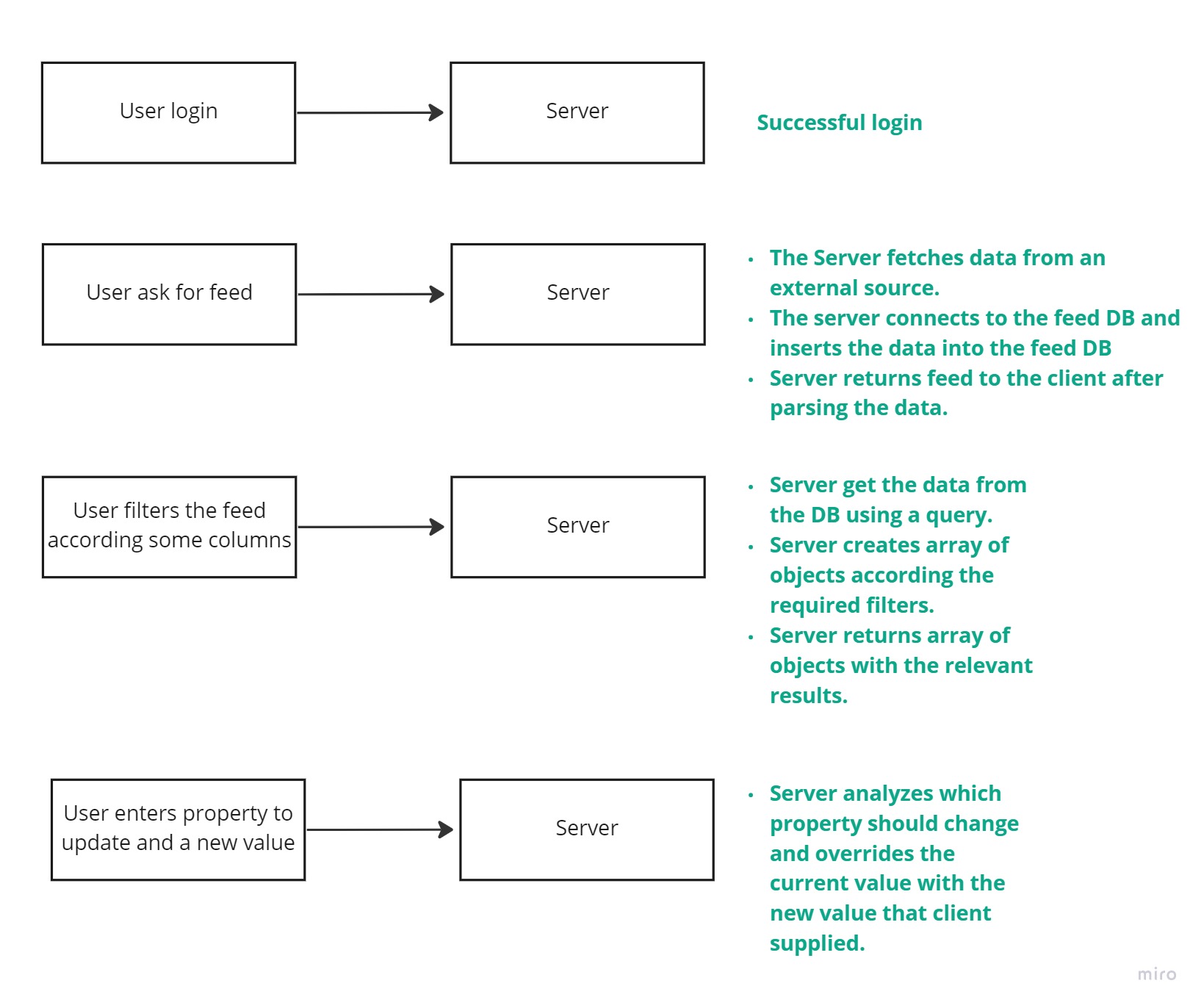
## Workflow
## Prerequisites
The following technologies should be installed globally
* Node (preferred version / project version - 14.15.3)
* ts-node
* TypeScript (latest)
* Nodemon
* PostgreSQL
Get a key from this site (or use the one I supplied)
```
https://aviationstack.com/
```
## Installation
Before running this project install node modules with this command:
```
npm install
```
## API
1) Get data feed
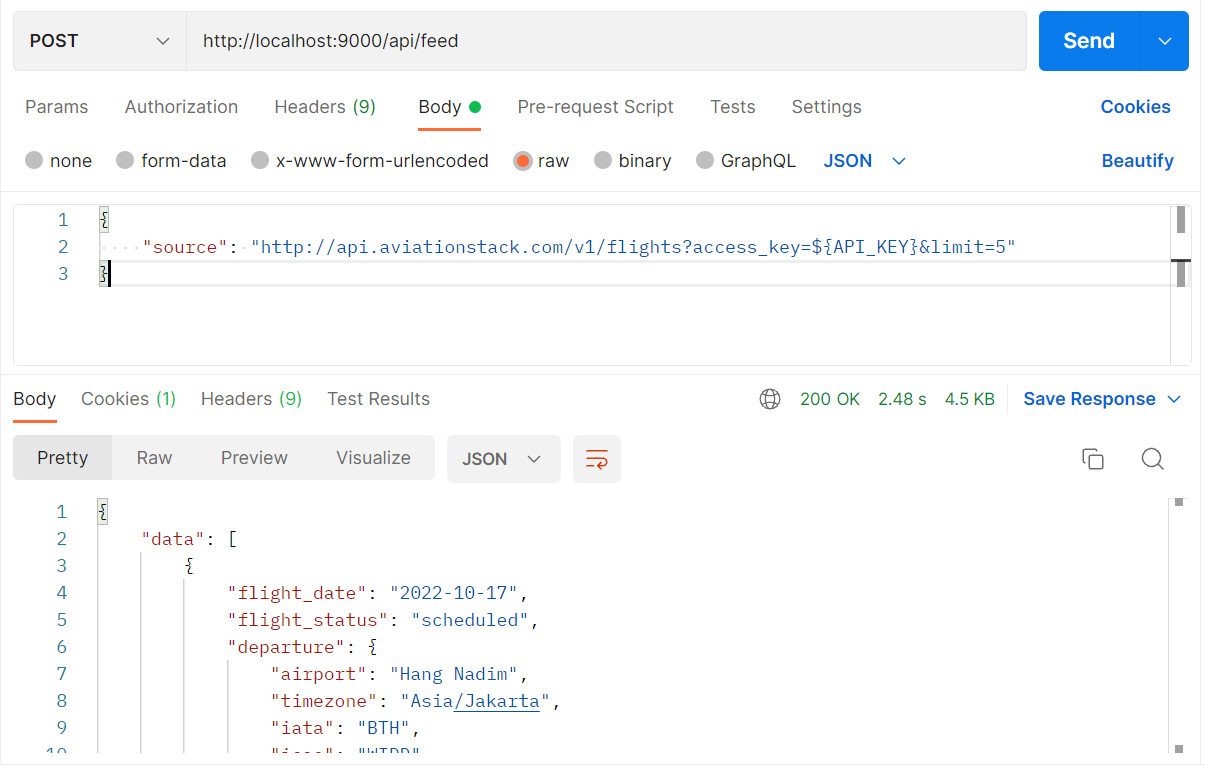
Retrieves feed from an external source.
POST - http://localhost:9000/api/feed
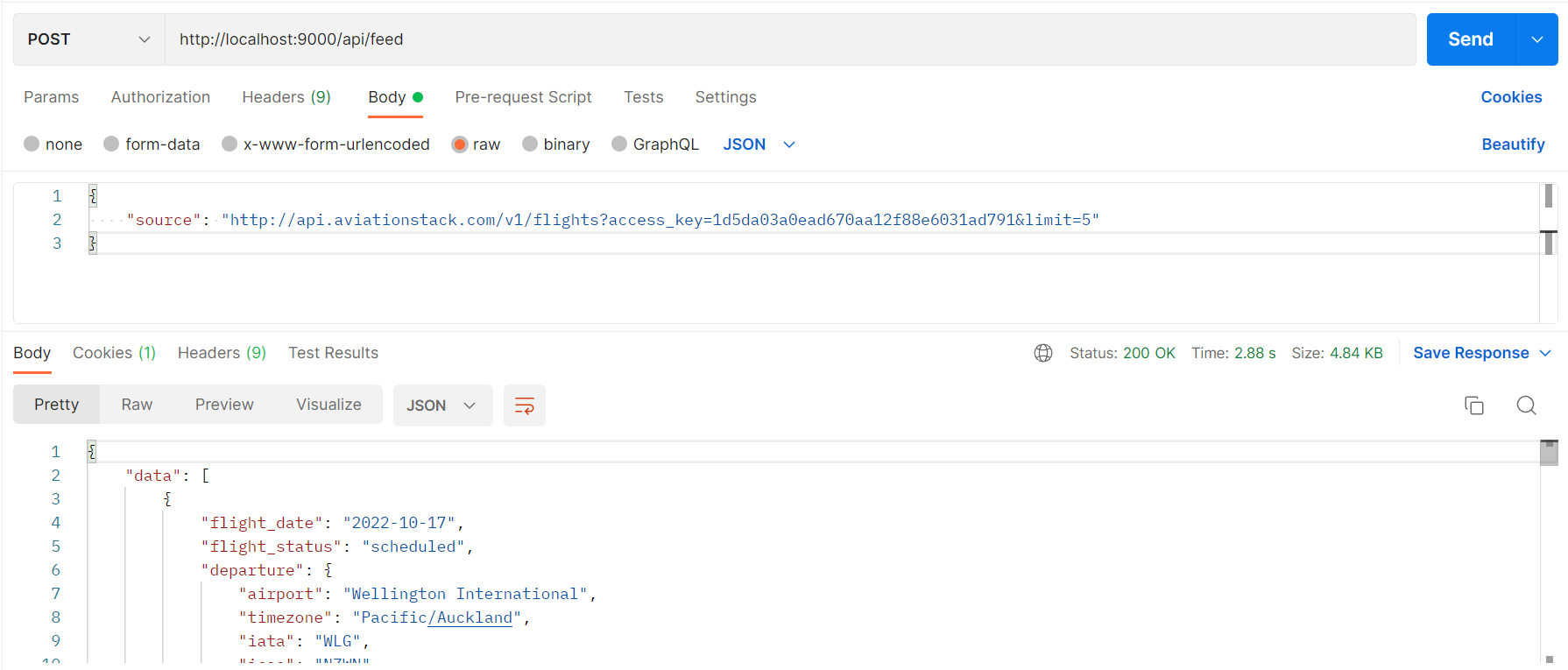
Try using curl:
```
curl --location --request POST 'http://localhost:9000/api/feed' \
--header 'Content-Type: application/json' \
--header 'Cookie: connect.sid=s%3ATgv3GUfYzw7-EcNOhnaJVjy8NVcg5aWH.ZlJHeqmwkwnVIWzj0tENzz61oy2%2FiLbLnv0NRvC6CiI' \
--data-raw '{
"source": "http://api.aviationstack.com/v1/flights?access_key=${API_KEY}&limit=5"
}'
```
In case the source is not supplied by the client, the server returns an error.
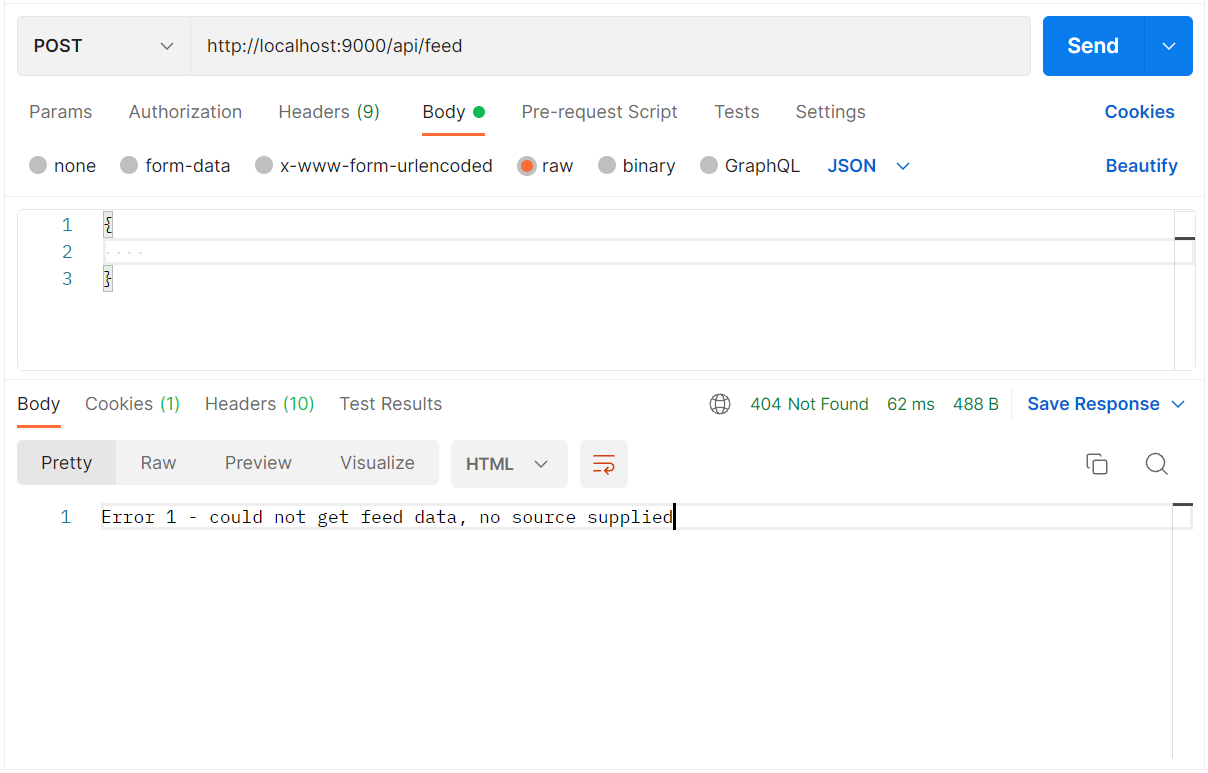
2) Filter feed
Filters are based on a specific filter.
Supported filters:
- Limit results - choose the number of rows you want to see in the feed.
- Show specified columns - choose which columns you want to see in the feed
Note:
* You can choose one of the following filters or both.
* Filters like contains, greater than, lower than, will be implemented in the future.
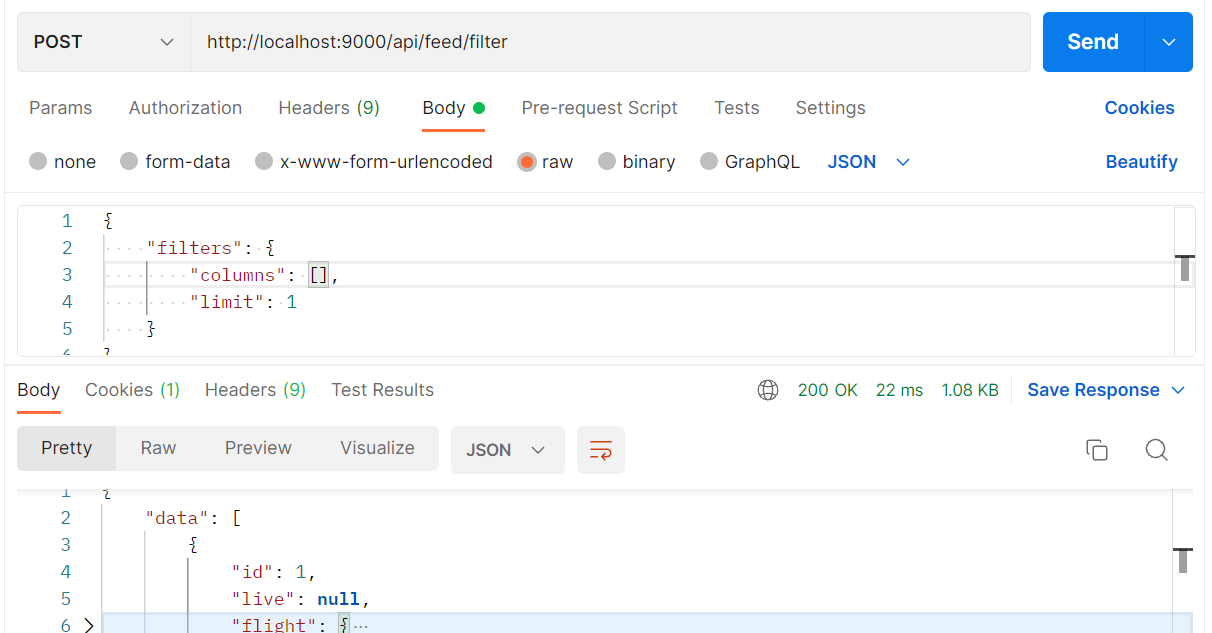
POST - http://localhost:9000/api/feed/filter
An example of both filters applied:

Try using curl:
```
curl --location --request POST 'http://localhost:9000/api/feed/filter' \
--header 'Content-Type: application/json' \
--header 'Cookie: connect.sid=s%3AcwpJbF2WrTLlpin0cGFs_9d2fsyQAW2D.a%2FMWgd3wloyb7TWyrBnCSEkhwroRWd1bQbJ4dR2hUcM' \
--data-raw '{
"filters": {
"columns": ["flight"],
"limit": 1
}
}'
```
In case no column is sent, the filter(s) is ignored since there is no way to filter an empty set of data – this scenario is equal to not sending a request at all, and in a real-world system, the client should prevent it from going out. It is added here as a safeguard
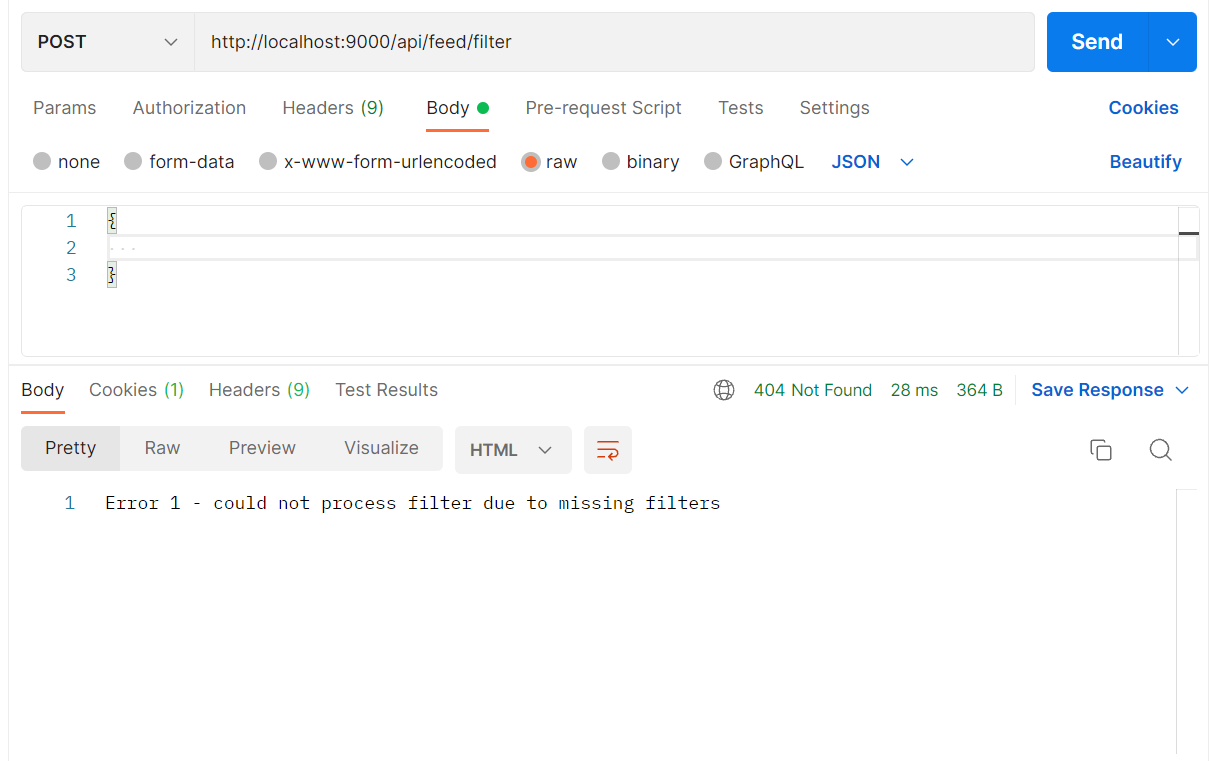
If the body of the request is empty, the server returns an error.
If the body of the request is plain, server returns error
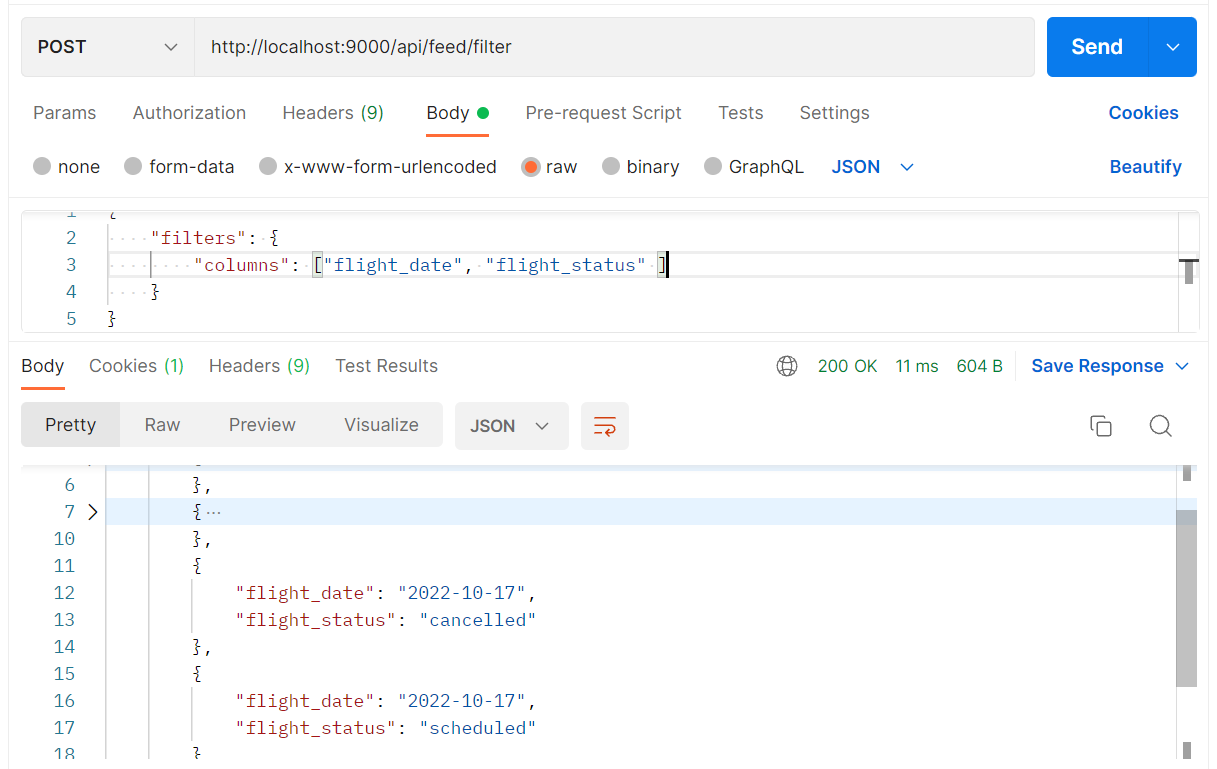
Show only flight date & flight status columns:
3) Update field
You can update field by passing the field name you want to alter & the new value.
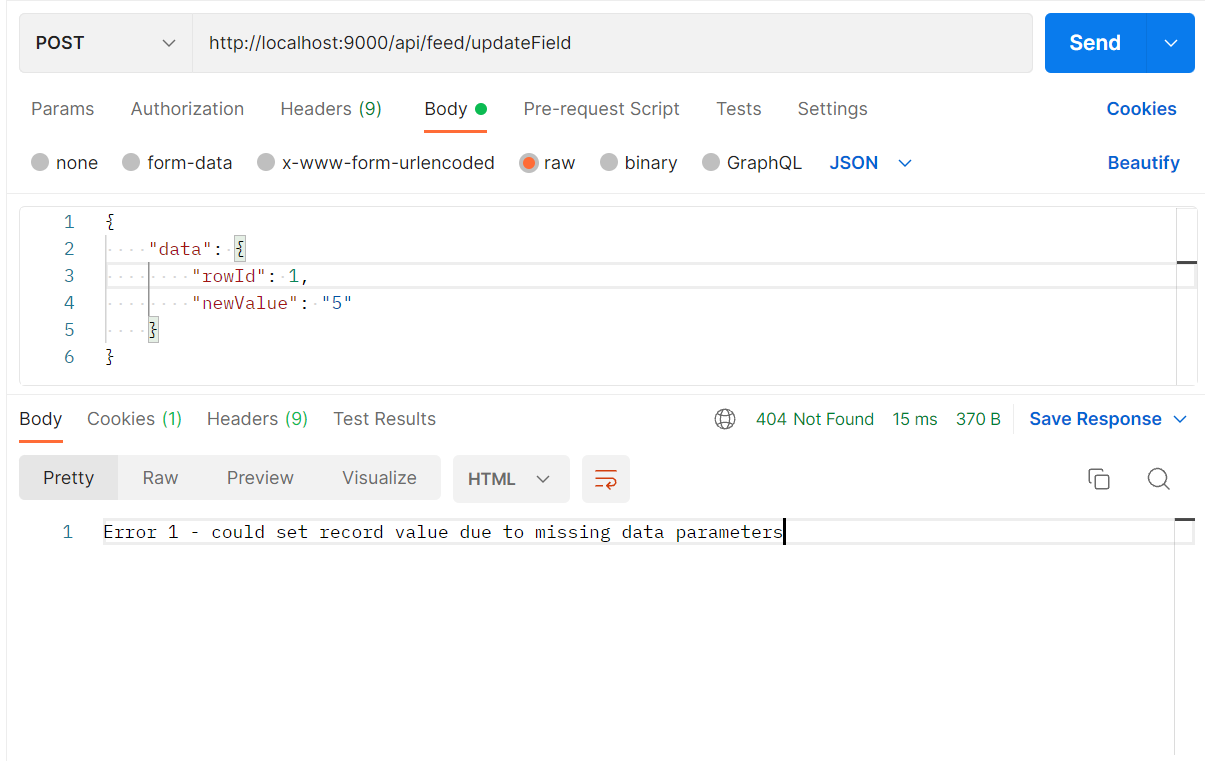
Note: currently this feature updating row & multiple rows of specific column.
POST - http://localhost:9000/api/feed/updateField
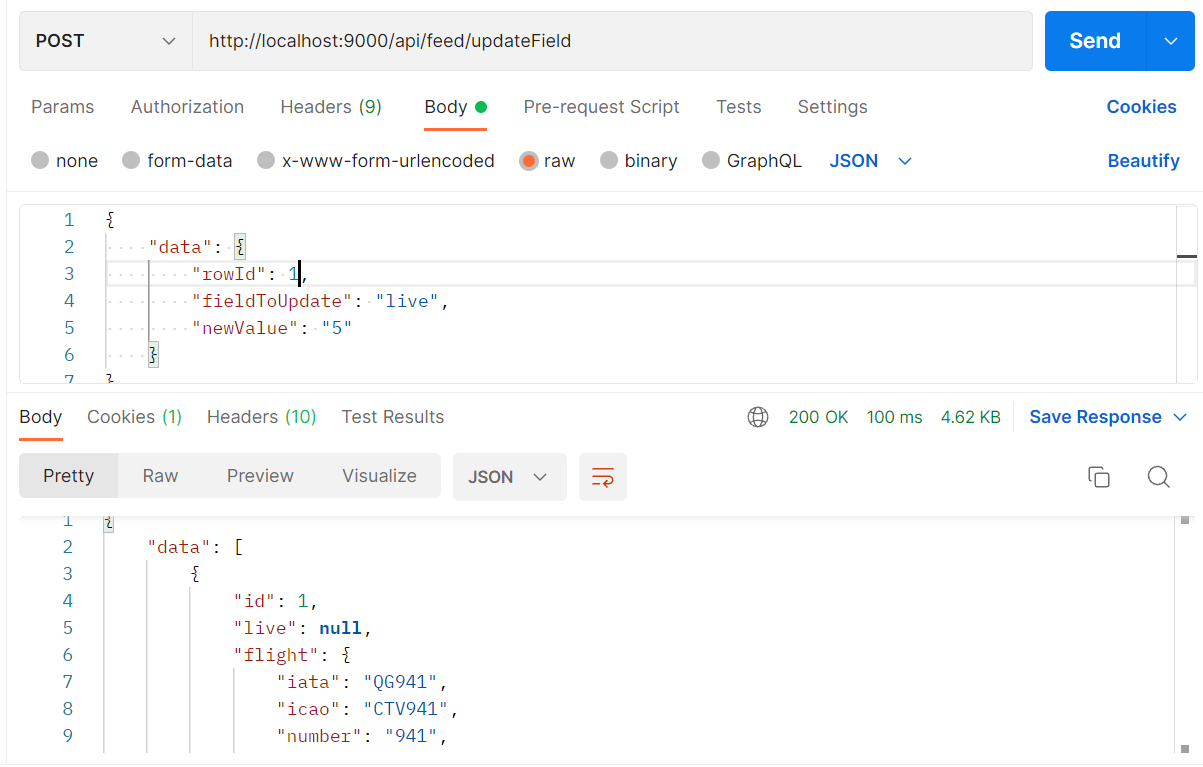
Let's say we want to update the first row (first record) with a new value for the field "live".
Original field equals null as you can see:
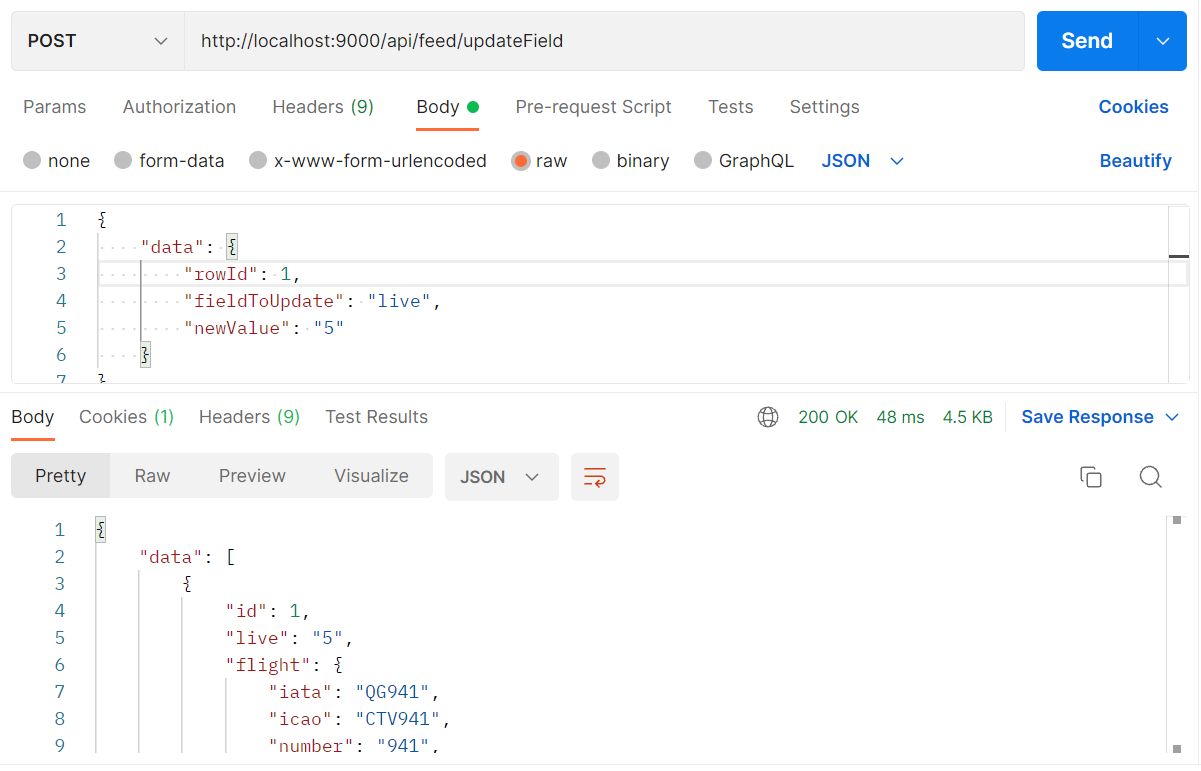
After sending the request to the server, you will notice the value is altered to 5.
Try using curl:
```
curl --location --request POST 'http://localhost:9000/api/feed/updateField' \
--header 'Content-Type: application/json' \
--header 'Cookie: connect.sid=s%3AwIcv2CWOo4MfACEOzmeyAcOHIOjz0JI-.NVuIKBNKBIAh1%2F7CVQD9d4khNV6pFOqZBSlfCdJGGK0' \
--data-raw '{
"data": {
"rowId": 1,
"fieldToUpdate": "live",
"newValue": "5"
}
}''
```
All data fields should be supplied. Otherwise, the server returns an error.