https://github.com/maidtools/maid
Maid is a containerized deployment platform for Laravel
https://github.com/maidtools/maid
cache database dns docker laravel php storage
Last synced: 3 months ago
JSON representation
Maid is a containerized deployment platform for Laravel
- Host: GitHub
- URL: https://github.com/maidtools/maid
- Owner: maidtools
- Created: 2021-01-31T21:37:03.000Z (over 5 years ago)
- Default Branch: master
- Last Pushed: 2023-04-07T13:39:48.000Z (over 3 years ago)
- Last Synced: 2025-10-21T20:24:13.721Z (9 months ago)
- Topics: cache, database, dns, docker, laravel, php, storage
- Language: PHP
- Homepage:
- Size: 28.6 MB
- Stars: 0
- Watchers: 1
- Forks: 0
- Open Issues: 0
-
Metadata Files:
- Readme: README.md
Awesome Lists containing this project
README





# Make Development Faster
Maid is a **containerized deployment platform** for Laravel, powered by Kubernetes. From simple to complex apps, launch your Laravel application on [maid.sh](https://maid.sh), enjoy the simplicity and focus on innovating and shipping value.
> Created by GhostZero, Certified Laravel Developer
# Quick Start
## Installation
Most likely you want to install maid as a global command, this can be done with Composer using the following command:
```shell
composer global require maid/maid
```
To upgrade maid, simply use the following command:
```shell
composer global update maid/maid
```
## Logging In
After installing the maid-cli, you need to authorize using your user account credentials.
```shell
maid login
```
> Note: To prevent the command from launching a web browser, use **maid login --console-only**. To authorize without a web browser and non-interactively, create a `credentials.json` file within the maid-cli config directory.
## Create a Manifest
First we need to create a `maid.yml` within the root directory of your project, this is done interactively by the following command:
```shell
maid init
```
> During the initialization process it tries to recognize frequently used Laravel ecosystem components from your project and also define them in your manifest file.
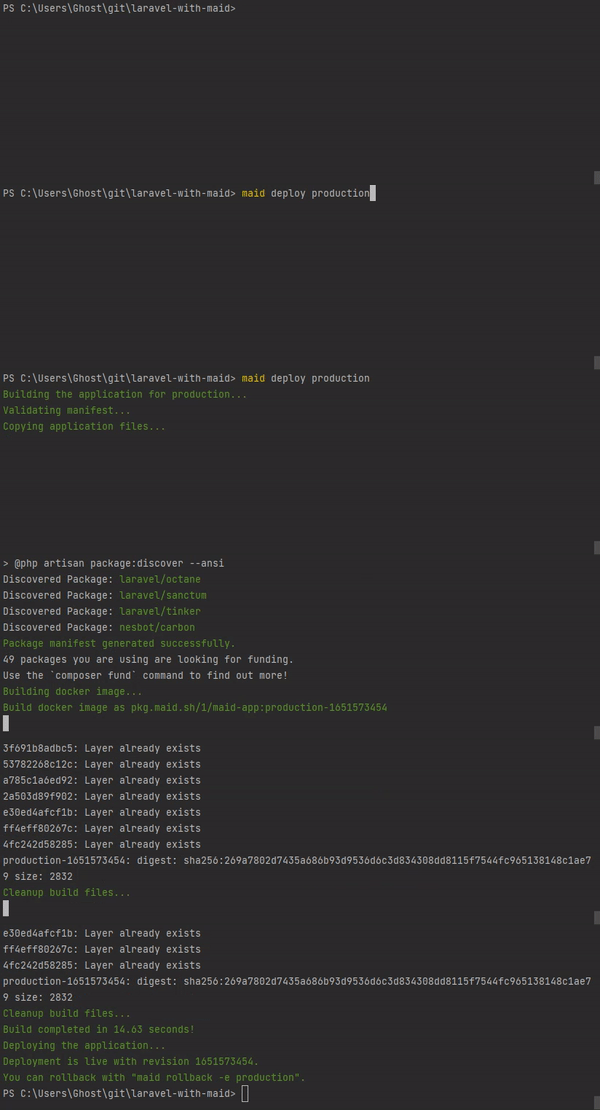
## Deploy your Application
After initializing your project you can start to deploy your first version:
```shell
maid deploy
```
# Official Documentation
You can view our official documentation [here](https://docs.maid.build/).