https://github.com/makepkg/securegen
🔐 Hardware TOTP Authenticator & Password Manager | 8-layer security | AES-256 | BLE Keyboard | Offline | ESP32 T-Display | T-Display S3
https://github.com/makepkg/securegen
2fa aes-256 air-gapped arduino authentication ble bluetooth-le embedded encryption esp32 hardware iot lilygo offline password-manager platformio security t-display totp two-factor-authentication
Last synced: 2 months ago
JSON representation
🔐 Hardware TOTP Authenticator & Password Manager | 8-layer security | AES-256 | BLE Keyboard | Offline | ESP32 T-Display | T-Display S3
- Host: GitHub
- URL: https://github.com/makepkg/securegen
- Owner: makepkg
- License: mit
- Created: 2025-07-20T13:47:28.000Z (12 months ago)
- Default Branch: master
- Last Pushed: 2026-04-29T16:21:44.000Z (2 months ago)
- Last Synced: 2026-04-29T17:29:39.341Z (2 months ago)
- Topics: 2fa, aes-256, air-gapped, arduino, authentication, ble, bluetooth-le, embedded, encryption, esp32, hardware, iot, lilygo, offline, password-manager, platformio, security, t-display, totp, two-factor-authentication
- Language: C
- Homepage: https://github.com/makepkg/SecureGen
- Size: 73.1 MB
- Stars: 56
- Watchers: 1
- Forks: 6
- Open Issues: 2
-
Metadata Files:
- Readme: README.md
- Changelog: CHANGELOG.md
- Contributing: CONTRIBUTING.md
- Funding: .github/FUNDING.yml
- License: LICENSE
- Security: .github/SECURITY.md
- Support: SUPPORT.md
Awesome Lists containing this project
README
# ESP32 T-Display Multifunctional Security Device
**Open-source hardware security device featuring TOTP Authenticator and Password Manager with BLE/USB HID**
*Supports T-Display ESP32 and T-Display-S3*
[](https://opensource.org/licenses/MIT)
[](https://platformio.org/)
[](https://www.espressif.com/)
[](https://www.youtube.com/watch?v=YTVQBwgok_E)
[](https://www.hackster.io/makepkg/securegen-open-source-totp-authenticator-password-manager-c350d6)
[](https://dev.to/makepkg)
[](https://www.producthunt.com/products/securegen-2)
[](https://makepkg.github.io/SecureGen/flash)
[](#)
[Video Demo](#-video-demo) • [Features](#-key-features) • [Installation](#-quick-start) • [Documentation](#-documentation) • [Security](#-security) • [Support](#-support)
---
## 📸 Device Gallery

T-Display ESP32 & S3 — Dual Board Showcase
ESP32 (left) running TOTP authenticator · S3 (right) running password manager with larger 1.9" display
### Device Features & Modes

TOTP Mode (Dark Theme)
Real-time authentication codes

TOTP Mode (Light Theme)
Customizable display themes

HOTP Mode (Light Theme)
Counter-based authentication

Password Manager Mode
Secure offline password vault

T-Display-S3 Close-up
1.9" display, USB HID support

QR Code Export
Export keys directly from display
### Hardware & Settings

Hardware Comparison
ESP32 (1.14") vs S3 (1.9")

Battery & Status
Real-time monitoring

BLE Security Mode
Encrypted wireless transmission

Boot Mode Selection
WiFi / AP / Offline at startup

Factory Reset
Secure data wiping
### Web Management Interface

Dashboard
Secure web access

TOTP Management
QR code scanning & bulk import

Password Vault
Encrypted storage & search

Security Settings
PIN & authentication config

Device Configuration
Network & display settings

Password Generator
Advanced generation & statistics
---
## 🎥 Video Demo
[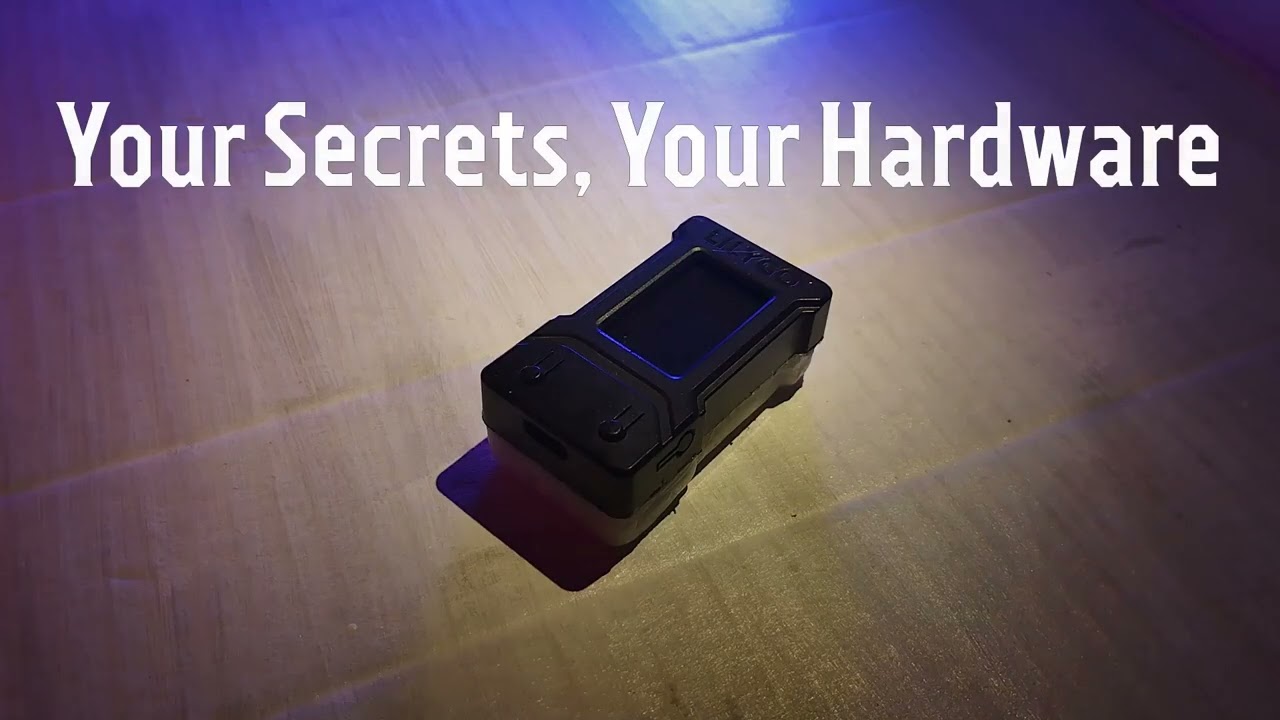](https://www.youtube.com/watch?v=YTVQBwgok_E)
**Watch the full demonstration** — TOTP generation, password management, BLE keyboard, and web interface.
[▶️ Watch on YouTube](https://www.youtube.com/watch?v=YTVQBwgok_E)

---
## ✨ Key Features
### 🔐 TOTP / HOTP Authenticator
- Compatible with Google Authenticator, Microsoft Authenticator, Authy, and all RFC 6238 / RFC 4226 services
- SHA1 / SHA256 / SHA512, 6 and 8 digit codes, 30s and 60s periods
- HOTP counter-based codes with automatic counter increment
- Add keys via QR code scan (camera or file), manual entry, or bulk import
- Export any key as QR code — displayed on the device screen and in the web interface
- Encrypted storage with unique per-device key
### 🔑 Password Manager
- Offline encrypted vault — works without any network connection
- **BLE HID keyboard** (ESP32 & S3): types passwords directly into any device, no clipboard
- **USB HID keyboard** (S3 only): native USB connection, no pairing needed
- PIN protection for BLE transmission
- Encrypted export/import for backup and migration
### 🌐 Web Management Interface
- Runs on the device itself — no cloud, no external servers
- Full TOTP and password management from any browser
- Password generator with complexity settings
- Three network modes: WiFi client, AP hotspot, or fully offline
- Multilingual interface — English, Russian, German, Chinese (Simplified), and Spanish
### 🎨 Display & Themes
- Light and dark themes, switchable from the web interface
- Custom splash screens on boot
- Battery indicator and WiFi status always visible
### ⚡ Hardware
**Supported Boards:**
- **T-Display ESP32** — dual-core 240MHz, 1.14" SPI display (135×240), BLE HID keyboard
- **T-Display-S3** — dual-core 240MHz, 1.9" parallel display (170×320), 8MB PSRAM, **USB HID + BLE HID** keyboard support
**Features:**
- Battery monitoring with real-time voltage and percentage
- Deep sleep and light sleep power saving
- **DS3231 RTC module support** — accurate offline timekeeping without WiFi; enables TOTP in AP and Offline modes
- **USB HID on S3** — type passwords via native USB connection (no BLE pairing needed), better performance with AES encryption
---
## 🛡️ Security
All sensitive data is encrypted with AES-256 using a unique per-device key derived from your PIN via PBKDF2-HMAC-SHA256. The web interface runs over an HTTPS-like encrypted channel (ECDH P-256 key exchange + AES-256-GCM) — works even in AP mode without certificates.
**8 layers of web protection:** key exchange → session encryption → URL obfuscation → header obfuscation → decoy traffic → method tunneling → timing protection → honeypot endpoints.
**Device security:** PIN with persistent lockout (5 attempts across reboots), secure memory wipe before deep sleep, encrypted BLE pairing.
### Known Limitations
- PBKDF2 iteration count (25,000) is below OWASP 2023 recommendations due to ESP32 hardware constraints
- No hardware secure enclave or secure boot by default
- Active MITM on initial ECDH exchange is not detectable without a server certificate
→ [Security Overview](docs/development/security/SECURITY_OVERVIEW.md) — full security summary
→ [Security Model](docs/development/security/security_model.md) — technical reference for developers and auditors
---
## 🎮 Device Controls
| Button | Action | Function |
|--------|--------|----------|
| **Button 1** (Top) | Short press | Previous item |
| | Long press 2s | Switch TOTP ↔ Password Manager |
| **Button 2** (Bottom) | Short press | Next item |
| | Long press 5s | Power off (deep sleep) |
| **Both buttons** | 2s in Password Mode | Activate BLE keyboard |
| | 5s on PIN screen | Shutdown |
| | 5s on boot | Factory reset |
Wake from sleep: press Button 2.
---
## 🚀 Quick Start
### Requirements
- [PlatformIO](https://platformio.org/platformio-ide) (VS Code extension)
- LILYGO® TTGO T-Display ESP32 **or** T-Display-S3
- USB-C cable
### ⚡ No tools? Flash from browser
[**→ Web Flasher**](https://makepkg.github.io/SecureGen/flash) — Chrome/Edge + USB, no install needed
[**→ User Guide**](https://makepkg.github.io/SecureGen/guide)
[**→ Decrypt Export Tool**](https://makepkg.github.io/SecureGen/tools)
### Install
```bash
git clone https://github.com/makepkg/SecureGen.git
cd SecureGen
# Open in VS Code with PlatformIO extension
# For T-Display ESP32:
pio run -e lilygo-t-display -t upload
# For T-Display-S3:
pio run -e lilygo-t-display-s3 -t upload
```
### First Boot
1. Device creates AP `ESP32-TOTP-Setup` → connect and open `192.168.4.1`
2. Enter WiFi credentials
3. Set administrator password and optional PIN
4. Device syncs time via NTP and is ready
→ [Complete User Manual](docs/user/GUIDE.html) for detailed setup and usage
---
## 📚 Documentation
> 🔌 **Want to run SecureGen on your own hardware?**
> See the [Hardware Porting Guide](docs/development/PORTING.md) — hardware requirements, step-by-step board setup, and which `#ifdef` to touch.
| Document | Audience |
|----------|----------|
| [User Manual](docs/user/GUIDE.html) | All users — setup, operation, features |
| [Operating Modes](docs/user/MODES.md) | Network and display mode reference |
| [Decrypt Export Tool](docs/user/decrypt-export-guide.md) | Offline backup decryption |
| [Security Overview](docs/development/security/SECURITY_OVERVIEW.md) | Security summary |
| [Security Model](docs/development/security/security_model.md) | Full technical security reference |
| [API Endpoints](docs/development/ENDPOINTS.md) | Developer API reference |
| [System Design](docs/development/system_design.md) | Architecture and boot sequence |
| [Logging System](docs/development/LOGGING_SYSTEM.md) | Debug and log configuration |
| [Multi-Board Support](docs/development/multi-board.md) | Internal multi-board development rules (for maintainers) |
| [Hardware Porting Guide](docs/development/PORTING.md) | Port SecureGen to your own ESP32 board |
---
## 🗺️ Roadmap
### User Experience
- Quick search by favorites / pinned accounts
- Display settings in web interface (brightness)
### Security Enhancements
- **Export with physical presence confirmation** — export requires button press on
device; ephemeral key derived on-device, never entered manually
- Flash encryption and secure boot (optional hardening)
- ATECC608 secure element support
### Cryptography
- Migration ECDH P-256 → X25519 (~400ms → ~80ms key exchange)
---
## 🤝 Support & Community
- **Issues:** [GitHub Issues](https://github.com/makepkg/SecureGen/issues)
- **Discussions:** [GitHub Discussions](https://github.com/makepkg/SecureGen/discussions)
- **YouTube:** [Demo & Tutorials](https://www.youtube.com/watch?v=YTVQBwgok_E)
- **Dev.to:** [Technical Articles](https://dev.to/makepkg)
- **Twitter/X:** [@makepkg](https://x.com/makepkg_)
- **Hackster.io:** [Featured Project](https://www.hackster.io/makepkg/securegen-open-source-totp-authenticator-password-manager-c350d6)
- **Product Hunt:** [Launch Page](https://www.producthunt.com/products/securegen-2)
### Donations
[](https://github.com/sponsors/makepkg)
**USDT BEP-20:** `0x4f85f29892b261fa8029f3cfd64211e166744733`
**USDT TRC-20:** `TDnjDg9HxySo1J2FPSrvWQejyZ4gHKiXSJ`
**⭐ Star this repo if you find it useful!**
---
## 📄 License
MIT — see [LICENSE](LICENSE). Third-party: TFT_eSPI (FreeBSD), ESPAsyncWebServer (LGPL-3.0), AsyncTCP (LGPL-3.0), ArduinoJson (MIT), mbedTLS (Apache 2.0).
---
**Made with ❤️ for the open-source community**
[⬆ Back to Top](#esp32-t-display-multifunctional-security-device)