https://github.com/makevoid/bitstamp_binance_dashboard
Bitstamp & Binance Dashboard to show your crypto balances across the two exchanges nicely in a single screen
https://github.com/makevoid/bitstamp_binance_dashboard
Last synced: about 1 year ago
JSON representation
Bitstamp & Binance Dashboard to show your crypto balances across the two exchanges nicely in a single screen
- Host: GitHub
- URL: https://github.com/makevoid/bitstamp_binance_dashboard
- Owner: makevoid
- Created: 2020-08-22T09:15:16.000Z (almost 6 years ago)
- Default Branch: master
- Last Pushed: 2023-03-17T05:27:03.000Z (over 3 years ago)
- Last Synced: 2025-04-09T16:21:01.290Z (over 1 year ago)
- Language: CSS
- Homepage:
- Size: 475 KB
- Stars: 1
- Watchers: 2
- Forks: 3
- Open Issues: 4
-
Metadata Files:
- Readme: Readme.md
Awesome Lists containing this project
README
# Bitstamp Binance Dashboard
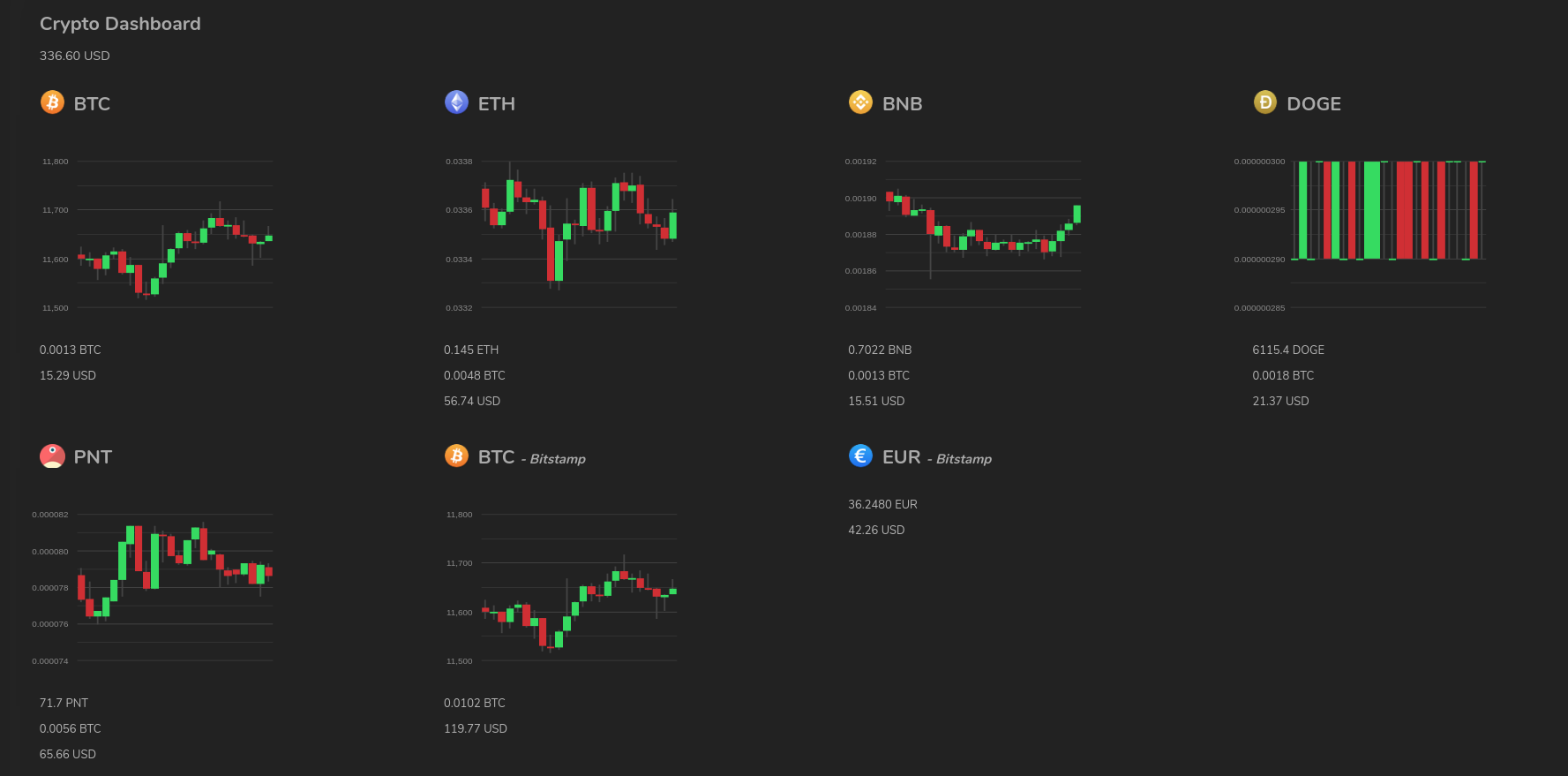
Bitstamp & Binance Dashboard to show all your crypto balances across the two exchanges nicely in a single screen which includes daily candlestick chart - The app pulls balance data directly from the exchanges via API (read-only API keys are required)
### Project status
*BETA* - fully functional but not polished
### Screenshot
### Configuration
#### Binance:
Create a Binance API key and export the following environment variables containing your key and your secret: `BINANCE_API_KEY`, `BINANCE_SECRET_KEY`.
You don't want to give this key full permissions as this application just fetches your latest balances from the exchanges, readonly permissions are ok.
Example:
```sh
export BINANCE_API_KEY=XXX
export BINANCE_SECRET_KEY=XXX
```
#### Bitstamp:
You don't want to give this key full permissions as this application just fetches your latest balances from the exchanges, Read-Balance permissions only are enough.
```sh
export BITSTAMP_API_KEY=XXX
export BITSTAMP_API_SECRET=XXX
export BITSTAMP_CLIENT_ID=123456
```
### Install
bundle
### Run
bundle exec rackup -p 3000
then visit:
(note that the default basic auth password is specified in `env.rb` unless provided via environment variable)
You should see the dashboard in all its glory!
### Run via Docker / Compose
#### Prepare:
cp env.default.sh env.sh
Then edit `env.sh` with your desired credentials
#### Run (with env vars):
source env.sh && docker-compose up --build
then visit:
(note that the basic auth username is blank and the password is the one specified in `env.sh`)
---
Enjoy,
@makevoid