https://github.com/malcommac/swiftunistroke
✍️ $1 Unistroke Gesture Recognizer in Swift
https://github.com/malcommac/swiftunistroke
Last synced: 10 months ago
JSON representation
✍️ $1 Unistroke Gesture Recognizer in Swift
- Host: GitHub
- URL: https://github.com/malcommac/swiftunistroke
- Owner: malcommac
- License: mit
- Created: 2015-10-09T18:31:36.000Z (over 10 years ago)
- Default Branch: master
- Last Pushed: 2020-11-15T09:35:57.000Z (over 5 years ago)
- Last Synced: 2025-03-01T09:22:42.651Z (over 1 year ago)
- Language: Swift
- Homepage:
- Size: 1.4 MB
- Stars: 54
- Watchers: 3
- Forks: 6
- Open Issues: 1
-
Metadata Files:
- Readme: README.md
- License: LICENSE
Awesome Lists containing this project
README
$1 Unistroke Gesture Recognizer in Swift
★★ Star our github repository to help us! ★★
[](https://travis-ci.org/Daniele Margutti/SwiftUnistroke)
[](http://cocoapods.org/pods/SwiftUnistroke)
[](http://cocoapods.org/pods/SwiftUnistroke)
[](http://cocoapods.org/pods/SwiftUnistroke)
# SwiftUnistroke
## You also may like
-------
Do you like `SwiftRichString`? I'm also working on several other opensource libraries.
Take a look here:
* **[SwiftDate](https://github.com/malcommac/SwiftDate)** - Full features Dates & TimeZone management for iOS,macOS,tvOS and watchOS
* **[Hydra](https://github.com/malcommac/Hydra)** - Promise, Async/Await on sterioids!
* **[SwiftLocation](https://github.com/malcommac/SwiftLocation)** - CoreLocation and Beacon Monitoring on steroid!
* **[SwiftScanner](https://github.com/malcommac/SwiftScanner)** - String scanner in pure Swift with full unicode support
* **[SwiftSimplify](https://github.com/malcommac/SwiftSimplify)** - Tiny high-performance Swift Polyline Simplification Library
* **[SwiftMsgPack](https://github.com/malcommac/SwiftMsgPack)** - MsgPack Encoder/Decoder in Swit
## Demo
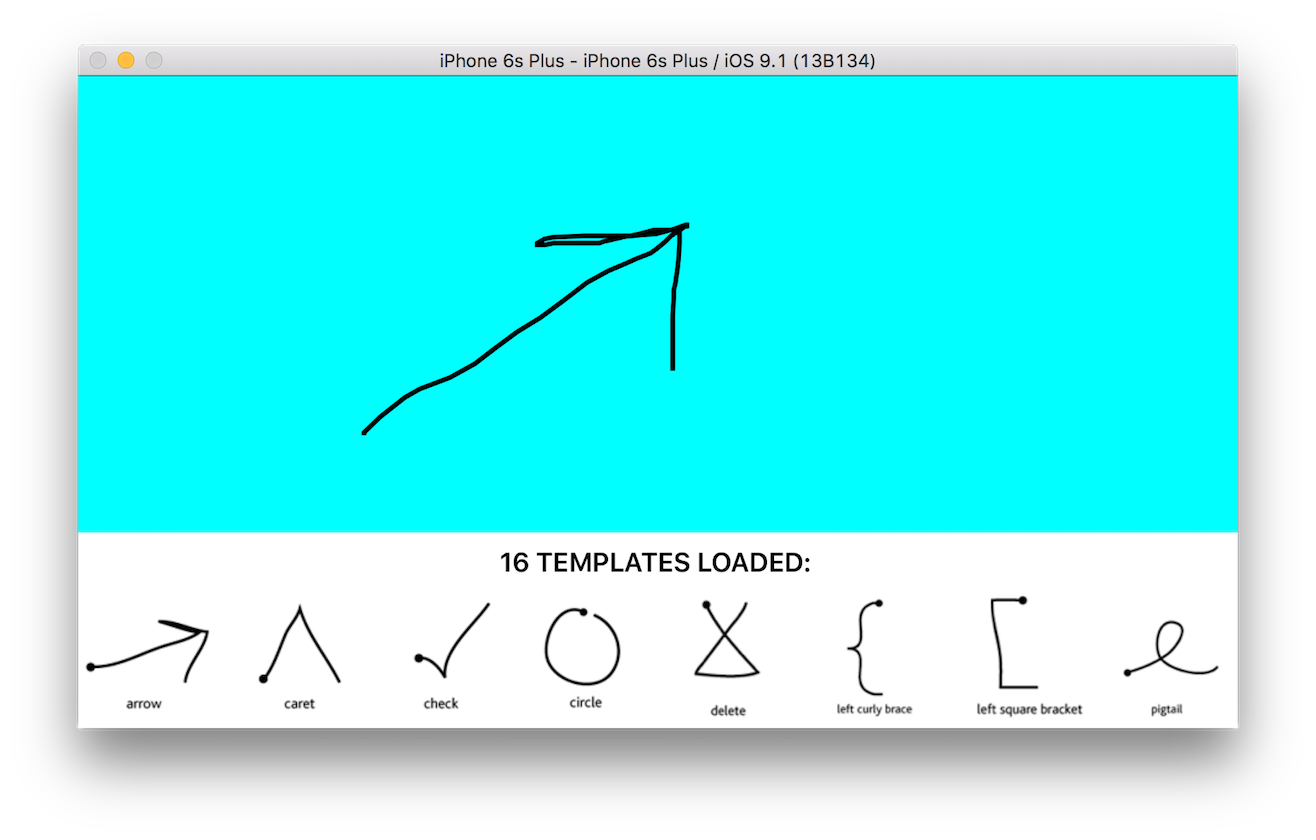
A full video of the gesture recognizer is available here:
* [$1 Unistroke Demo](http://www.youtube.com/watch?v=P7wQVkmTkPY)
[](http://www.youtube.com/watch?v=P7wQVkmTkPY)
## Description
SwiftUnistroke is a pure Swift 2 implementation of the $1 Unistroke Algorithm developed by Jacob Wobbrock, Andy Wilson and Yang Li.
The $1 Unistroke Recognizer is a 2-D single-stroke recognizer designed for rapid prototyping of gesture-based user interfaces.
In machine learning terms, $1 is an instance-based nearest-neighbor classifier with a Euclidean scoring function, i.e., a geometric template matcher.
Despite its simplicity, $1 requires very few templates to perform well and is only about 100 lines of code, making it easy to deploy. An optional enhancement called Protractor improves $1's speed.
A more detailed description of the algorithm is available both on [official project paper](http://faculty.washington.edu/wobbrock/pubs/uist-07.01.pdf) and on my [blog's article here](http://danielemargutti.com/1-recognizer-in-swift-2/).
This library also contain an example project which demostrate how the algorithm works with a set of loaded templates; extends this library is pretty easy and does not involve any machine learning stuff.
Other languages implementation can be [found here](https://depts.washington.edu/aimgroup/proj/dollar/).
##Highlights
- [x] Fast gestures recognition
- [x] Simple code, less than 200 lines
- [x] Easy extensible pattern templates collection
- [x] High performance even with old hardware
- [x] Machine learning is not necessary
- [x] An optional enhancement called protractor ([more](http://dl.acm.org/citation.cfm?id=1753654)) improves speed.
### Author
Daniele Margutti
- *web*: [www.danielemargutti.com](http://www.danielemargutti.com)
- *linkedin*: [https://linkedin.com/in/danielemargutti](https://linkedin.com/in/danielemargutti)
- *twitter*: [@danielemargutti](http://www.twitter.com/danielemargutti)
- *mail*: [hello@danielemargutti.com](hello@danielemargutti.com)
## Communication
- If you **found a bug**, open an issue.
- If you **have a feature request**, open an issue.
- If you **want to contribute**, submit a pull request.
##Version History
##1.0 (Oct 9, 2015)
- First release
## Requirements
- Mac OS X 10.10+ or iOS 8+
- Swift 2+
## How to use it
SwiftUnistroke is really simple to use: first of all you need to provide a set of templates; each template is composed by a series of points which describe the path.
You can create a new ```SwiftUnistrokeTemplate``` object from an array of ```CGPoints``` or ```StrokePoint```.
In this example we load a template from a JSON dictionary which contains ```name```,```points``` keys:
```swift
let templateDict = try NSJSONSerialization.JSONObjectWithData(jsonData!, options: NSJSONReadingOptions.AllowFragments) as! NSDictionary
let name = templateDict["name"]! as! String
let rawPoints: [AnyObject] = templateDict["points"]! as! [AnyObject]
var points: [StrokePoint] = []
for rawPoint in rawPoints {
let x = (rawPoint as! [AnyObject]).first! as! Double
let y = (rawPoint as! [AnyObject]).last! as! Double
points(StrokePoint(x: x, y: y))
}
let templateObj = SwiftUnistrokeTemplate(name: name, points: points)
```
Now suppose you have an array of ```SwiftUnistrokeTemplate``` and an array of captured points (```inputPoints```, your path to recognize).
In order to perform a search you need to allocate a new ```SwiftUnistroke``` and call ```recognizeIn()``` method:
```swift
let recognizer = SwiftUnistroke(points: inputPoints!)
do {
let (template,distance) = try recognizer.recognizeIn(self.templates, useProtractor: false)
if template != nil {
print("[FOUND] Template found is \(template!.name) with distance: \(distance!)")
} else {
print("[FAILED] Template not found")
}
} catch (let error as NSError) {
print("[FAILED] Error: \(error.localizedDescription)")
}
```
That's all, this method return the best match in your templates bucket.
## Installation
SwiftUnistroke is available through [CocoaPods](http://cocoapods.org). To install
it, simply add the following line to your Podfile:
```ruby
pod "SwiftUnistroke"
```
### License
SwiftUnistroke is available under the MIT license. See the LICENSE file for more info.