https://github.com/malith-rukshan/telegram-card
Showcase your Telegram channels, groups, and bots with beautiful, dynamic preview cards. Perfect for GitHub profiles and portfolios. ✨
https://github.com/malith-rukshan/telegram-card
developer-tool github-profile-readme nextjs profile-badge profile-readme social-media telegram vercel vercel-og
Last synced: about 2 months ago
JSON representation
Showcase your Telegram channels, groups, and bots with beautiful, dynamic preview cards. Perfect for GitHub profiles and portfolios. ✨
- Host: GitHub
- URL: https://github.com/malith-rukshan/telegram-card
- Owner: Malith-Rukshan
- License: mit
- Created: 2025-04-29T19:17:35.000Z (about 1 year ago)
- Default Branch: main
- Last Pushed: 2025-05-06T07:13:58.000Z (about 1 year ago)
- Last Synced: 2025-06-12T15:52:21.058Z (about 1 year ago)
- Topics: developer-tool, github-profile-readme, nextjs, profile-badge, profile-readme, social-media, telegram, vercel, vercel-og
- Language: TypeScript
- Homepage: https://telegram-card.vercel.app
- Size: 133 KB
- Stars: 4
- Watchers: 1
- Forks: 0
- Open Issues: 0
-
Metadata Files:
- Readme: README.md
Awesome Lists containing this project
README

Telegram Card - Widget
[](https://nextjs.org/)
[](https://t.me/SingleDevelopers)
[](https://telegram-card.malith.dev/?username=SingleDevelopers)
✨ Beautiful dynamic cards for Telegram profiles, channels, and groups! 🚀
- Showcase your Telegram presence anywhere with beautiful, themed cards -
Powered by Next.js OG Image API ツ
## ✨ Features
- 🎨 Beautiful, responsive design
- 🌓 Dark and light theme support
- 🚀 Fast generation using Next.js OG Image API
- 📱 Works with channels, groups, bots and personal profiles
- 📊 Shows subscriber count, member count, or monthly users
## 🛠️ Usage
### Basic Usage
```
https://telegram-card.malith.dev/?username=SingleDevelopers
```
### With Theme Specification
```
https://telegram-card.malith.dev/?username=SingleDevelopers&theme=dark
```
### Advanced Customization
You can customize the colors and font of the card by passing the following query parameters:
- `bgColor`: The background color of the card.
- `textColor`: The color of the text.
- `subtleTextColor`: The color of the subtle text.
- `extraColor`: The color of the extra text.
- `shadowColor`: The color of the box shadow.
- `fontFamily`: The font family of the text.
**Example:**
```
https://telegram-card.malith.dev/?username=SL_Developers&bgColor=rgba(30,41,59,1)&textColor=%23F1F5F9&subtleTextColor=%23CBD5E1&extraColor=%23F59E0B&shadowColor=rgba(0,0,0,0.2)&fontFamily=system-ui
```
### For Github Readme.md
```html
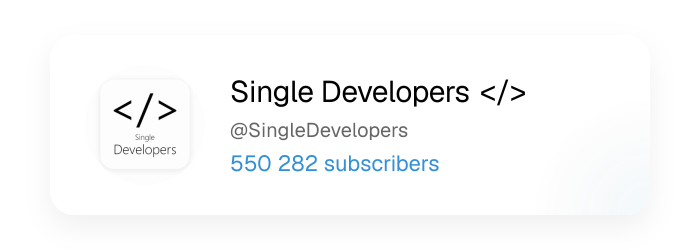
```
or
```markdown

```
## 📸 Examples
Example usage for Github Profile : https://github.com/Malith-Rukshan#-connect-with-me
### 🎨 Theme Support
#### 🌝 Light Theme

#### 🌚 Dark Theme

#### 🎨 Custom Theme
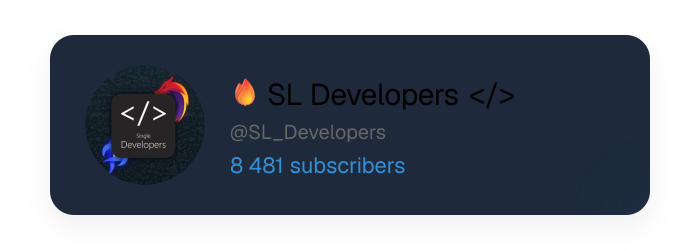&textColor=%23F1F5F9&subtleTextColor=%23CBD5E1&extraColor=%23F59E0B&shadowColor=rgba(0,0,0,0.2)&fontFamily=system-ui)
### 🗂 Source Types Support
#### 🔔 Channel
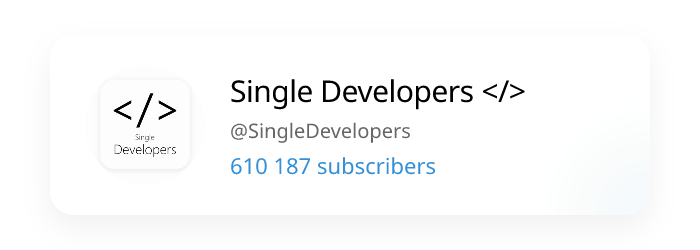

#### 🤖 Bot

#### 👥 Group

|  |  |
|------------|-----------|
|  |  |
|  |  |
## 📦 Getting Started
### 🚀 Quick Deploy
The fastest way to get your own Telegram Card Widget is to deploy it directly to one of these platforms:
#### ✅ Serverless - Free
[](https://vercel.com/new/clone?repository-url=https://github.com/Malith-Rukshan/telegram-card)
[](https://deploy.workers.cloudflare.com/?url=https://github.com/Malith-Rukshan/telegram-card)
1. Click one of the deploy buttons above
2. Follow the platform's setup instructions
3. Your Telegram Card Widget will be online in minutes!
4. Use it by visiting: `https://your-deployment-url/?username=YourTelegramUsername`
## 🚀 Deploy on PaaS
Set all environmental variables before deployment if required by the platform.
[](https://heroku.com/deploy?template=https://github.com/Malith-Rukshan/telegram-card)
[](https://app.netlify.com/start/deploy?repository=https://github.com/Malith-Rukshan/telegram-card)
[](https://railway.com/template/v2vpPI?referralCode=jC4ZQ_)
[](https://render.com/deploy?repo=https://github.com/Malith-Rukshan/telegram-card)
## 🐳 Docker
The quickest way to run a self-hosted instance:
```bash
docker compose up -d --build
```
Then visit [http://localhost:3000/?username=SingleDevelopers](http://localhost:3000/?username=SingleDevelopers).
> To expose on a different port, set `EXPOSE_PORT` before running:
> ```bash
> EXPOSE_PORT=8080 docker compose up -d --build
> ```
## 💻 Local Development
If you want to run the project locally or customize it before deploying:
### Prerequisites
- Node.js 16+
- npm or yarn
### Installation
1. Clone the repository
```bash
git clone https://github.com/Malith-Rukshan/telegram-card.git
cd telegram-card
```
2. Install dependencies
```bash
npm install
# or
yarn install
```
3. Run the development server
```bash
npm run dev
# or
yarn dev
```
4. Open [http://localhost:3000/?username=SingleDevelopers](http://localhost:3000/?username=SingleDevelopers) to see your card!
## 🌐 Use Cases
- Add to your GitHub profile README
- Embed in your personal website
- Create dynamic links to your Telegram presence
- Showcase your channel or group subscribers
## 📜 License
This project is licensed under the MIT License - see the [LICENSE](LICENSE) file for details.
## 🔧 Acknowledgements
- Built with [Next.js](https://nextjs.org/)
- OG Images powered by [@vercel/og](https://vercel.com/docs/concepts/functions/edge-functions/og-image-generation)
- Crafted specifically for developers to showcase their Telegram presence
## 🤝 Contributing
Feedback and suggestions are always welcome! Feel free to open issues or submit pull requests to help improve the Telegram Card widget.
## 🌟 Support and Community
If you found this project helpful, **don't forget to give it a ⭐ on GitHub.** This encourages more innovative projects to thrive! 🫶
## 📬 Contact
If you have any questions, feedback, or just want to say hi, you can reach out to me:
- Telegram: [@MalithRukshan](https://t.me/MalithRukshan)
- Email: [hello@malith.dev](mailto:hello@malith.dev)
🧑💻 Built with 💖 by [Single Developers >](https://SingleDevelopers.com)