https://github.com/malithmcr/react-php-form
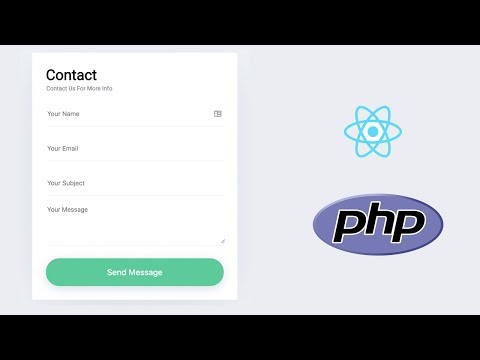
Contact form React Component with PHP mail api. Demo:
https://github.com/malithmcr/react-php-form
component contact-form php react-php reactjs
Last synced: over 1 year ago
JSON representation
Contact form React Component with PHP mail api. Demo:
- Host: GitHub
- URL: https://github.com/malithmcr/react-php-form
- Owner: malithmcr
- License: gpl-3.0
- Created: 2018-11-26T22:10:37.000Z (over 7 years ago)
- Default Branch: master
- Last Pushed: 2023-03-03T07:50:45.000Z (over 3 years ago)
- Last Synced: 2025-04-15T03:54:10.387Z (over 1 year ago)
- Topics: component, contact-form, php, react-php, reactjs
- Language: JavaScript
- Homepage: https://malithmcr.github.io/react-php-contact-form/
- Size: 5.5 MB
- Stars: 93
- Watchers: 8
- Forks: 73
- Open Issues: 11
-
Metadata Files:
- Readme: README.md
- Funding: .github/FUNDING.yml
- License: LICENSE
Awesome Lists containing this project
README
## Contact form React Component with PHP mail api.
[](https://travis-ci.org/malithmcr/react-php-contact-form.svg?branch=master)
[](https://semver.org)
[](#contributors)
This is the repo for tutorial in my blog post [Create Contact form with react and php](https://blog.bitsrc.io/how-to-build-a-contact-form-with-react-js-and-php-d5977c17fec0).
## Usage of complete project.
Please clone this repo and in the project root directory, Please run:
`docker-compose up -d`
"If this command doesn't work, You will need to install docker first "
Frontend will run in localhost:3000
Api will run in localhost:8080
Old way ( If you want to run without docker):
### `npm install`
please go to the /app folder and run npm install to install all the nessery npm modules.
### `npm start`
Runs the app in the development mode.
Open [http://localhost:3000](http://localhost:3000) to view it in the browser.
The page will reload if you make edits.
You will also see any lint errors in the console.
### `npm run build`
Build this project for production.
## Using only the component
If you want to use only the react component without using php api.
Please download 'src/components/Form/' folder.
You can use the form component like this ``
## Run PHP API with docker
First you need docker installed in you machine. Once you have docker installed please
navigate to root folder from your terminal and run:
`docker-compose up -d`
Api will run in localhost:8080
#### props
`config - object`
Example of config prop:

Watch the Video:
#### .env
Make sure change api url in .env file
$ REACT_APP_API = http://localhost/react-contact-form/api/contact/index.php
Change this : http://localhost/react-contact-form/api/contact/index.php to whatever you want.
## PHP Settings
Please go to ./api/config.php
and change adminEmail to your email. You will get email to this.
$adminEmail = "hey@malith.dev";

## Contributors
Thanks goes to these wonderful people ([emoji key](https://allcontributors.org/docs/en/emoji-key)):

Malith Priyashan
🚇 ⚠️ 💻

Bret Wadleigh
🚧

Hans Kuijpers
💻

cscheerio
🚧
This project follows the [all-contributors](https://github.com/all-contributors/all-contributors) specification. Contributions of any kind welcome!

I wrote a full article about this here: https://craftcode.design/contact-form-with-react-and-php/