https://github.com/man-navlakha/dynamic-image-server
Welcome to the Dynamic Image API, a powerful and flexible service for fetching animal images on demand. This API also includes a sample endpoint for managing user data.
https://github.com/man-navlakha/dynamic-image-server
animal api backend backend-development express free
Last synced: about 1 month ago
JSON representation
Welcome to the Dynamic Image API, a powerful and flexible service for fetching animal images on demand. This API also includes a sample endpoint for managing user data.
- Host: GitHub
- URL: https://github.com/man-navlakha/dynamic-image-server
- Owner: man-navlakha
- Created: 2025-05-17T06:10:03.000Z (about 1 year ago)
- Default Branch: main
- Last Pushed: 2026-04-12T11:51:07.000Z (2 months ago)
- Last Synced: 2026-04-12T13:23:47.200Z (2 months ago)
- Topics: animal, api, backend, backend-development, express, free
- Language: JavaScript
- Homepage: https://img-server-theta.vercel.app
- Size: 30.3 KB
- Stars: 1
- Watchers: 1
- Forks: 0
- Open Issues: 0
-
Metadata Files:
- Readme: README.md
Awesome Lists containing this project
README
# Dynamic Image Server
Production-ready dynamic image APIs built with Express.
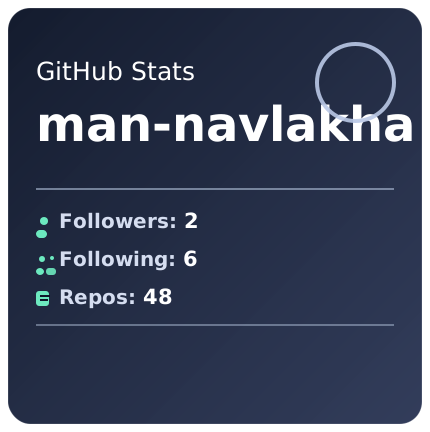
This project includes a fully custom GitHub Stats Card API that returns animated SVG cards for GitHub profile READMEs.
---
## Overview
Dynamic Image Server provides:
- Dynamic GitHub stats cards as SVG
- Animal image API with static and Pexels fallback
- Vehicle image API with SVG fallback generation
- Generic image resolver endpoint
- Sample users API
All APIs are designed for clean embedding, stable response behavior, and production deployment on Vercel.
---
## Base URL
https://img-server-theta.vercel.app
---
## Quick Start (Local)
### 1. Install dependencies
npm install
### 2. Configure environment variables
Create a .env file in the project root:
PORT=3000
GITHUB_TOKEN=ghp_xxx
Notes:
- GITHUB_TOKEN is optional but strongly recommended for higher GitHub API rate limits.
- PORT is optional in cloud deployment and mainly useful for local development.
### 3. Run the server
node man.js
### 4. Run tests
npm test
---
## GitHub Stats Card API
### Endpoint
- Method: GET
- Path: /api/stats
- Content-Type: image/svg+xml; charset=utf-8
- Response format: SVG only (success and error responses)
### Required Query Parameter
- username: GitHub login name
### Optional Query Parameters
- theme: dark, light, ocean
- title_color: hex color override, example 00e5ff or #00e5ff
- text_color: hex color override, example e8f9ff or #e8f9ff
- icon_color: hex color override, example 40f3ff or #40f3ff
- bg_color: hex color override, example 022135 or #022135
- border_color: hex color override for card border
- show_languages: true or false, also supports 1 or 0, yes or no
Visibility toggles (default true unless noted):
- show_avatar: show/hide profile avatar (default true)
- show_followers: show/hide followers count (default true)
- show_following: show/hide following count (default true)
- show_repos: show/hide public repo count (default true)
- show_title: show/hide "GitHub Stats" title (default true)
- show_border: show/hide card border (default true)
- show_languages: show/hide top languages block (default false)
Layout controls:
- border_radius: rounded card corner radius (0..40, default 22)
- border_width: border width in px (0..6, default 1)
- card_width: card width in px (320..800, default 430)
- compact: compact density mode (default false)
Important:
- Only valid hex values are applied for color overrides.
- Invalid color values are safely ignored.
- If using # in URL query values, encode it as %23.
---
## API Usage Examples
/api/stats?username=man-navlakha
/api/stats?username=man-navlakha&theme=dark
/api/stats?username=man-navlakha&show_languages=true
/api/stats?username=man-navlakha&theme=ocean&title_color=00e5ff&text_color=e8f9ff&icon_color=40f3ff&bg_color=022135
/api/stats?username=man-navlakha&show_avatar=false&show_followers=false&show_following=true&show_repos=true
/api/stats?username=man-navlakha&border_radius=30&border_width=2&border_color=71f3c6&card_width=540
/api/stats?username=man-navlakha&compact=true&show_languages=true
---
## Clickable Demo Links
- Basic Card
https://img-server-theta.vercel.app/api/stats?username=man-navlakha
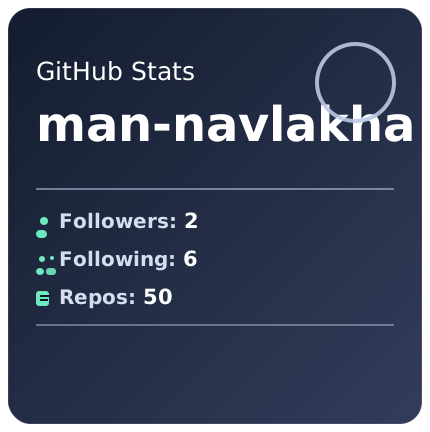
- Dark Theme
https://img-server-theta.vercel.app/api/stats?username=man-navlakha&theme=dark
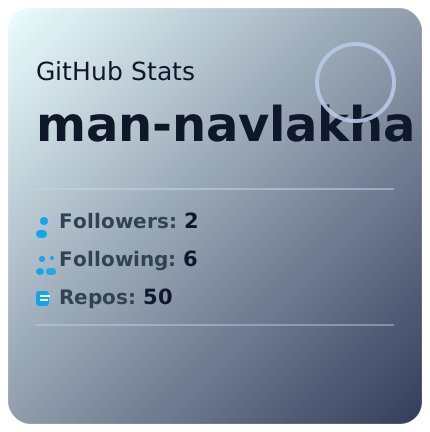
- Light Theme
https://img-server-theta.vercel.app/api/stats?username=man-navlakha&theme=light
- Ocean Theme
https://img-server-theta.vercel.app/api/stats?username=man-navlakha&theme=ocean
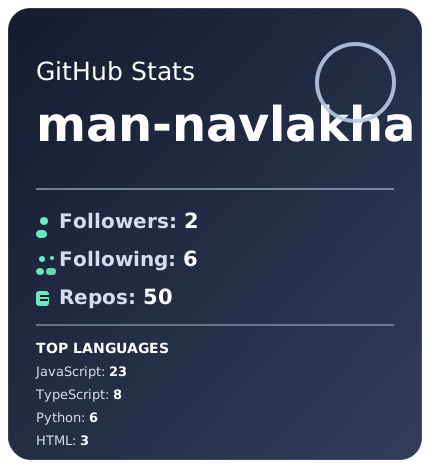
- With Languages
https://img-server-theta.vercel.app/api/stats?username=man-navlakha&show_languages=true
- Fully Customized
https://img-server-theta.vercel.app/api/stats?username=man-navlakha&theme=ocean&show_languages=true&title_color=ecfeff&text_color=c9ecff&icon_color=3ddad7&bg_color=082f49
- No Avatar + Minimal Stats
https://img-server-theta.vercel.app/api/stats?username=man-navlakha&show_avatar=false&show_followers=false&show_following=true&show_repos=true
- Rounded Border + Wide Card
https://img-server-theta.vercel.app/api/stats?username=man-navlakha&border_radius=30&border_width=2&border_color=71f3c6&card_width=540
- Error Example (Invalid GitHub User)
https://img-server-theta.vercel.app/api/stats?username=this-user-does-not-exist-xyz123
---
## Markdown Embed Examples

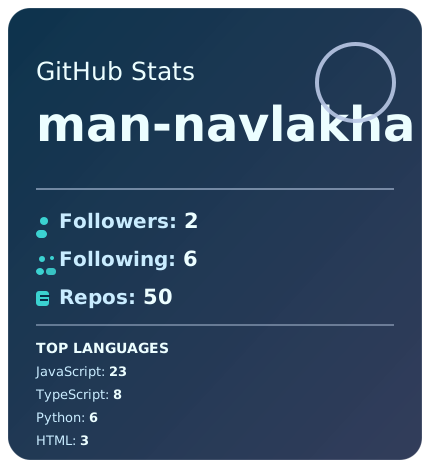
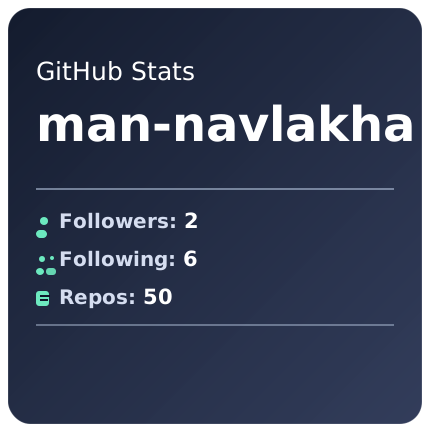
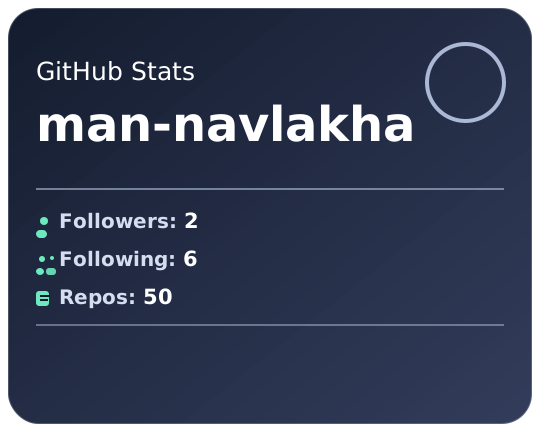
---
## Theme Defaults
| Theme | title_color | text_color | icon_color | bg_color |
|---|---|---|---|---|
| dark | #ffffff | #d5ddf0 | #71f3c6 | #0f172a |
| light | #0f172a | #334155 | #0ea5e9 | #ecfeff |
| ocean | #ecfeff | #b7e3f8 | #3ddad7 | #082f49 |
Color resolution order:
1. Query parameter override
2. Selected theme default
3. dark theme fallback
---
## Error Behavior
The stats API always returns an SVG card, even when errors occur.
Status mapping:
- 400: missing or invalid query parameters
- 404: GitHub user not found
- 502: GitHub API unavailable, rate-limited, or upstream network issue
This ensures GitHub README embeds remain visually stable.
---
## Performance and Reliability
Implemented protections:
- In-memory cache with 10 minute TTL
- HTTP cache headers:
- max-age=300
- s-maxage=1800
- stale-while-revalidate=43200
- Query validation and sanitization
- Modular architecture for maintainability
Stats module structure:
- routes/stats.js
- lib/stats/githubClient.js
- lib/stats/query.js
- lib/stats/themeConfig.js
- lib/stats/svgRenderer.js
- lib/stats/cache.js
---
## Vercel Deployment Guide
### 1. Import Project
- Import repository into Vercel
- Framework preset: Other or Node serverless
### 2. Build Settings
- Build command: none required
- Output directory: none required
- Install command: npm install
- Entrypoint configured via vercel.json to man.js
### 3. Environment Variables
Set in Vercel Project Settings:
- GITHUB_TOKEN recommended
- PORT optional for local workflows
### 4. Deploy and Test
Use:
https://your-project.vercel.app/api/stats?username=man-navlakha
### 5. Verify Response Headers
Expected:
- content-type: image/svg+xml; charset=utf-8
- cache-control: public, max-age=300, s-maxage=1800, stale-while-revalidate=43200
---
## Scaling Recommendations
1. Move cache from memory to Redis or Upstash for multi-instance consistency.
2. Add ETag and If-None-Match handling for lower bandwidth.
3. Add edge caching and regional CDN strategy.
4. Add GitHub rate-limit aware retry and backoff logic.
5. Add observability with logs, metrics, and alerts.
6. Add circuit-breaker fallback under upstream failures.
---
## Existing Endpoints
- /img?text=...
Generic image resolver and redirect from Wikimedia Commons.
- /api/pin?username=...&repo=...
Custom GitHub repository pin card API (SVG), similar to GitHub Readme Stats pin cards.
- /api/animal/:name
Returns configured animal image or falls back to Pexels search.
- /api/vehicle/:name
Returns configured vehicle image or generated SVG label fallback.
- /api/users
Sample user endpoints for demonstration.
---
## Repository Pin Card API
Endpoint:
/api/pin?username=man-navlakha&repo=blog_ms
Supported query params:
- username (required)
- repo (required)
- theme (optional): react, dark, light
- title or name (optional): custom repository title text
- owner_name (optional): custom owner label text
- description (optional): custom description text
- font_family (optional): custom font family string
- icon_text (optional): custom icon symbol/emoji
- image_url (optional): custom logo image URL (http/https)
- show_image (optional boolean)
- image_size (optional number, 22..72)
- bg_color (optional hex)
- bg_color2 (optional hex)
- title_color (optional hex)
- icon_color (optional hex)
- text_color (optional hex)
- border_color (optional hex)
- card_width (optional number, 340..900)
- card_height (optional number, 140..320)
- border_radius (optional number, 8..40)
- border_width (optional number, 0..6)
- padding (optional number, 16..40)
- title_size (optional number, 14..40)
- desc_size (optional number, 11..24)
- meta_size (optional number, 11..22)
- hide_border (optional boolean)
- show_icons (optional boolean)
- show_owner (optional boolean)
- show_description (optional boolean)
- show_stats (optional boolean)
- show_language (optional boolean)
- show_repo_icon (optional boolean)
- show_owner_icon (optional boolean)
Example link:
https://img-server-theta.vercel.app/api/pin?username=man-navlakha&repo=blog_ms&theme=react&bg_color=20232a&title_color=61D9FA&icon_color=F8D866&hide_border=true&show_icons=true
Advanced customization example:
https://img-server-theta.vercel.app/api/pin?username=man-navlakha&repo=blog_ms&theme=react&title=blog_ms&owner_name=man-navlakha&description=Microservices%20based%20Blog%20Application%20with%20Spring%20Boot%20%26%20MySQL.&icon_text=%F0%9F%93%81&show_repo_icon=true&show_owner_icon=true&show_stats=true&show_language=true&card_width=780&card_height=280&title_size=44&desc_size=15&bg_color=20232a&bg_color2=0b1220&title_color=61D9FA&icon_color=F8D866&text_color=c9d1d9
Markdown embed example:

Pin builder panel (live HTML configurator):
https://img-server-theta.vercel.app/pin-panel
---
## Local Testing Notes
Local test URL:
http://localhost:3000/api/stats?username=man-navlakha
PowerShell quick test:
curl.exe "http://localhost:3000/api/stats?username=man-navlakha&show_languages=true" -o stats.svg
Important:
- GitHub markdown cannot access localhost.
- For GitHub profile README, always use public HTTPS URLs.