https://github.com/manni2000/mongoose
Mongoose Documents
https://github.com/manni2000/mongoose
database mongodb mongoose nosql
Last synced: 3 months ago
JSON representation
Mongoose Documents
- Host: GitHub
- URL: https://github.com/manni2000/mongoose
- Owner: manni2000
- Created: 2022-11-05T04:03:12.000Z (over 3 years ago)
- Default Branch: main
- Last Pushed: 2022-11-10T13:57:50.000Z (over 3 years ago)
- Last Synced: 2025-03-12T03:33:00.950Z (over 1 year ago)
- Topics: database, mongodb, mongoose, nosql
- Language: JavaScript
- Homepage:
- Size: 2.38 MB
- Stars: 1
- Watchers: 1
- Forks: 0
- Open Issues: 0
-
Metadata Files:
- Readme: README.md
Awesome Lists containing this project
README
# Mongoose doc
Firstly, We will try to understand ..
What is MongoDB?
MongoDB is a source-available cross-platform document-oriented database program. Classified as a NoSQL database program, MongoDB uses JSON-like documents with optional schemas.
For more details Documents here!
Now, You will understand something called Mongoose? ...
Mongoose is a Javascript object-oriented programming library that creates a connection between MongoDB and the Node-js JavaScript runtime environment.
The following functions are used on the Document of the Mongoose:
Retrieving: The document is retrieved by different model functions like findOne(), findById().
const doc = MyModel.findById(myid);
Saving: The document is saved by calling the save function. The function is asynchronous and should be awaited.
await doc.save()
Updating using save(): The document can be updated by the save() function as follows:
await MyModel.deleteOne({ _id: doc._id });
doc.firstname = 'Manish';
await doc.save();
Updating using queries: The document can be updated by the queries without calling the save function.
await MyModel.findByIdAndUpdate(myid,{firstname: 'Manish'},function(err, docs){});
Let understand after combinating all above function in one example:
We will be using node.js for this example. Node.js and npm should be installed.
Step 1: Create a folder and initialize it:
npm init
Step 2: Install mongoose in the project.
npm i mongoose
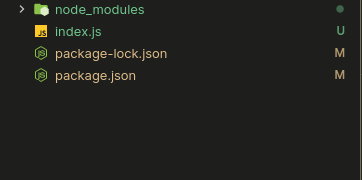
The project structure is as follows:
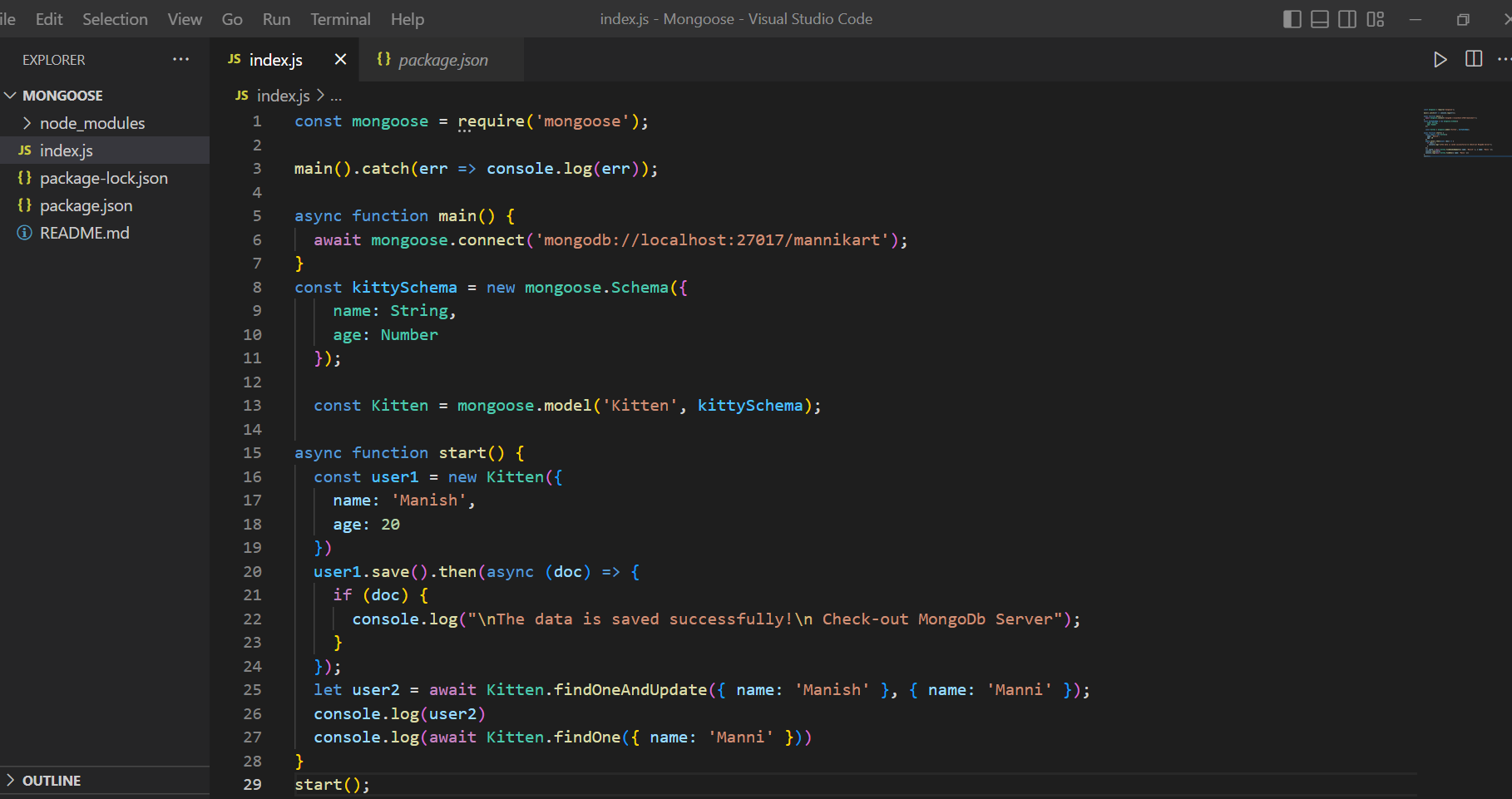
Step 3: Create a file called index.js. Inside the index.js, connect to MongoDB. Here the MongoDB Compass is used.
index.js
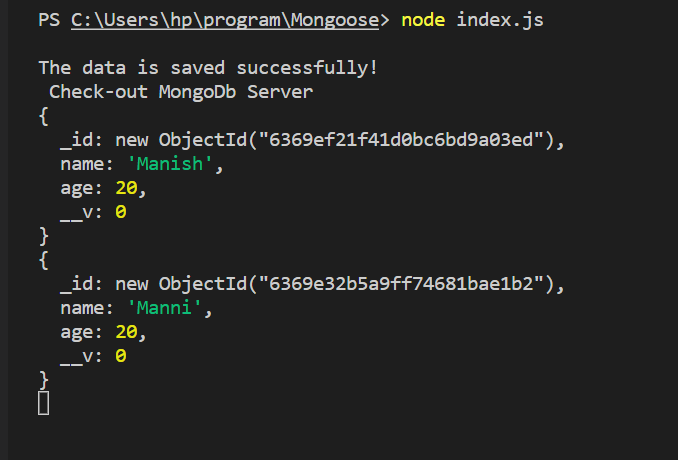
Step 4: Now run the code using the following command in the Terminal/Command Prompt to run the file.
node index.js
OUTPUT:
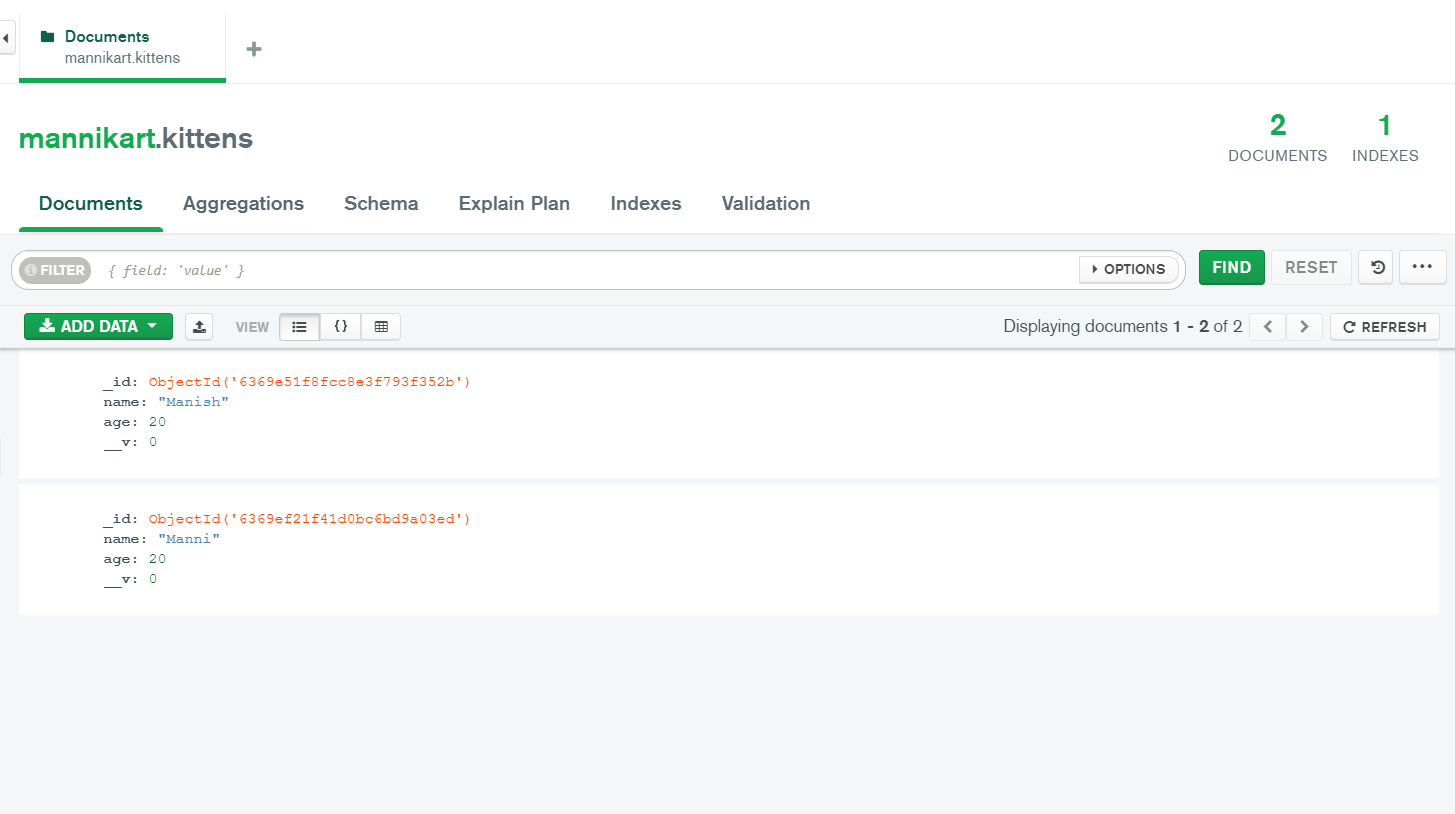
And the document in the MongoDB is as follows:
I'm Giving Just Quick Note.
If You like this Repo Give Star Mark.
Thank You for Reading!