https://github.com/manoj-lk-code/wordpress-maintenance-mode
This is handy in instances where you don't want to use any additional plugins to put a WordPress site on maintenance.
https://github.com/manoj-lk-code/wordpress-maintenance-mode
wordpress wordpress-development wordpress-maintenance wordpress-site
Last synced: about 2 months ago
JSON representation
This is handy in instances where you don't want to use any additional plugins to put a WordPress site on maintenance.
- Host: GitHub
- URL: https://github.com/manoj-lk-code/wordpress-maintenance-mode
- Owner: manoj-lk-code
- Created: 2021-09-09T04:25:55.000Z (almost 5 years ago)
- Default Branch: main
- Last Pushed: 2021-09-10T06:05:53.000Z (almost 5 years ago)
- Last Synced: 2025-05-17T06:08:09.210Z (about 1 year ago)
- Topics: wordpress, wordpress-development, wordpress-maintenance, wordpress-site
- Language: PHP
- Homepage:
- Size: 20.5 KB
- Stars: 1
- Watchers: 1
- Forks: 0
- Open Issues: 0
-
Metadata Files:
- Readme: README.md
Awesome Lists containing this project
README
# Wordpress-maintenance-mode
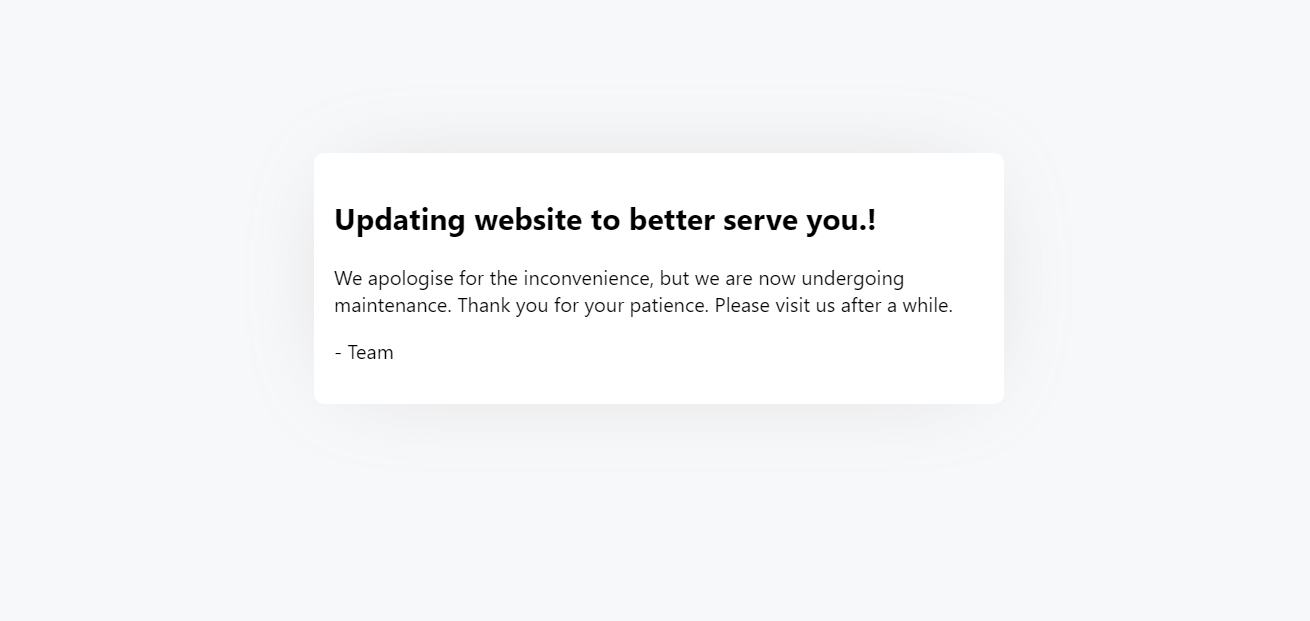
This is handy in instances where you don't want to use any additional plugins to put a WordPress site on maintenance. This code utilized the WordPress default upgrade maintenance code with a custom maintenance html template.
How to GET STARTED and
# Enable Wordpress maintenance mode?
- Download the latest version of the ZIP file.
- Extract it into your wordpress installation directory.
This should be enough. There's also a chance that the extracted file will generate a new folder called wordpress-maintenance-mode-main. Simply relocate/move all files in this folder to the wordpress installation directory in such circumstances.
# How to Disable Wordpress maintenance mode?
- Rename .maintenance file to .maintenance-old
# Note
- If you don't see maintenance mode when you visit the site, it probably because of the cache.
# Screenshot of the maintenance mode: