https://github.com/marc1326/anvil-organizer
Native Linux mod manager inspired by MO2 — 35 games, Proton Script Extender support (SKSE64/F4SE/SFSE), Python/Qt6
https://github.com/marc1326/anvil-organizer
linux linux-gaming mod-manager mod-organizer-2 modding nexusmods proton pyside6 python steamdeck
Last synced: 3 months ago
JSON representation
Native Linux mod manager inspired by MO2 — 35 games, Proton Script Extender support (SKSE64/F4SE/SFSE), Python/Qt6
- Host: GitHub
- URL: https://github.com/marc1326/anvil-organizer
- Owner: Marc1326
- License: gpl-3.0
- Created: 2026-02-04T11:33:21.000Z (5 months ago)
- Default Branch: main
- Last Pushed: 2026-04-03T16:57:44.000Z (3 months ago)
- Last Synced: 2026-04-03T19:33:19.975Z (3 months ago)
- Topics: linux, linux-gaming, mod-manager, mod-organizer-2, modding, nexusmods, proton, pyside6, python, steamdeck
- Language: Python
- Homepage: https://marc1326.github.io/Anvil-Organizer/
- Size: 16.4 MB
- Stars: 13
- Watchers: 1
- Forks: 0
- Open Issues: 29
-
Metadata Files:
- Readme: README.md
- Changelog: CHANGELOG.md
- Contributing: CONTRIBUTING.md
- Funding: .github/FUNDING.yml
- License: LICENSE
- Code of conduct: CODE_OF_CONDUCT.md
Awesome Lists containing this project
README
# 🔨 Anvil Organizer
A native **Linux mod manager** inspired by [Mod Organizer 2](https://github.com/ModOrganizer2/modorganizer), built with Python and PySide6 (Qt6).
MO2 dominates on Windows — Anvil fills the gap on Linux.

-green)





> ⚠️ **Early Development** — Anvil Organizer is under active development. Expect bugs and breaking changes. Feedback and bug reports are welcome!
---
## Features
- **MO2-style virtual file system** — mods never touch your game directory (symlink-based deploy)
- **Multi-instance support** — separate configurations per game
- **Profile system** — switch mod setups per game instance
- **Drag & drop mod ordering** — with collapsible separators and color coding
- **Category system** — primary + secondary categories, filter panel
- **Framework detection** — auto-detects and installs game frameworks
- **Nexus Mods integration** — SSO-Login, API Key, direct downloads, NXM link handler
- **Conflict detection** — shows file conflicts between mods with visual highlighting
- **Savegame browser** — view saves per game, open in file manager
- **Open Plugin System** — add new games via UI wizard (File → Create Game Plugin) or minimal Python code
- **F4SE / SFSE / SKSE64 Proton Shims** — enables script extenders under Linux/Proton (world first!)
- **Auto-redeploy** — mods redeployed automatically on toggle/reorder
- **Game Running Lock** — UI locked while a game is running to prevent accidental changes
- **Nexus Info Tab** — fetch mod info from Nexus with one click, view details in mod dialog
- **Mod detail navigation** — next/previous buttons to browse through your mod list
- **BG3 Auto-Deploy** — every change is immediately written to modsettings.lsx
- **Framework Reverse-Sync** — detects newer framework versions and preserves them
- **Self-update** — checks GitHub for updates, one-click git pull + restart
- **7 languages** — DE, EN, FR, ES, IT, PT, RU
- **Dark theme** — multiple styles included
## Supported Games (35)
### Fully Supported (8)
| Game | Notes |
|------|-------|
| Cyberpunk 2077 | REDmod, CET, ASI frameworks |
| Red Dead Redemption 2 | ScriptHook, ASI Loader, LML |
| The Witcher 3: Wild Hunt | Multi-folder routing (mods/dlc/bin) |
| Baldur's Gate 3 | Unified mod list, auto-deploy, profiles, NativeModLoader, WASD |
| Skyrim Special Edition | SKSE64 Proton Shim, BA2 packing, plugins.txt, 7 frameworks |
| Fallout 4 | F4SE Proton Shim (auto-injection), BA2 packing, plugins.txt |
| Starfield | SFSE Proton Shim, Address Library detection |
### Beta (27) — [Feedback welcome!](https://github.com/Marc1326/Anvil-Organizer/issues)
| Game | Steam | GOG | Game | Steam | GOG |
|------|:-----:|:---:|------|:-----:|:---:|
| Bannerlord | ✅ | ✅ | Monster Hunter: World | ✅ | — |
| Blade & Sorcery | ✅ | — | Morrowind | ✅ | ✅ |
| Control | ✅ | ✅ | NieR: Automata | ✅ | — |
| Dark Souls | ✅ | — | No Man's Sky | ✅ | ✅ |
| Darkest Dungeon | ✅ | ✅ | Oblivion Remastered | ✅ | — |
| Divinity: Original Sin EE | ✅ | ✅ | Sekiro | ✅ | — |
| Dragon Age 2 | ✅ | — | Stardew Valley | ✅ | ✅ |
| Dragon Age: Origins | ✅ | ✅ | Stellar Blade | ✅ | — |
| Dragon's Dogma | ✅ | ✅ | Subnautica | ✅ | — |
| Elden Ring | ✅ | — | The Witcher | ✅ | ✅ |
| Fallout 3 | ✅ | ✅ | The Witcher 2 | ✅ | ✅ |
| Fallout: New Vegas | ✅ | ✅ | Valheim | ✅ | — |
| FF VII Remake | ✅ | — | | | |
| Hogwarts Legacy | ✅ | ✅ | | | |
| Kingdom Come: Deliverance | ✅ | ✅ | | | |
Works with **Steam** and **Heroic Games Launcher** (GOG/Epic via Proton/Wine).
> 💡 **Missing your game?** Use **File → Create Game Plugin** to add any game — no coding required!
---
## Comparison
| Feature | Anvil Organizer | MO2 (via Wine) | Vortex (via Wine) |
|---------|:-:|:-:|:-:|
| **Native Linux** | **Yes** | No (Wine) | No (Wine) |
| **Proton Script Extender Shims** (SKSE64/F4SE/SFSE) | **Yes** | No | No |
| **MO2-style virtual filesystem** | Symlinks | VFS driver | Hardlinks |
| **Drag & drop load order** | **Yes** | Yes | Limited |
| **Multi-instance / Multi-game** | **Yes** | Yes | Yes |
| **Profile system** | **Yes** | Yes | Yes |
| **Nexus Mods integration** | **Yes** | Yes | Yes |
| **Conflict detection** | **Yes** | Yes | Yes |
| **Plugin System (add games via UI)** | **Yes** | No | No |
| **LOOT integration** | Planned | Yes | Yes |
| **Nexus Collections** | Planned | No | Yes |
| **BA2/BSA packing** | **Yes** | No | No |
| **Framework auto-detection** | **Yes** | No | No |
| **Languages** | 7 | 1 | 10+ |
| **Steam Deck ready** | **Yes** | Manual | Manual |
| **Open Source** | GPL-3.0 | GPL-3.0 | GPL-3.0 |
> **TL;DR** — Anvil is the only mod manager built *for* Linux. No Wine, no workarounds, and the only tool with native Proton Script Extender support.
---
## Screenshots


---
## Migrating from Windows?
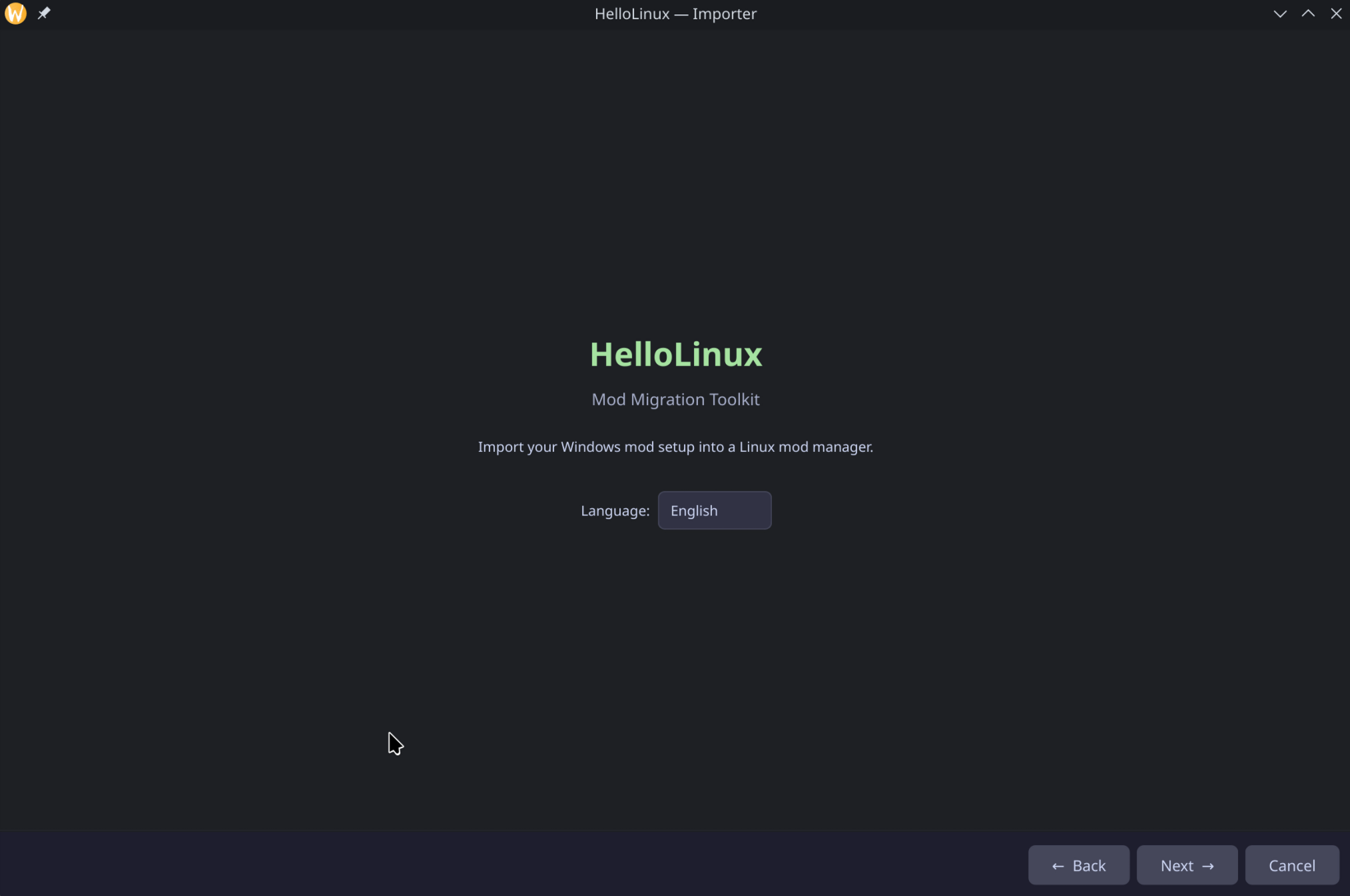
Use **[GoodbyeWindows](https://github.com/Marc1326/GoodbyeWindows)** to transfer your MO2 mod setup from Windows to Anvil Organizer on Linux — including load order, Nexus IDs, profiles, and mod files.
---
## Installation
### Requirements
| Dependency | Check | Arch Linux | Debian / Ubuntu |
|------------|-------|------------|-----------------|
| **Python 3.11+** | `python3 --version` | `sudo pacman -S python` | `sudo apt install python3` |
| **pip** | `python3 -m pip --version` | `sudo pacman -S python-pip` | `sudo apt install python3-pip python3-venv` |
| **Git** | `git --version` | `sudo pacman -S git` | `sudo apt install git` |
| **Qt6 libraries** | `python3 -c "from PySide6 import QtWidgets"` | `sudo pacman -S qt6-base` | `sudo apt install libgl1 libegl1 libxcb-cursor0 libxkbcommon0` |
### Installer Script (recommended)
One command to install Anvil with desktop entry and NXM handler:
```bash
curl -sSL https://raw.githubusercontent.com/Marc1326/Anvil-Organizer/main/Anvil-Organizer-installer.sh | bash
```
This downloads the latest AppImage to `~/Applications/`, creates a desktop entry, and registers the NXM link handler.
### AppImage (manual)
Download from [GitHub Releases](https://github.com/Marc1326/Anvil-Organizer/releases/latest), make executable, run:
```bash
chmod +x Anvil_Organizer-*-x86_64.AppImage
./Anvil_Organizer-*-x86_64.AppImage
```
### .deb Package (Debian / Ubuntu)
```bash
# Download from GitHub Releases, then:
sudo apt install ./anvil-organizer_*_amd64.deb
```
### AUR (Arch Linux, CachyOS, EndeavourOS, Manjaro)
```bash
paru -S anvil-organizer
```
Or the latest git version:
```bash
paru -S anvil-organizer-git
```
### From Source
```bash
git clone https://github.com/Marc1326/Anvil-Organizer.git
cd Anvil-Organizer
chmod +x install.sh
./install.sh
```
This creates a virtual environment, installs dependencies, and adds a desktop entry to your app menu.
### Manual Install
```bash
git clone https://github.com/Marc1326/Anvil-Organizer.git
cd Anvil-Organizer
python3 -m venv .venv
.venv/bin/pip install -r requirements.txt
.venv/bin/python main.py
```
---
## Updating
Anvil checks for updates on startup. When updates are available, a notification appears — click to update and restart automatically.
Manual update:
```bash
cd Anvil-Organizer
git pull
.venv/bin/pip install -r requirements.txt # only if dependencies changed
```
---
## Project Structure
```
Anvil-Organizer/
├── main.py # Entry point
├── install.sh # Install script
├── requirements.txt # Python dependencies
├── pyproject.toml # Project metadata
├── anvil/
│ ├── mainwindow.py # Main window (MO2-style layout)
│ ├── core/ # Business logic
│ │ ├── mod_deployer.py # Symlink-based virtual deploy
│ │ ├── mod_installer.py # Archive extraction + installation
│ │ ├── instance_manager.py # Multi-game instance management
│ │ ├── update_checker.py # Git-based self-update
│ │ └── ...
│ ├── plugins/games/ # Per-game plugins
│ │ ├── game_cyberpunk2077.py
│ │ ├── game_reddeadredemption2.py
│ │ ├── game_witcher3.py
│ │ ├── game_skyrimse.py
│ │ └── ...
│ ├── widgets/ # UI components
│ ├── styles/ # Dark themes (QSS)
│ ├── locales/ # Translations (7 languages)
│ └── assets/icons/ # Game icons and covers
```
---
## How It Works
Anvil uses a **symlink-based virtual file system** similar to MO2:
1. Mods are stored in `.mods/` inside each instance directory
2. On game launch, Anvil creates symlinks from the game directory to your mods
3. On game close (or app exit), symlinks are removed
4. **Your game directory stays clean** — no files are ever copied or modified
This approach works natively on Linux without the need for a virtual filesystem driver.
---
## Create Game Plugin
Your game is not listed? Add it yourself — **no coding required**:
1. Click the **puzzle icon** in the toolbar (or **File → Game Plugin → Create**)
2. Fill in: Game Name, Game Binary (.exe), Steam ID, and Data Path
3. Click **Create** — done!
The plugin is saved to `~/.anvil-organizer/plugins/games/` and loaded automatically on next startup.
You can also edit existing plugins via **File → Game Plugin → Edit** to change paths, add frameworks, or update cover images.
Full guide with examples: **[Wiki — Create Game Plugin](https://github.com/Marc1326/Anvil-Organizer/wiki/Create-Game-Plugin)**
---
## Contributing
Contributions welcome! Please open an issue first to discuss what you'd like to change.
---
## Support the Project
If Anvil Organizer is useful to you, consider supporting its development:
☕ **Ko-fi:** [ko-fi.com/marc1326](https://ko-fi.com/marc1326)
**Crypto:**
- **Bitcoin:** `bc1q6ghal7tewh38gdggt8z8qeqr99u3y5ehmruwk9`
- **Monero:** `4AGPyk5G4NwZboyQJcWQKwMFLTjs3fmoG9CFVBrkE3UFcpCaQyEmC93PgaeW1uuL65aLW1qKa8sd4Wo6NSu4HkvF117n5km`
---
## License
[GPL-3.0](LICENSE)
---
## Acknowledgments
- Inspired by [Mod Organizer 2](https://github.com/ModOrganizer2/modorganizer)
- Built with [PySide6](https://doc.qt.io/qtforpython-6/) (Qt for Python)
- Migration from Windows: [GoodbyeWindows](https://github.com/Marc1326/GoodbyeWindows)