https://github.com/markmap/markmap-vscode
Integrate markmap into VSCode
https://github.com/markmap/markmap-vscode
markmap vscode vscode-extension
Last synced: about 2 months ago
JSON representation
Integrate markmap into VSCode
- Host: GitHub
- URL: https://github.com/markmap/markmap-vscode
- Owner: markmap
- License: mit
- Created: 2020-10-21T03:48:05.000Z (over 5 years ago)
- Default Branch: master
- Last Pushed: 2025-06-12T03:21:56.000Z (about 1 year ago)
- Last Synced: 2026-05-12T00:29:49.964Z (about 2 months ago)
- Topics: markmap, vscode, vscode-extension
- Language: TypeScript
- Homepage: https://marketplace.visualstudio.com/items?itemName=gera2ld.markmap-vscode
- Size: 811 KB
- Stars: 293
- Watchers: 3
- Forks: 39
- Open Issues: 12
-
Metadata Files:
- Readme: README.md
- Changelog: CHANGELOG.md
- License: LICENSE
Awesome Lists containing this project
README
# markmap-vscode
[](https://marketplace.visualstudio.com/items?itemName=gera2ld.markmap-vscode)
[](https://open-vsx.org/extension/gera2ld/markmap-vscode)
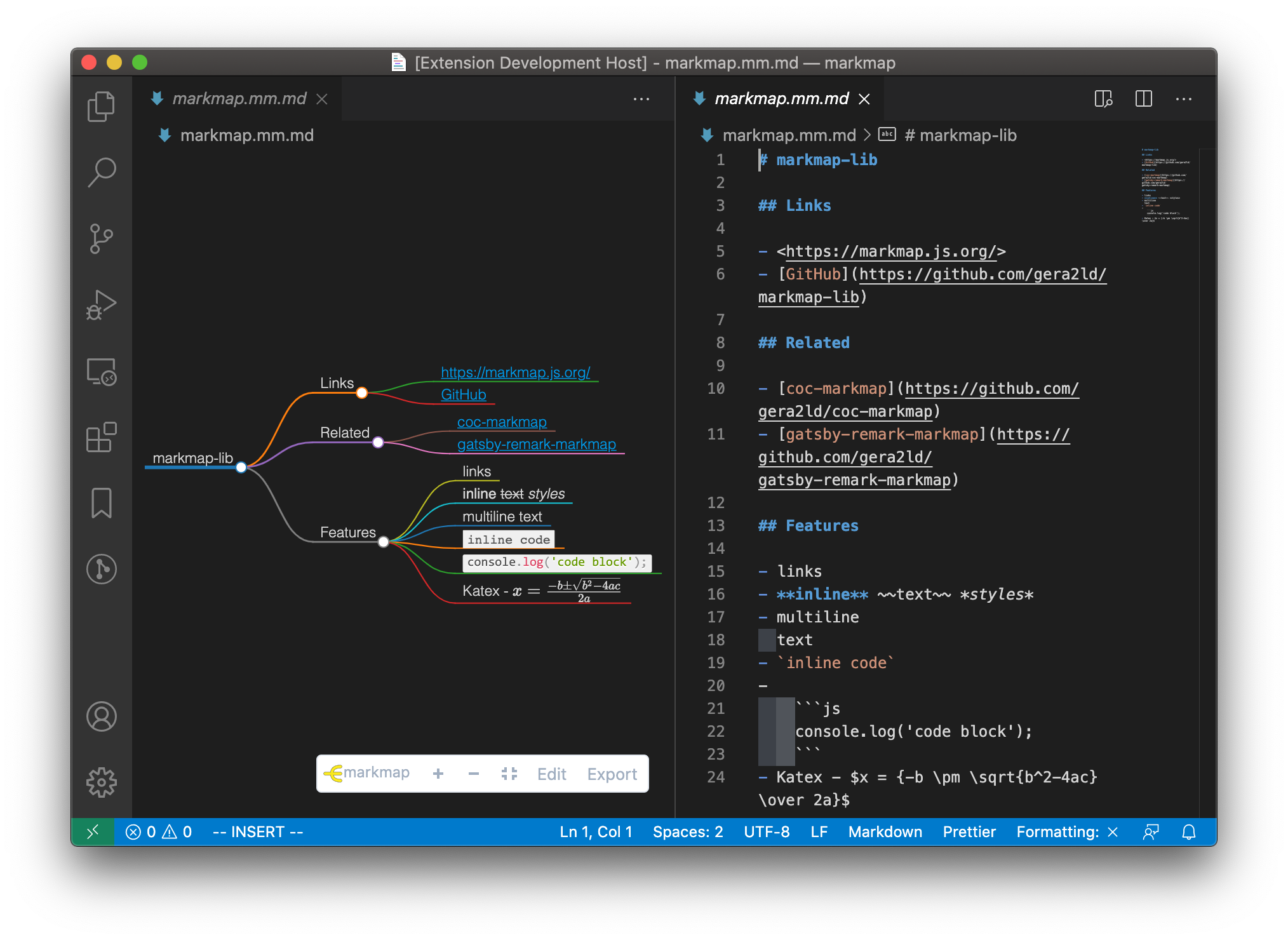
This extension integrates [markmap](https://markmap.js.org/) into VSCode.
## Features
- Preview markdown files as markmap
- Edit markdown files in a text editor and the markmap will update on the fly
- Works offline
## Usage
### Command Palette
Open a markdown file. Then open the Command Palette (⇧⌘P) and search `Open as markmap`, press enter.
### Context menu
Right click on a markdown file, then choose `Open as markmap`.
### Button on title-bar
Open a markdown file. Find the markmap icon on the editor title-bar and click it.

## Configuration
### Custom CSS
Extra CSS to customize the style of markmap.
### Default Options
Default options for Markmap, see for more details.