https://github.com/marktawa/golden-embers
Deploy Medusa ecommerce backend on Railway and Cloudflare
https://github.com/marktawa/golden-embers
cloudflare ecommerce medusa nodejs railway
Last synced: 4 months ago
JSON representation
Deploy Medusa ecommerce backend on Railway and Cloudflare
- Host: GitHub
- URL: https://github.com/marktawa/golden-embers
- Owner: Marktawa
- License: mit
- Created: 2024-08-13T12:23:05.000Z (over 1 year ago)
- Default Branch: main
- Last Pushed: 2024-08-19T19:33:03.000Z (over 1 year ago)
- Last Synced: 2025-02-24T03:42:44.831Z (9 months ago)
- Topics: cloudflare, ecommerce, medusa, nodejs, railway
- Language: JavaScript
- Homepage: https://medium.com/@markmunyaka
- Size: 32.2 KB
- Stars: 1
- Watchers: 1
- Forks: 1
- Open Issues: 0
-
Metadata Files:
- Readme: README.md
- Funding: .github/FUNDING.yml
- License: LICENSE
Awesome Lists containing this project
README
# Build and Deploy Medusa: Using Railway, Cloudflare, and NeonDB
## Description
Build and deploy a [Medusa](https://medusajs.com)-powered ecommerce backend. You will deploy your store's Medusa backend server to [Railway](https://railway.app), the Store Admin frontend to [Cloudflare](https://cloudflare.com).
[**Link to Article**](https://medium.com/@markmunyaka)
## Getting Started
Clone this repo.
```sh
git clone https://github.com/Marktawa/golden-embers.git
```
## Install and test server locally
Open `store` directory in your terminal.
```sh
cd golden-embers/store
```
Install dependencies
```sh
npm install
```
Create a Postgres Database on [Neon](console.neon.tech).
Copy connection string from your Neon dashboard.
Create a `.env` inside `store` folder and update it with the connection string to your Neon db.
```sh
touch .env
```
```
DATABASE_URL=
```
Seed database
```sh
npx medusa seed --seed-file="./data/seed.json"
```
Start Medusa server.
```sh
npx medusa develop
```
The Medusa server will start running on port 9000. The Medusa Admin User Interface will run on port 7001.
Test your server by running the following command in a new terminal session:
```sh
curl localhost:9000/store/products
```
If the server is working correctly, you should see a list of products.
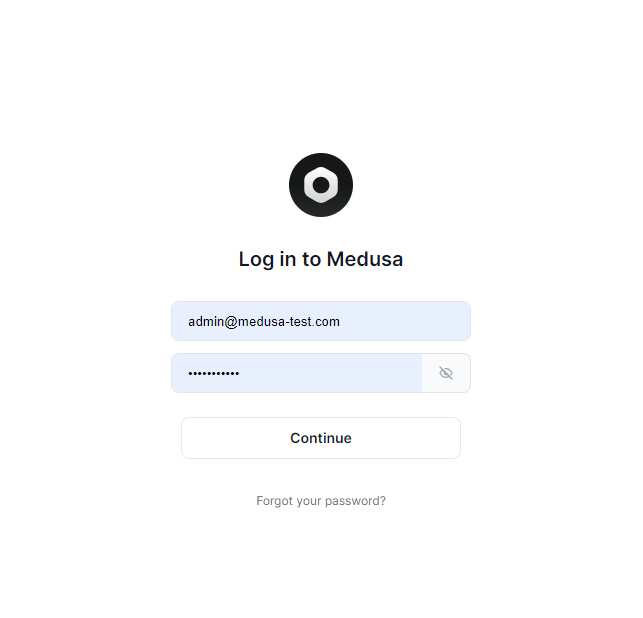
Visit [localhost:7001](http://localhost:7001) in your browser to see the Medusa Admin Dashboard. Use the Email `admin@medusa-test.com` and Password `supersecret` to log in.
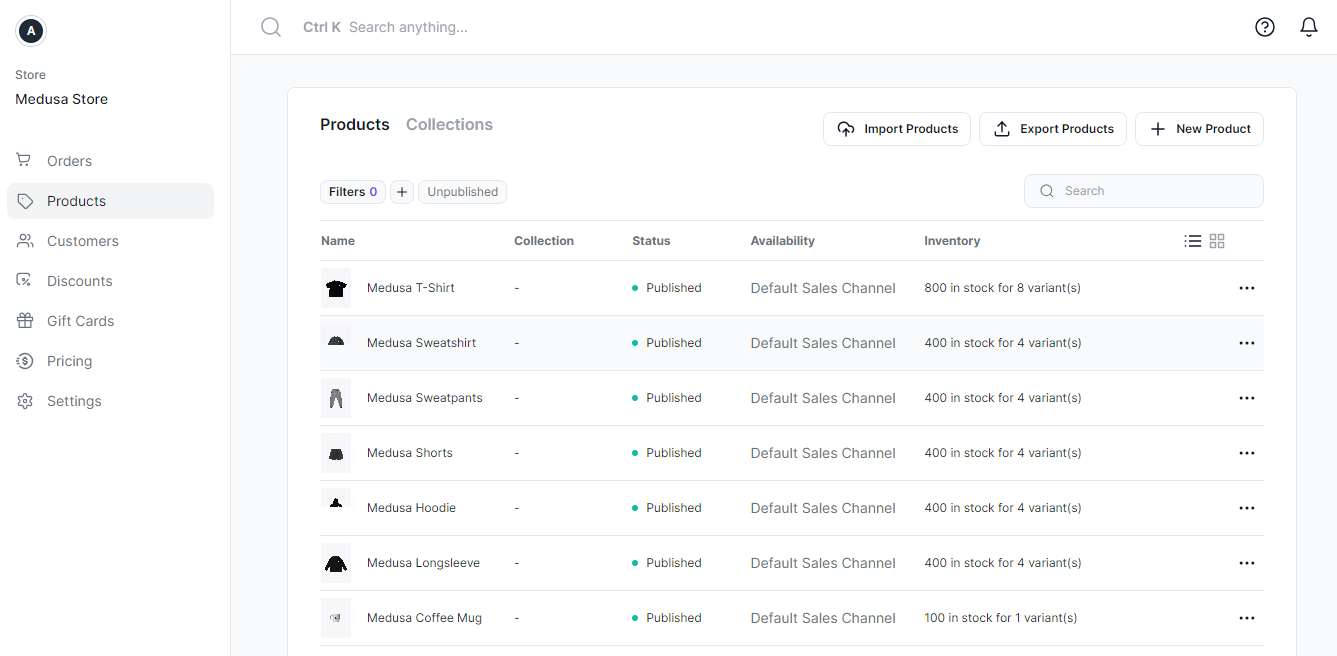
In the **Products** section of your dashboard you should see a list of products. This is the dummy data you seeded into your database in the previous step.
## Author
[Mark Munyaka](https://markmunyaka.com)
GitHub: [@Marktawa](https://github.com/Marktawa)
Twitter: [@McMunyaka](https://twitter.com/McMunyaka)
## Hire Me
If you found this guide helpful and would like assistance in setting up your own Medusa-powered ecommerce store, I would be happy to help!
As an experienced Medusa and Next.js developer, I can provide the following services:
- Initial setup and configuration of your Medusa backend and Next.js storefront
- Deployment of your Medusa store on AWS, Railway, Digital Ocean and any other platform
- Integration with Neon Postgres, Stripe, Meilisearch, SendGrid, and other plugins
- Customization and branding of your store's design and functionality
- Ongoing maintenance, updates, and feature enhancements
- Performance optimization and scaling guidance
To discuss your project and get a quote, please feel free to contact me on [markmunyakapro@gmail.com](mailto:markmunyakapro@gmail.com) or connect with me on [LinkedIn](https://www.linkedin.com/in/mark-tawanda-munyaka-a878137b) or [Discord](https://discord.com/users/558354133170782254). I look forward to hearing from you!
## Sponsor
Support my passion for sharing development knowledge by making a donation to my [**Buy Me a Coffee**](https://www.buymeacoffee.com/markmunyaka) account. Your contribution helps me create valuable content and resources. Thank you for your support!
[](https://www.buymeacoffee.com/markmunyaka)
[Buy Me A Coffee](https://www.buymeacoffee.com/markmunyaka)