https://github.com/masterfermin02/pto-app
https://github.com/masterfermin02/pto-app
Last synced: 6 months ago
JSON representation
- Host: GitHub
- URL: https://github.com/masterfermin02/pto-app
- Owner: masterfermin02
- Created: 2023-03-20T01:38:44.000Z (over 3 years ago)
- Default Branch: main
- Last Pushed: 2023-03-20T02:17:20.000Z (over 3 years ago)
- Last Synced: 2025-05-31T12:21:29.809Z (about 1 year ago)
- Language: Vue
- Size: 267 KB
- Stars: 0
- Watchers: 2
- Forks: 0
- Open Issues: 0
-
Metadata Files:
- Readme: README.md
Awesome Lists containing this project
README
# pto-app
# Fullstack, Aspt.net + C# + Node JS + Vue
# Main Goal
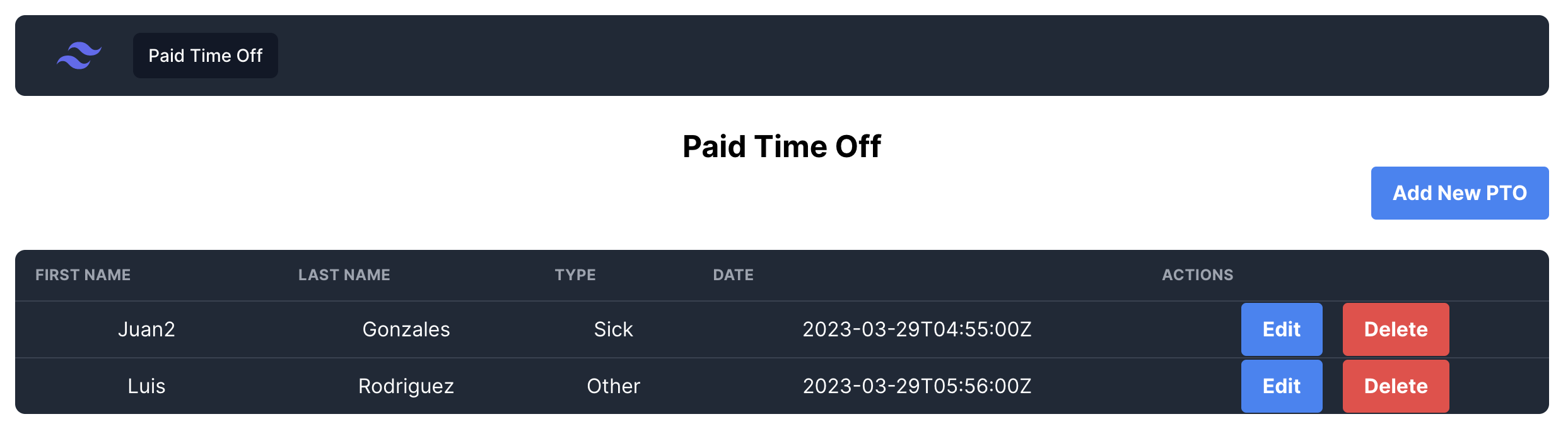
PtoApp is a CRUD for a permission app. The front is on vue js with node js. The backend system is a rest full api implented on aps.net C#.
A user can create PTO (Paid time off):
The system will have a table with a list of PTO.
The user could create PTO.
The user will select the PTO type from a list.
The user can edit PTO.
The user can delete a PTO.
# PtoApp
This repo is meant to keep track of the changes made to the frontend and backend of the **PtoApp** challenge.
## Project Requirements
- [Asp.net 7.0](https://dotnet.microsoft.com/en-us/download/dotnet/7.0)
- [node js](https://nodejs.org/en)
There is no need for the developers to install any database since all this is included in the project.
## Project Structure
.
├── front-end # Icludes all files of the frontend
├── public # Icludes public files of the frontend
├── src
├── assets # images and files for fronted
├── Components # Components of the application
├── pages # View pages of the frontend
├── router
├── services
├── stores
├── App.vue
├── main.js
├── style.css
├── .gitiignore
├── index.html
├── package-lock.json
├── package.json
├── postcss.config.cjs
├── README.md
├── tailwind.config.js
├── vite.config.js
├── PtoApp # Backend of the app in asp.net
├── controllers
├── DTOS
├── Migration
├── Models
├── Properties
├── appsetting.Development.json
├── appsettings.json
├── Program.cs
├── PtoApp.csproj
├── Tests
├── PtoAppTest
## How to execute the project
If you want to be able to execute the project you will first need to install the requirements listed in the [Project Requirements Section](#project--requirements).
- Clone this repo by running:
```bash
git clone git@github.com:masterfermin02/pto-app.git
```
- Create Open the backend with Visual Studio code:
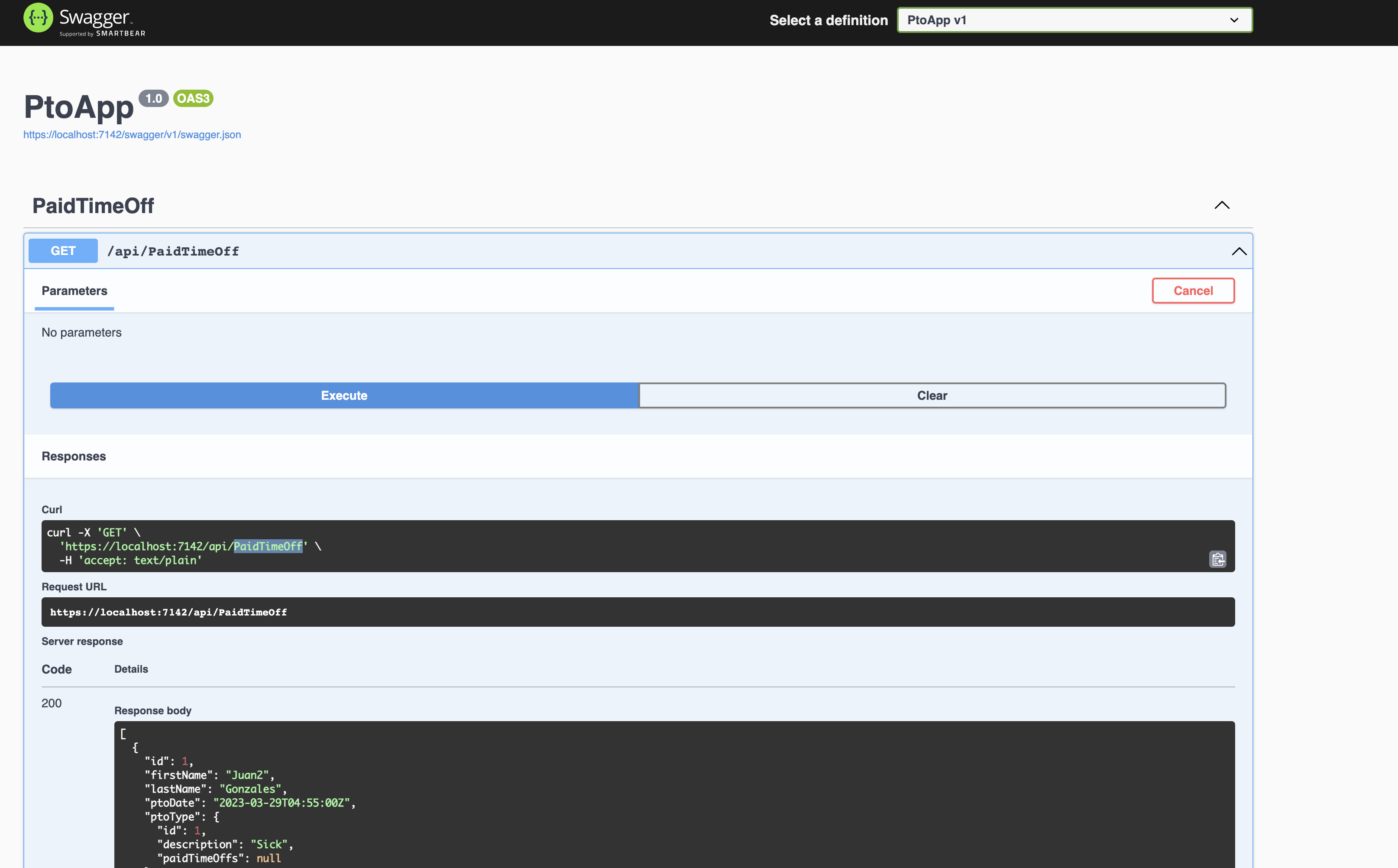
- Go to the menu debug > start run and debug
- This will open a page on https://localhost:7142/swagger/index.html
### Start the front-end
- Install front-end dependencies
```
npm install
```
- Start frontend application
```bash
npm run dev
```
The local frontend application will be running at localhost:5173.