https://github.com/masterscrat/githubactivitychecker
📈 A Chrome extension to check the activity level of GitHub projects.
https://github.com/masterscrat/githubactivitychecker
activity-graph chrome-extension
Last synced: about 1 year ago
JSON representation
📈 A Chrome extension to check the activity level of GitHub projects.
- Host: GitHub
- URL: https://github.com/masterscrat/githubactivitychecker
- Owner: MasterScrat
- License: apache-2.0
- Created: 2016-05-05T10:26:51.000Z (about 10 years ago)
- Default Branch: master
- Last Pushed: 2016-05-06T09:29:30.000Z (about 10 years ago)
- Last Synced: 2025-03-25T19:15:24.761Z (over 1 year ago)
- Topics: activity-graph, chrome-extension
- Language: JavaScript
- Homepage: https://chrome.google.com/webstore/detail/github-activity-checker/agebcpekpbkaibjghgakombjjkefmcol
- Size: 182 KB
- Stars: 7
- Watchers: 2
- Forks: 0
- Open Issues: 0
-
Metadata Files:
- Readme: README.md
- License: LICENSE
Awesome Lists containing this project
README
# GithubActivityChecker
**This Google Chrome extension adds a clear activity indicator to GitHub project pages. [Download it from the Chrome Store.](https://chrome.google.com/webstore/detail/github-activity-checker/agebcpekpbkaibjghgakombjjkefmcol)**
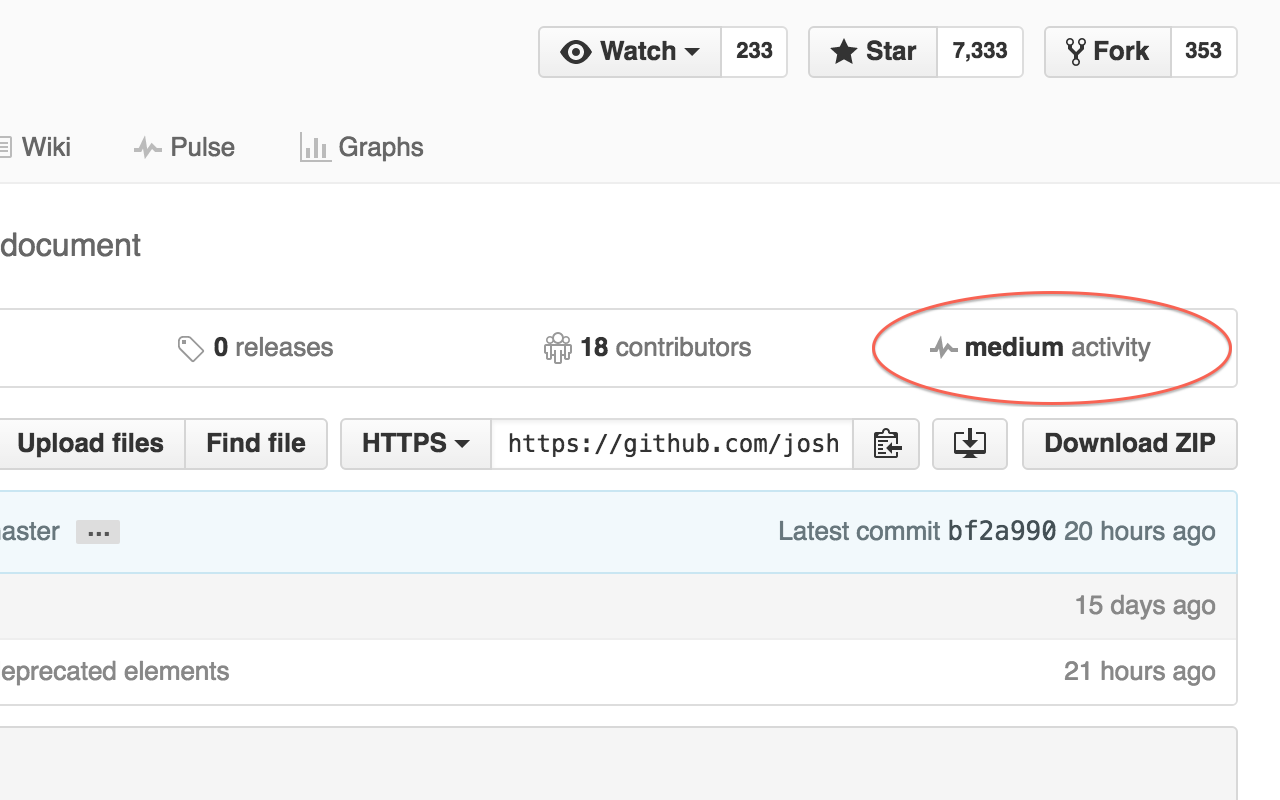
It's often unclear when looking at a GitHub project how much *recent activity* has occurred.
You can check the activity graph, but it's not visible from the project main page and takes times to load.
Sometimes you can see that some files have been recently modified, but it's not obvious if it comes from real active development or someone doing superficial changes.
This extension shows an indicator based on a clear metric: the number of commits done in the past 4 weeks. You can see the precise number of commits by hovering the "activity" label, and you can access the full activity graph by clicking on it.