https://github.com/masugadesign/cp-filters-craft-cms
Add advanced element filtering to the Craft CMS control panel.
https://github.com/masugadesign/cp-filters-craft-cms
craft-cms craft-cms-plugin craft-plugin craftcms craftcms-plugin
Last synced: 5 months ago
JSON representation
Add advanced element filtering to the Craft CMS control panel.
- Host: GitHub
- URL: https://github.com/masugadesign/cp-filters-craft-cms
- Owner: masugadesign
- License: other
- Created: 2020-06-04T21:08:56.000Z (about 6 years ago)
- Default Branch: master
- Last Pushed: 2025-01-21T19:49:37.000Z (over 1 year ago)
- Last Synced: 2025-10-11T06:44:41.732Z (8 months ago)
- Topics: craft-cms, craft-cms-plugin, craft-plugin, craftcms, craftcms-plugin
- Language: PHP
- Homepage:
- Size: 248 KB
- Stars: 16
- Watchers: 2
- Forks: 3
- Open Issues: 1
-
Metadata Files:
- Readme: README.md
- Changelog: CHANGELOG.md
- License: LICENSE
Awesome Lists containing this project
README
# CP Filters for Craft CMS
> [!WARNING]
> This is a discontinued commercial plugin and should not be installed without a previously purchased license.
> For more information, see: https://www.gomasuga.com/blog/discontinuing-craft-plugin-sales
### Advanced filtering for Entry elements in the control panel.
### Table of Contents
### Requirements
* Craft CMS v4.0.0+
* PHP 8.0.2+
### Installation
Add the following to your composer.json requirements. Be sure to adjust the version number to match the version you wish to install.
```
"masugadesign/cpfilters": "2.1.1",
```
### Config
The following settings may be configured in a **cpfilters.php** config file.
#### filterableEntryTypeIds
This is an array of entry __type__ IDs, not to be confused with the __section__ IDs.
```
'filterableEntryTypeIds' => [1,5,10],
```
#### filterableAssetVolumeIds
Specify an array of Asset volume IDs to restrict which volumes are filterable.
```
'filterableAssetVolumeIds' => [2,3,8],
```
#### filterableCategoryGroupIds
Specify an array of Category group IDs to restrict which groups are filterable.
```
'filterableCategoryGroupIds' => [1,2,4,5,6,10],
```
#### filterableTagGroupIds
Specify an array of Tag group IDs to restrict which groups are filterable.
```
'filterableTagGroupIds' => [1,2],
```
#### additionalFieldTypes
Register custom field types as filterable by supplying the fully qualified class name and an array of filter options. The following filter options are available. Be careful to choose appropriate filter options because not all field types can
support all the filters.
Filter options: `contains`, `starts with`, `ends with`, `is equal to`, `is assigned`, `is greater than`, `is less than`, `is empty`, `is not empty`
```
['is assigned', 'is empty', 'is not empty']
],
```
#### includeCommerce
Specify whether or not Craft Commerce is installed on this site and should be available to CP Filters.
**Note**: Currently, the only filterable "objects" from Craft Commerce that are available to CP Filters are Products and Orders.
#### filterableProductTypeIds
Specify an array of Product Type IDs to restrict which types are filterable.
### Saved Filters
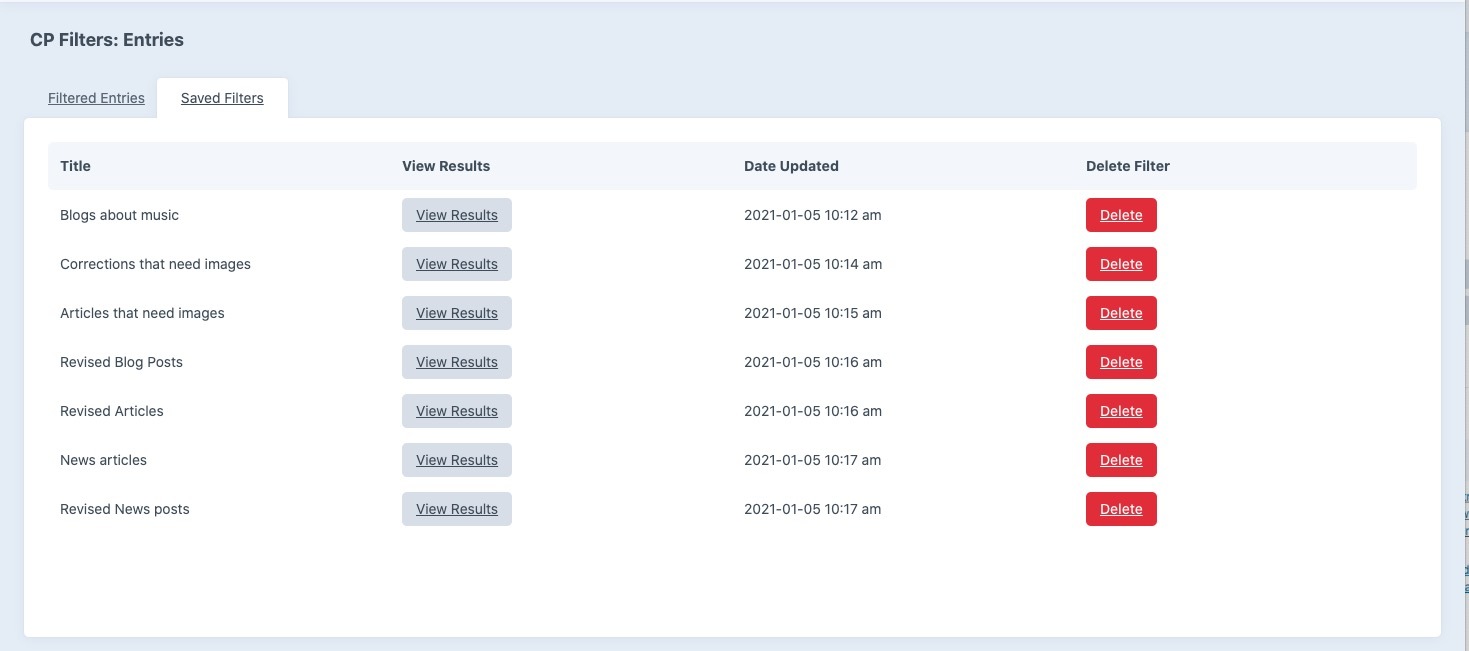
You can save the set of currently selected filters to easily view the results later. Filters are saved per User.
### Planned Features
- Filter by more element types: Assets, Users, Orders, Products