https://github.com/mathiew82/mynotes.nvim
A minimal Neovim plugin to save your personal notes.
https://github.com/mathiew82/mynotes.nvim
neovim neovim-plugin notes nvim
Last synced: 2 months ago
JSON representation
A minimal Neovim plugin to save your personal notes.
- Host: GitHub
- URL: https://github.com/mathiew82/mynotes.nvim
- Owner: Mathiew82
- License: mit
- Created: 2026-01-20T17:32:19.000Z (5 months ago)
- Default Branch: main
- Last Pushed: 2026-02-25T17:56:48.000Z (3 months ago)
- Last Synced: 2026-02-25T20:48:58.212Z (3 months ago)
- Topics: neovim, neovim-plugin, notes, nvim
- Language: Lua
- Homepage:
- Size: 570 KB
- Stars: 9
- Watchers: 0
- Forks: 0
- Open Issues: 0
-
Metadata Files:
- Readme: README.md
- License: LICENSE
Awesome Lists containing this project
README
# 📝 mynotes.nvim
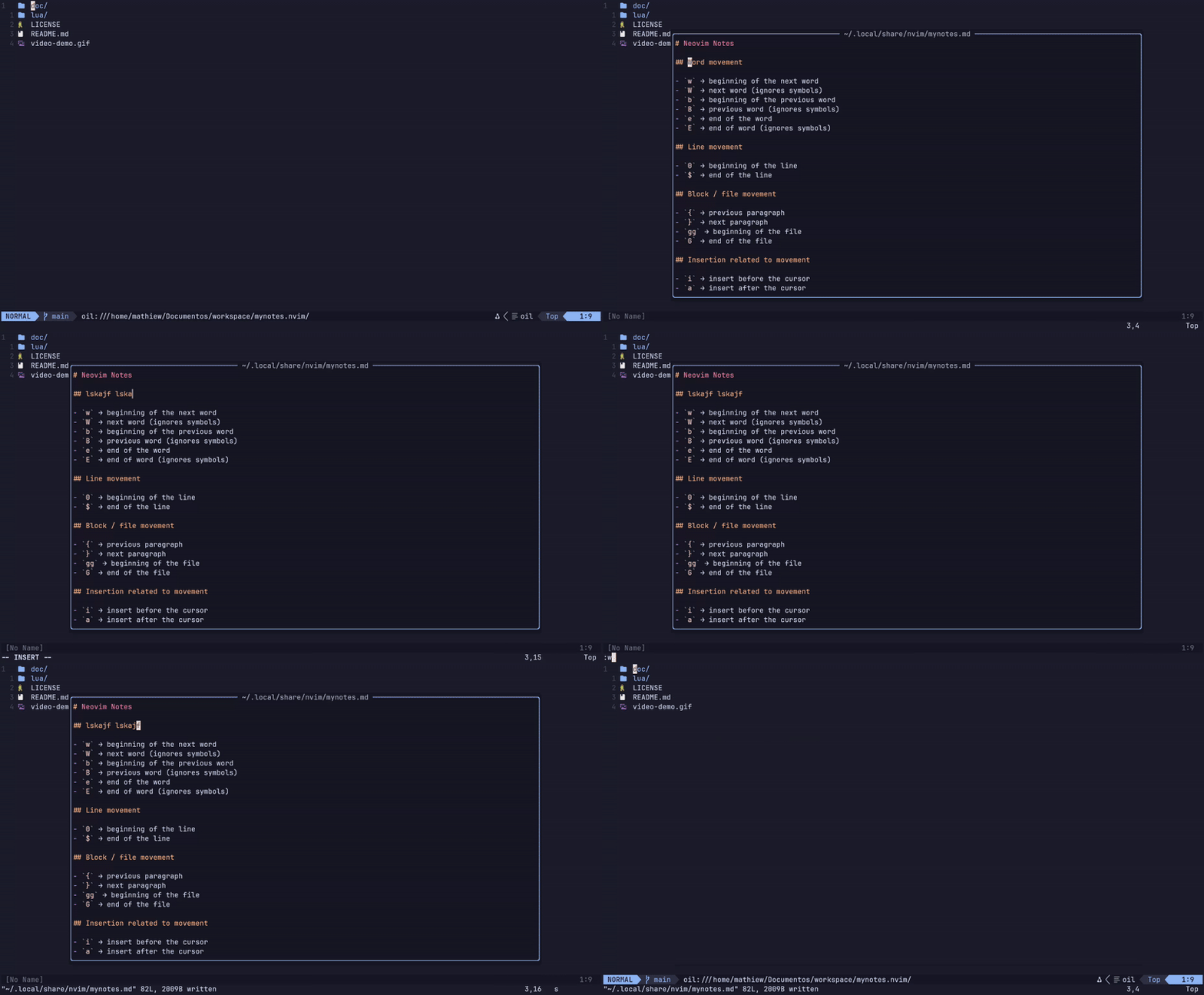
A minimal Neovim plugin to open your personal notes in a floating
window.
## Requirements
- Neovim \>= 0.11.0
## Features
- Opens a persistent Markdown file (`mynotes.md`)
- Floating window UI
- Editable like a normal buffer
- Shows the real file path centered at the top
- Cross-platform (Linux, macOS, Windows)
- No dependencies
## Installation (Lazy.nvim / LazyVim)
### lazy.nvim
```lua
{
"Mathiew82/mynotes.nvim",
event = "VeryLazy",
config = function()
require("mynotes").setup({})
end,
}
```
### packer.nvim
```lua
use {
"Mathiew82/mynotes.nvim",
config = function()
require("mynotes").setup({})
end
}
```
### vim-plug
```vim
Plug 'Mathiew82/mynotes.nvim'
```
## Usage
Open notes:
- `\`
- `:MyNotes`
Close window:
- `q`
- ``
## Configuration
Default config:
``` lua
require("mynotes").setup({
filepath = vim.fn.stdpath("data") .. "/mynotes.md",
width_ratio = 0.78,
height_ratio = 0.78,
border = "rounded",
keymap_open = "\\",
})
```
You can customize the plugin by passing options to `setup()`:
```lua
require("mynotes").setup({
-- Path to your notes file
-- Default: stdpath("data") .. "/mynotes.md"
filepath = vim.fn.stdpath("data") .. "/mynotes.md",
-- Reuse the buffer if already opened
-- true = reuse existing buffer
-- false = always create a new one
reuse_existing_buffer = true,
-- Floating window width (percentage of screen)
-- Example: 0.5 = 50% width
width_ratio = 0.78,
-- Floating window height (percentage of screen)
height_ratio = 0.78,
-- Window border style
-- Options:
-- "single", "double", "rounded", "solid", "shadow", nil
border = "rounded",
-- Keymap to open the notes
keymap_open = "\\",
})
```
> [!TIP]
> For more information about this plugin, see also:
> ```
> :help mynotes
> ```
## Notes File
> [!WARNING]
> Your notes file is stored inside Neovim's data directory.
> If you delete that folder, you will lose your notes.
>
> It is highly recommended to make regular backups.
>
> Example backup command:
>
> ```bash
> mv ~/.local/share/nvim/mynotes.md{,.bak}
> ```
>
> This will create a backup file before any risky operation.