https://github.com/matze/wastebin
wastebin is a pastebin 📝
https://github.com/matze/wastebin
axum pastebin rust self-hosted sqlite
Last synced: 7 months ago
JSON representation
wastebin is a pastebin 📝
- Host: GitHub
- URL: https://github.com/matze/wastebin
- Owner: matze
- License: mit
- Created: 2022-05-29T23:02:01.000Z (about 4 years ago)
- Default Branch: master
- Last Pushed: 2024-10-26T20:21:44.000Z (over 1 year ago)
- Last Synced: 2024-10-29T18:31:50.144Z (over 1 year ago)
- Topics: axum, pastebin, rust, self-hosted, sqlite
- Language: Rust
- Homepage: https://bin.bloerg.net
- Size: 1.19 MB
- Stars: 320
- Watchers: 4
- Forks: 27
- Open Issues: 19
-
Metadata Files:
- Readme: README.md
- Changelog: CHANGELOG.md
- License: LICENSE
Awesome Lists containing this project
- Self-Hosting-Guide - Wastebin
- fucking-awesome-selfhosted - Wastebin - Lightweight, minimal and fast pastebin with an SQLite backend. 🌎 [Demo](bin.bloerg.net)) `MIT` `Rust/Docker` (Software / Pastebins)
- awesome-selfhosted - Wastebin - Lightweight, minimal and fast pastebin with an SQLite backend. ([Demo](https://bin.bloerg.net)) `MIT` `Rust/Docker` (Software / Pastebins)
- awesome-selfhosted - Wastebin - Lightweight, minimal and fast pastebin with an SQLite backend. ([Demo](https://bin.bloerg.net)) `MIT` `Rust/Docker` (Software / Pastebins)
- awesome-selfhosted - Wastebin - Lightweight, minimal and fast pastebin with an SQLite backend. ([Demo](https://bin.bloerg.net)) `MIT` `Rust/Docker` (Software / Pastebins)
- awesome-starred - matze/wastebin - wastebin is a pastebin (self-hosted)
- awesome-selfhosted - Wastebin - Lightweight, minimal and fast pastebin with an SQLite backend. ([Demo](https://bin.bloerg.net)) `MIT` `Rust/Docker` (Software / Pastebins)
- awesome-selfhosted - Wastebin - Lightweight, minimal and fast pastebin with an SQLite backend. ([Demo](https://bin.bloerg.net)) `MIT` `Rust/Docker` (Software / Pastebins)
README
#  wastebin
[](https://github.com/matze/wastebin/actions/workflows/rust.yml)
## support 🇺🇦 • defend 🇪🇺
A minimal pastebin with a design shamelessly copied from
[bin](https://github.com/WantGuns/bin).
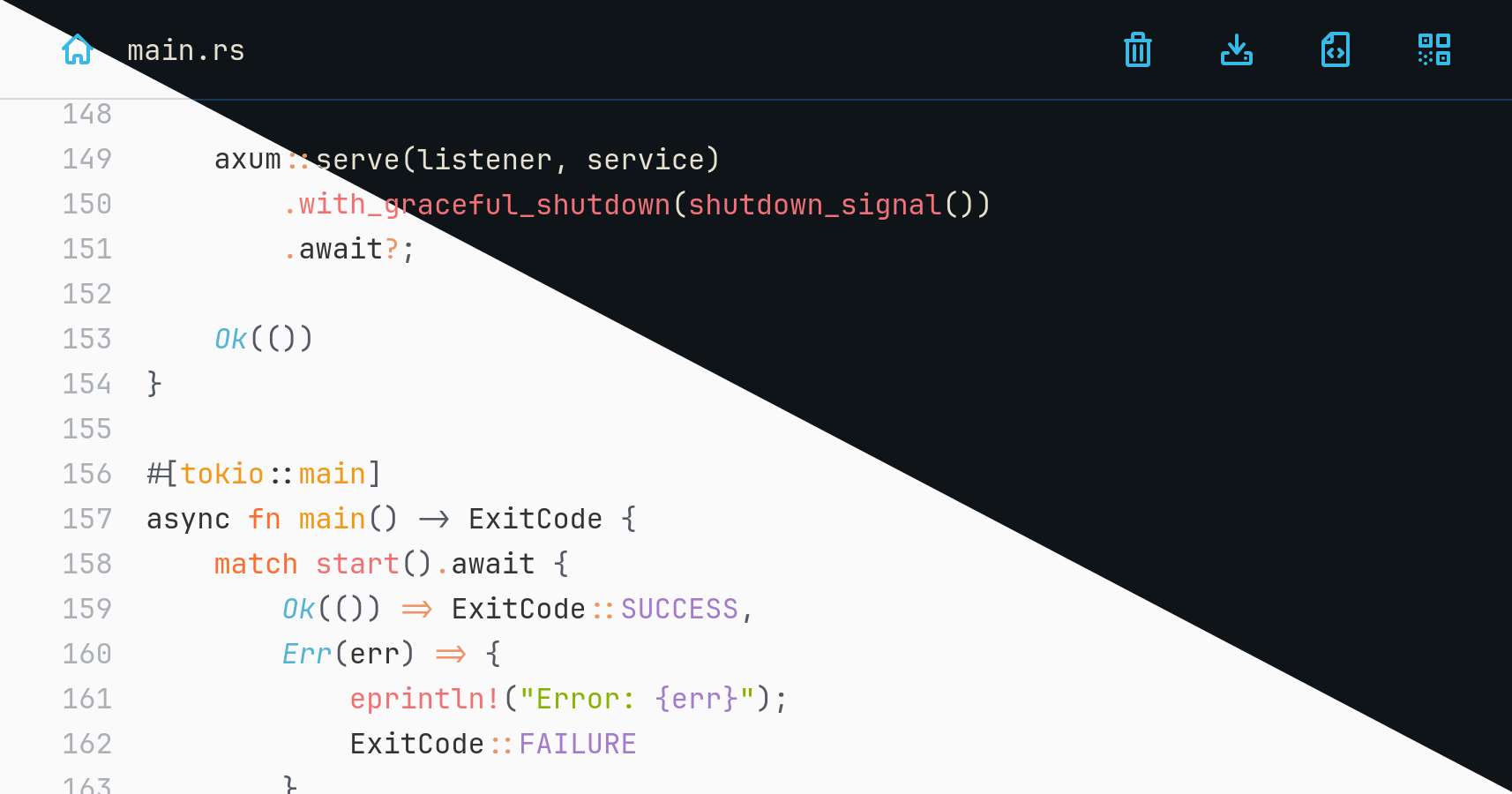
DEMO (resets every day)
You are reading the documentation for an **unreleased version**. You can refer
to released versions here:
**[3.4.0](https://github.com/matze/wastebin/tree/c9d717329a6e357e8a13a324bfa9a53d41ae9b35)** •
[3.3.0](https://github.com/matze/wastebin/tree/a297749b932ed9ff32569f3af7ee8e4a5b499834) •
[3.2.0](https://github.com/matze/wastebin/tree/3fdec3abde4f32b92323864ffea51577ce1e625e) •
[3.1.0](https://github.com/matze/wastebin/tree/e404ecec61eaafa1187b8d6b45282d72b076563d) •
[3.0.0](https://github.com/matze/wastebin/tree/14a30bb540110e76da6a6045cd0e83fd2218cdd7) •
[2.7.1](https://github.com/matze/wastebin/tree/85a519ef9079c4618f851cce575b5a84334a6f42)
## Features
* [axum](https://github.com/tokio-rs/axum) and [sqlite3](https://www.sqlite.org) backend
* comes as a single binary with low memory footprint
* compresses pastes using [zstd](https://github.com/facebook/zstd)
* syntax highlighting for > 170 languages with [syntect](https://github.com/trishume/syntect)
* comes with [eight color themes](https://matze.github.io/wastebin/) in light and dark mode
* encrypts entries using ChaCha20Poly1305 and argon2 hashed passwords
* allows deletion after expiration, after reading or by anonymous owners
* shows QR code to browse a paste's URL on mobile devices
### Non-features
* user authentication and admin functionality
* arbitrary file uploads
* mitigations for all kinds of DoS attack vectors
> [!CAUTION]
> Due to lack of authentication and further DoS mitigations, it is not advised
> to run wastebin facing the internet _as is_. If you plan to do so, you are
> strongly advised to rate limit inbound requests via iptables rules or a
> properly configured reverse proxy of your choice.
## Installation
### Run pre-built binaries
You can download pre-built, statically compiled [Linux and MacOS
binaries](https://github.com/matze/wastebin/releases). After extraction run the
contained `wastebin` binary.
### Run a Docker image
Alternatively, you can run a pre-built Docker image pushed to
`quxfoo/wastebin:` and `quxfoo/wastebin:latest` respectively. To
persist the database as `state.db` via the `WASTEBIN_DATABASE_PATH` environment
variable use a bind mount to `/path/for/storage` like this
```bash
docker run \
-e WASTEBIN_DATABASE_PATH=/data/state.db \
-v /path/for/storage:/data \
-u $(id -u):$(id -g) \
quxfoo/wastebin:latest
```
> [!NOTE]
> The image is based on scratch which means it neither comes with a shell nor
> with `TMPDIR` being set. If database migrations fail with an extended sqlite
> error code 6410, pass `TMPDIR` pointing to a location sqlite can write to.
### Run with docker-compose
```yaml
services:
wastebin:
restart: always
environment:
- WASTEBIN_DATABASE_PATH=/data/state.db
ports:
- "8088:8088"
volumes:
- './data:/data'
image: 'quxfoo/wastebin:latest'
```
Make sure the `./data` folder is writable by the user 10001.
### Run with Nix
For Nix users, a `flake.nix` is also provided. Build and execute it directly
with:
```bash
nix run 'github:matze/wastebin#wastebin'
```
Or install the provided `wastebin` package like you normally would.
### Build from source
Install a Rust 2024 toolchain containing Rust 1.85 with
[rustup](https://rustup.rs) and run the server binary with
```bash
cargo run --release
```
### Build a container image
It is possible to build a container image using Docker or Podman. The
`Dockerfile` is designed to be run on an x86_64 host but capable of building
images for both x86_64 and aarch64 via the `--target` flag:
```bash
# Docker
docker build -t wastebin:v3.0.0 -f Dockerfile --target amd64 .
docker build -t wastebin:v3.0.0 -f Dockerfile --target arm64 .
# Podman
podman build -t wastebin:v3.0.0 -f Dockerfile --target amd64
podman build -t wastebin:v3.0.0 -f Dockerfile --target arm64
```
Note that you *cannot* build aarch64 images on aarch64 hosts with it.
To interact with a running wastebin instance the bundled `wastebin-ctl` tool can
be used, e.g.:
```bash
podman exec -e RUST_LOG=debug -it wastebin /app/wastebin-ctl
```
## Usage
### Browser interface
When viewing a paste, you can use
* r to view the raw paste,
* n to go the index page,
* y to copy the current URL to the clipboard,
* c to copy the content to the clipboard,
* q to display the current URL as a QR code,
* p to view the formatted paste and
* w to toggle line wrapping on and off (off by default)
* ? to view the list of keybindings.
To paste some text you can also use the ctrl+s key
combination.
### Configuration
The following environment variables can be set to configure the server and
run-time behavior:
| Variable | Description | Default |
| --------------------------------- | ------------------------------------------------------------- | --------------------- |
| `WASTEBIN_ADDRESS_PORT` | Address and port to bind the server to. | `0.0.0.0:8088` |
| `WASTEBIN_BASE_URL` | Base URL for the QR code display. | |
| `WASTEBIN_CACHE_SIZE` | Number of rendered items to cache. Disable with 0. | `128` |
| `WASTEBIN_DATABASE_PATH` | Path to the sqlite3 database file. | `:memory:` |
| `WASTEBIN_HTTP_TIMEOUT` | Maximum number of seconds a request is processed until wastebin responds with 408. | `5` |
| `WASTEBIN_MAX_BODY_SIZE` | Number of bytes to accept for POST requests. | `1048576`, i.e. 1 MB |
| `WASTEBIN_PASSWORD_SALT` | Salt used to hash user passwords used for encrypting pastes. | `somesalt` |
| `WASTEBIN_PASTE_EXPIRATIONS` | Possible paste expirations as a comma-separated list of seconds or values with duration magnitudes (`s`, `m`, `h`, `d`, `M`, `y` for seconds, minutes, hours, days, months and years respectively). Appending `=d` to one of the value makes it the default selection. | see [here](https://github.com/matze/wastebin/blob/eb61c78506a165605f145e8374ed64822405eda0/crates/wastebin_server/src/env.rs#L166) |
| `WASTEBIN_SIGNING_KEY` | Key to sign cookies. Must be at least 64 bytes long. | Random key generated at startup, i.e. cookies will become invalid after restarts and paste creators will not be able to delete their pastes. |
| `WASTEBIN_THEME` | Theme colors, one of `ayu`, `base16ocean`, `catppuccin`, `coldark`, `gruvbox`, `monokai`, `onehalf`, `solarized`. See [this page](https://matze.github.io/wastebin/) for a preview. | `ayu` |
| `WASTEBIN_TITLE` | HTML page title. | `wastebin` |
| `WASTEBIN_UNIX_SOCKET_PATH` | Path to a Unix socket to accept connections from. | |
| `RUST_LOG` | Log level. Besides the typical `trace`, `debug`, `info` etc. keys, you can also set the `tower_http` key to a log level to get additional request and response logs. | |
> [!NOTE]
> `WASTEBIN_ADDRESS_PORT` and `WASTEBIN_UNIX_SOCKET_PATH` are mutually
> exclusive, which means that setting both will lead to an error. Setting
> neither will implicitly bind via TCP on `0.0.0.0:8088`.
### API endpoints
POST a new paste to the `/` endpoint with the following JSON payload:
```
{
"text": "",
"extension": "",
"title": "",
"expires": ,
"burn_after_reading": ,
"password": ,
}
```
After successful insertion, you will receive a JSON response with the path to
the newly created paste:
```json
{"path":"/Ibv9Fa.rs"}
```
To retrieve the raw content, make a GET request on the `/raw/:id` route. In case
the paste was encrypted, pass the password via the `wastebin-password` header.
To delete a paste, make a DELETE request on the `/:id` route with the `uid`
cookie set that was sent back in the `Set-Cookie` header of the redirect
response after creation.
### wastebin-ctl command line tool
`wastebin-ctl` is a command line tool to interact directly with the wastebin
database. It can be used to `list` all entries, `purge` entries which have
expired or `delete` specific entries. To specify the database either use the
`--database` option or set the `WASTEBIN_DATABASE_PATH` environment variable as
usual.
### Paste from neovim
Use the [wastebin.nvim](https://github.com/matze/wastebin.nvim) plugin and paste
the current buffer or selection with `:WastePaste`.
### Paste from clipboard
To paste clipboard data from the command line you can use the aforementioned API
calls together with `xclip`, `curl` and `jq`. Define the following function in
your `.bashrc` and you are good to go:
```bash
function paste_from_clipboard() {
local API_URL="https://wastebin.tld"
local URL=$(\
jq -n --arg t "$(xclip -selection clipboard -o)" '{text: $t}' | \
curl -s -H 'Content-Type: application/json' --data-binary @- ${API_URL}/ | \
jq -r '. | "'${API_URL}'\(.path)"' )
xdg-open $URL
}
```
For wayland users, consider replace the `xclip ...` with `wl-paste` from `wl-clipboard`.
### Paste from stdin
To paste from stdin use the following function in your `.bashrc`:
```bash
function paste_from_stdin() {
local API_URL="https://wastebin.tld"
jq -Rns '{text: inputs}' | \
curl -s -H 'Content-Type: application/json' --data-binary @- ${API_URL}/ | \
jq -r '. | "'${API_URL}'\(.path)"'
}
```
It can be handy for creating pastes from logs or the output of commands, e.g.
`cat file.log | paste_from_stdin`.
## License
[MIT](./LICENSE)