https://github.com/maxi07/fritzboxmonitor
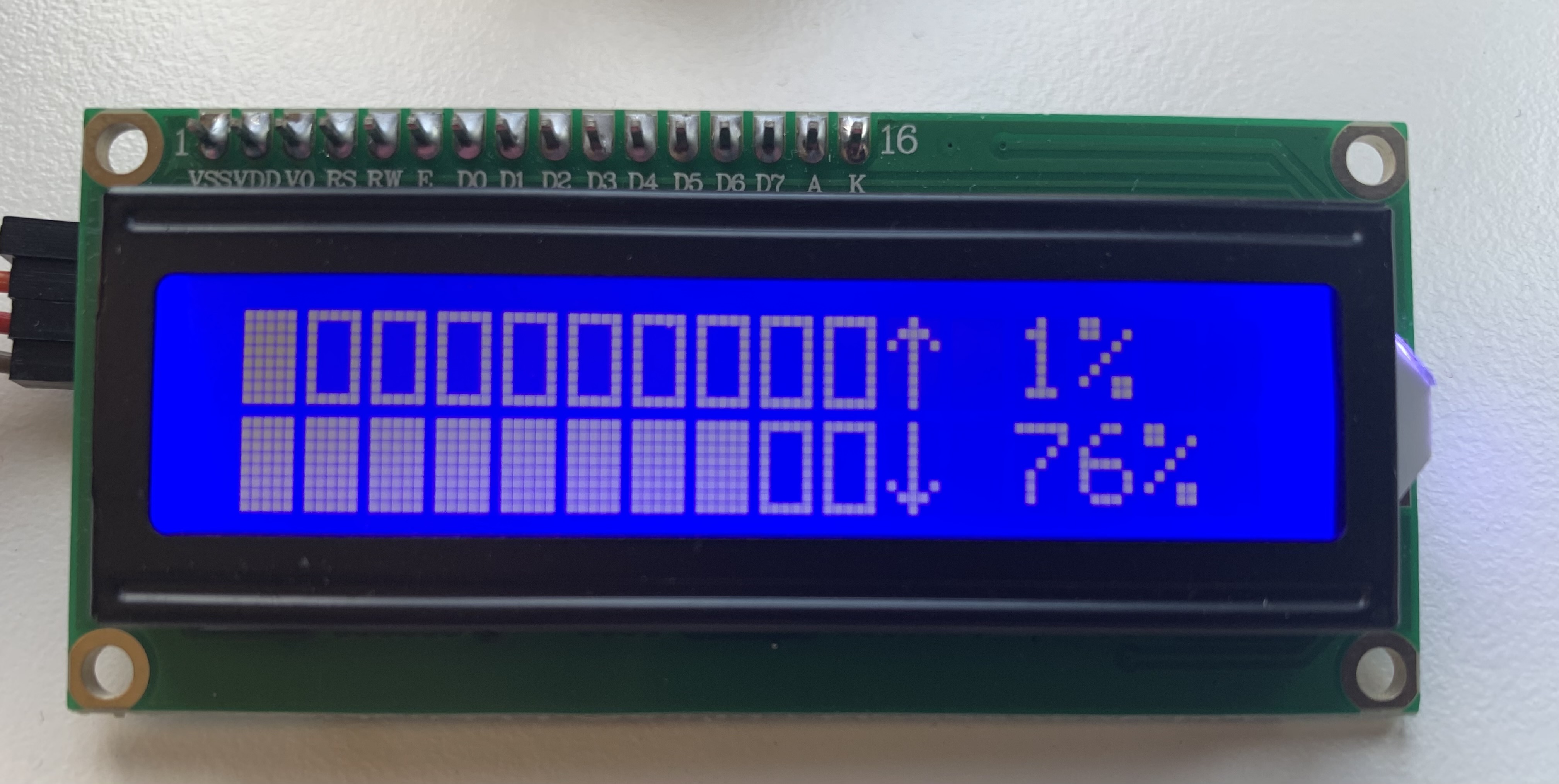
Monitors the current bandwith of your FritzBox and displays a graph on a i2c panel.
https://github.com/maxi07/fritzboxmonitor
bandwidth-monitor fritzbox i2c lcd-display python
Last synced: about 1 year ago
JSON representation
Monitors the current bandwith of your FritzBox and displays a graph on a i2c panel.
- Host: GitHub
- URL: https://github.com/maxi07/fritzboxmonitor
- Owner: maxi07
- License: gpl-3.0
- Created: 2021-09-09T14:49:07.000Z (almost 5 years ago)
- Default Branch: main
- Last Pushed: 2021-10-25T15:03:19.000Z (almost 5 years ago)
- Last Synced: 2025-02-26T02:24:44.652Z (over 1 year ago)
- Topics: bandwidth-monitor, fritzbox, i2c, lcd-display, python
- Language: Python
- Homepage:
- Size: 939 KB
- Stars: 0
- Watchers: 1
- Forks: 0
- Open Issues: 0
-
Metadata Files:
- Readme: README.md
- License: LICENSE
Awesome Lists containing this project
README
# fritzboxmonitor
A Python script to monitor the latest block on a lcd display. The first number represents the dns queries from the last 24h, the seconds the total blocked queries from the last 24h.
## Installation
To install clone this repository and run
```bash
sudo ./install.sh
```
The device will reboot after completed.
## Wiring / LCD Display
The script was developed for a 16x2 I2C display, which can be found for cheap on Amazon.com.
For wiring setup, please check the [wiki.](https://github.com/maxi07/PiHole-Monitoring/wiki/Connect-LCD-display)
## Run
To run the script, execute
```bash
python3 startMonitor.py
```
## Options
To print all available options, use
```bash
python3 startMonitor.py --help
```