https://github.com/maxkostinevich/node-docker-template
Docker template for Node.js/Express application, compatible with Serverless Framework.
https://github.com/maxkostinevich/node-docker-template
docker docker-compose express js nodejs serverless serverless-framework
Last synced: 3 months ago
JSON representation
Docker template for Node.js/Express application, compatible with Serverless Framework.
- Host: GitHub
- URL: https://github.com/maxkostinevich/node-docker-template
- Owner: maxkostinevich
- License: mit
- Created: 2019-08-16T15:09:27.000Z (almost 7 years ago)
- Default Branch: master
- Last Pushed: 2019-08-19T14:39:19.000Z (almost 7 years ago)
- Last Synced: 2025-10-08T07:38:56.989Z (9 months ago)
- Topics: docker, docker-compose, express, js, nodejs, serverless, serverless-framework
- Language: Batchfile
- Homepage:
- Size: 6.84 KB
- Stars: 0
- Watchers: 1
- Forks: 0
- Open Issues: 0
-
Metadata Files:
- Readme: README.md
- License: LICENSE
Awesome Lists containing this project
README
# Node.js Docker Template
Docker Compose template for Node.js/Express application.
Linux, OS X and Windows friendly.
## Included services
- Node.js
- Serverless Framework
- Mongo
- Mongo Express (Mongo UI)
- Redis
- Mailhog (Mailcatcher alternative)
## Project Setup
### Prepare the Docker template
1. Clone this repo:
```
git clone git@github.com:maxkostinevich/node-docker-template.git yourproject
cd yourproject
rm -rf .git
```
2. Update project name in ```.env``` file
3. Build and run containers:
```
docker-compose build
docker-compose up
```
2. Login into ```node``` container:
- on Windows:
```
node.bat
```
- on Linux/OS X:
```
sh node.sh
```
### Run Project
```
npm install
npm run watch
```
### Serverless Example
Run serverless offline:
```
sls offline --host=0.0.0.0 --port=8080
```
### Running containers in the background
You may also run containers in the background using the following script:
- on Windows:
```
serve.bat
```
- on Linux/OS X:
```
sh serve.sh
```
### Stop and delete containers
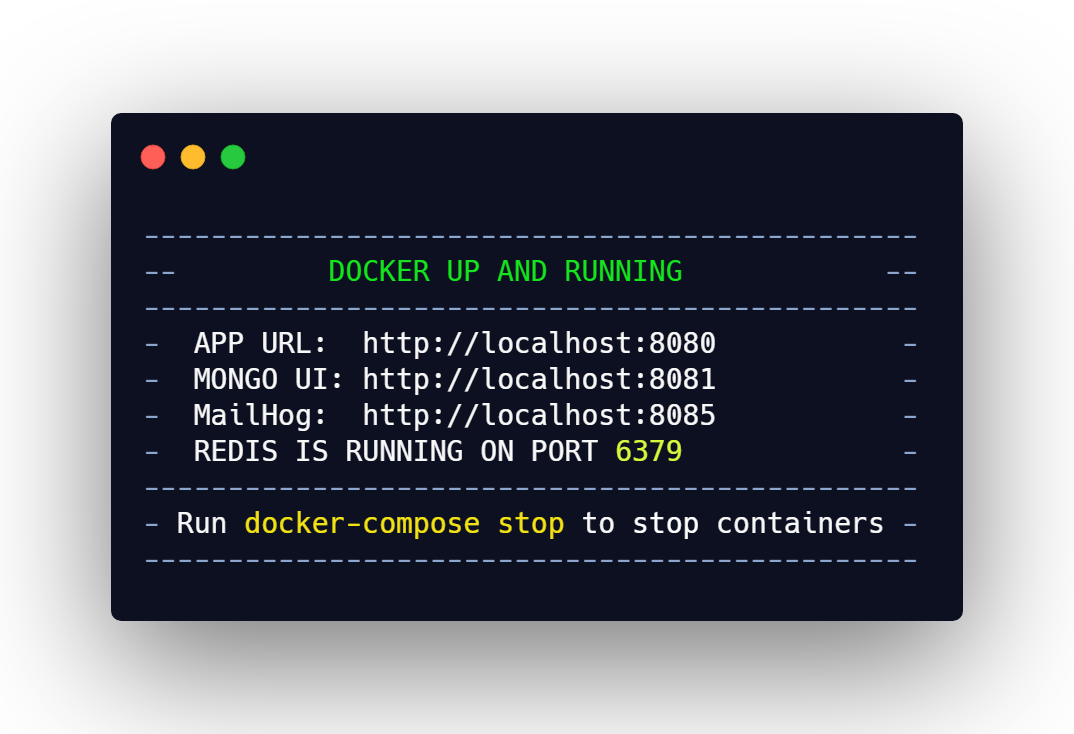
To stop Docker containers run:
```
docker-compose stop
```
To delete Docker containers run:
```
docker-compose down
```
### Database Management
For your convenience, Mongo Express is installed and available at ```http://localhost:8081```
You may also login into ```mongo``` container using the following script:
- on Windows:
```
mongo.bat
```
- on Linux/OSX:
```
sh mongo.sh
```
### Main Endpoints
- App URL: ```http://localhost:8080```
- Mongo UI: ```http://localhost:8081```
- MailHog: ```http://localhost:8085```
---
### [MIT License](https://opensource.org/licenses/MIT)
(c) 2019 [Max Kostinevich](https://maxkostinevich.com) - All rights reserved.