https://github.com/maxmudjon/homebridge-zont-platform
Zont Platform plugin for homebridge
https://github.com/maxmudjon/homebridge-zont-platform
Last synced: over 1 year ago
JSON representation
Zont Platform plugin for homebridge
- Host: GitHub
- URL: https://github.com/maxmudjon/homebridge-zont-platform
- Owner: Maxmudjon
- Created: 2017-09-15T23:44:55.000Z (almost 9 years ago)
- Default Branch: master
- Last Pushed: 2022-12-08T07:30:08.000Z (over 3 years ago)
- Last Synced: 2023-12-26T22:08:17.305Z (over 2 years ago)
- Language: JavaScript
- Size: 21.5 KB
- Stars: 4
- Watchers: 1
- Forks: 0
- Open Issues: 4
-
Metadata Files:
- Readme: README.md
Awesome Lists containing this project
README
# homebridge-zont-platform
[](https://badge.fury.io/js/homebridge-zont-platform)
Zont Platform plugin for [HomeBridge](https://github.com/nfarina/homebridge)
This repository contains the Zont Platform plugin for homebridge.
These security and retrieval systems have a built-in GSM-module, into which a SIM card is inserted. You do not need to buy it separately, the card is included. Satellite and GSM-signaling ZONT have the following functions:
protection of the car from hacking and hijacking;
control with a key fob, smartphone or computer;
intelligent autostart and engine blocking;
control of the alarm system and additional equipment of the car at a distance;
automatic locking of locks when away from the car;
locating the car;
record information about the routes of movement.
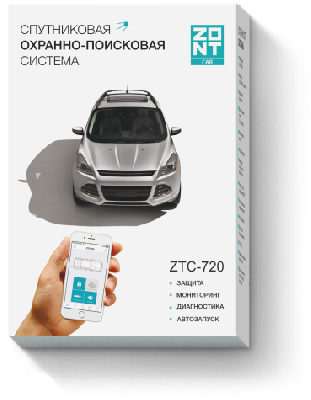
This version of the plug-in is supported only by these ZONT devices. Please see the pictures below.
### Installation
1. Install HomeBridge, please follow it's [README](https://github.com/nfarina/homebridge/blob/master/README.md). If you are using Raspberry Pi, please read [Running-HomeBridge-on-a-Raspberry-Pi](https://github.com/nfarina/homebridge/wiki/Running-HomeBridge-on-a-Raspberry-Pi).
2. Make sure you can see HomeBridge in your iOS devices, if not, please go back to step 1.
3. Download homebridge-zont-platform to your local folder.
### Configuration
1. To manage devices, enter the username and password from Zont to ~ / .homebridge / config.json.
```
"platforms": [
{
"platform": "ZontPlatform",
"username": "demo",
"password": "1234"
}
]
```
### Run it
1. From source code
$ cd /path/to/homebridge-zont-platform
$ DEBUG=* homebridge -D -P .
2. As homebridge plugin
$ npm install -g homebridge-zont-platform
$ homebridge