https://github.com/mayandev/flomo-cli
为 flomo 灵感笔记提供的命令行工具
https://github.com/mayandev/flomo-cli
Last synced: 4 months ago
JSON representation
为 flomo 灵感笔记提供的命令行工具
- Host: GitHub
- URL: https://github.com/mayandev/flomo-cli
- Owner: Mayandev
- Created: 2021-01-15T00:21:34.000Z (over 5 years ago)
- Default Branch: master
- Last Pushed: 2022-03-20T15:22:00.000Z (over 4 years ago)
- Last Synced: 2025-04-25T23:30:49.729Z (about 1 year ago)
- Language: JavaScript
- Homepage: https://npmjs.com/package/flomo-cli
- Size: 16.6 KB
- Stars: 24
- Watchers: 3
- Forks: 2
- Open Issues: 1
-
Metadata Files:
- Readme: README.md
Awesome Lists containing this project
README

# flomo-cli
为 [flomo 灵感笔记](https://flomoapp.com/)提供的命令行工具
## Install
```bash
$ npm install flomo-cli -g
# or yarn
$ yarn global add flomo-cli
```
## Usage

### Config
请先使用下面的命令进行配置 api。如果你在 flomo 的设置里更换了 api,也可以使用 `flomo config` 命令,重新设置 api 链接。
[在哪里查看 api?](https://flomoapp.com/iwh/MjY3NDM/19a24a215dc051f29d8f8d9328a9b329/)
```bash
$ flomo config
```
### Normal
```bash
$ flomo '#tag This is a flow momery from flomo-cli with hash tag.'
# fm is also ok
$ fm '#tag This is a flow momery from flomo-cli with hash tag.'
```
普通模式下,默认将命令后的字符串内容上传到 flomo 到服务器。
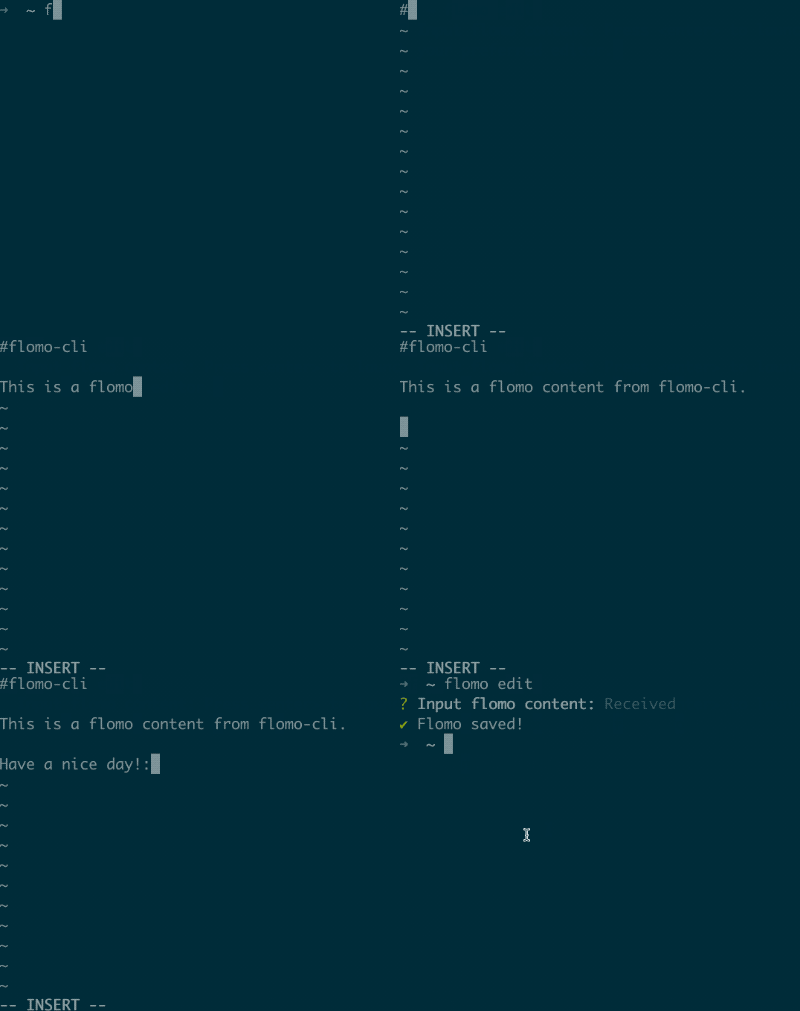
### Editor
```bash
$ flomo edit
```
工具提供编辑器模式,输入 `flomo edit` 启动。
[如何多行编辑?](https://github.com/Mayandev/flomo-cli/issues/1#issuecomment-781298951)

## Reference
本工具由 [cli-template](https://github.com/Mayandev/cli-template) 提供支持。