https://github.com/mayankjain25/microo-starter-website
This is a basic starter website that was built incorporating a CI/CD Pipeline involving GitHub Webhooks and Jenkins. Every push is deployed via an nginx docker container
https://github.com/mayankjain25/microo-starter-website
aws ci-cd docker jenkins nginx
Last synced: 3 months ago
JSON representation
This is a basic starter website that was built incorporating a CI/CD Pipeline involving GitHub Webhooks and Jenkins. Every push is deployed via an nginx docker container
- Host: GitHub
- URL: https://github.com/mayankjain25/microo-starter-website
- Owner: mayankjain25
- License: mit
- Created: 2023-06-24T11:01:03.000Z (about 3 years ago)
- Default Branch: master
- Last Pushed: 2023-07-21T16:49:42.000Z (almost 3 years ago)
- Last Synced: 2025-10-19T16:52:32.877Z (9 months ago)
- Topics: aws, ci-cd, docker, jenkins, nginx
- Language: JavaScript
- Homepage: https://youtu.be/m4TQMnib_Ok?si=Stx0b-BXjepAOO9-
- Size: 4.44 MB
- Stars: 0
- Watchers: 1
- Forks: 0
- Open Issues: 0
-
Metadata Files:
- Readme: README.md
- License: LICENSE
Awesome Lists containing this project
README
# CI/CD Pipeline with Jenkins
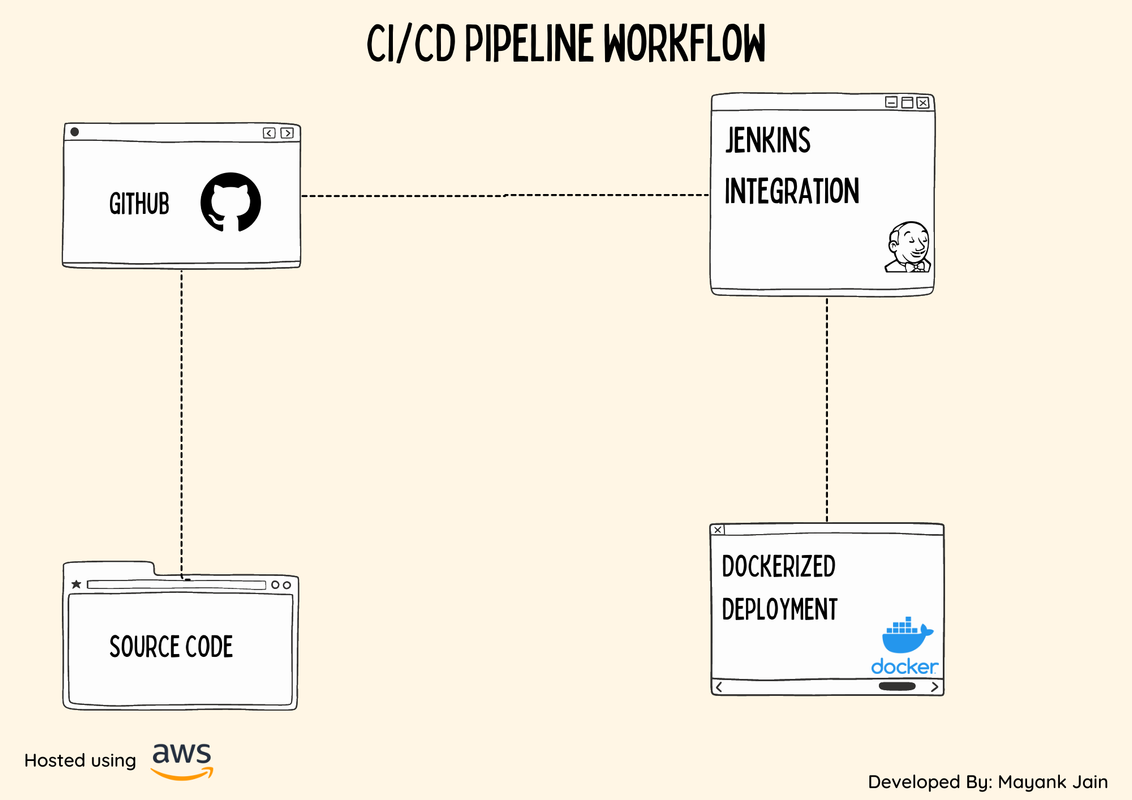
This repository contains a simple CI/CD pipeline implemented using Jenkins. The pipeline is designed to automatically deploy a static HTML/CSS file to a Docker container and host it on port `8085`.
## Prerequisites
Before setting up and running the CI/CD pipeline, make sure you have the following prerequisites installed:
- Jenkins: Install and configure Jenkins on your local machine or server.
- Docker: Install Docker to run the containerized deployment environment.
- GitHub account: Create a GitHub account to store your static HTML/CSS file.
## Getting Started
To set up the CI/CD pipeline, follow these steps:
1. Fork this repository: Click the "Fork" button at the top-right corner of this repository to create a copy in your GitHub account.
2. Clone the forked repository: Clone the forked repository to your local machine using the `git clone` command.
3. Update the HTML/CSS file: Replace the existing static HTML/CSS file (`index.html` and `styles.css`) with your own content.
4. Push changes to GitHub: Commit and push the updated file to the repository on GitHub.
5. Configure Jenkins: Set up a Jenkins job to build and deploy the HTML/CSS file.
- Create a new Jenkins job and configure it as a pipeline.
- Specify the GitHub repository URL and credentials.
- Configure the Jenkins job to trigger on each push to the repository.
6. Run the Jenkins job: Start the Jenkins job and observe the pipeline's progress in the Jenkins dashboard.
7. Access the deployed application: Once the deployment is successful, access the hosted application in your browser at `http://localhost:8085`.
## Pipeline Workflow
The CI/CD pipeline follows this workflow:
1. Jenkins receives a webhook notification on each push to the GitHub repository.
2. Jenkins triggers the pipeline job based on the build steps
3. The pipeline job:
- Checks out the latest changes from the GitHub repository.
- Builds a Docker image with the static HTML/CSS files.
- Runs a Docker container based on the created image, exposing port 8085.
4. The application is now accessible on `http://localhost:8085`.
## Customization
You can customize this pipeline according to your needs:
- Modify the Dockerfile: If you require additional dependencies or customizations for your application, update the Dockerfile accordingly.
- Adjust Jenkins job triggers: Instead of triggering the pipeline on each push, you can configure Jenkins to trigger the job based on specific branches or tags.
- Change the port number: If you prefer a different port for hosting the application, update the Dockerfile and Jenkins pipeline accordingly.
## Contributing
If you encounter any issues or have suggestions for improvement, feel free to open an issue or submit a pull request. Contributions are always welcome!
## License
This project is licensed under the [MIT License](LICENSE).
## Built Using