https://github.com/maziggy/bettertrends
A custom Home Assistant integration, that calculates trending for entities and displays result in a nice way.
https://github.com/maziggy/bettertrends
hacs hacs-custom hacs-integration hacs-plugin hass hassio-addons hassio-integration home-assistant homeassistant homeassistant-custom-component homeassistant-integration trend-analysis
Last synced: 3 months ago
JSON representation
A custom Home Assistant integration, that calculates trending for entities and displays result in a nice way.
- Host: GitHub
- URL: https://github.com/maziggy/bettertrends
- Owner: maziggy
- License: mit
- Created: 2024-11-23T10:10:11.000Z (over 1 year ago)
- Default Branch: main
- Last Pushed: 2025-01-13T12:40:59.000Z (over 1 year ago)
- Last Synced: 2025-02-09T12:26:48.734Z (over 1 year ago)
- Topics: hacs, hacs-custom, hacs-integration, hacs-plugin, hass, hassio-addons, hassio-integration, home-assistant, homeassistant, homeassistant-custom-component, homeassistant-integration, trend-analysis
- Language: Python
- Homepage:
- Size: 500 KB
- Stars: 1
- Watchers: 1
- Forks: 0
- Open Issues: 1
-
Metadata Files:
- Readme: README.md
- License: LICENSE
Awesome Lists containing this project
README

# BetterTrends
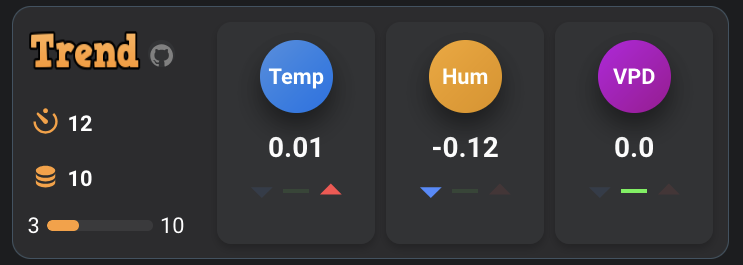
A custom Home Assistant integration, that calculates trend values for entities and displays result in a nice way.
## Screenshot
## How it works
* Add your existing entities to calculate trend for
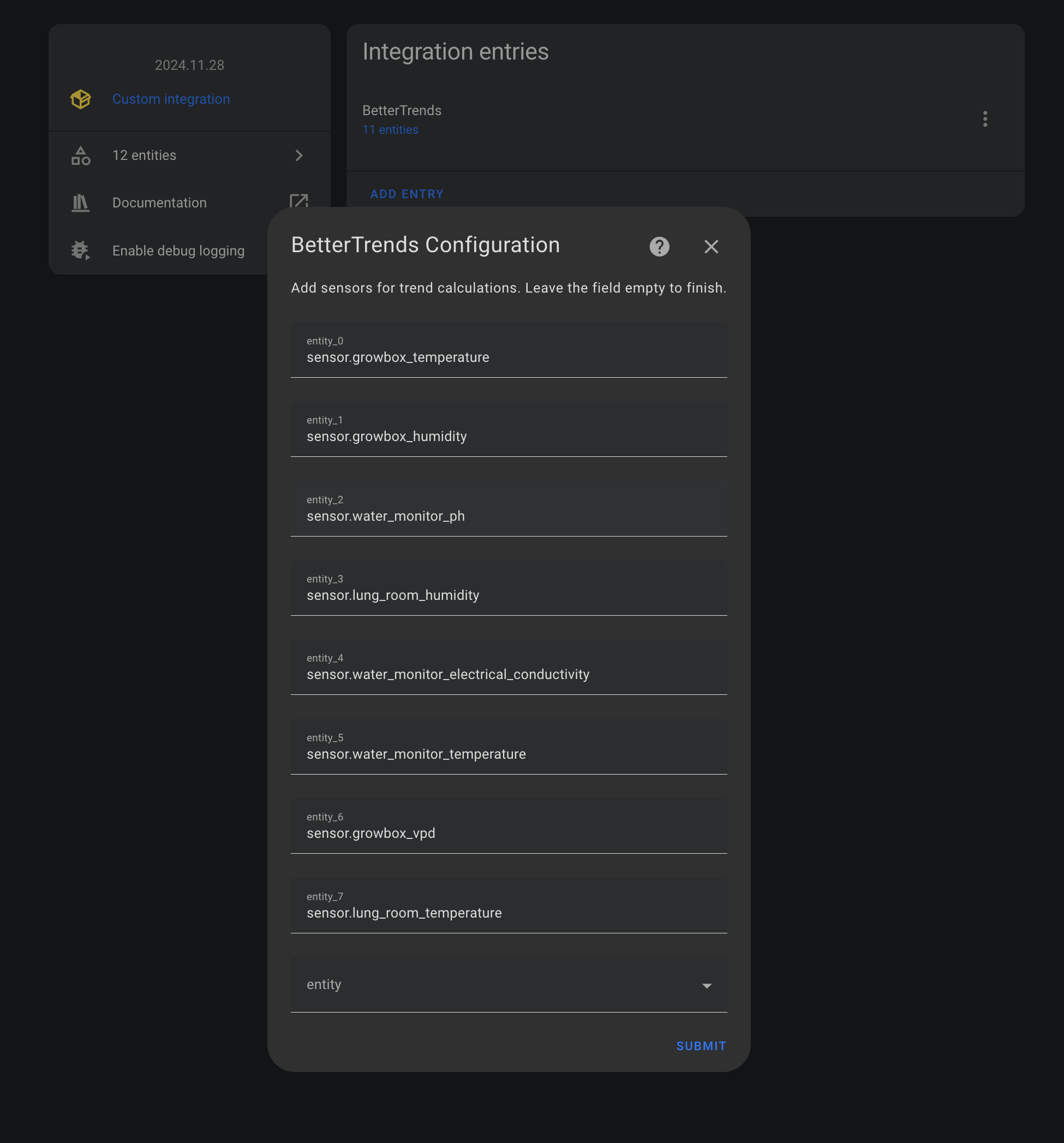
* Entities data is fetched every (A) seconds
* If (B) entity data sets are fetched, trend is calculated and sensor.bettertrends_sensor_ is updated.
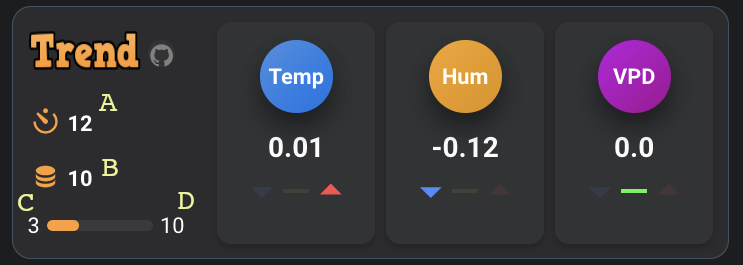
* A: data fetch interval
* B: datasets fetched before calculating new trend value
* C: current datasets collected
* D: Total datasets required to calculate trend value (equals B)
You can click on A (interval), or B (steps) to change number.
## Installation
### Via HACS
1. Ensure you have [HACS](https://hacs.xyz/) installed.
2. In Home Assistant, go to **HACS** > **Frontend**.
3. Click the **"+"** button to add a new repository.
4. Enter the repository URL: `https://github.com/maziggy/BetterTrends.git`.
5. Select **Integration** as the category and **Save**.
or simply
[](https://my.home-assistant.io/redirect/hacs_repository/?owner=maziggy&repository=BetterTrends&category=integration)
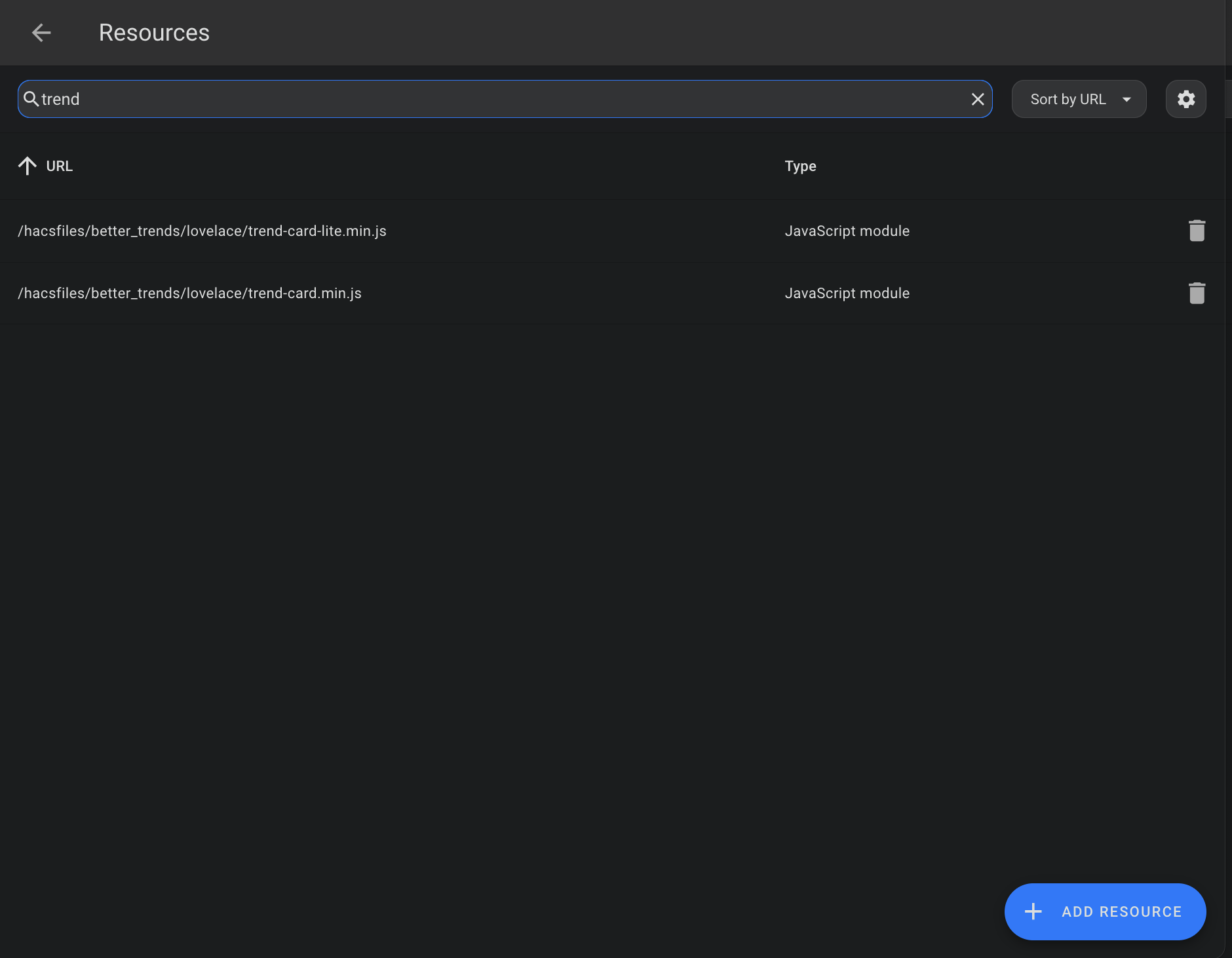
* Once installed, you'll get a persitant notification about how to add the two included dashboard cards (trend-card and trend-card-lite) to your resources.
## Cards and options
### trend-card
```yaml
type: custom:trend-card
interval: number.bettertrends_interval
steps: number.bettertrends_steps
current_step: number.bettertrends_current_step
metric1_delta: sensor.bettertrends_
metric1_name:
metric2_delta: sensor.bettertrends_
metric2_name:
metric3_delta: sensor.bettertrends_
metric3_name:
theme:
bgColor: "#2c2c2e"
textColor: "#ffffff"
iconColor: "#ff9e32"
iconBgColor: "#323335"
metricBgColor: "#323335"
bubble1Color: "#1b7de5"
bubble1TextColor: "#ffffff"
value1TextColor: "#ffffff"
bubble2Color: "#e7970d"
bubble2TextColor: "#ffffff"
value2TextColor: "#ffffff"
bubble3Color: "#ab07ae"
bubble3TextColor: "#ffffff"
value3TextColor: "#ffffff"
trendDownColor: "#498bff"
trendEqualColor: "#4ff24b"
trendUpColor: "#ff4c4c"
```
### trend-card-lite
```yaml
type: custom:trend-card-lite
metric1_delta: sensor.bettertrends_
metric1_delta_name:
metric2_delta: sensor.bettertrends_
metric2_delta_name:
metric3_delta: sensor.bettertrends_
metric3_delta_name:
theme:
bgColor: "#2c2c2e"
metricBgColor: "#212122"
bubble1Color: "#2b8dd9"
bubble1TextColor: "#ffffff"
value1TextColor: "#ffffff"
bubble2Color: "#e7970d"
bubble2TextColor: "#ffffff"
value2TextColor: "#ffffff"
bubble3Color: "#ab07ae"
bubble3TextColor: "#ffffff"
value3TextColor: "#ffffff"
trendDownColor: "#498bff"
trendEqualColor: "#4ff24b"
trendUpColor: "#ff4c4c"
```