https://github.com/mcarlomagno/spending_tracker
Spending tracker 📈 ⚖️ is a cross-platform application written in flutter that helps to get simple and fast expenses tracking.
https://github.com/mcarlomagno/spending_tracker
android dart firebase firebase-auth firestore flutter ios web
Last synced: 12 months ago
JSON representation
Spending tracker 📈 ⚖️ is a cross-platform application written in flutter that helps to get simple and fast expenses tracking.
- Host: GitHub
- URL: https://github.com/mcarlomagno/spending_tracker
- Owner: MCarlomagno
- License: mit
- Created: 2021-03-24T20:19:50.000Z (over 5 years ago)
- Default Branch: master
- Last Pushed: 2022-01-25T00:26:05.000Z (over 4 years ago)
- Last Synced: 2023-03-05T16:26:47.059Z (over 3 years ago)
- Topics: android, dart, firebase, firebase-auth, firestore, flutter, ios, web
- Language: Dart
- Homepage: https://spending-tracker-313e0.web.app
- Size: 3.6 MB
- Stars: 1
- Watchers: 2
- Forks: 1
- Open Issues: 1
-
Metadata Files:
- Readme: README.md
- License: LICENSE
Awesome Lists containing this project
README
# Spending tracker 📈 ⚖️
[](https://spending-tracker-313e0.web.app/)
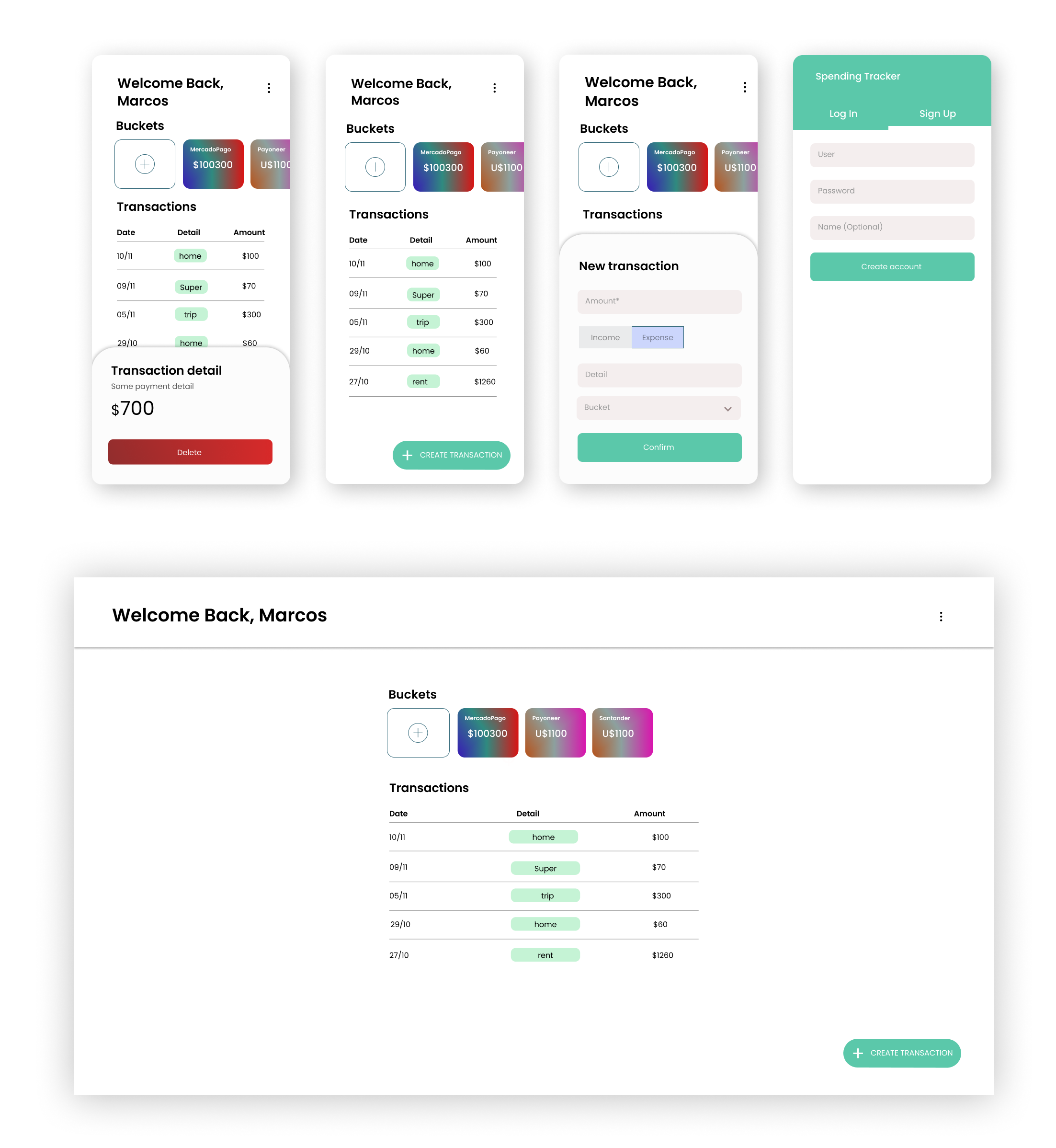
Spending Tracker is a cross-platform application for managing incomes and expenses in the cloud, this is archived by using two main concepts: _Buckets_ and _Transactions_.
#### Bucket
A bucket is a representation of any amount of money (physical or virtual) with a given description and currency.
> E.g. The money you have in a bank account or the cash in your wallet.
#### Transaction
A transaction is a regular transaction done by the user, can be an _income_ or an _expense_:
> E.g The money you pay when you buy something in a grosery store or a regular tax.
## Live access
| Resource | Status | Link |
|----------|:-------------:|:------|
| Web | ✔️ | to Web app |
| Android | ✔️ | to App Store |
| iOS | ❌ | _soon_ |
| Figma Design | ✔️ | to Figma Project |
## Built with ❤️ using Flutter and Firebase
### Flutter dependencies
| Dependency | Version |
|-----------------------|---------|
|[provider](https://pub.dev/packages/provider) | ^5.0.0 |
|[get_it](https://pub.dev/packages/get_it) | ^6.0.0 |
|[flutter_launcher_icons](https://pub.dev/packages/flutter_launcher_icons) | - |
|[firebase_core](https://pub.dev/packages/firebase_core) | ^1.10.6 |
|[firebase_auth](https://pub.dev/packages/firebase_auth) | ^3.3.4 |
|[cloud_firestore](https://pub.dev/packages/cloud_firestore) | ^3.1.6 |
### Firebase Services
| Service |
|-----------------------|
|[Cloud Firestore](https://firebase.flutter.dev/docs/firestore/usage/) |
|[Firebase Authentication](https://firebase.flutter.dev/docs/firestore/overview) |
|[Firebase Hosting](https://firebase.google.com/docs/hosting) |
## Screenshots
## Setup
### **Prerequisites**
- Flutter 2.X installed in your computer. If you haven't installed it yet, follow [this guide](https://flutter.dev/docs/get-started/install).
- [Optional] In case you want to use your own Firebase project, you can follow the [FlutterFire documentation](https://firebase.flutter.dev/docs/overview).
### Installation
1- Clone the project
```
git clone https://github.com/MCarlomagno/spending_tracker.git
```
2- Open the folder
```
cd spending_tracker
```
3- Install dependencies
```
flutter pub get
```
4- Run
```
flutter run
```
## **Contributing**
Pull requests and Issue openings are very welcome 😊. For major changes, please open an issue first to discuss what you would like to change.
## **Contact**
If you have any suggestion that you think does not fit as a contribution for the project (PR or Issue), or you just want to have a small talk with me, dont be shy and let's do it 😉
 marcoscarlomagno1@gmail.com
 https://www.linkedin.com/in/marcos-carlomagno/
 https://t.me/marcoscarlomagno
 https://mcarlomagno.medium.com/
## **License**
[MIT](https://choosealicense.com/licenses/mit/)