https://github.com/medazzo/sbr-generator
Rest Server generator based on Spring Boot and Yaml configuration file
https://github.com/medazzo/sbr-generator
configuration generator rest-api spring-boot spring-security swagger swagger-ui swagger2
Last synced: about 1 year ago
JSON representation
Rest Server generator based on Spring Boot and Yaml configuration file
- Host: GitHub
- URL: https://github.com/medazzo/sbr-generator
- Owner: medazzo
- License: mit
- Created: 2020-01-21T21:46:24.000Z (over 6 years ago)
- Default Branch: master
- Last Pushed: 2024-01-11T19:07:49.000Z (over 2 years ago)
- Last Synced: 2025-05-30T10:16:17.841Z (about 1 year ago)
- Topics: configuration, generator, rest-api, spring-boot, spring-security, swagger, swagger-ui, swagger2
- Language: Python
- Size: 182 KB
- Stars: 3
- Watchers: 1
- Forks: 2
- Open Issues: 7
-
Metadata Files:
- Readme: README.md
- Changelog: CHANGELOG.rst
- Contributing: CONTRIBUTING.rst
- License: LICENSE
- Authors: AUTHORS.rst
Awesome Lists containing this project
README
# SBR-Generator
[](https://travis-ci.org/medazzo/sbr-generator)
[](https://badge.fury.io/js/sbr-generator)
[](https://app.fossa.com/projects/git%2Bgithub.com%2Fmedazzo%2Fsbr-generator?ref=badge_shield)
## License
[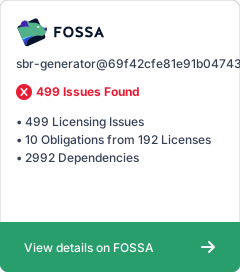](https://app.fossa.com/projects/git%2Bgithub.com%2Fmedazzo%2Fsbr-generator?ref=badge_large)
## Introduction
SBR generator is a paython package that provide a Spring Boot Rest Generator cli used to generate source code modules starting from config file.
The Generated source code is a CRUD Rest Spring Boot Server, ready to build and run .
## How to develop
you need to Set python Virtual env environment and start developing
```
$ python3 -m venv .venv
$ source .venv/bin/activate
(.venv) $ pip install -r requirements.txt
(.venv) $ python setup.py develop
```
### Prerequisites
To work correctly *SBR* needs python to be installed .
All needed python modules with be installed from the *requirements.txt* using *pip*.
## How To use
To Generate a ready to use Spring boot Rest Server , *SBR* need a configuration file
You can start by using the example one
```
~$ sbrgen -h
usage: SBR Generator [-h] [-v] [-t] [-s] -c CONFIGFILE [-o OUTPUTDIR]
SBR generator: Generate Spring Boot Rest source code.
optional arguments:
-h, --help show this help message and exit
-v, --mode-verbose Enable verbose traces
-t, --enable-tests Enable tests
-s, --disable-security
Disable security
-c CONFIGFILE, --config-file CONFIGFILE
The Yaml config file
-o OUTPUTDIR, --outputDir OUTPUTDIR
The Output folder where to store generated source code
```
Additionally , *SBR* support :
* Verbose mode using *-v*
* Disabling Security based on spring role and JWT token mode using *-s*
* Enabling generating tests using *-t*
Like Below, to generate project with security enabled and tests using example config file :
```
~$ sbrgen -v -t -c examples/config.yaml
```
This will generate the next folder structure :
```
$ tree serverTest-0.0.1-SNAP/
serverTest-0.0.1-SNAP/
├── pom.xml
├── README.md
└── src
├── main
│ ├── java
│ │ └── com
│ │ └── easin
│ │ └── serverTest
│ │ ├── Application.java
│ │ ├── conf
│ │ │ └── ....java
│ │ ├── controllers
│ │ │ └── ....java
│ │ ├── entities
│ │ │ └── ...java
│ │ ├── exceptions
│ │ │ └── ...java
│ │ ├── repositories
│ │ │ └── ....java
│ │ ├── security
│ │ │ ├── api
│ │ │ │ └── ...java
│ │ │ └── ...java
│ │ └── services
│ │ └── ...java
│ └── resources
│ ├── application.yaml
│ ├── data.sql
│ └── log4j2.xml
└── test
└── java
└── com
└── easin
└── serverTest
└── ...java
```
## How to use Generated source code
The generated source code is a spring boot rest maven project with a read me file ,a complete project ready to use :
To build and run :
```
cd testServer-0.0.1/
mvn clean package -Dmaven.test.skip=true
mvn spring-boot:run -Dmaven.test.skip=true
```
This will run the server, you can access the swagger ui generated documentation on
http://localhost:8080/project.name/project.version/swagger-ui.html
OR json format under
http://localhost:8080/project.name/project.version/v2/api-docs
To Run generated Crud unit tests, please do:
```
cd testServer-0.0.1/
mvn test
```
# Configuration File
The Configuration is a yaml file having 3 sections : project, logging and entities.
## project section
Contains all project specific data used in the pom file and the Readme and in sourec conde generations ..
```yaml
project:
longname: Easy Soft IN Selling Server # the project long name used in the pom files and the Readme
description: Easin Selling Server # a description for the project
url: http://easysoft-in.com # the url of the project
name: serverTest # the short name
restPath: /serverTest # the rest base path generated
package: com.easin.serverTest # the package of the project
version: 0.0.1-SNAP # the version of the prpoject
security: # security data if activated to generate
extraroles: # security extra roles (*SBR* already manage admin and user) please do not prefix roles with ROLE_ !
- "PROVIDER"
- "CONSUMER"
```
## logging section
it will be used to generate the **src/main/resources/log4j2.xml** file , extra configuration need to be added manually to the file .
```yaml
logging:
RootLoggerLevel: trace
Loggers:
- name: com.easin
level: trace
- name: org.springframework.web.client.RestTemplate
level: trace
- name: org.apache.catalina.filters.RequestDumperFilter
level: trace
```
## entities section
This section is used to generate java package for entity's, services, controllers, and beyond : @Entity class and JpaRepository for each one ..
**User**: be Aware that the *User* entity is specific as it already managed by *SBR*, when using it on your entity, *SBR* will merge your fiels and his.
```yaml
entities:
- name: User
comment: Class representing the User parameters
fields:
- name: mail
type: String
comment: the official Mail of the User
annotations:
- "@Email"
- name: phone
type: String
comment: the official Phone number of the User
annotations: []
- name: name
comment: name of the User
annotations:
- "@Column(nullable = false)"
type: String
- name: Company
crudRest: true
baseclass: BaseEntity
comment: Class representing the company parameters
fields:
- name: user
comment: User created
annotations:
- '@JoinColumn(name="user_id", insertable=false, updatable=false)'
- "@ManyToOne(targetEntity = User.class, fetch = FetchType.EAGER)"
- "@JsonIgnore"
- "@ToString.Exclude"
type: User
```