https://github.com/mehdiraized/npmax
Project Package Manager
https://github.com/mehdiraized/npmax
npm npm-package package-manager
Last synced: 3 months ago
JSON representation
Project Package Manager
- Host: GitHub
- URL: https://github.com/mehdiraized/npmax
- Owner: mehdiraized
- License: gpl-3.0
- Created: 2020-07-07T22:54:57.000Z (almost 6 years ago)
- Default Branch: master
- Last Pushed: 2026-03-09T14:00:26.000Z (4 months ago)
- Last Synced: 2026-03-09T18:10:55.793Z (4 months ago)
- Topics: npm, npm-package, package-manager
- Language: JavaScript
- Homepage: https://mehdiraized.github.io/npmax/
- Size: 3.8 MB
- Stars: 27
- Watchers: 1
- Forks: 2
- Open Issues: 1
-
Metadata Files:
- Readme: README.md
- Contributing: CONTRIBUTING.md
- License: LICENSE
- Code of conduct: CODE_OF_CONDUCT.md
- Security: SECURITY.md
Awesome Lists containing this project
README
# npMax
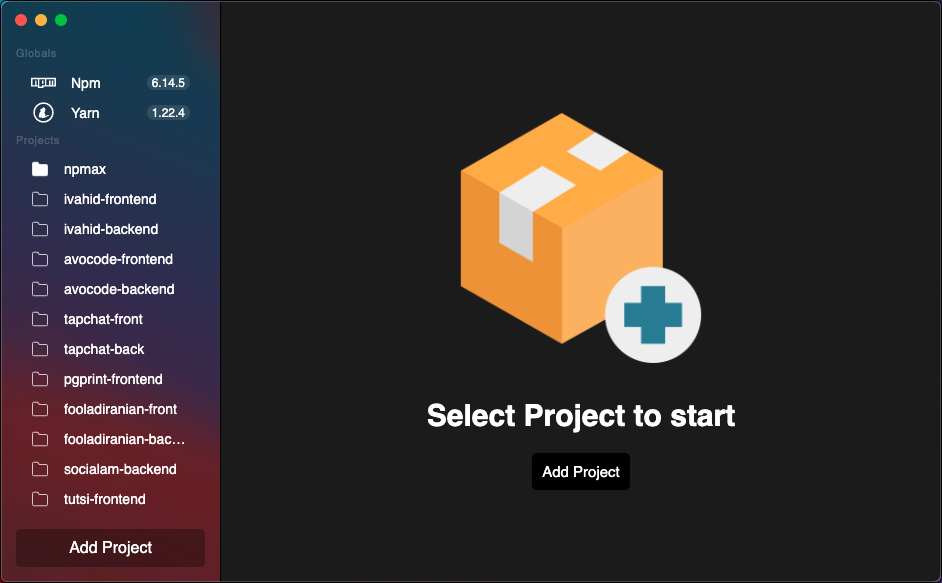
The Open Source desktop GUI for npm, yarn, pnpm, and **Composer** packages.
Runs on Linux, macOS and Windows.
## Download npMax v2.8.0
### macOS
**[Download for macOS Apple Silicon (arm64)](https://github.com/mehdiraized/npmax/releases/download/v2.8.0/npMax-2.8.0-arm64.dmg)**
**[Download for macOS Intel (x64)](https://github.com/mehdiraized/npmax/releases/download/v2.8.0/npMax-2.8.0.dmg)**
### Windows
**[Download Installer for Windows](https://github.com/mehdiraized/npmax/releases/download/v2.8.0/npMax.Setup.2.8.0.exe)**
**[Download Portable for Windows](https://github.com/mehdiraized/npmax/releases/download/v2.8.0/npMax.2.8.0.exe)**
### Linux
**[Download AppImage (x64)](https://github.com/mehdiraized/npmax/releases/download/v2.8.0/npMax-2.8.0.AppImage)**
**[Download AppImage (arm64)](https://github.com/mehdiraized/npmax/releases/download/v2.8.0/npMax-2.8.0-arm64.AppImage)**
**[Download .deb (x64)](https://github.com/mehdiraized/npmax/releases/download/v2.8.0/npmax_2.8.0_amd64.deb)**
**[Download .deb (arm64)](https://github.com/mehdiraized/npmax/releases/download/v2.8.0/npmax_2.8.0_arm64.deb)**
[All Releases](https://github.com/mehdiraized/npmax/releases/)
## Features
- View and manage **npm**, **yarn**, and **pnpm** packages from a `package.json`
- View and manage **Composer** (PHP) packages from a `composer.json`
- Detect outdated packages with live version checks against the npm registry and Packagist
- One-click version updates with semver prefix preservation (`^`, `~`, etc.)
- Lock file status indicator with Install / Sync button
- Supports multiple projects in a sidebar
- Cross-platform: macOS, Linux, Windows
### Composer support
npMax automatically detects whether your project uses `composer.json` (PHP/Composer) or `package.json` (Node.js) and displays the appropriate editor. For Composer projects:
- Fetches the latest stable version of each package from [Packagist](https://packagist.org)
- Skips platform requirements (`php`, `ext-*`, `lib-*`) — only real packages are checked
- Preserves your version constraint prefix on update (`^`, `~`, `>=`, etc.)
- Detects `composer.lock` status and offers a one-click `composer install`
## Contributing
Install the dependencies...
```bash
npm install
```
...then start
```bash
npm run dev
```
Please read our [Contributing Guide](./CONTRIBUTING.md) before submitting a Pull Request to the project.
## Community support
For additional help, you can use one of these channels to ask a question:
- [GitHub](https://github.com/mehdiraized/npmax) (Bug reports, Contributions)
- [Twitter](https://twitter.com/npMax_app) (Get the news fast)
- [Telegram](https://t.me/npmax_app)
## Building and running in production mode
To create an optimized version of the app:
```bash
npm run dist
```