https://github.com/mehediislamripon/weather-app-reactjs
https://github.com/mehediislamripon/weather-app-reactjs
weather-app weather-app-react weather-forecast
Last synced: over 1 year ago
JSON representation
- Host: GitHub
- URL: https://github.com/mehediislamripon/weather-app-reactjs
- Owner: mehediislamripon
- Created: 2023-11-16T18:44:31.000Z (over 2 years ago)
- Default Branch: master
- Last Pushed: 2023-11-18T05:01:19.000Z (over 2 years ago)
- Last Synced: 2025-01-18T22:28:31.160Z (over 1 year ago)
- Topics: weather-app, weather-app-react, weather-forecast
- Language: TypeScript
- Homepage: https://weather-app-reactjs-mehedi.vercel.app
- Size: 762 KB
- Stars: 1
- Watchers: 1
- Forks: 0
- Open Issues: 0
-
Metadata Files:
- Readme: README.md
Awesome Lists containing this project
README
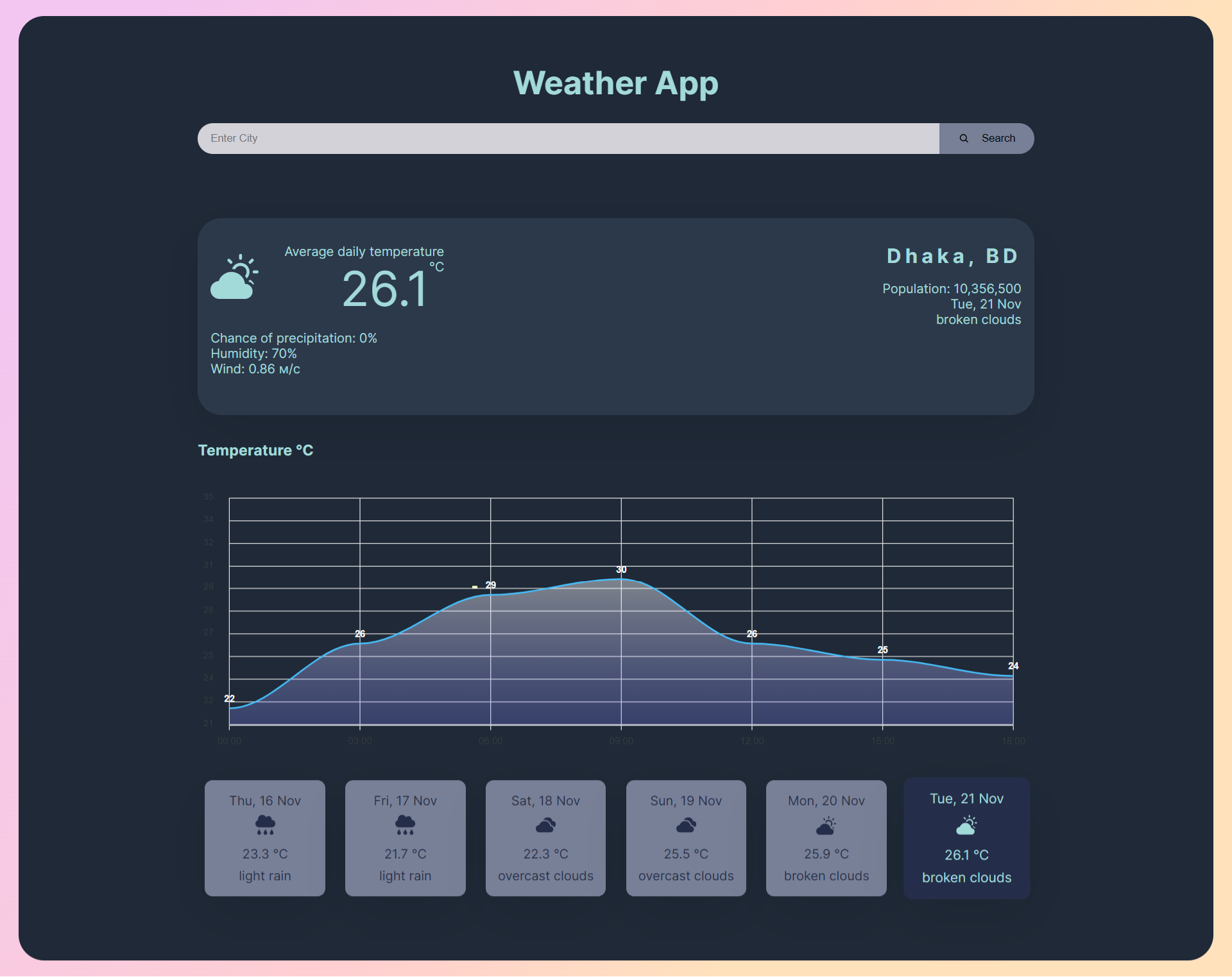
# Weather App
## Live Demo
The live demo of the project can be accessed at the following URL: https://weather-app-reactjs-mehedi.vercel.app/
### Technology Stack Stack
- React
- Redux
- TypeScript
- axios
- react-icons
- redux-thunk
- sass
- react-apexcharts
## Prerequisites
Before getting started, make sure you have the following prerequisites installed on your machine:
- Node.js (version 14 or above)
- npm (Node Package Manager) or yarn
## Installation
To install and set up the app created with Create React App, follow these steps:
1. Open your terminal.
2. Clone or download the project repository from GitHub.
3. Navigate to the project directory using the `cd` command:
```
$ cd your-project-directory
```
4. Install the required dependencies using either npm or yarn:
```bash
$ npm install
```
or
```bash
$ yarn install
```
This will install all the necessary packages and dependencies defined in the `package.json` file.
## Running the App
To run the ReactJS app locally, follow these steps:
1. Make sure you are still in the project directory in your terminal.
2. Start the development server using npm or yarn:
```bash
$ npm start
```
or
```bash
$ yarn start
```
This will start the development server and automatically open the app in your default browser. If it doesn't open automatically, you can access the app by navigating to [http://localhost:3000](http://localhost:3000) in your browser.
3. You should now see your ReactJS app up and running!