https://github.com/memgraph/graph-landscape-2022
A graph visualization of popular graph technologies and companies
https://github.com/memgraph/graph-landscape-2022
graph graph-algorithms graph-analysis graph-database graph-theory graph-visualization
Last synced: about 1 year ago
JSON representation
A graph visualization of popular graph technologies and companies
- Host: GitHub
- URL: https://github.com/memgraph/graph-landscape-2022
- Owner: memgraph
- License: mit
- Created: 2022-02-04T12:03:57.000Z (over 4 years ago)
- Default Branch: main
- Last Pushed: 2022-05-27T09:27:01.000Z (about 4 years ago)
- Last Synced: 2025-06-25T22:38:10.587Z (about 1 year ago)
- Topics: graph, graph-algorithms, graph-analysis, graph-database, graph-theory, graph-visualization
- Language: Python
- Homepage:
- Size: 17.2 MB
- Stars: 18
- Watchers: 4
- Forks: 1
- Open Issues: 0
-
Metadata Files:
- Readme: README.md
- License: LICENSE
Awesome Lists containing this project
README
⛰️ Graph Technology Landscape 2022 ⛰️
This repository holds data about popular graph technologies in 2022. It imports them into Memgraph and creates cool visualization in Memgraph Lab.
## 🏃♀️ Run the app
To start the app run the following commands:
```
docker-compose build
docker-compose up
```
After that, in [Memgraph Lab](https://memgraph.com/download/#memgraph-lab), run the following query:
```
MATCH (n:Company)-[r:IS_PART_OF]->(s:Subcategory)-[b:BELONGS_TO]->(c:Category)
RETURN n,r,s,b,c;
```
## 🕴️ Memgraph Lab Styling
To make this graph extra pretty in [Memgraph Lab](https://memgraph.com/docs/memgraph-lab), copy the below styling:
```
@NodeStyle {
size: 30
border-width: 5
border-color: #ffffff
shadow-color: #bab8bb
shadow-size: 6
}
@NodeStyle HasLabel?(node, "Company") {
color: #FFC500
color-hover: Darker(#FFC500)
color-selected: #FFC500
image-url: Format("https://raw.githubusercontent.com/memgraph/graph-landscape-2022/main/logo/{}.png", LowerCase(Property(node, "img")))
}
@NodeStyle HasLabel?(node, "Category") {
color: #ffd966
color-hover: Darker(#ffd966)
color-selected: #ffd966
}
@NodeStyle HasLabel?(node, "Subcategory") {
color: #ff9100
color-hover: Darker(#ff9100)
color-selected: #ff9100
}
@NodeStyle HasProperty?(node, "name") {
label: AsText(Property(node, "name"))
}
@EdgeStyle {
width: 1.5
}
```
Next, click on the gear icon (⚙️) to open the Style editor. After that, paste the above style to the editor and click on Apply. If you wish so, you can also save this style for future use.
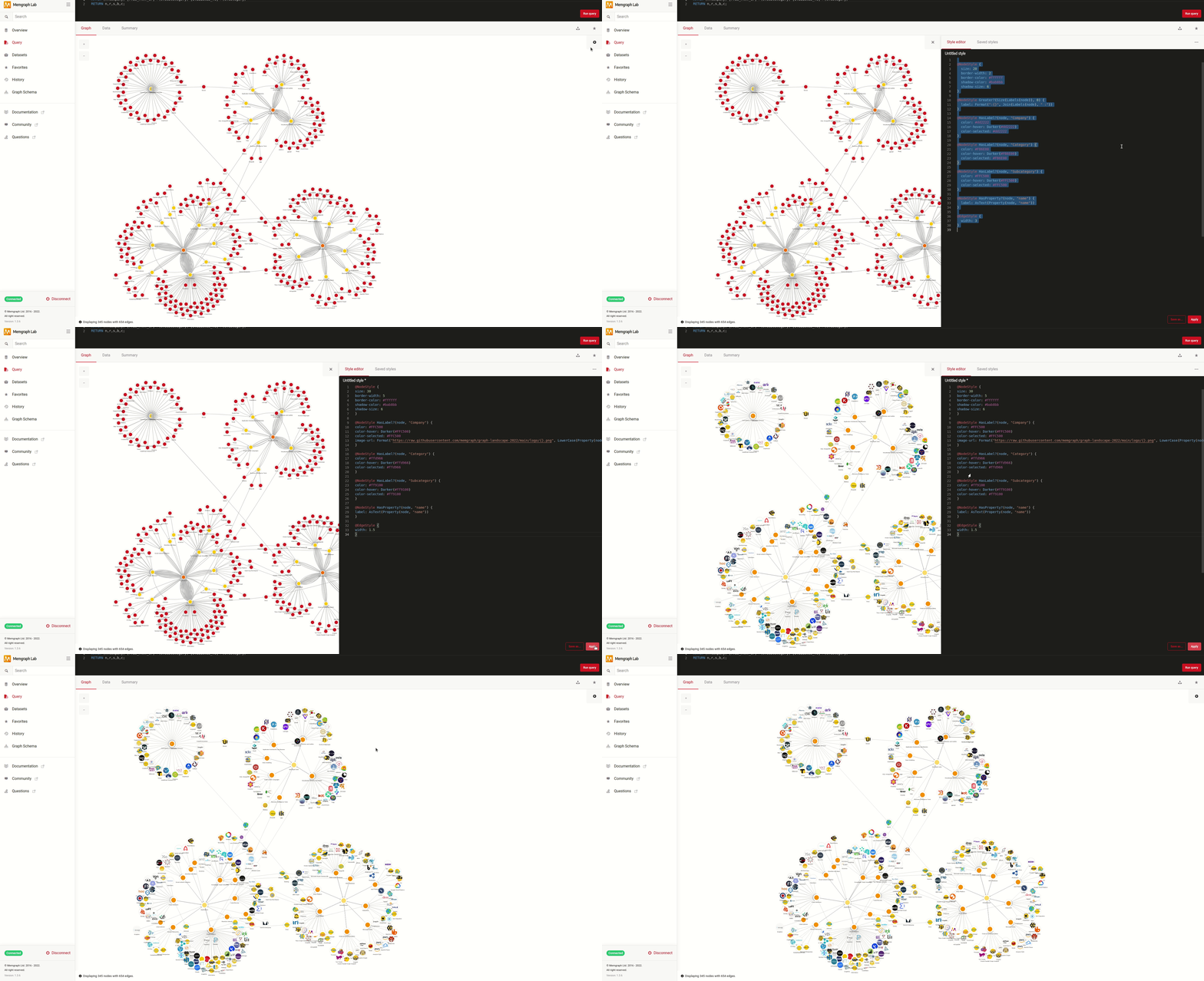
In the end, with the given styling, you get the following visualization:
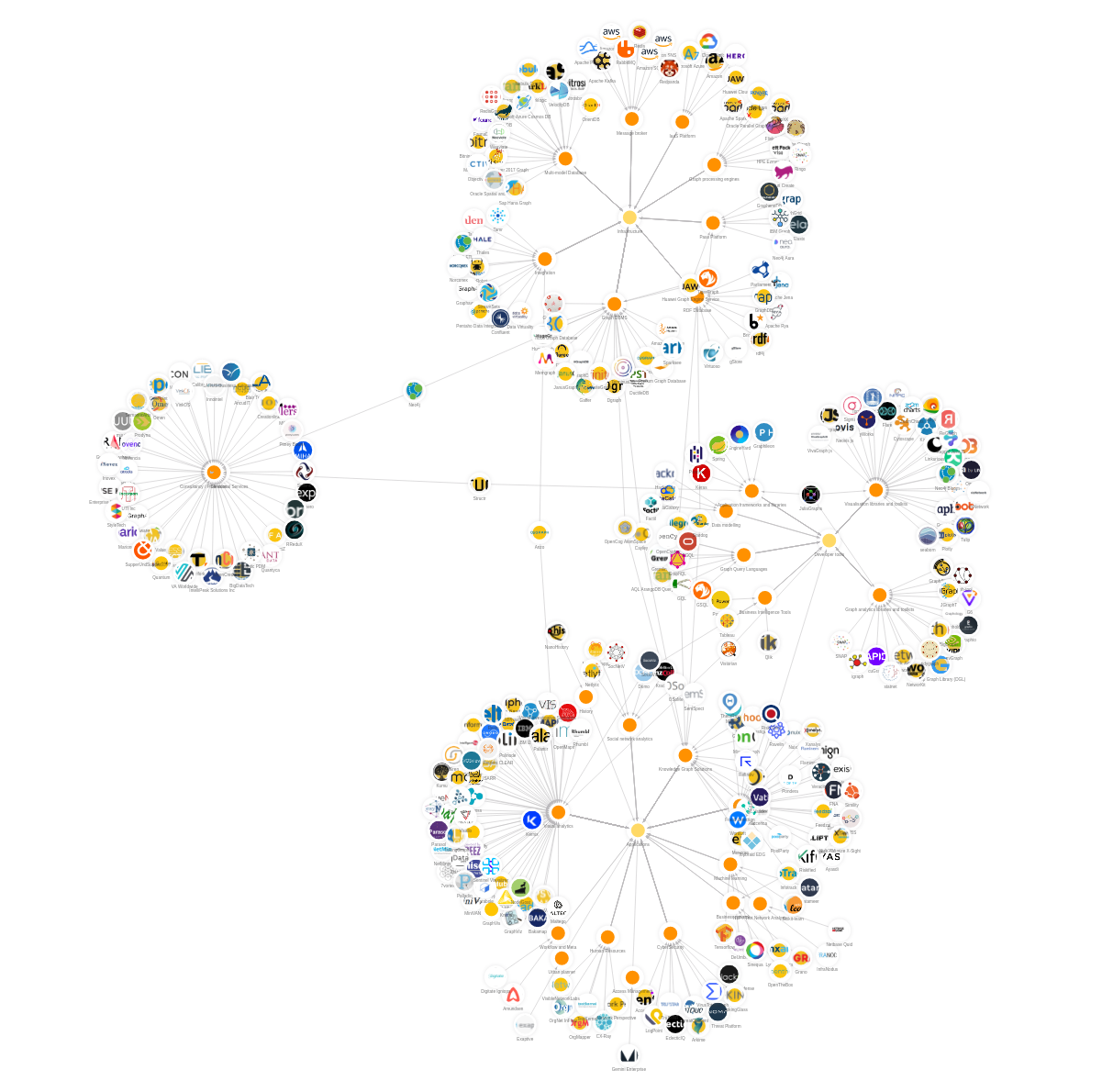
If you want to change the style and you're not sure how, make sure to check our [Styling guide](https://memgraph.com/docs/memgraph/tutorials/style-your-graphs-in-memgraph-lab).