https://github.com/memgraph/starlink
This project implements dynamic shortest-path routing for Starlink using Memgraph. Starlink satellites are low earth orbit communications satellites currently being launched and operated by SpaceX.
https://github.com/memgraph/starlink
cypher graph-algorithms graph-database memgraph starlink
Last synced: 12 months ago
JSON representation
This project implements dynamic shortest-path routing for Starlink using Memgraph. Starlink satellites are low earth orbit communications satellites currently being launched and operated by SpaceX.
- Host: GitHub
- URL: https://github.com/memgraph/starlink
- Owner: memgraph
- License: gpl-3.0
- Created: 2020-07-16T08:01:33.000Z (almost 6 years ago)
- Default Branch: master
- Last Pushed: 2024-05-16T13:40:22.000Z (about 2 years ago)
- Last Synced: 2024-05-17T10:43:36.452Z (about 2 years ago)
- Topics: cypher, graph-algorithms, graph-database, memgraph, starlink
- Language: JavaScript
- Homepage:
- Size: 4.82 MB
- Stars: 14
- Watchers: 10
- Forks: 3
- Open Issues: 1
-
Metadata Files:
- Readme: README.md
- License: LICENSE
Awesome Lists containing this project
README
Starlink Demo
===
This demo application simulates and visualizes the Starlink internet constellation. It also demonstrates how **MemgraphDB** can be used to find the shortest routing path in such networks.
To find out more about the subject, read the accompanying [blog post](https://github.com/memgraph/starlink/blob/master/blog_post/blog-post.md).
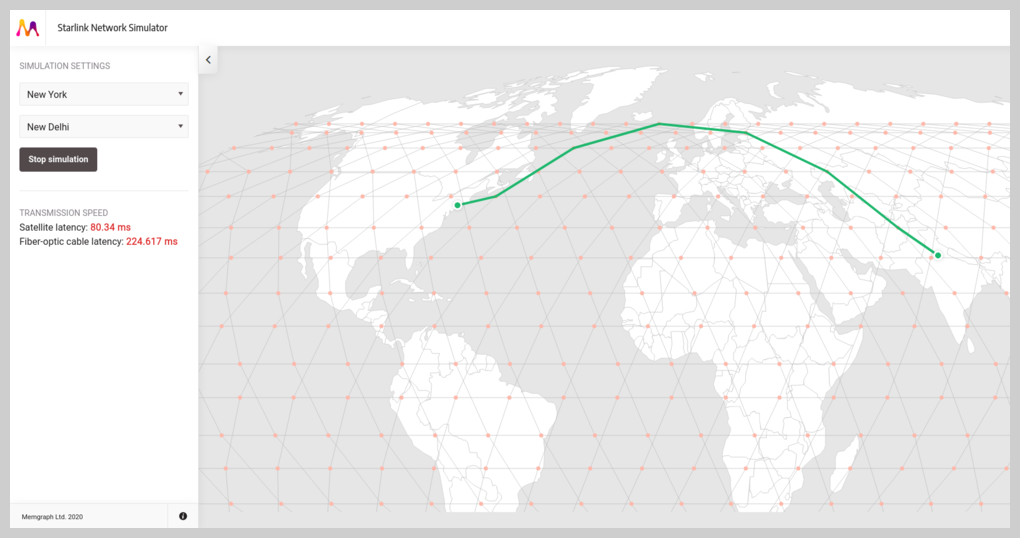
> [!NOTE]
> We no longer host the Starlink Simulator app on `http://starlink.memgraph.com/`. You can still check out this project to learn how to build an app with Memgraph.
## Prerequisites
Before you can run the application, you need to have the following tools installed:
* [Docker](https://docs.docker.com/get-docker/)
* [Docker Compose](https://docs.docker.com/compose/install/)
After you installed Docker you need to download the [Memgraph image](https://memgraph.com/download) for Docker and [load it](https://docs.memgraph.com/memgraph/quick-start#docker-installation).
The container with the image should be stopped before attempting to build and run the app.
## Start the app
First, position yourself in the root folder of the project. Build the Docker image and run the application with the following commands:
```
docker-compose build
docker-compose up
```
If everything was successful you can open it in your browser. The app will be listening on: http://localhost:5001/.
## Project structure
The app is divided into three separate modules:
* **memgraph** - the database where all the positions of satellites and cities are stored and updated.
* **simulator** - a Python program that utilizes the Skyfield package to calculate satellite positions in orbit. Those positions are then stored in the Memgraph database.
* **web_app** - a client-server app that fetches data from the database and renders it.
## Technologies used
* Python 3.7
* MemgraphDB 2.2.1
* Apache Kafka
* Poetry
* Skyfield
* Flask
* Leaflet