https://github.com/memgraph/twitter-network-analysis
Analyzing a network of tweets and retweets using graph algorithms
https://github.com/memgraph/twitter-network-analysis
kafka kafka-streams memgraph online-pagerank pagerank pagerank-algorithm streaming streaming-data twitter
Last synced: 8 months ago
JSON representation
Analyzing a network of tweets and retweets using graph algorithms
- Host: GitHub
- URL: https://github.com/memgraph/twitter-network-analysis
- Owner: memgraph
- License: mit
- Created: 2021-12-07T16:22:40.000Z (over 4 years ago)
- Default Branch: main
- Last Pushed: 2022-07-13T12:41:51.000Z (almost 4 years ago)
- Last Synced: 2023-03-07T01:43:12.141Z (over 3 years ago)
- Topics: kafka, kafka-streams, memgraph, online-pagerank, pagerank, pagerank-algorithm, streaming, streaming-data, twitter
- Language: JavaScript
- Homepage: http://memgraph.com/
- Size: 8.24 MB
- Stars: 33
- Watchers: 2
- Forks: 8
- Open Issues: 2
-
Metadata Files:
- Readme: README.md
- License: LICENSE
Awesome Lists containing this project
README
🔍 Twitter Network Analytics Demo 🔍



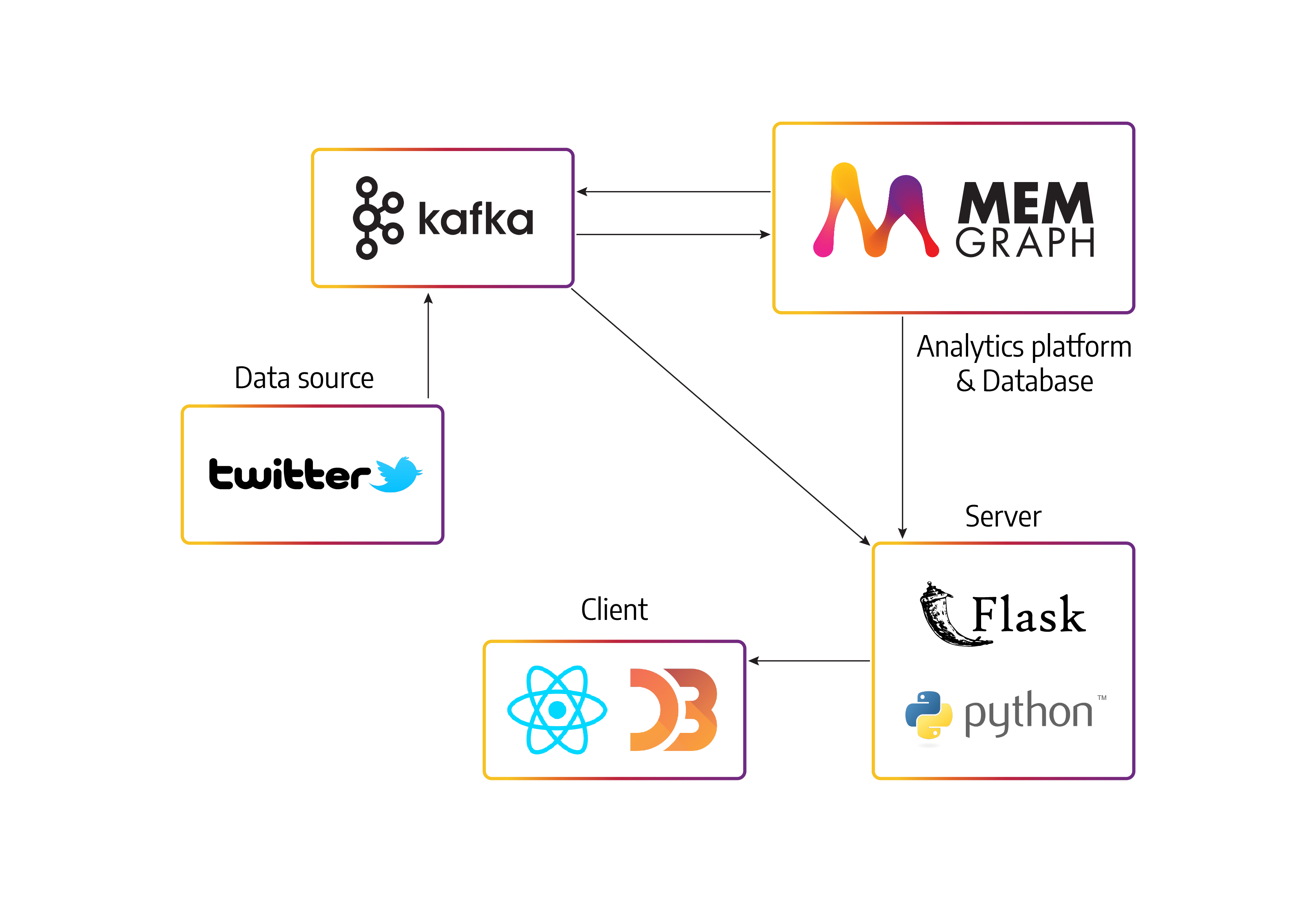
A web application with backend in Flask and frontend in React and D3.js that
uses Memgraph to ingest real-time data scraped from Twitter. Data is streamed
via [Apache Kafka](https://kafka.apache.org/) or [Apache
Pulsar](https://pulsar.apache.org/), and stream processing is performed with
Memgraph.
## App architecture
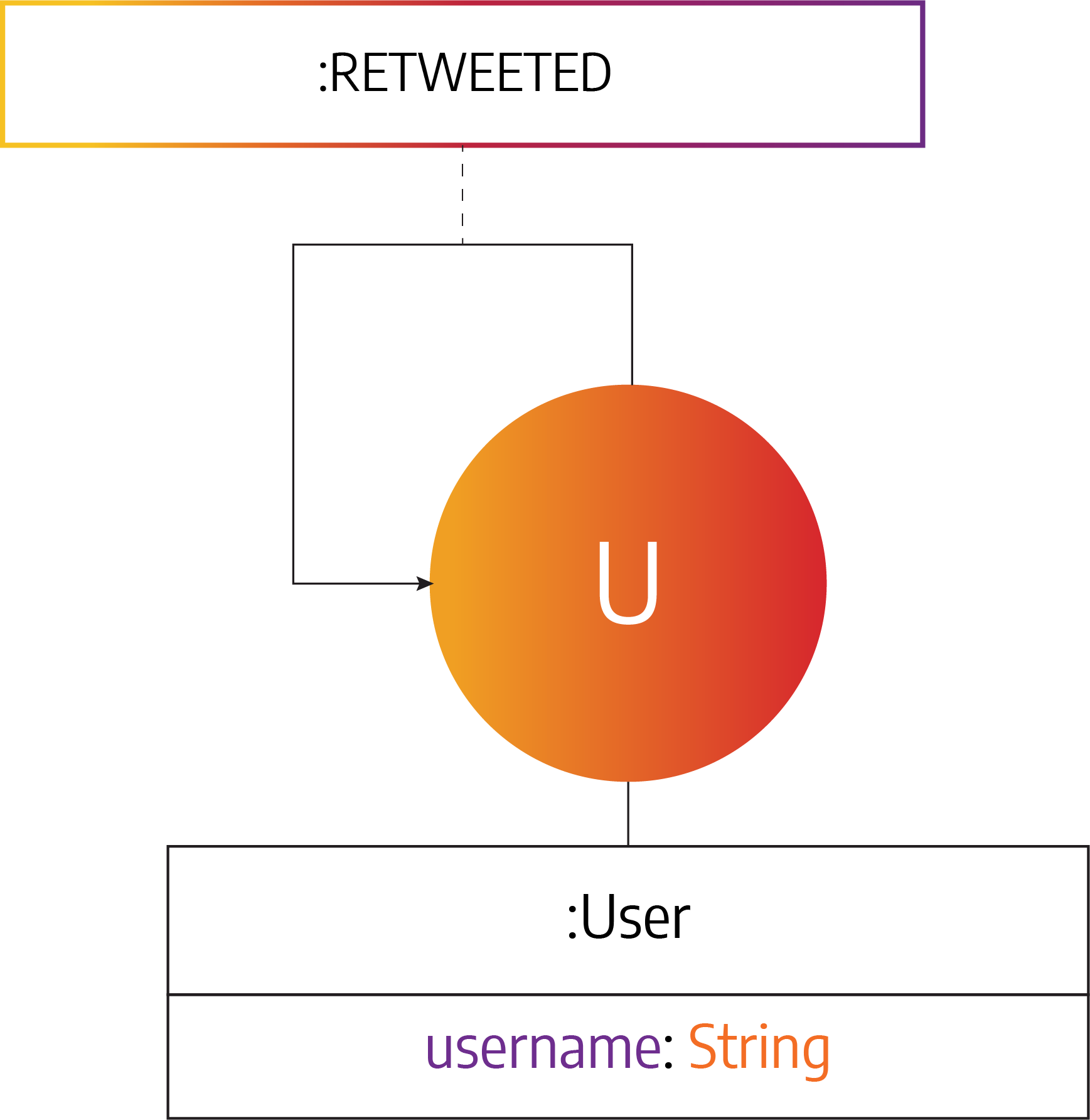
## Data model
## Prerequisites
You will need:
- [Docker](https://docs.docker.com/get-docker/)
- [Docker Compose](https://docs.docker.com/compose/install/) (included with
Docker Desktop on Windows and macOS)
## Running the app
### With a bash script
You can start everything but the frontend client by **running the bash script**:
```
bash run_kafka.sh
```
If you want to run the app with Apache Pulsar, use the script `bash
run_pulsar.sh`. After that, in another window, run the frontend app with:
```
docker-compose up frontend-app
```
The React application will be running on `http://localhost:3000`.
### Manually using Docker Compose
If you want to start the app **without using the bash script**, then:
**1.** Remove possibly running containers:
```
docker-compose rm -fs
```
**2.** Build all the needed images:
```
docker-compose build
```
**3.** Start the **Apache Kafka** and **Memgraph MAGE** services:
```
docker-compose up -d kafka
docker-compose up -d memgraph-mage-kafka
```
**4.** Start the data stream:
```
docker-compose up -d stream-kafka
```
**5.** Start the backend application:
```
docker-compose up backend-kafka
```
**6.** Start the frontend application in a new terminal window:
```
docker-compose up frontend-app
```
The React application will be running on `http://localhost:3000`.
## The visualization
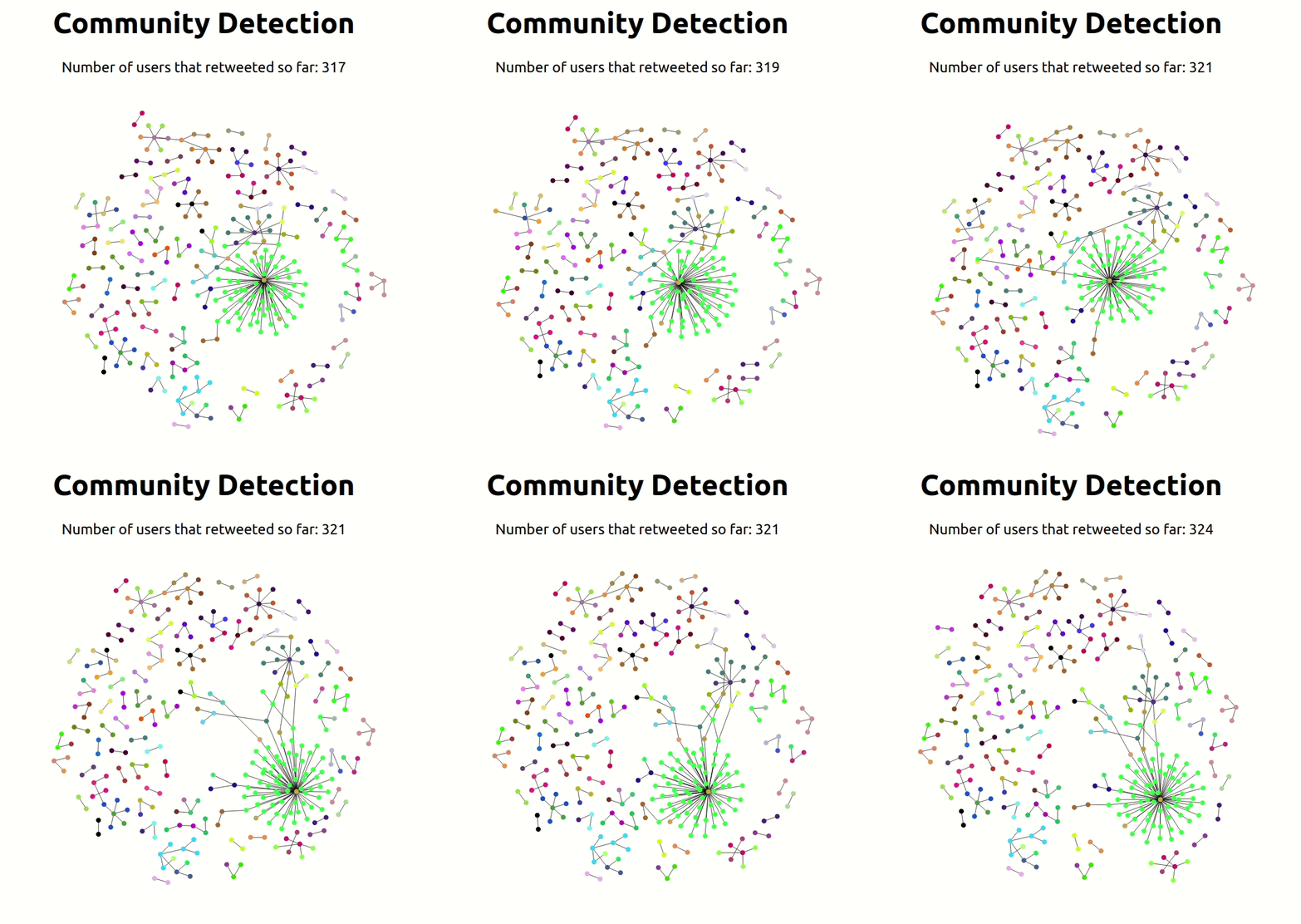
**Dynamic Community detection**:

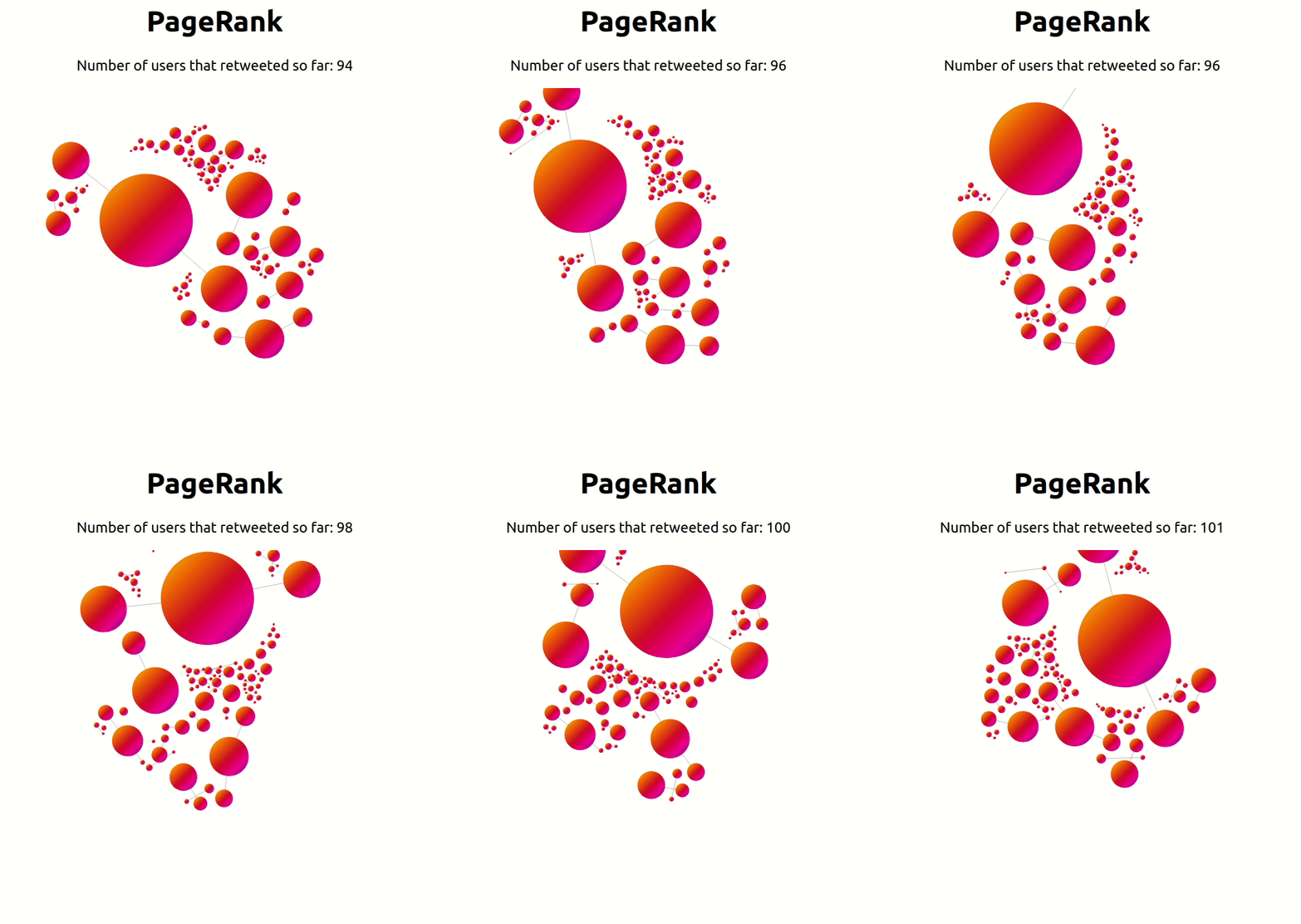
**Dynamic PageRank**: