https://github.com/mesak/grafana-imagesave-panel
grafana image save panel
https://github.com/mesak/grafana-imagesave-panel
Last synced: 6 months ago
JSON representation
grafana image save panel
- Host: GitHub
- URL: https://github.com/mesak/grafana-imagesave-panel
- Owner: mesak
- License: mit
- Created: 2023-05-21T16:13:39.000Z (about 3 years ago)
- Default Branch: main
- Last Pushed: 2024-11-29T05:11:05.000Z (over 1 year ago)
- Last Synced: 2025-07-30T20:38:15.846Z (about 1 year ago)
- Language: TypeScript
- Size: 1.04 MB
- Stars: 1
- Watchers: 1
- Forks: 2
- Open Issues: 0
-
Metadata Files:
- Readme: README.md
- Changelog: CHANGELOG.md
- License: LICENSE
Awesome Lists containing this project
README
# Image Save Panel Plugin for Grafana
[](https://grafana.com/grafana/plugins/mesak-imagesave-panel) [](https://grafana.com/grafana/plugins/mesak-imagesave-panel)
[](https://github.com/mesak/grafana-imagesave-panel)
[](https://github.com/mesak/grafana-imagesave-panel/blob/master/LICENSE)
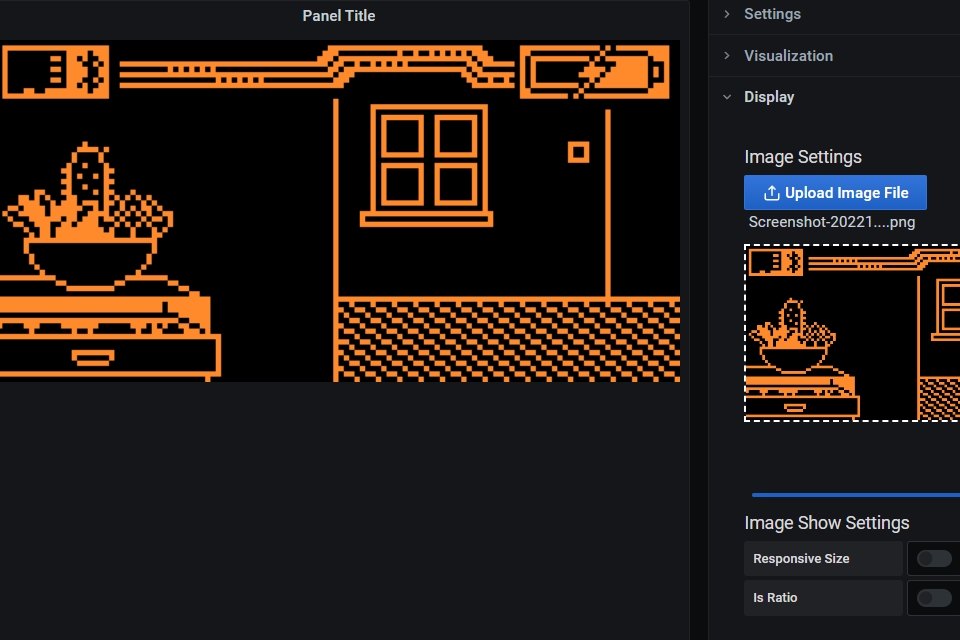
This plugin is a panel plugin for Grafana that allows you to save image to grafana.
## Installation
To install this plugin using the grafana-cli tool:
```bash
grafana-cli plugins install mesak-imagesave-panel
```
## Attention
This plugin directly stores image data in Grafana Database, allowing for quick and convenient addition of images to the dashboard. Please be mindful of the size of the added image data, as excessively large data can directly impact Grafana's performance.
## Usage
1. Add a new panel to your dashboard
2. Select the Image Save Panel
3. Upload your image
4. Save your dashboard
## Screenshots