https://github.com/metaory/jsonresume-theme-roundy
🚧 WIP -- A modern and minimal JSONResume compatible theme with Astro
https://github.com/metaory/jsonresume-theme-roundy
Last synced: 10 months ago
JSON representation
🚧 WIP -- A modern and minimal JSONResume compatible theme with Astro
- Host: GitHub
- URL: https://github.com/metaory/jsonresume-theme-roundy
- Owner: metaory
- Created: 2024-09-23T16:44:05.000Z (almost 2 years ago)
- Default Branch: master
- Last Pushed: 2025-09-24T15:49:12.000Z (10 months ago)
- Last Synced: 2025-09-24T17:47:44.479Z (10 months ago)
- Language: Astro
- Homepage: https://metaory.github.io/jsonresume-theme-roundy/
- Size: 4.18 MB
- Stars: 1
- Watchers: 1
- Forks: 0
- Open Issues: 0
-
Metadata Files:
- Readme: README.md
Awesome Lists containing this project
README


jsonresume theme v0.10.0
demo |
sample.pdf
A modern, customizable JSON Resume theme with dynamic theming and dark mode support

---
> [!WARNING]
> **Work in progress.**
> This is under active development and is **not production ready**.
>
> **For a stable, production-ready version**, use our legacy theme:
jsonresume-theme-legacy v7.x
legacy
demo |
sample.pdf
https://github.com/metaory/jsonresume-theme-legacy
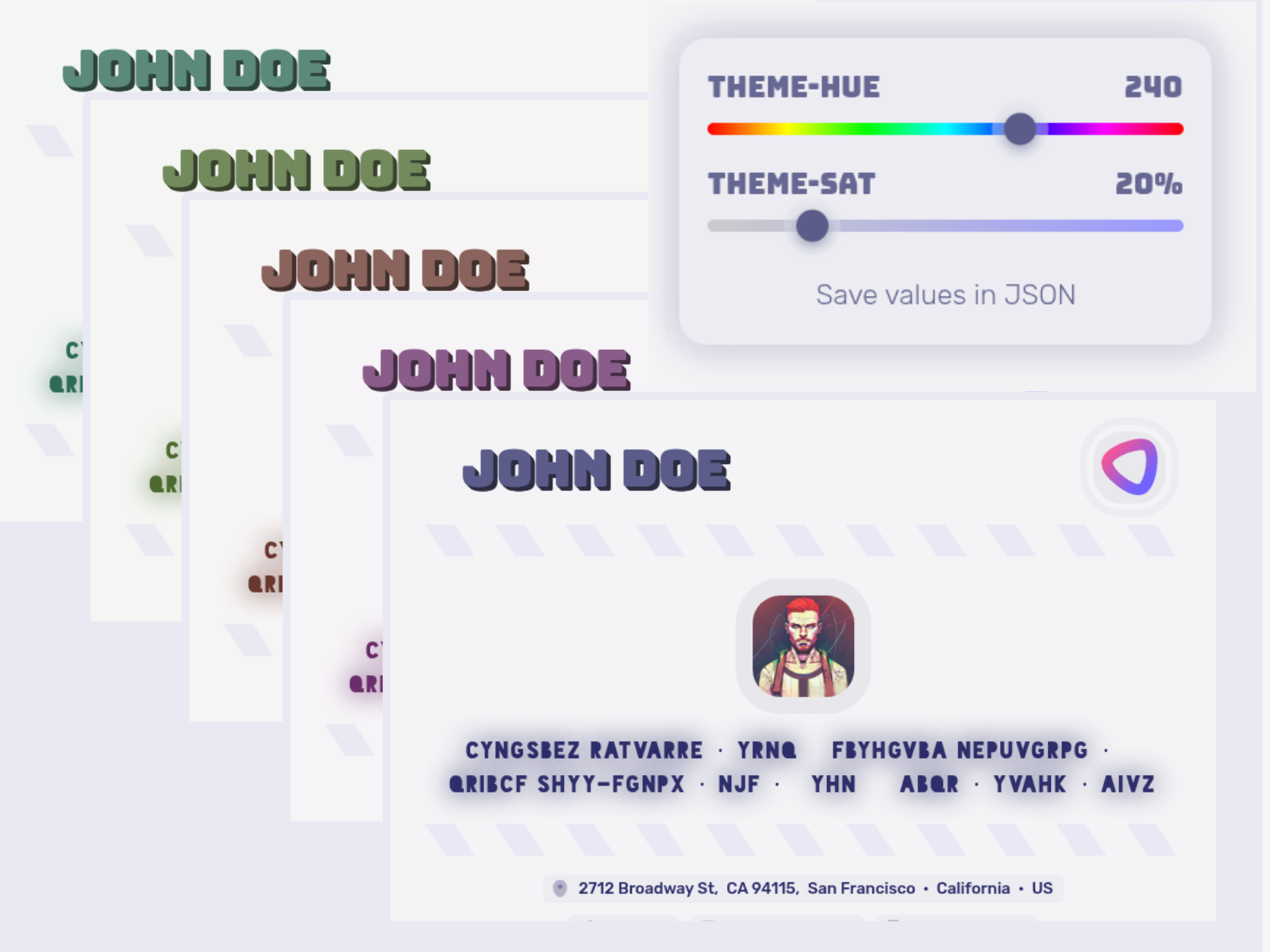
## Why the Rewrite?
This roundy theme is a complete rewrite of our legacy theme, focusing on simplicity and modern architecture:
- **Technology**: Pure Astro instead of Handlebars + Vite
- **Code size**: Reduced from ~3,110 lines to ~1,535 lines (50% smaller)
- **Approach**: Modern web standards and cleaner component architecture
- **Maintenance**: Simpler codebase for better long-term maintainability
The legacy version remains fully functional and production-ready while we refine this new implementation.
---
## Quick Start
```bash
npm install
npm run dev
```
Add your resume data to `src/data/` and visit `http://localhost:4321`
## Features
- **Dynamic Theming**: HSL-based color system with live customization
- **Dark/Light Mode**: Automatic system detection with manual toggle
- **Multiple Resumes**: Support for multiple resume files
- **Responsive Design**: Mobile-optimized layouts
- **PDF Export**: Built-in PDF generation
## Tech Stack
Built with Astro, vanilla JavaScript, and CSS custom properties.
## Usage
### Resume Data
Place your JSON Resume data in `src/data/`:
```
src/data/
├── basic.json # Sample resume (included)
├── complete.json # Extended sample (included)
└── private.json # Your resume (create this)
```
**File Naming & Access:**
- `basic.json` → accessible at `/basic` (sample)
- `complete.json` → accessible at `/complete` (extended sample)
- `private.json` → accessible at `/private` (your resume)
**Creating Your Resume:**
1. Copy `basic.json` to `private.json`
2. Replace sample data with your information
3. Access at `http://localhost:4321/private`
4. `private.json` is gitignored to prevent accidental commits
### Theme Customization
Add theme options to your resume JSON:
```json
{
"meta": {
"themeOptions": {
"hue": 240,
"sat": 60,
"dark": false
}
}
}
```
#### Theme Options
| Option | Type | Default | Description |
| --------------- | ------- | ------- | --------------------- |
| `hue` | number | 240 | Primary hue (0-360) |
| `sat` | number | 60 | Saturation (0-100) |
| `dark` | boolean | false | Dark mode |
| `sectionTitles` | object | {} | Custom section titles |
| `icons` | object | {} | Custom icon mappings |
#### Live Theme Editor
In development mode, use the theme picker on the right side to:
- Adjust hue and saturation with sliders
- Select from preset color combinations
- Preview changes in real-time
### Icon Customization
Override default icons for both section titles and keywords using Iconify icons:
```json
{
"meta": {
"themeOptions": {
"icons": {
// Section title icons
"work": "solar:city-bold-duotone",
"skills": "solar:code-square-linear",
"education": "solar:diploma-bold-duotone",
"volunteer": "solar:hand-heart-bold-duotone",
"projects": "solar:rocket-bold-duotone",
// Keyword icons
"aws": "tabler:brand-aws-filled",
"docker": "tabler:brand-docker",
"git": "tabler:brand-git-filled",
"javascript": "tabler:brand-javascript-filled",
"react": "tabler:brand-react-filled",
"nodejs": "tabler:brand-nodejs"
}
}
}
}
```
#### Finding Icons
Browse available icons at these Iconify collections:
- [icones.js.org](https://icones.js.org/) - Interactive icon browser
- [icon-sets.iconify.design](https://icon-sets.iconify.design/) - Official Iconify collections
#### Icon Format
**✅ Correct format:** `collection:iconname`
```json
"solar:asteroid-bold-duotone"
"tabler:brand-github-filled"
"mdi:code-braces"
```
**❌ Incorrect formats:**
```json
"solar-asteroid-bold-duotone" // Wrong: uses dash
"solar--asteroid-bold-duotone" // Wrong: uses double dash
```
#### Icon Usage Types
Icons are used in two contexts:
**1. Section Title Icons**
Icons appear next to section titles (e.g., Work Experience, Skills, Education):
```json
{
"meta": {
"themeOptions": {
"icons": {
"work": "solar:city-bold-duotone",
"skills": "solar:code-square-linear",
"education": "solar:diploma-bold-duotone",
"volunteer": "solar:hand-heart-bold-duotone",
"projects": "solar:rocket-bold-duotone"
}
}
}
}
```
**2. Keyword Icons**
Icons appear next to keywords within sections (e.g., technology skills, tools):
```json
{
"meta": {
"themeOptions": {
"icons": {
"aws": "tabler:brand-aws-filled",
"docker": "tabler:brand-docker",
"javascript": "tabler:brand-javascript-filled"
}
}
}
}
```
#### Keyword Matching
Icons are matched using case-insensitive, space-normalized matching:
- `"AWS"` → matches `"aws"` in icons
- `"Node.js"` → matches `"nodejs"` in icons
- `"React Native"` → matches `"reactnative"` in icons
- `"CI/CD"` → matches `"cicd"` in icons
Keywords are automatically normalized by:
- Converting to lowercase
- Removing spaces, dots, slashes, and special characters
- Trimming whitespace
### Section Customization
Override default section titles:
```json
{
"meta": {
"themeOptions": {
"sectionTitles": {
"work": "Professional Experience",
"skills": "Technical Skills",
"projects": "Portfolio"
}
}
}
}
```
### Section Ordering
Sections display in the order they appear in your JSON file.
Reorder sections by changing the key order:
```json
{
"basics": { ... },
"skills": [ ... ], // First section
"work": [ ... ], // Second section
"projects": [ ... ], // Third section
"education": [ ... ] // Fourth section
}
```
### PDF Export
Generate PDFs with headless Chrome:
```bash
npm run pdf:sample # Export sample resume → out/sample-basic.pdf
npm run pdf:private # Export your resume → out/private.pdf
```
**Output Directory:**
- All exports go to `out/` directory
- Sample: `out/sample-basic.pdf`
- Private: `out/private.pdf`
- Screenshot: `out/screenshot.png`
**Custom Exports:**
Add your own export scripts to `package.json`:
```json
"pdf:myresume": "chromium --headless --disable-gpu --no-sandbox --disable-dev-shm-usage --no-pdf-header-footer --print-to-pdf=out/myresume.pdf http://localhost:4321/myresume"
```
### Schema Support
Full JSON Resume schema compatibility:
- `basics` - Personal info, contact, profiles
- `work` - Work experience with highlights
- `volunteer` - Volunteer experience
- `education` - Education with courses
- `awards` - Awards and recognition
- `certificates` - Professional certificates
- `publications` - Publications and papers
- `skills` - Skills with proficiency levels
- `languages` - Language proficiency
- `interests` - Personal interests with keywords
- `references` - Professional references
- `projects` - Project portfolio with roles
## Development
```bash
npm run dev # Start development server
npm run build # Production build
npm run preview # Preview build
npm run check # Type checking
```
## License
MIT