https://github.com/mharikmert/dotnet-jwt-authentication
Implementation of JWT authentication in .NET
https://github.com/mharikmert/dotnet-jwt-authentication
authentication dotnet jwt token
Last synced: about 2 months ago
JSON representation
Implementation of JWT authentication in .NET
- Host: GitHub
- URL: https://github.com/mharikmert/dotnet-jwt-authentication
- Owner: mharikmert
- Created: 2021-07-30T12:28:19.000Z (almost 5 years ago)
- Default Branch: master
- Last Pushed: 2021-08-03T12:55:24.000Z (almost 5 years ago)
- Last Synced: 2025-03-25T10:23:10.964Z (over 1 year ago)
- Topics: authentication, dotnet, jwt, token
- Language: C#
- Homepage:
- Size: 16.6 KB
- Stars: 1
- Watchers: 1
- Forks: 0
- Open Issues: 0
-
Metadata Files:
- Readme: README.md
Awesome Lists containing this project
README
## What is JSON Web Token?
JSON Web Token (JWT) is an open standard (RFC 7519) that defines a compact and self-contained way for securely transmitting information between parties as a JSON object. This information can be verified and trusted because it is digitally signed. JWTs can be signed using a secret (with the HMAC algorithm) or a public/private key pair using RSA or ECDSA.
Although JWTs can be encrypted to also provide secrecy between parties, we will focus on signed tokens. Signed tokens can verify the integrity of the claims contained within it, while encrypted tokens hide those claims from other parties. When tokens are signed using public/private key pairs, the signature also certifies that only the party holding the private key is the one that signed it.
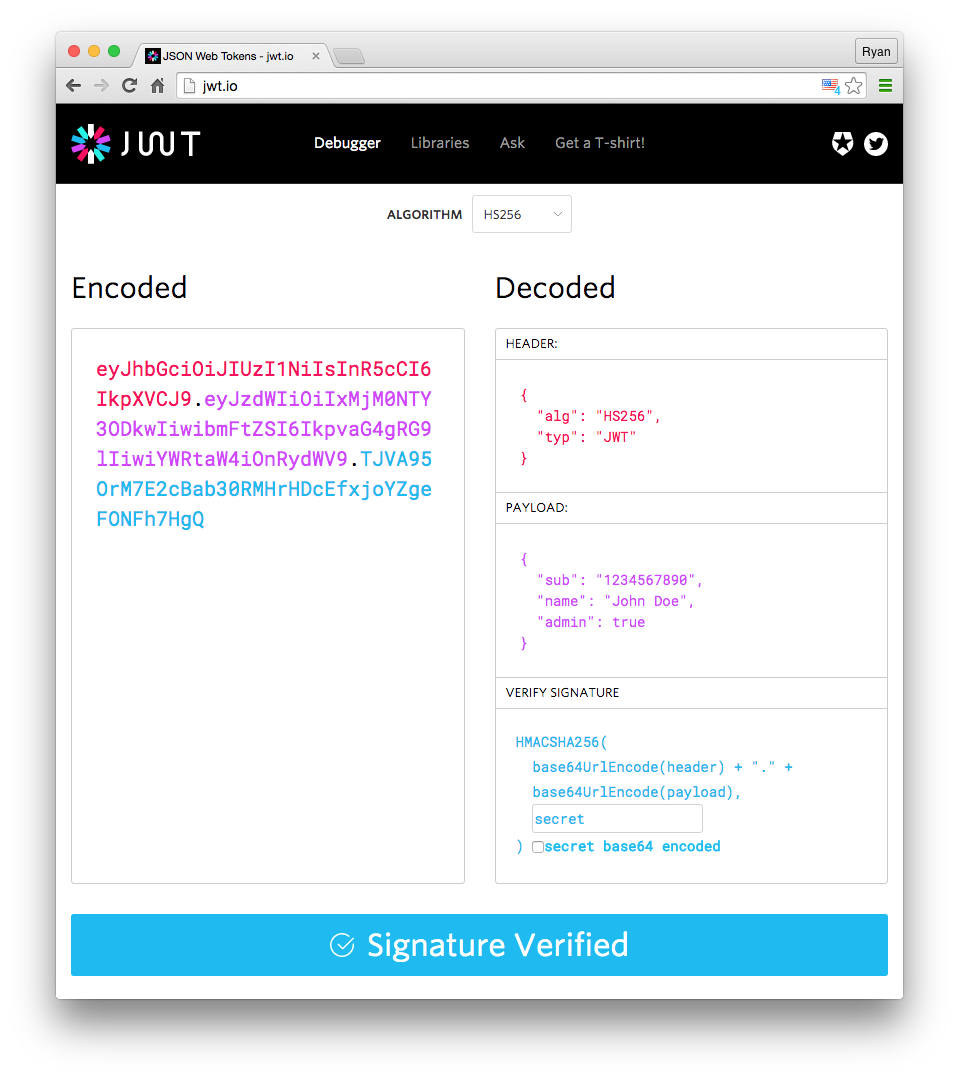
## Structure of JWT
## Installation and Run
```
~$ git clone https://github.com/mharikmert/dotnet-jwt-authentication
```
In the main directory;
```
dotnet-jwt-authentication~$ dotnet run
```
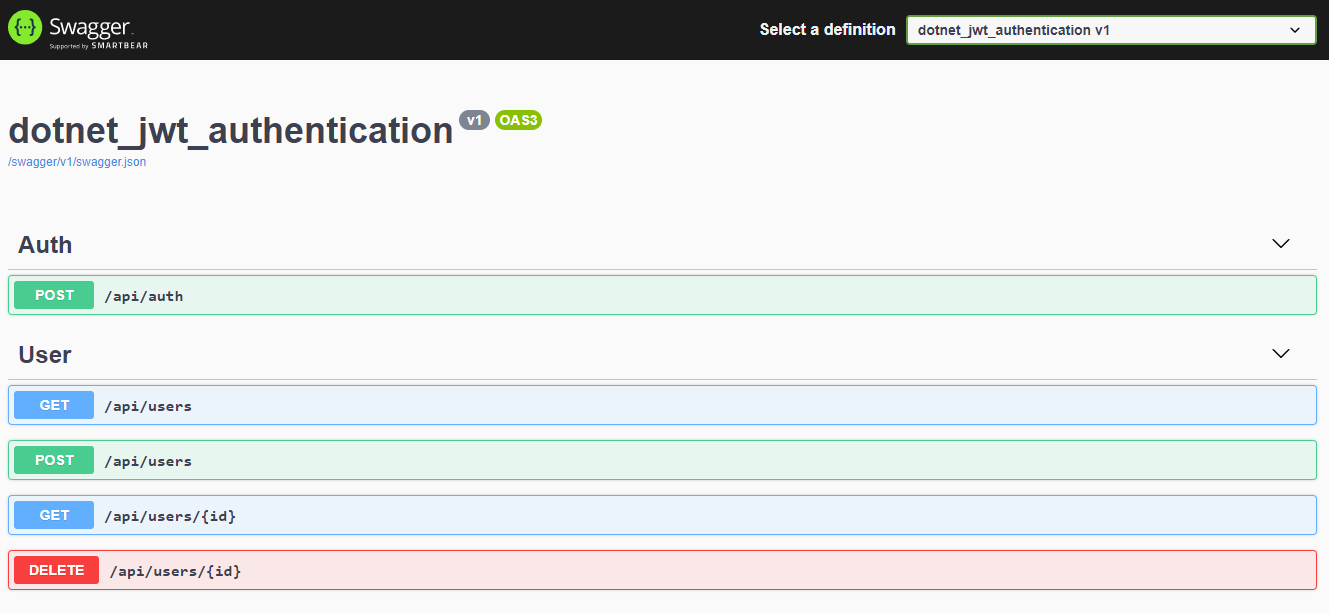
Checkout swagger UI -> https://localhost:5001/swagger/index.html
### In memory users

## Authentication
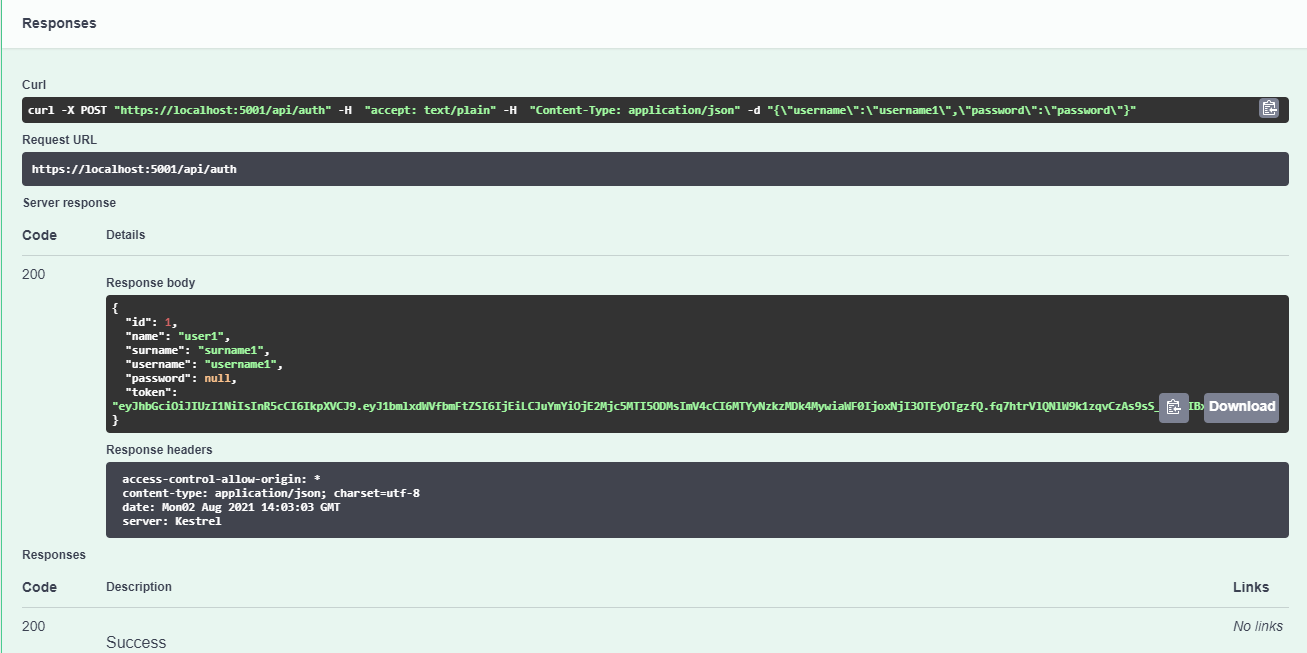
User credentials are sent to ```api/auth``` endpoint in the request body. If the credentials are matched, user is authenticated and a Json Web Token is produced for the user.
User password assigned as null, and the token returns to the client in the response body.
### Auth request with correct user credentials

### Auth response and produced token
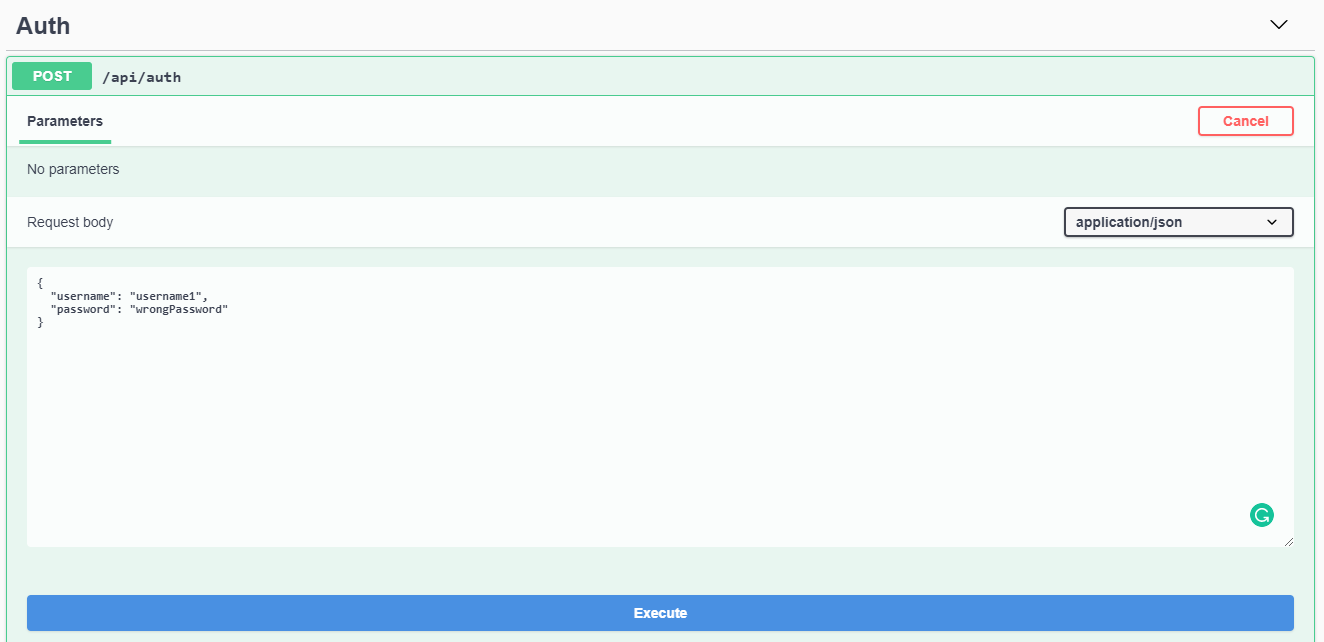
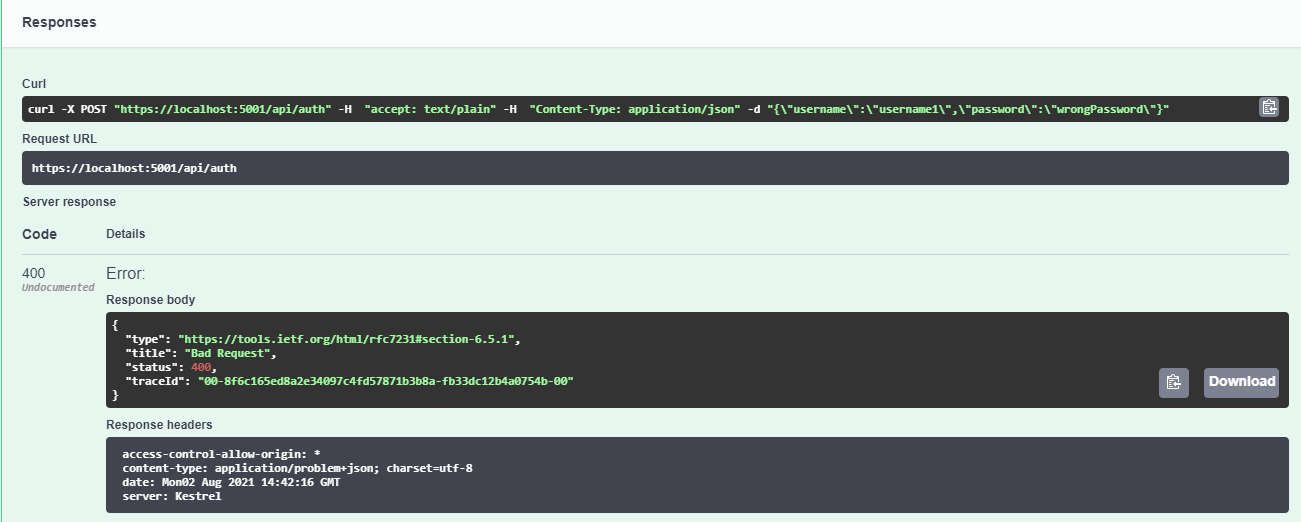
### Auth request with incorrect user credentials
### Auth response
## Resources
You can checkout the official documentation of JWT for more information -> https://jwt.io/introduction