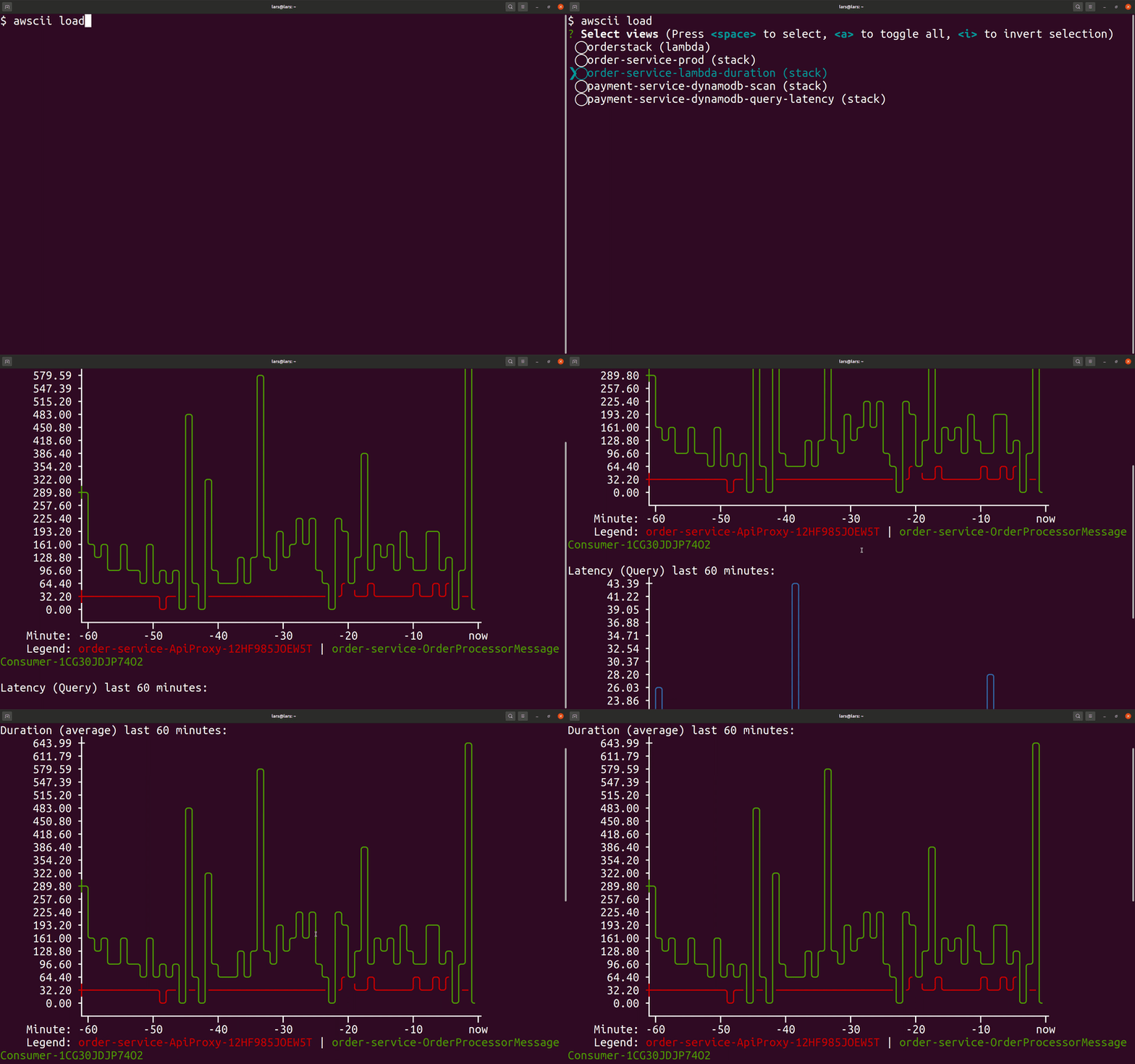
https://github.com/mhlabs/awscii-cli
Tool that renders ASCII-art graphs from AWS resource metrics
https://github.com/mhlabs/awscii-cli
aws-tools cloudwatch
Last synced: 5 months ago
JSON representation
Tool that renders ASCII-art graphs from AWS resource metrics
- Host: GitHub
- URL: https://github.com/mhlabs/awscii-cli
- Owner: mhlabs
- Created: 2021-05-01T20:09:06.000Z (about 5 years ago)
- Default Branch: main
- Last Pushed: 2022-09-23T11:27:08.000Z (over 3 years ago)
- Last Synced: 2025-10-18T16:22:13.839Z (8 months ago)
- Topics: aws-tools, cloudwatch
- Language: JavaScript
- Homepage:
- Size: 7.78 MB
- Stars: 27
- Watchers: 6
- Forks: 1
- Open Issues: 0
-
Metadata Files:
- Readme: README.md
Awesome Lists containing this project
README
# awscii-cli [/ˈɔːskiː/](http://ipa-reader.xyz/?text=%CB%88%C9%94%CB%90ski%CB%90)
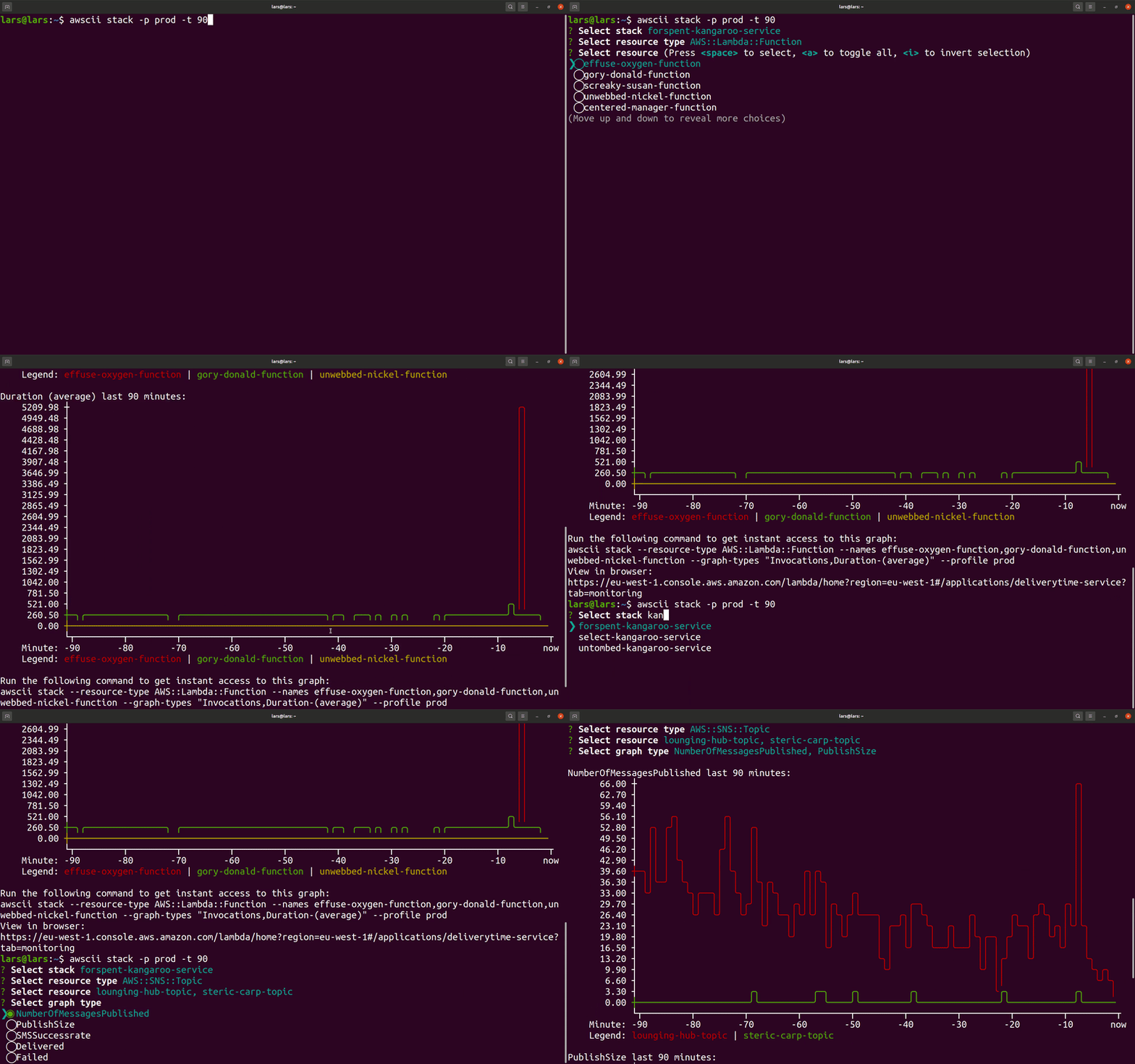
CLI tool that lets you render predefined AWS graphs in ASCII art using [asciichart](https://www.npmjs.com/package/asciichart).
The purpose of this tool is to give cloud engineers instant access to their resources' graphs without context switching into the AWS console. The graph definitions are taken from respective service's monitoring tab in the console.
The tool also provides a quick way to find resources using autocomplete and partial search. Each supported service provides a link to the more detailed view in the AWS console for more granular inspection than what ASCII-art offers.
## Installation
`npm i -g @mhlabs/awscii-cli`
## Prerequisites
* NodeJS 12 or higher
* An AWS account
* aws-cli configured with at least read-only permissions
## Supported AWS services
Version 1.0.x supports the following subset of AWS services:
* Lambda
* DynamoDB
* API Gateway
* Kinesis Data Streams
## Usage
```
Usage: awscii [options] [command]
Options:
-v, --version output the current version
-h, --help display help for command
Commands:
lambda|l [options] Browses and visualises Lambda metrics as ASCII diagrams
dynamodb|ddb [options] Browses and visualises DynamoDB metrics as ASCII diagrams
apigateway|api [options] Browses and visualises API Gateway V1 metrics as ASCII diagrams
stack|s [options] Browses and visualises stack metrics for a CloudFormation stack's resources as ASCII diagrams
help [command] display help for command
```
## Using `awscii` as a live dashboard
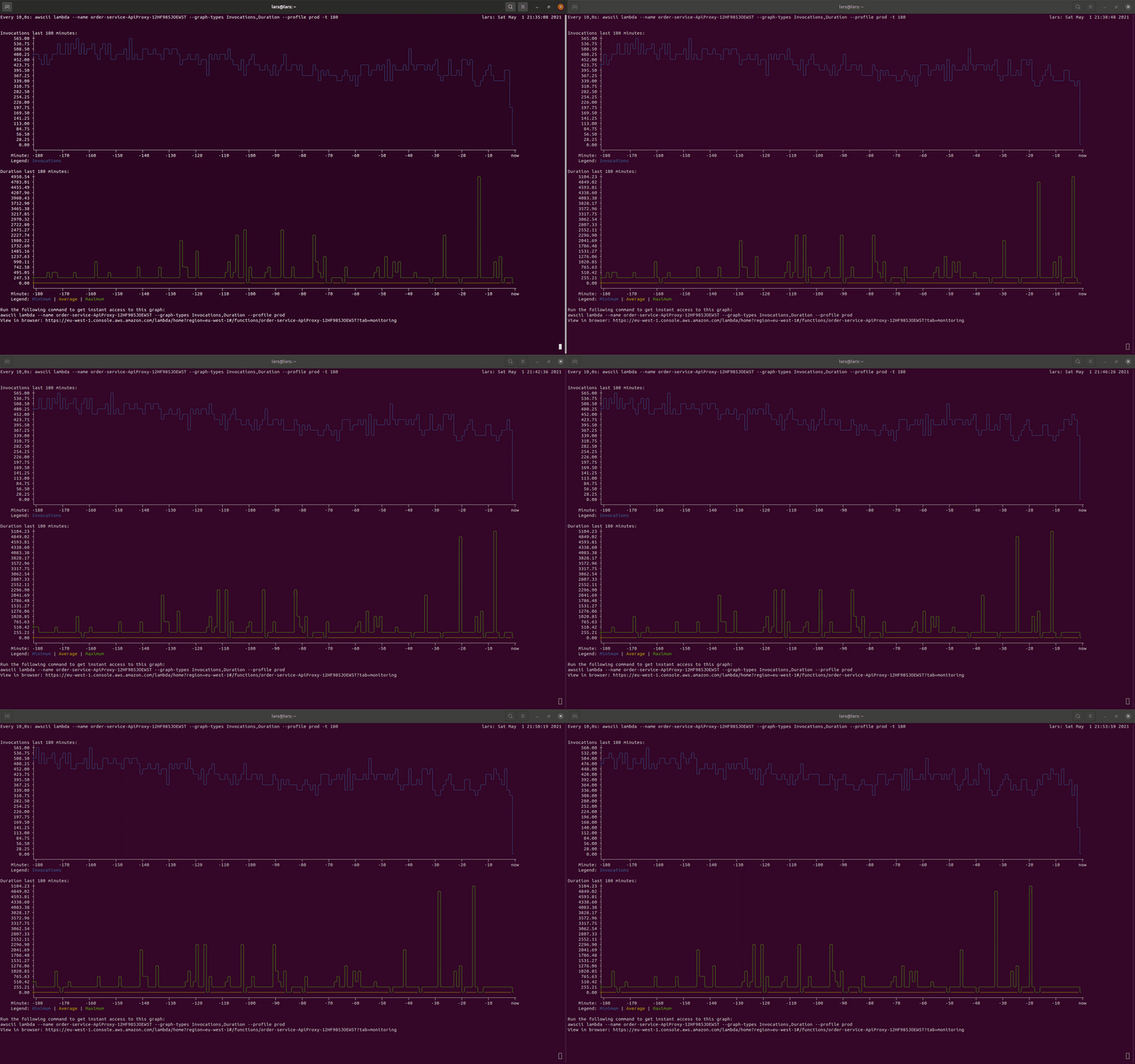
You can use `awscii` together with the [watch](https://linuxize.com/post/linux-watch-command/) command to create live dashboards for your office screens:
`watch -n60 --color awscii lambda --name my-function-name --graph-types Errors,Invocations --profile default`
## Saving commands for future retrieval
All commands take a `--save [view name]` option. This will save the input from the UI in a configuration file so it can be displayed faster next time you want to view it.
To load a saved view or views, use `awscii load [--name [view name(s)]]`. You can display more than one saved view at a time by comma separating the view names.
This lets you compare and visually correlate metrics from different stacks, functions or tables. It's also AWS profile aware, so you can compare metrics in different accounts.