https://github.com/micahmo/soundboard
A Windows desktop application for quickly managing and playing sound clips.
https://github.com/micahmo/soundboard
audio microsoft radio sfx sound sound-effects soundboard theater windows wpf
Last synced: 12 months ago
JSON representation
A Windows desktop application for quickly managing and playing sound clips.
- Host: GitHub
- URL: https://github.com/micahmo/soundboard
- Owner: micahmo
- Created: 2016-08-12T20:00:52.000Z (almost 10 years ago)
- Default Branch: master
- Last Pushed: 2023-04-18T00:00:32.000Z (about 3 years ago)
- Last Synced: 2025-05-07T22:33:37.173Z (about 1 year ago)
- Topics: audio, microsoft, radio, sfx, sound, sound-effects, soundboard, theater, windows, wpf
- Language: C#
- Homepage:
- Size: 345 KB
- Stars: 45
- Watchers: 4
- Forks: 4
- Open Issues: 2
-
Metadata Files:
- Readme: README.md
Awesome Lists containing this project
README

# SoundBoard
## About
SoundBoard is an elegant, easy-to-use application to save and play your favorite sounds.
* Create multiple tabs with sounds in any grid configuration
* Customize the look of each sound by changing the background color
* Set sounds to loop, adjust their volume, trigger other sounds, or stop all other sounds
* Activate sounds via hotkey
* Instantly search and playback sounds by typing their name
## Downloads
Grab the latest version [here](https://github.com/micahmo/SoundBoard/releases/latest/download/SoundBoard.exe). This will download a portable SoundBoard.exe that can be run from anywhere. Use the Export Configuration function to bring your configuration to a different system.
## Features
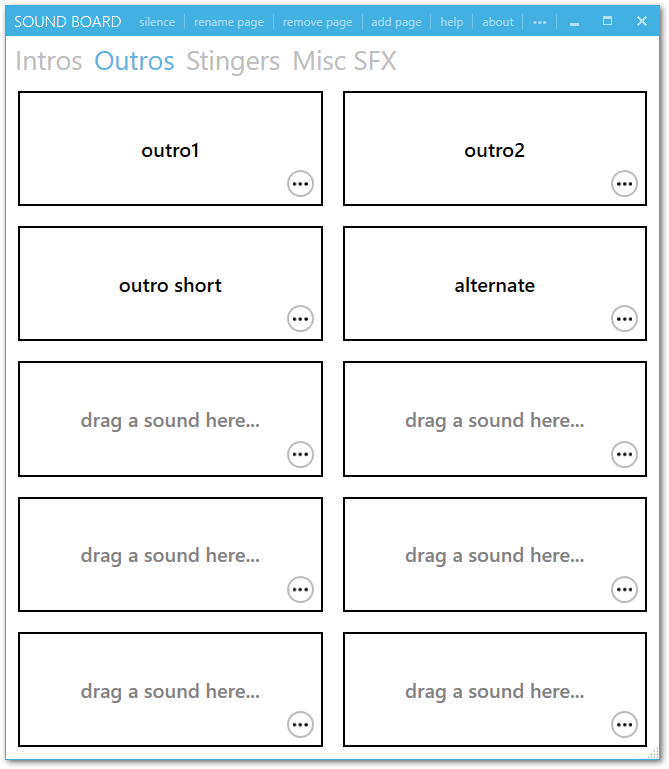
##### Create multiple pages with multiple sounds on each
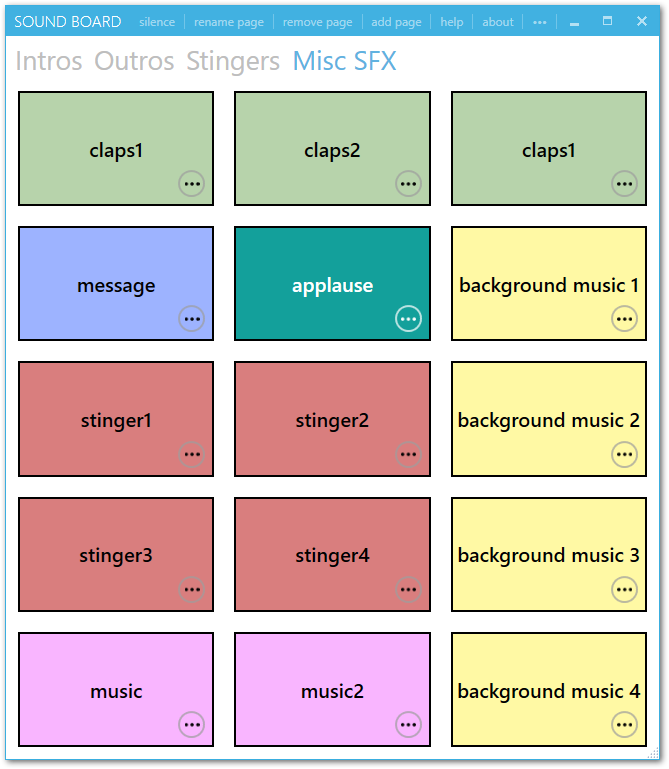
##### Color-code and customize the number of sounds per page
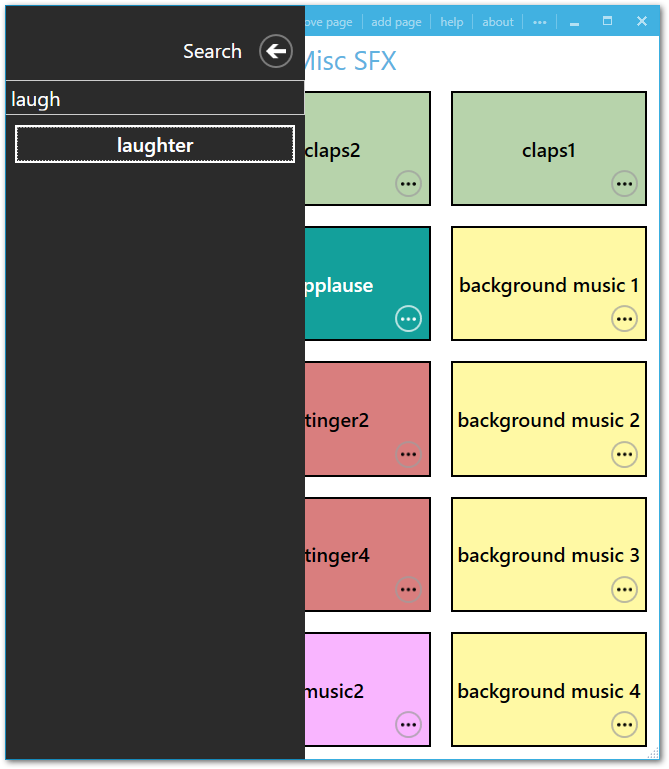
##### Quickly search and play a sound just by typing
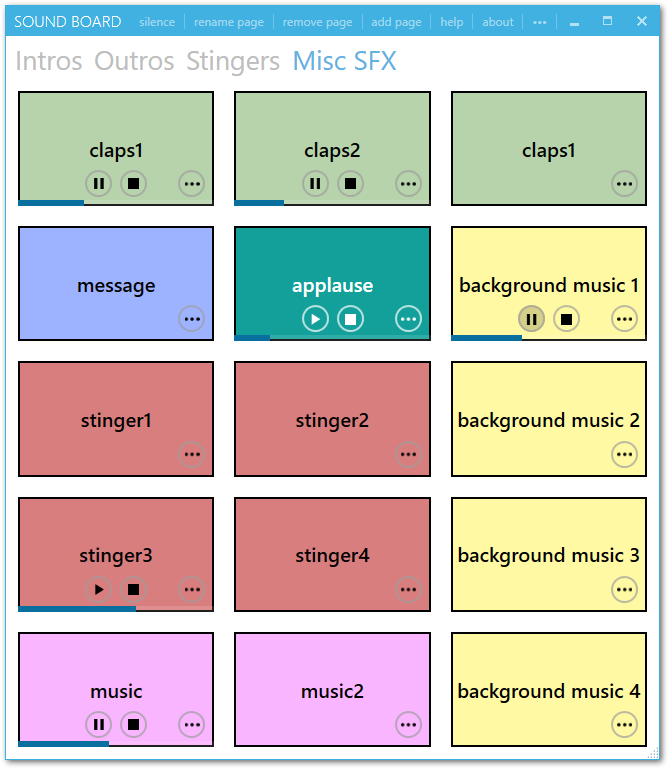
##### View and control playback of each sound individually
##### Select audio output device; allows you to route audio to a device that is not selected as the default in Windows

##### Select multiple audio output devices

> Left-click to select a single audio output device. Right-click to select or unselect additional devices.
>
> Note that audio playback to multiple output devices is not guaranteed to be 100% synchronized. This functionality is not officially supported by Windows or [NAudio](https://github.com/naudio/NAudio), so SoundBoard is creating separate audio streams to each device which have the potential to drift.
##### Pass through an audio input device
You may also select an input to pipe to your output(s). This is essentially an audio passthrough, and should be roughly equivalent listen feature in the Windows sound properties. You may optionally tweak the desired latency in the configuration file. A too-low latency may result in choppy audio.
##### Assign Hotkeys
You may assign local and global hotkeys to sounds. Pressing a local hotkey will play the corresponding sound when the application is active. Pressing a global hotkey will play the sound regardless of the active window.
* Some shortcuts may be reserved by other apps or by Windows itself.
* Using single letters/number/character hotkeys may conflict with the quick search feature.
* Using standard Windows shortcuts may also produce unintended behavior (e.g., Tab or Win).

## License
This code is licenced under the [MIT License](https://opensource.org/licenses/MIT).