https://github.com/michaeldgraham/cypher-tag
A template literal tag for Cypher in GraphQL.
https://github.com/michaeldgraham/cypher-tag
Last synced: about 1 year ago
JSON representation
A template literal tag for Cypher in GraphQL.
- Host: GitHub
- URL: https://github.com/michaeldgraham/cypher-tag
- Owner: michaeldgraham
- Created: 2021-04-04T16:04:38.000Z (about 5 years ago)
- Default Branch: main
- Last Pushed: 2021-04-07T22:12:25.000Z (about 5 years ago)
- Last Synced: 2025-04-01T00:38:39.968Z (about 1 year ago)
- Language: JavaScript
- Size: 402 KB
- Stars: 6
- Watchers: 1
- Forks: 0
- Open Issues: 1
-
Metadata Files:
- Readme: README.md
Awesome Lists containing this project
- awesome-list - cypher-tag
README
## [cypher-tag](https://www.npmjs.com/package/cypher-tag)
A JavaScript template literal tag for Cypher in GraphQL.
## Motivation
The [neo4j-graphql-js](https://www.npmjs.com/package/neo4j-graphql-js) and [@neo4j/graphql](https://www.npmjs.com/package/@neo4j/graphql) libraries define a [@cypher](https://grandstack.io/docs/graphql-custom-logic) directive used for statically embedding Cypher statements on fields. This allows for writing custom operations that translate GraphQL to Cypher, on top of the default translation logic.
```graphql
directive @cypher(statement: String!) on FIELD_DEFINITION ...
```
But there is no syntax highlighting for Cypher within GraphQL and attempting to define a `cypher` or `cql` tag must handle for nested composition.
## Syntax Highlighting
If you install the [Cypher Query Language Tools for Neo4j](https://marketplace.visualstudio.com/items?itemName=AnthonyJGatlin.vscode-cypher-query-language-tools) VSCode extension, then syntax highlighting will be supported when using the `cql` template literal tag.
#### Not Highlighted
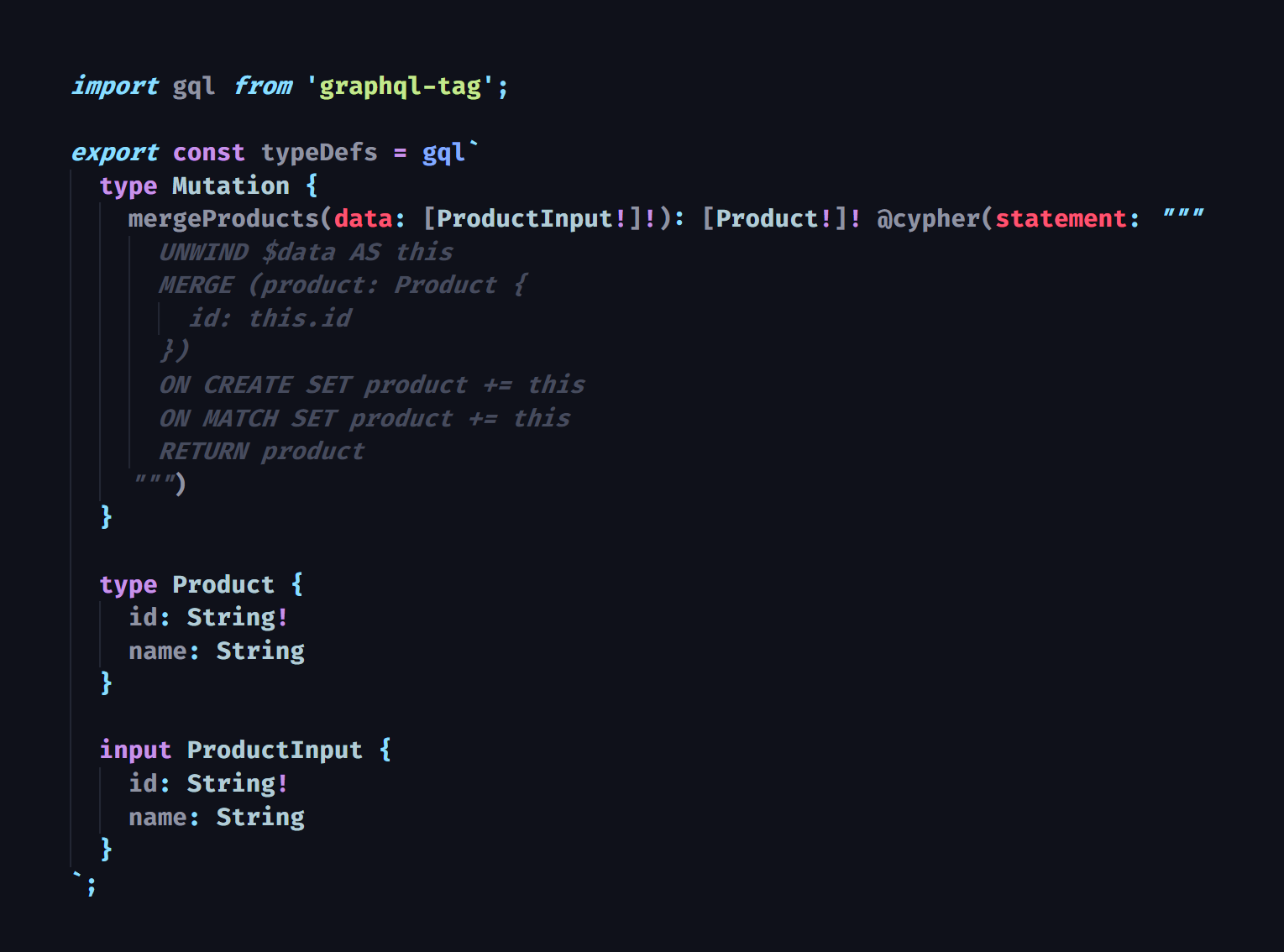
When using `cql`, the tagged template literal is wrapped with a GraphQL [Block String](https://spec.graphql.org/June2018/#sec-String-Value) when compiled.
So instead of writing:
```graphql
type Type {
field: OutputType @cypher(statement: " ... ")
}
```
Or writing:
```graphql
type Type {
field: OutputType @cypher(statement: """
...
""")
}
```
You can write:
```graphql
type Type {
field: OutputType @cypher(statement: ${cql`
...
`})
}
```
#### Highlighted
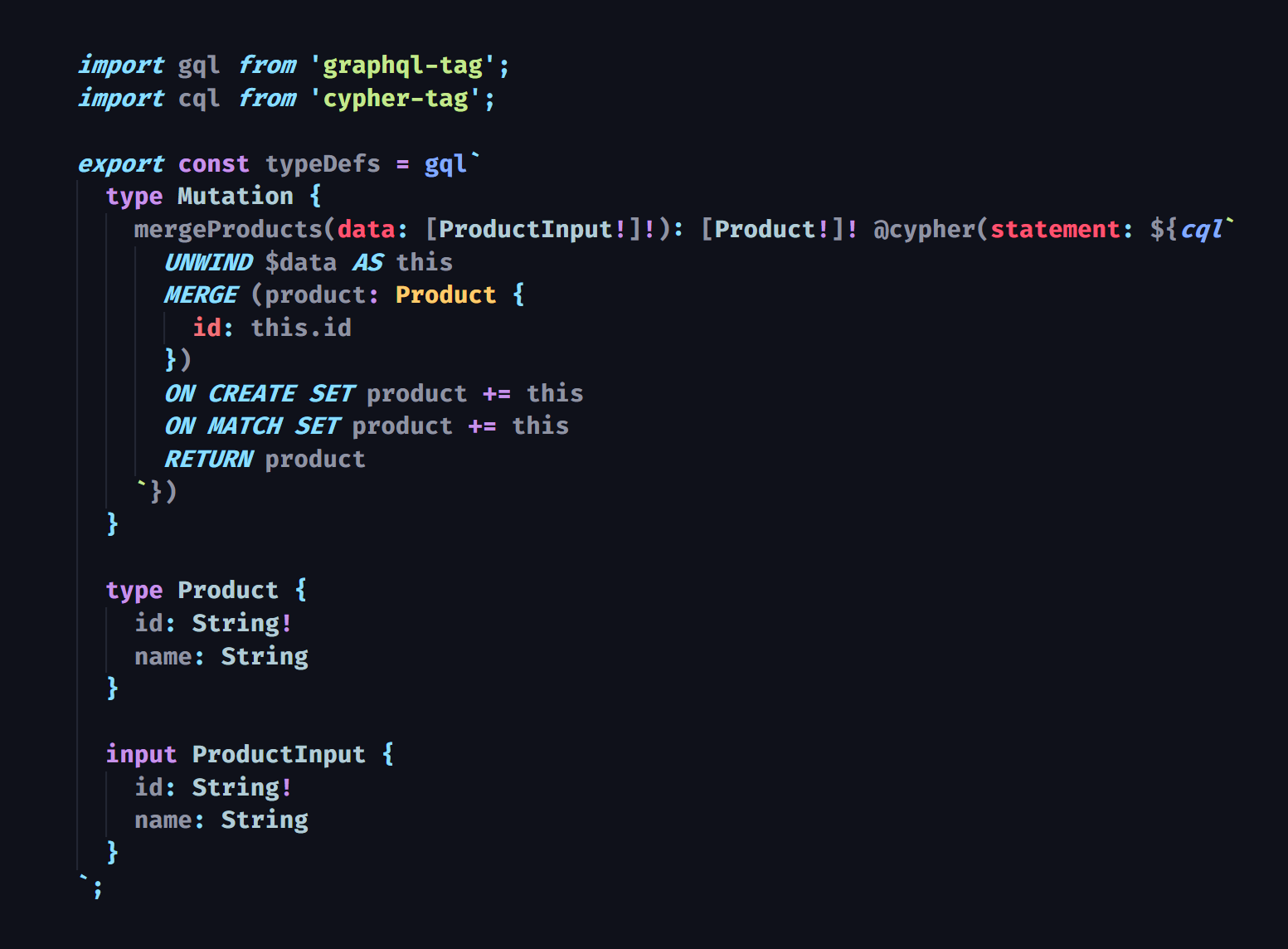
# Composition
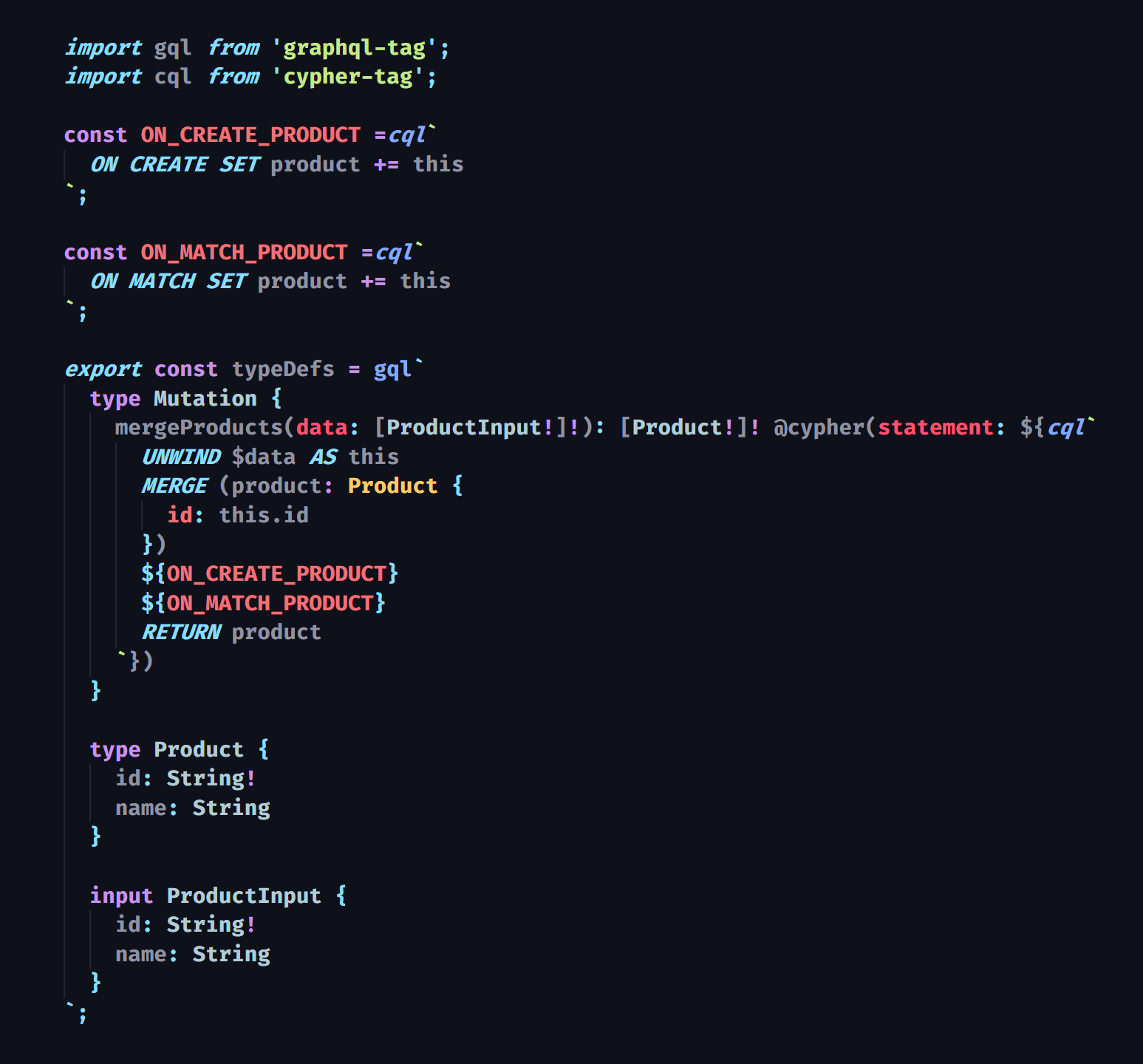
You can use the `cql` tag to compose the Cypher of another `cql` tag. This enables composition and reuse of Cypher template variables, perhaps while using imperative tooling, making your `@cypher` directives [DRY](https://en.wikipedia.org/wiki/Don%27t_repeat_yourself). One caveat with the VSCode extension is that syntax highlighting breaks when `cql` is used on a variable but has a space behind it.
## Roadmap
* Static validation of Cypher in string literals tagged with `cql`
* Corresponding VSCode extension
* Improved syntax highlighting
* IntelliSense integration with GraphQL schema
* Activity bar tab with directory navigation for only files containing `cql`