https://github.com/michaeljscript/react-social-login-buttons
Social login buttons for React
https://github.com/michaeljscript/react-social-login-buttons
authentication buttons react social
Last synced: about 1 year ago
JSON representation
Social login buttons for React
- Host: GitHub
- URL: https://github.com/michaeljscript/react-social-login-buttons
- Owner: michaeljscript
- License: mit
- Created: 2017-07-31T22:04:05.000Z (almost 9 years ago)
- Default Branch: develop
- Last Pushed: 2025-03-31T17:33:44.000Z (over 1 year ago)
- Last Synced: 2025-04-01T07:40:12.433Z (over 1 year ago)
- Topics: authentication, buttons, react, social
- Language: TypeScript
- Homepage:
- Size: 3.55 MB
- Stars: 214
- Watchers: 4
- Forks: 42
- Open Issues: 5
-
Metadata Files:
- Readme: README.md
- License: LICENSE
Awesome Lists containing this project
README
# React Social Login Buttons
Live demo https://codesandbox.io/s/3rpq558rv5
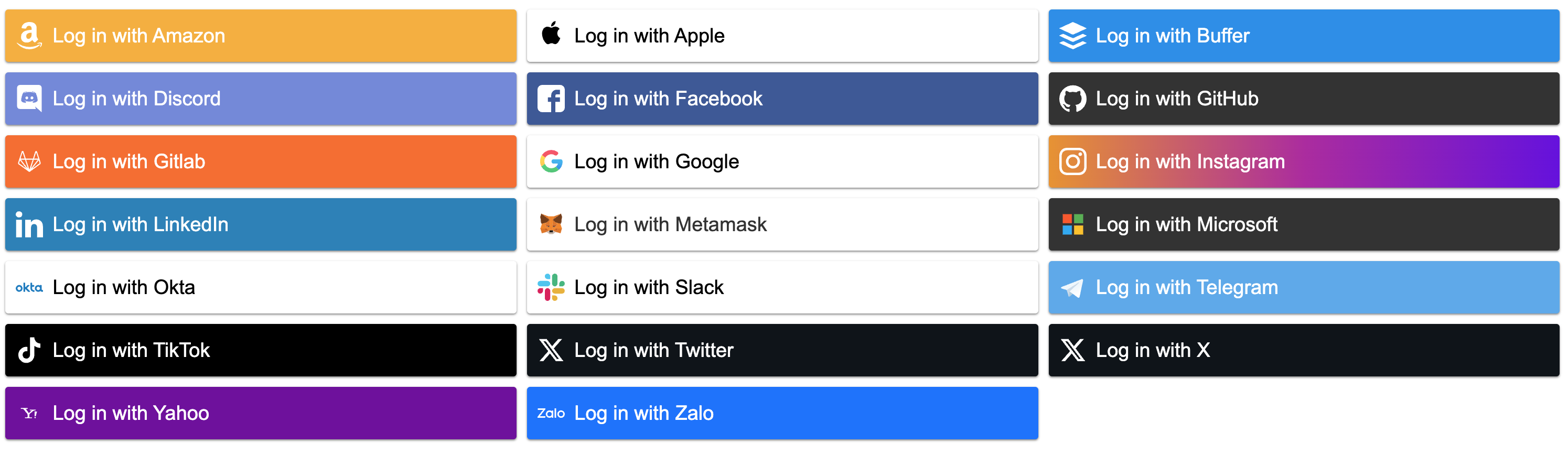
A simple package to display social login buttons using React.
Buttons do not provide any social logic.
They are only visual components listening to some events triggered by the user.
## Install
npm
```
npm install --save react-social-login-buttons
```
yarn
```
yarn add react-social-login-buttons
```
## Importing
ES6 imports:
```js
import { FacebookLoginButton } from "react-social-login-buttons";
```
ES6 imports optimized (deprecated):
```js
import FacebookLoginButton from "react-social-login-buttons/lib/buttons/FacebookLoginButton";
```
## Usage
Default button content - "Log in with Facebook"
```jsx
alert("Hello")} />
```
Custom button content
```jsx
alert("Hello")}>
Custom text
```
## Social Button Types
We currently support just a few login buttons. Others will be implemented later.
#### FacebookLoginButton
```jsx
alert("Hello")} />
```
#### GoogleLoginButton
```jsx
alert("Hello")} />
```
#### GithubLoginButton
```jsx
alert("Hello")} />
```
#### TwitterLoginButton
```jsx
alert("Hello")} />
```
#### XLoginButton
```jsx
alert("Hello")} />
```
#### AmazonLoginButton
```jsx
alert("Hello")} />
```
#### InstagramLoginButton
```jsx
alert("Hello")} />
```
#### LinkedInLoginButton
```jsx
alert("Hello")} />
```
#### MicrosoftLoginButton
```jsx
alert("Hello")} />
```
#### BufferLoginButton
```jsx
alert("Hello")} />
```
#### TelegramLoginButton
```jsx
alert("Hello")} />
```
#### AppleLoginButton
```jsx
alert("Hello")} />
```
#### DiscordLoginButton
```jsx
alert("Hello")} />
```
## SlackLoginButton
```jsx
alert("Hello")} />
```
### OktaLoginButton
```jsx
alert("Hello")} />
```
### YahooLoginButton
```jsx
alert("Hello")} />
```
### ZaloLoginButton
```jsx
alert("Hello")} />
```
### TikTokLoginButton
```jsx
alert("Hello")} />
```
### MetamaskLoginButton
```jsx
alert("Hello")} />
```
### GitlabLoginButton
```jsx
alert("Hello")} />
```
## Create your own button
You can create your own button.
You do not have to wait for us to implement all of them.
You can also use your own icons, let's say from font-awesome.
You can also pass a component to the icon prop.
```js
import React from "react";
import { createButton } from "react-social-login-buttons";
const config = {
text: "Log in with Facebook",
icon: "facebook",
iconFormat: (name) => `fa fa-${name}`,
style: { background: "#3b5998" },
activeStyle: { background: "#293e69" },
};
/** My Facebook login button. */
const MyFacebookLoginButton = createButton(config);
export default MyFacebookLoginButton;
```
Config can also look like.
```js
const config = {
text: "Log in with Facebook",
icon: MyIconComponent,
style: { background: "#3b5998" },
activeStyle: { background: "#293e69" },
};
```
## Props
Props for every Button
### `onClick` {function} (optional)
Will be triggered when clicked on the button.
### `style` {Object} (optional)
Custom button styles
### `className` {String} (optional)
Custom button class
### `children` {React.children} (optional)
You can pass any children to our buttons.
### `activeStyle` {Object} (optional)
activeStyle styles will be applied instead of style when mouse hovers above the element
### `icon` {String|Node} (optional)
This icon will be displayed.
If you pass a string, `` will be rendered.
### `iconSize` {String} (optional)
Icon will have this size. Eg. "26px"
### `iconColor` {String} (optional)
Icon will have this color - default #FFFFFF
### `size` {String} (optional)
Box will have this size. Eg. "150px"
### `iconFormat` {function} (optional)
Format icon className. Eg. `(name) => "fa-icon fa-icon-" + name`
### `align` {"left" | "right" | "center"} (optional)
Align the text on the button (default is left).
### `preventActiveStyles` {Boolean} (optional) default: false
If set to true, activeStyles won't be used and will be used styles from the style prop.
### `disabled` {Boolean} (optional)
Disables (or enables the button)
### Events
- `onClick`
- `onMouseEnter`
- `onMouseLeave`
## Why react-social-login-buttons ?
react-social-login-buttons is focused on speed and simplicity.
## Contribution
I welcome issues and pull requests on https://github.com/michaeljscript/react-social-login-buttons
## Thanks
Special thanks to people creating awesome svg icons and teams
- [Dinirio](https://www.dinirio.com)
- [SimpleIcon](https://www.flaticon.com/authors/simpleicon)
- [Simple Icons](https://github.com/simple-icons/simple-icons)
- [iconmonstr](https://iconmonstr.com/amazon-1-svg/)
- [freepik](https://www.flaticon.com/free-icon/instagram-logo_87390)
- [Icomoon](https://www.flaticon.com/authors/icomoon)
- [icons8](https://icons8.com/icon/set/google/all)