https://github.com/michaelkrone/generator-material-app
Yet another yeoman generator for scaffolding a simple Node.js/Express/MongoDB/Angular.js app using some material design elements.
https://github.com/michaelkrone/generator-material-app
Last synced: over 1 year ago
JSON representation
Yet another yeoman generator for scaffolding a simple Node.js/Express/MongoDB/Angular.js app using some material design elements.
- Host: GitHub
- URL: https://github.com/michaelkrone/generator-material-app
- Owner: michaelkrone
- License: mit
- Created: 2015-01-16T11:39:26.000Z (over 11 years ago)
- Default Branch: develop
- Last Pushed: 2017-04-26T20:26:01.000Z (about 9 years ago)
- Last Synced: 2025-03-04T07:11:25.367Z (over 1 year ago)
- Language: JavaScript
- Homepage:
- Size: 703 KB
- Stars: 177
- Watchers: 23
- Forks: 48
- Open Issues: 16
-
Metadata Files:
- Readme: README.md
- License: LICENSE
Awesome Lists containing this project
README
# generator-material-app
Yet another yeoman generator for scaffolding a simple MEAN stack application using some material design elements.
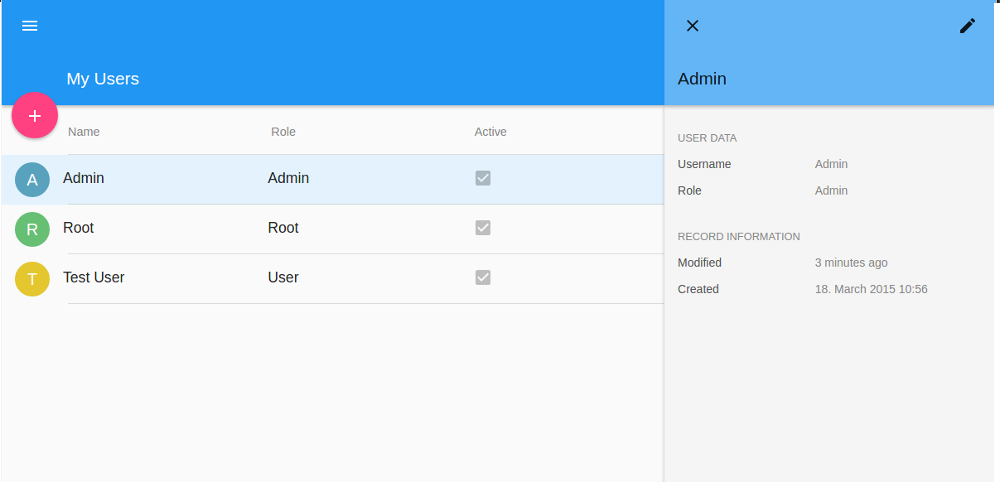
###### This project is still under heavy development.
## Features
The generator supports group based ACL's and socket.io communication with the server API.
## Install
```bash
$ npm install generator-material-app
```
## Quick Start
To quickly scaffold an application use the following commands (Answer all questions with hitting the enter key):
```bash
$ mkdir app && cd $_
$ yo material-app
$ gulp build
$ npm start
```
Will generate something like this:
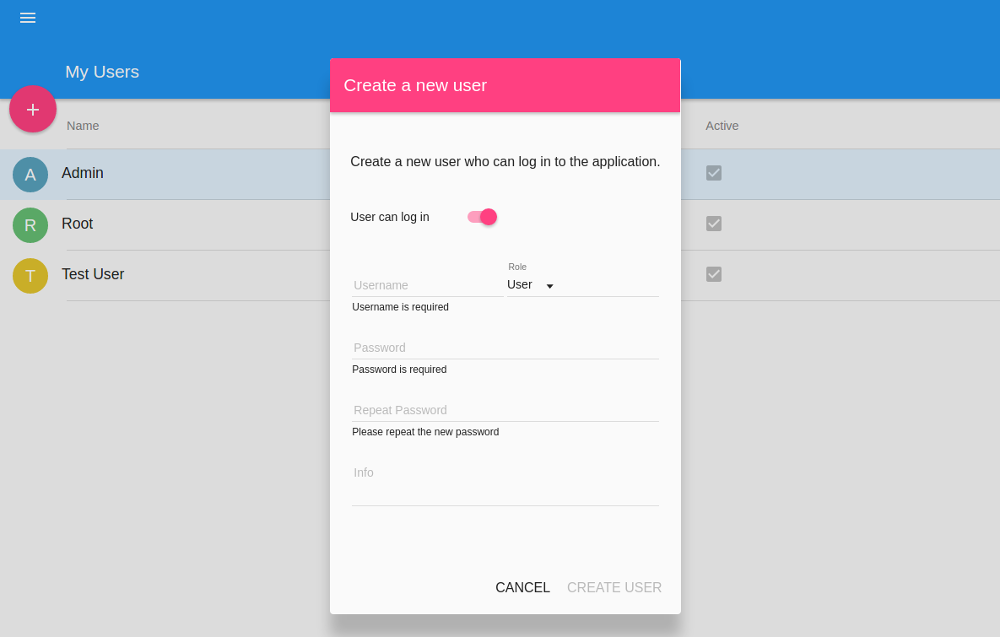
Create user dialog
Navigate to [http://localhost:9001](http://localhost:9001) to see the generated application where you can administer the users of your application
### Add API
This will add a server API and a corresponding client route to manage your cats including test stubs and documentation:
```bash
$ yo material-app:api cat
$ yo material-app:apiroute cat
$ gulp build
$ npm start
```
### Generate Documentation
The documentation is by now generated for server side code only:
```bash
gulp jsdoc
```
### Run Tests
For running the generated test start the following gulp tasks
```bash
gulp unit:server
gulp unit:client
```
### Deploy
For now, run commands:
```
NODE_ENV=production gulp build
NODE_ENV=production npm start
```
And manually seed database with `NODE_ENV=production npm run seed` if you choosed to auth your app.
You can't sign into app without any users. You can specify users and seed data in `server/config/seed.js`.
#### Environment Variables
- DATABASE_NAME
- MONGO_URI || 'mongodb://localhost/' + process.env.DATABASE_NAME
- MONGO_OPTIONS
### ModelDefinition
Modefy factory YourResourceDefinition in your-resource.service.js.
For example:
```
ModelDefinitions({
name: {type: 'text', required: true},
info: 'text',
nested: {
name: {
type: 'text',
desc: 'Nested Name'
}
}
})
```
For detail [options](#PropDefintion).
## List of Generators
* Application scaffold
- [`material-app`](#app) (alias for `material-app:app`) - The directory name will be used as the application name
* Server API
- [`material-app:api`](#api) - Pass the name of the API items as an argument
* Client Generators
- [`material-app:apiroute`](#apiroute) - Pass the name of the route as an argument
- [`material-app:decorator`](#decorator) - Pass the name of the decorator as an argument
- [`material-app:directive`](#directive) - Pass the name of the directive as an argument
- [`material-app:route`](#route) - Pass the name of the route as an argument
- [`material-app:controller`](#controller) - Pass the name of the controller as an argument
- [`material-app:filter`](#filter) - Pass the name of the filter as an argument
- [`material-app:service`](#service) - Pass the name of the service as an argument
- [`material-app:provider`](#provider) - Pass the name of the provider as an argument
- [`material-app:factory`](#factory) - Pass the name of the factory as an argument
## APIs
### PropDefintion
- types supported now:
- **types for input**(corresponding Mongoose type in `()`), like `'text'`(`String`), `'url'`(`String`), `'number'`(`Number`), `'date'`(`Date`), `'password'`(`String`),
- `'select'` - type values in options array correspond to mongoose type
- `'select/resource'` - mongoose `ObjectId`, use `resource` to simulate mongoose `ref`
- common options
- type - different types of property
Notice: `name: {type: 'text'}` can be short in `name: 'text'` but `type: {type: 'text'}` can't
- desc - name of prop displayed in form, detail and list
- default is capitalized last name of nested name
- displayKey - key to display in `md-select`
- default is 'name' when `type === 'select/resource'`
- displayPriority - when set to `'low'`, field in list will auto-hide when
1. when screen width is less than 1200 because of css class `.hide-in-narrow`
2. `narrowMode` in ModelViewGroup is true
- validation options
- required - `ng-required`
- format - regex for `ng-validate`
- remoteUnique - resource name to check unique from server
- repeatInput - force repeat field, usually for `type=password`
- validators - for `ng-messages`, above validations can be written in `validators` uniformly
- required
- pattern
- remote-unique
- repeat-input
- special config options for `'select'`
- options - static options for select
- valueKey - key to value in `md-select`
- default is '_id' when `type === 'select/resource'`
- resource - static resource for `'select/resource'`
- only work when `type === ''`
- params - static params for `'select/resource'`
- getOptions - async function returns a promise to load options upon `md-select` is open, resource and params can be dynamic with this
Below is an example with all options, which can be generated into app with the demo option
```
var typeMap = {
User: User,
ClientModelDoc: ClientModelDoc
};
return ModelDefinitions({
name: {
type: 'text',
format: {
value: /^[a-zA-Z]{6,18}$/,
error: 'Should be 6-18 letters.'
},
required: true,
remoteUnique: 'ClientModelDoc'
},
repeatName: {
type: 'text',
repeatInput: 'name',
desc: 'Repeat Name',
displayPriority: 'low'
},
wholeName: {
type: 'text',
validators: {
required: true,
'remote-unique': {
value: 'ClientModelDoc',
error: 'Override default error'
},
pattern: /^[a-zA-Z0-9]{8,12}$/
}
},
user: {
type: 'select/resource',
required: true,
resource: User
},
rootUser: {
type: 'select/resource',
resource: User,
params: {
role: 'root'
},
displayKey: '_id'
},
anyType: {
type: 'select',
options: ['User', 'ClientModelDoc']
},
anyTypeRef: {
type: 'select',
getOptions: function(model) {
var resource = typeMap[model.anyType];
if (!resource || !resource.query) return $q.when([]);
return resource.query().$promise;
},
displayKey: 'name',
valueKey: '_id'
},
important: 'text',
notImportant: {
type: 'text',
desc: 'Not Important',
displayPriority: 'low'
},
nested: {
name: 'text',
repeatName: {
type: 'text',
repeatInput: 'nested.name',
desc: 'Nested Repeat Name',
displayPriority: 'low'
},
wholeName: {
type: 'text',
desc: 'Whole Name',
remoteUnique: 'ClientModelDoc',
auto: function (nestedModel) {
return nestedModel.nested.firstName + ' ' + nestedModel.nested.secondName;
}
},
firstName: {
type: 'text',
desc: 'First Name',
displayPriority: 'low'
},
secondName: {
type: 'text',
desc: 'Second Name',
displayPriority: 'low'
},
},
info: 'text',
//active: 'boolean'
})
```
## Purpose
This generator is suited for prototyping simple CRUD applications. The generated code is somehow following [John Papa's Styleguide](https://github.com/johnpapa/angular-styleguide) for Angular applications. Every generator generates a test stub
for easily adding tests to your application. Note that there is not much material design in the layout yet, despite the use of
the [Angular Material Design](https://material.angularjs.org/#) components.
## Used Technologies
* Node.js
* MongoDB
* Express
* mongoose
* socket.io
* Angular.js
* ui.router
* SASS
* Gulp
## Screenshots
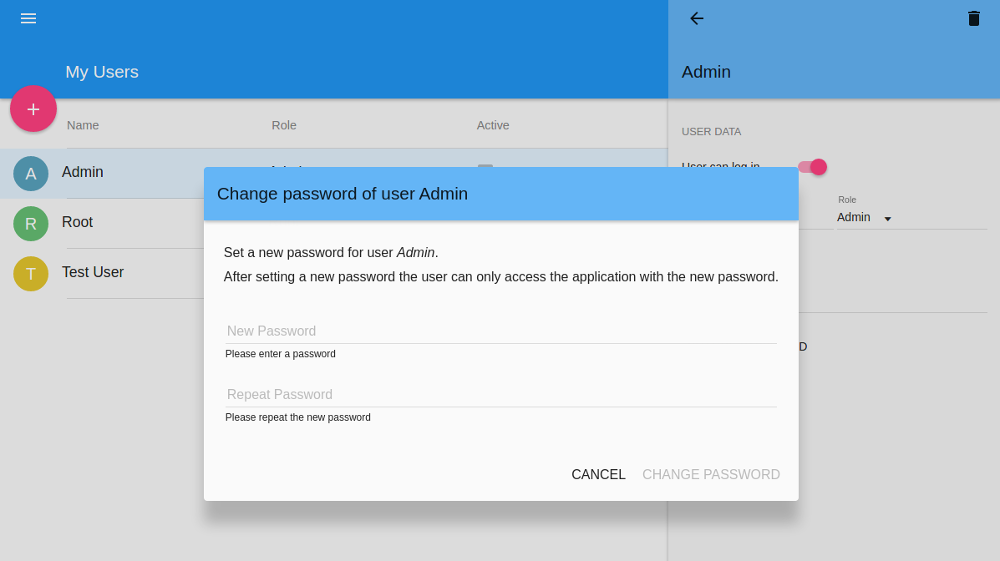
Set password dialog