https://github.com/mikemitterer/dart-sitegen
https://github.com/mikemitterer/dart-sitegen
Last synced: about 1 year ago
JSON representation
- Host: GitHub
- URL: https://github.com/mikemitterer/dart-sitegen
- Owner: MikeMitterer
- License: other
- Created: 2015-03-30T05:47:25.000Z (over 11 years ago)
- Default Branch: master
- Last Pushed: 2020-07-05T22:37:24.000Z (about 6 years ago)
- Last Synced: 2025-07-16T06:44:23.553Z (about 1 year ago)
- Language: Dart
- Size: 359 KB
- Stars: 41
- Watchers: 3
- Forks: 6
- Open Issues: 12
-
Metadata Files:
- Readme: README.md
- Changelog: CHANGELOG.md
- License: LICENSE
Awesome Lists containing this project
README
# SiteGen
> Static site generator. Includes a webserver, sass + autoprefix support
> Wants to be Jekyll for Dart
Before you read on - check out this [video](https://www.youtube.com/watch?v=smf1uvy0yNQ):
[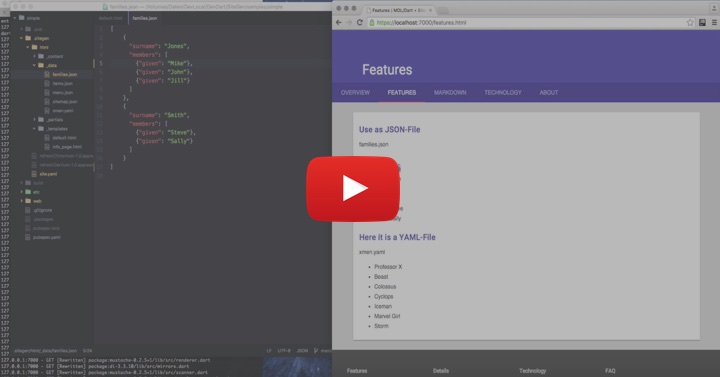](https://www.youtube.com/watch?v=smf1uvy0yNQ)
## Example
- Install SiteGen `pub global activate sitegen`
- Clone the example from `https://github.com/MikeMitterer/dart-sitegen/tree/master/samples/simple`
- run `sitegen -w`
- open another console window and run `pub run build_runner serve --delete-conflicting-outputs --live-reload`
Play with the sample files...
#### Support for https-connection!
This is absolutely mandatory if your REST-Server
uses [HTTP Strict Transport Security (HSTS)](https://en.wikipedia.org/wiki/HTTP_Strict_Transport_Security)
[Here](https://github.com/MikeMitterer/dart-sitegen/blob/master/samples/simple/.sitegen/site.yaml)
you can see the necessary configuration for HTTPS-Support
Generate a self-signed certificate, name it dart.cert and dart.key, place it under /etc
and run `sitegen -x --usesec` and - voila. That's it!
#### Support for SASS_PATH
[Understanding and Using Sass Load Paths](http://technology.customink.com/blog/2014/10/09/understanding-and-using-sass-load-paths/)
These settings in your .sitegen/site.yaml ()
```yaml
sasscompiler: sass
sass_path:
- "package:zengen"
- "package:mdl"
```
generate generate the following SASS_PATH:
```bash
sitegen -s
Settings:
Loglevel: info
...
SASS compiler: sass
SASS_PATH (only for sass): /Users/mikemitterer/.pub-cache/hosted/pub.dartlang.org/zengen-0.3.2/lib
/Volumes/Daten/DevLocal/DevDart/MaterialDesignLite/lib
...
```
As you can see the first path is resolved to .pub-cache, the second path
is resolve to my local working dir where the mdl-library resides
Now you can define your SASS-Import as follows:
```scss
// Imports package:mdl/lib/assets/styles/button/variables
@import "assets/styles/button/variables";
```
### What it does
SiteGen is a static site generator in [Dart](https://www.dartlang.org/), webserver included.
With extra assets-folder and partials-support.
You can write your pages in HTML or [Markdown](http://daringfireball.net/projects/markdown/syntax).
For Templates [Mustache](http://mustache.github.io/mustache.5.html) is supported.
A webserver for a quick review is included. On Mac you also get automatic page refresh. On other
platforms you could try [LivePage](https://chrome.google.com/webstore/detail/livepage/pilnojpmdoofaelbinaeodfpjheijkbh)
chrome extension for maximum productivity.
[Here](https://github.com/MikeMitterer/dart-sitegen/tree/master/sample/simple) you can see a typical site structure.
Under [sitegen.mikemitterer.at](http://sitegen.mikemitterer.at) you can see the result!
Check out the [sample!](https://github.com/MikeMitterer/dart-sitegen/tree/master/samples/simple) or
[download](https://github.com/MikeMitterer/dart-sitegen/blob/master/downloads/simple.tgz) the sample as .TGZ.
```
├── .sitegen
│ ├── html
│ │ ├── _content
│ │ │ ├── about
│ │ │ │ └── index.html
│ │ │ ├── assets
│ │ │ │ ├── images
│ │ │ │ │ ├── android-desktop.png
│ │ │ │ │ ├── favicon.png
│ │ │ │ │ └── ios-desktop.png
│ │ │ │ └── styles
│ │ │ │ └── styles.scss
│ │ │ ├── features.html
│ │ │ ├── index.html
│ │ │ ├── main.dart
│ │ │ ├── markdown.md
│ │ │ ├── special
│ │ │ │ ├── template.html
│ │ │ │ └── xtreme.html
│ │ │ └── technology.html
│ │ ├── _data
│ │ │ ├── families.json
│ │ │ ├── menu.json
│ │ │ └── xmen.yaml
│ │ ├── _partials
│ │ │ ├── cards
│ │ │ │ └── wide.html
│ │ │ └── header.html
│ │ └── _templates
│ │ ├── default.html
│ │ └── info_page.html
│ ├── refreshChrome-1.0.applescript
│ ├── refreshChromium-1.0.applescript
│ ├── refreshDartium-1.0.applescript
│ └── site.yaml
├── pubspec.yaml
└── web
├── about
│ └── index.html
├── assets
│ ├── images
│ │ ├── android-desktop.png
│ │ ├── favicon.png
│ │ └── ios-desktop.png
│ └── styles
│ ├── styles.css
│ └── styles.scss
├── features.html
├── index.html
├── main.dart
├── markdown.html
├── special
│ ├── template.html
│ └── xtreme.html
└── technology.html
```
**.sitegen**: This is where your (optional) site.yaml lives
This folder is also used to store autgenerated scripts - in the case above you can see
the script to refresh Chromium on Mac.
**.sitegen/html/_content**: This is where **SiteGen** will look for your files to generate the site from.
The following file-formats are supported:
- .md
- .markdown
- .dart
- .js
- .json
- .html
- .scss
- .css
**.sitegen/html/_data**: [optional] This is the place where you can store your data-files.
The following file-formats are supported:
- .yaml
- .json
**SiteGen** injects your data into a global _data variable.
Here is a sample how to use such data:
```html
- {{.}}
{{#_data.xmen}}
{{/_data.xmen}}
```
**.sitegen/html/_assets**: [optional] Additional assets that you don't want to have in _content. For example .scss
or .jpg files.
**.sitegen/html/_templates**: The directory containing your HTML+Mustache templates.
**web**: Following Dart conventions - this is your default output directory.
## site.yaml
**Optional** [YAML](http://rhnh.net/2011/01/31/yaml-tutorial) file that stores your global values and config options.
Values set here can be accessed from all templates and markdown files.
```
site_options:
author: Mike Mitterer
```
Can be used in your template (default.html) as
```
{{_site.author}}
```
You can also use site.yaml to overwrite your **SiteGen** default configuration.
Supported vars:
- content_dir: .sitegen/html/_content
- template_dir: .sitegen/html/_templates
- data_dir: .sitegen/html/_data
- partials_dir: .sitegen/html/_partials
- assets_dir: .sitegen/html/_assets
- output_dir: web
- workspace: .
- date_format: dd.MM.yyyy
- yaml_delimeter: ~~~
- use_markdown: true
- default_template: default.html
- sasscompiler: sassc
- usesass: true
- autoprefixer: true
- browser: Chromium
- talktome: true (on OSX, false on all the other OSs)
- watchfolder1, watchfolder2 and watchfolder3
## Markdown
**SiteGen** lets you use [markdown](http://daringfireball.net/projects/markdown/syntax) to write your site content. At the beginning of each markdown file, you
have the option to use a [YAML](http://rhnh.net/2011/01/31/yaml-tutorial) block to define custom values that you can inject into your templates. Example:
title: A Blog Post
published: 01/01/2014
category: example
tags:
- StillShot
- Rants
- Etc.
~~~~~~
{{title}}
Normal Markdown content here...
As you can see, a line of tildes (`~`) is used to designate your YAML block. You can access/inject your values into
your pages using [mustache template syntax](http://mustache.github.io/mustache.5.html). You can do this either inside your dedicated HTML/mustache templates:
- {{.}}
{{#tags}}
{{/tags}}
Or, you can embed your values within the markdown file itself:
{{#tags}}
- __{{.}}__
{{/tags}}
so you can take advantage of templating and markdown at the same time.
Simply place all your files in your `content_dir` and **SiteGen** will generate your site accordingly.
If your markdown file has a .md extension it will be renamed to .html.
## Templates
As mentioned above, you can access any variables set within your markdown files from your templates using mustache. Options
set from your `site.yaml / site_options` can be accessed through the `_site` variable, like so:
{{ _site.author}}
where `author` is a property defined in your `site.yaml / site_options`.
You can access these values from your markdown or from your html files.
Every page and template has access to the following values:
- `title`: title, usually set inside each markdown file, but is set to the name of markdown file if left blank
- `_site`: site.yaml values
- `_date`: the post/markdown file's _last modified_ date
- `_content`: converted markdown content (only accessible from templates)
- `_page.relative_to_root`: will be replaced with some '../' depending on the nesting level of your page (check about/index.html)
The default template is 'default.html' but you can overwrite this behavior if you add a 'template' var to the yaml-block of your content file.
template: info_page
## Partials
**Optional**
Files / Directories in your _partials-Folder will be translated into partials-names.
For example: _partials/category/house.md translates into {{>category.house}}
A partial can be either a .md or a .html file
You can also use partials in the files yaml block:
```yaml
template: default.html
dart: ->usage.badge.dart
~~~
```
## SASS
If SiteGen finds a .scss file in your output dir (web) it compiles it to the corresponding .css file.
Install instruction for SASS can be found [here](http://sass-lang.com/install)
In short it's `gem install sass` and `gem install sassc`
You can turn off SASS either with `--no-usesass` or with the appropriate setting in site.yaml
Or - event better, **install sassc**: `brew install sassc`
## Autoprefixer
After compiling .SCSS to .CSS SiteGen calls autoprefixer
Install autoprefixer with `npm install --global autoprefixer-cli`
You can turn off Autoprefixer either with `--no-useapfx` or with the appropriate setting in site.yaml
# Install
Install
```shell
pub global activate sitegen
```
Update
```shell
# activate sitegen again
pub global activate sitegen
```
Uninstall
```shell
pub global deactivate sitegen
```
## Usage
```shell
Usage: sitegen [options]
-s, --settings Prints settings
-h, --help Shows this message
-g, --generate Generate site
-c, --generatecss Generate CSS (compile SCSS2CSS)
-w, --watch Observes SRC-dir
-x, --watchandserve Shortcut to watch and serve
-i, --init Initializes your site
(not combinable with other options)
--serve Serves your site
--[no-]usesass Enables / disables SASS to CSS compiler
(defaults to on)
--[no-]useapfx Enables / disables Autoprefixer
(defaults to on)
--[no-]talktome Enables / disables Speek-Output
(defaults to on)
--ip Sets the IP-Address to listen on
(defaults to "127.0.0.1")
--port Sets the port to listen on
(defaults to "8000")
--docroot Document root
(defaults to "web")
-v, --loglevel Sets the appropriate loglevel
[info, debug, warning]
Sample:
'Generates all basic files and folders: 'sitegen -i'
'Observes the default dirs and serves the web-folder: 'sitegen -w --serve'
'Observes the default dirs and serves the web-folder: 'sitegen -x'
'Generates the static site in your 'web-folder': 'sitegen -g'
```
Go to your project root (this is where your pubspec.yaml is) and type:
sitegen -i
This creates a basic file structure for you.
Now type
sitegen -w --serve
This servers your files under http://localhost:8000/
If you are using Chromium on Mac you will get a automatic page refresh for free!
## Hints
- Just serve a local dir on port 8000 without generating something:
`sitegen --serve --docroot .`
- Sitegen observes automatically it's basefolders like content, web aso. but if
you want additional folders that should be observed so that sitegen automatically regenerates it's
file - set watchfolder[1-3] in you site.yaml
- Test your App with Chrome and use sitegen as server (MAC + Linux only)
`pub build && cd build/web && sitegen --serve --port 9000 --docroot . || cd -`
*Explanation:*
Runs "pub build" - if this runs without errors cd to "build/web"
In "build/web" run sitegen as server on port 9000 and set docroot to . (current dir (default would be "web"))
|| means if the prev command ends with an error (Ctrl + C to cancel sitegen)
jump back where you came from. You should be back in your base folder (where your pubspec.yaml is)
### Features and bugs
Please file feature requests and bugs at the [issue tracker](https://github.com/MikeMitterer/dart-sitegen/issues).
### Thanks
I want to thank "Enrique Gavidia" for his [stillshot](https://pub.dartlang.org/packages/stillshot)
package that I used as basis for **SiteGen**.
### License
Copyright 2019 Michael Mitterer (office@mikemitterer.at),
IT-Consulting and Development Limited, Austrian Branch
Licensed under the Apache License, Version 2.0 (the "License");
you may not use this file except in compliance with the License.
You may obtain a copy of the License at
http://www.apache.org/licenses/LICENSE-2.0
Unless required by applicable law or agreed to in writing,
software distributed under the License is distributed on an
"AS IS" BASIS, WITHOUT WARRANTIES OR CONDITIONS OF ANY KIND,
either express or implied. See the License for the specific language
governing permissions and limitations under the License.
If this plugin is helpful for you - please [(Circle)](http://gplus.mikemitterer.at/) me
or **star** this repo here on GitHub.