https://github.com/mildronize/my-talk
https://github.com/mildronize/my-talk
Last synced: over 1 year ago
JSON representation
- Host: GitHub
- URL: https://github.com/mildronize/my-talk
- Owner: mildronize
- License: wtfpl
- Created: 2021-11-29T12:26:53.000Z (over 4 years ago)
- Default Branch: master
- Last Pushed: 2023-03-23T04:00:16.000Z (over 3 years ago)
- Last Synced: 2025-01-23T10:15:40.848Z (over 1 year ago)
- Language: JavaScript
- Size: 940 KB
- Stars: 0
- Watchers: 2
- Forks: 0
- Open Issues: 3
-
Metadata Files:
- Readme: README.md
- Funding: .github/FUNDING.yml
- License: LICENSE
Awesome Lists containing this project
README
# Marp CLI example
[](https://open.vscode.dev/yhatt/marp-cli-example)
**The good starter example for using [Marp] via [Marp CLI].**
- Write your slide deck by [Marp] Markdown.
- Manage the content of slides via Git. (Using [GitPitch](https://github.com/gitpitch/gitpitch) style `PITCHME.md`)
- Host your deck at GitHub, and publish as webpage with [GitHub Pages], [Netlify], and [Vercel].
- Blazingly fast delivery out of the box. [Acquired all 100% Lighthouse scores!](#lighthouse)
[marp]: https://marp.app/
[marp cli]: https://github.com/marp-team/marp-cli
[github pages]: https://pages.github.com/
[netlify]: https://www.netlify.com/
[vercel]: https://vercel.com/

## See published slide deck
-  **[GitHub Pages]**: https://yhatt.github.io/marp-cli-example
-  **[Netlify]**: https://yhatt-marp-cli-example.netlify.app/
-  **[Vercel]**: https://marp-cli-example.yhatt.vercel.app/
### Lighthouse

## Usage
It's surprisingly easy to start publishing your slide deck!
### [GitHub Pages]
Create a new _public_ repository based on this repository, from **"Use this template"** button!
[](https://github.com/yhatt/marp-cli-example/generate)
We already have [GitHub Actions workflow](.github/workflows/github-pages.yml) to build and deploy from `master` to `gh-pages` automatically. All you have got to [turn on GitHub Pages with `gh-pages` branch](https://docs.github.com/en/free-pro-team@latest/github/working-with-github-pages/configuring-a-publishing-source-for-your-github-pages-site) from **"Settings"** tab.
### [Netlify]
Push **"Deploy to netlify"** button. [Netlify] will create your repository based on this example and host website from `master` branch automatically.
[](https://app.netlify.com/start/deploy?repository=https://github.com/yhatt/marp-cli-example)
### [Vercel]
Push **"Deploy"** button. [Vercel] can choose to create your repository into GitHub / GitLab / BitBucket based on this example.
[](https://vercel.com/import/project?template=https://github.com/yhatt/marp-cli-example)
> :information_source: The auto-generated open graph image is not available in deployment through Vercel.
## How to write
For Marp slide deck features, please see the documentation of [Marpit Markdown](https://marpit.marp.app/markdown), [the features of Marp Core](https://github.com/marp-team/marp-core#features), and the default example in [`PITCHME.md`](https://raw.githubusercontent.com/yhatt/marp-cli-example/master/PITCHME.md) for .
You have to install [Node.js](https://nodejs.org/) and run `npm i` at first if you want to write slide deck with [Marp CLI].
### Edit deck
Just edit **[`PITCHME.md`](./PITCHME.md)**!
#### Preview deck
**[Marp for VS Code]** extension is the best partner for writing Marp slide deck with live preview.
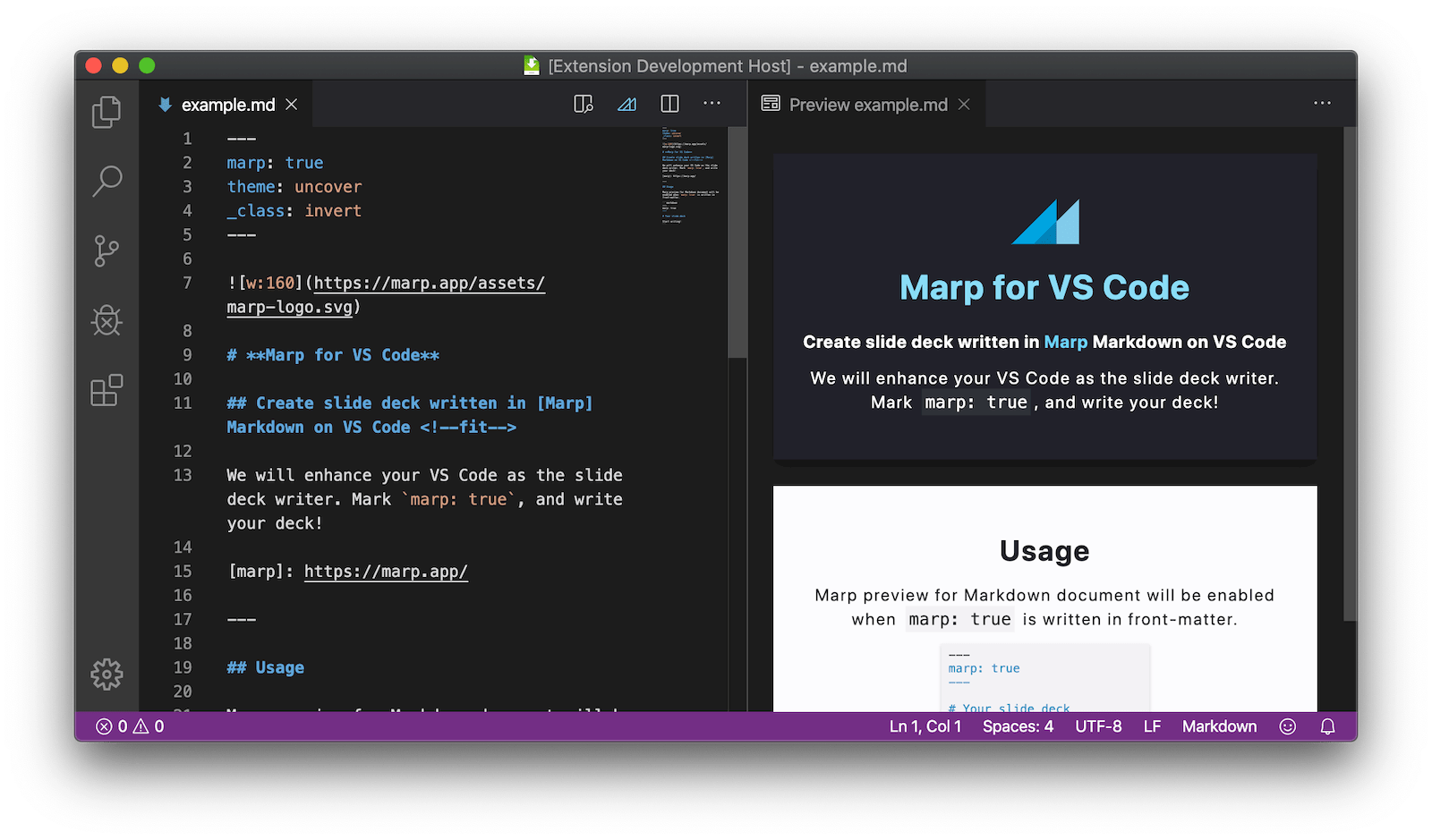
**You can try edit and preview on the web now!** Open https://github.dev/yhatt/marp-cli-example/blob/master/PITCHME.md or hit . key on this repository, and install [Marp for VS Code] extension.
[Marp for VS Code]: https://marketplace.visualstudio.com/items?itemName=marp-team.marp-vscode
#### Preview via CLI
```bash
npm run start
```
It will be opened preview window via installed Google Chrome, and track change of `PITCHME.md`.
### Assets and themes
- `assets` directory can put your assets for using in the deck. (e.g. Image resources)
- `themes` directory can put [custom theme CSS](https://marpit.marp.app/theme-css). To use in the deck, please change `theme` global directive.
### Build deck via CLI
```bash
npm run build
```
The built assets will output to `dist` folder.
#### Build per assets
```bash
npm run deck # Output static HTML to dist/index.html
npm run og-image # Output image for Open Graph to dist/og-image.jpg
```
## LICENSE
[WTFPL](/LICENSE)