https://github.com/millenniumdawn/cwtools-vscode
A VS Code extension providing language server support for paradox script files using cwtools
https://github.com/millenniumdawn/cwtools-vscode
hoi4 tools visual-studio-code
Last synced: 1 day ago
JSON representation
A VS Code extension providing language server support for paradox script files using cwtools
- Host: GitHub
- URL: https://github.com/millenniumdawn/cwtools-vscode
- Owner: MillenniumDawn
- License: mit
- Created: 2026-03-22T16:36:19.000Z (3 months ago)
- Default Branch: main
- Last Pushed: 2026-06-23T17:43:18.000Z (4 days ago)
- Last Synced: 2026-06-23T18:12:53.375Z (4 days ago)
- Topics: hoi4, tools, visual-studio-code
- Language: TypeScript
- Homepage:
- Size: 142 MB
- Stars: 0
- Watchers: 0
- Forks: 0
- Open Issues: 1
-
Metadata Files:
- Readme: README.md
- Changelog: CHANGELOG.md
- Contributing: CONTRIBUTING.md
- License: LICENSE.md
Awesome Lists containing this project
README
# [CWTools MD Edition](https://github.com/MillenniumDawn/cwtools-vscode)
**Paradox Language Features for Visual Studio Code**
## Origin
This is a fork of [cwtools/cwtools-vscode](https://github.com/cwtools/cwtools-vscode). The original extension wrapped an F# language server from [cwtools/cwtools](https://github.com/cwtools/cwtools); this fork has moved to a Rust-based server binary (cwtools-rs) and ships that.
## Disclaimer
This extension is still in preview, it may not work, it may stop working at any time.
**Make backups of your mod files.**
## Supported games
* Stellaris
* Hearts of Iron IV
* Europa Universalis IV
* Imperator: Rome - outdated, help needed
* Crusader Kings II - partial
* Crusader Kings III - in progress, help needed
* Victoria 3 - in progress, help needed
## Features
* Immediate highlighting of syntax errors
* Autocomplete while you type, providing descriptions when available
* Tooltips on hover showing:
* Related localisation
* Documentation for that element
* Scope context at that position
* A wide range of validators for common, interface, and events, checking
* That required localisation keys are defined
* Existence of effects/triggers/modifiers
* Scope context for used effects/triggers/modifiers
* Usage of scripted effects/triggers
* Correct entries for weights/AI_chance/etc
* That event\_targets are saved before they're used
* That referenced sprites and graphics files exist
* and a number of other specific validators
* "Code actions" to generate .yml for missing localisation
## Usage
1. Install this extension
2. Open your mod folder directly, which should be within a folder containing the game name:
* `C:\Users\name\Documents\Paradox Interactive\Stellaris\mod\your_mod`
1. Follow the prompts to select your vanilla folder
2. Edit files and watch syntax errors show up when you make mistakes
3. Wait up to a minute for the extension to scan your mod and find errors
### Multiple mods - workspace
If you have multiple mods that need to be loaded at once, use VS Code's [multi-root workspace](https://code.visualstudio.com/docs/editing/workspaces/workspaces#_untitled-multiroot-workspaces) feature.
1. Open your first mod
2. Use "File", "Add folder to workspace" to add your next mod
3. cwtools should reload including both mods and vanilla in context using correct mod load order
If you want to browse vanilla files, you can use the "CWTOOLS LOADED FILES" section in the Explorer tab.
### Completion
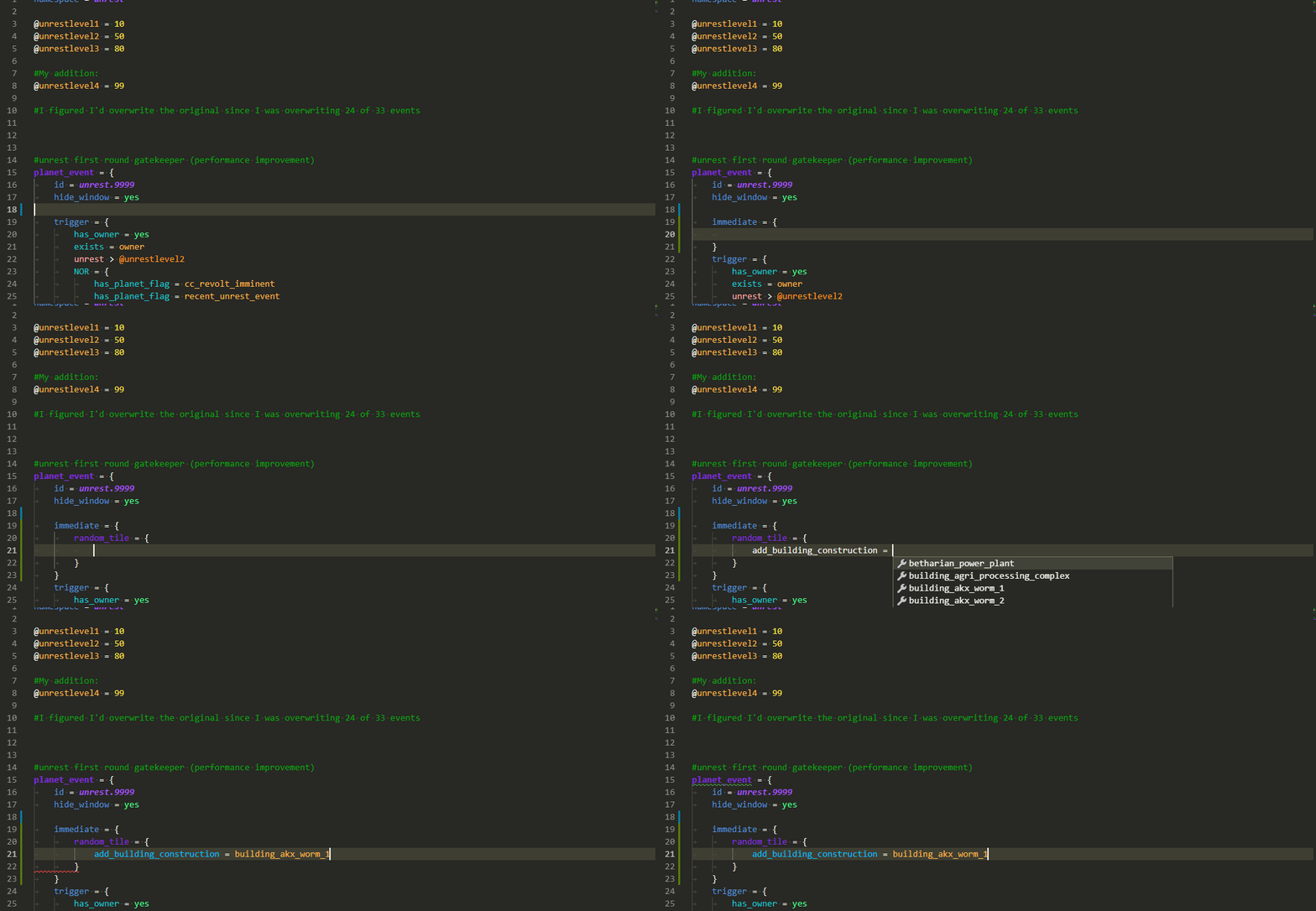
### Tooltips
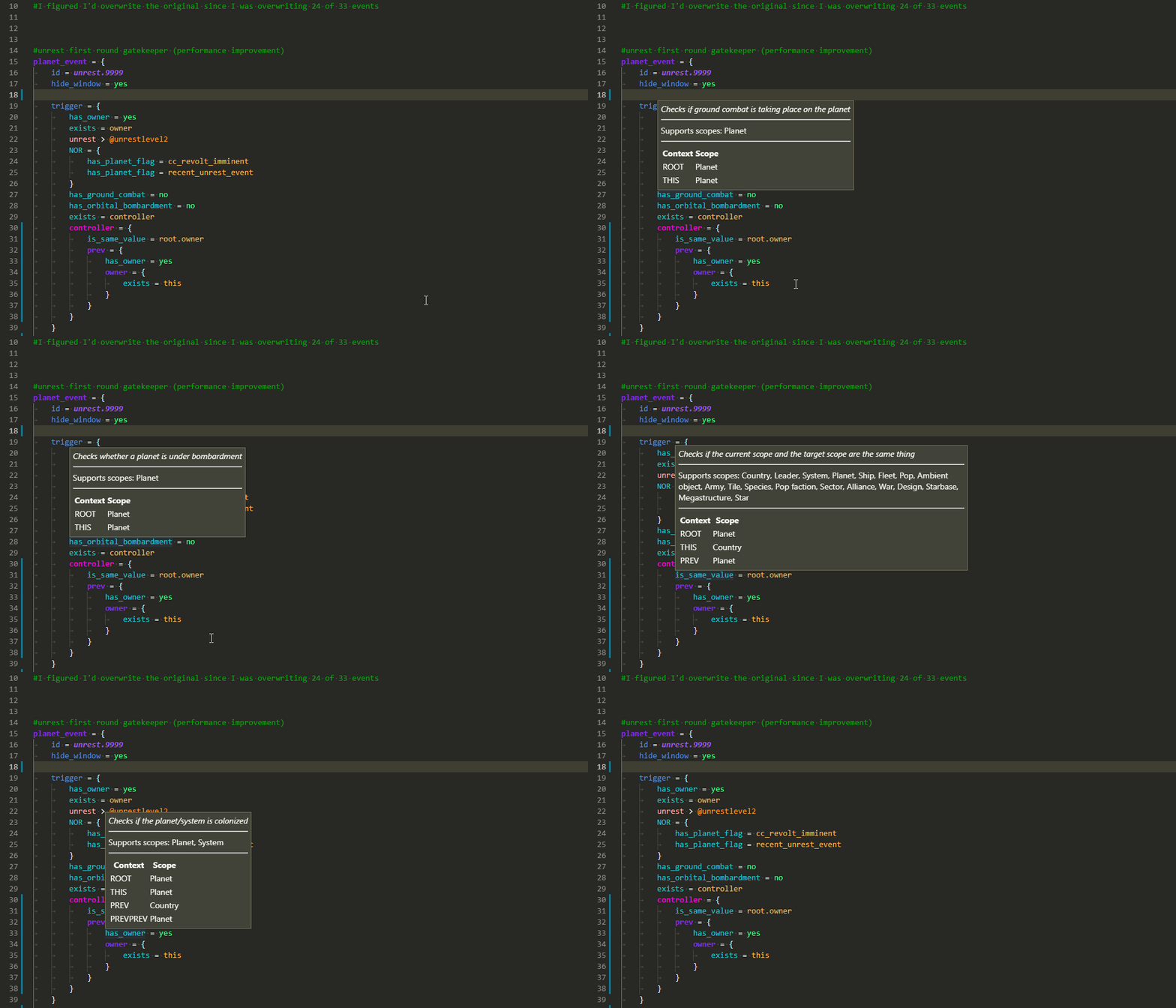
### Scope tooltips
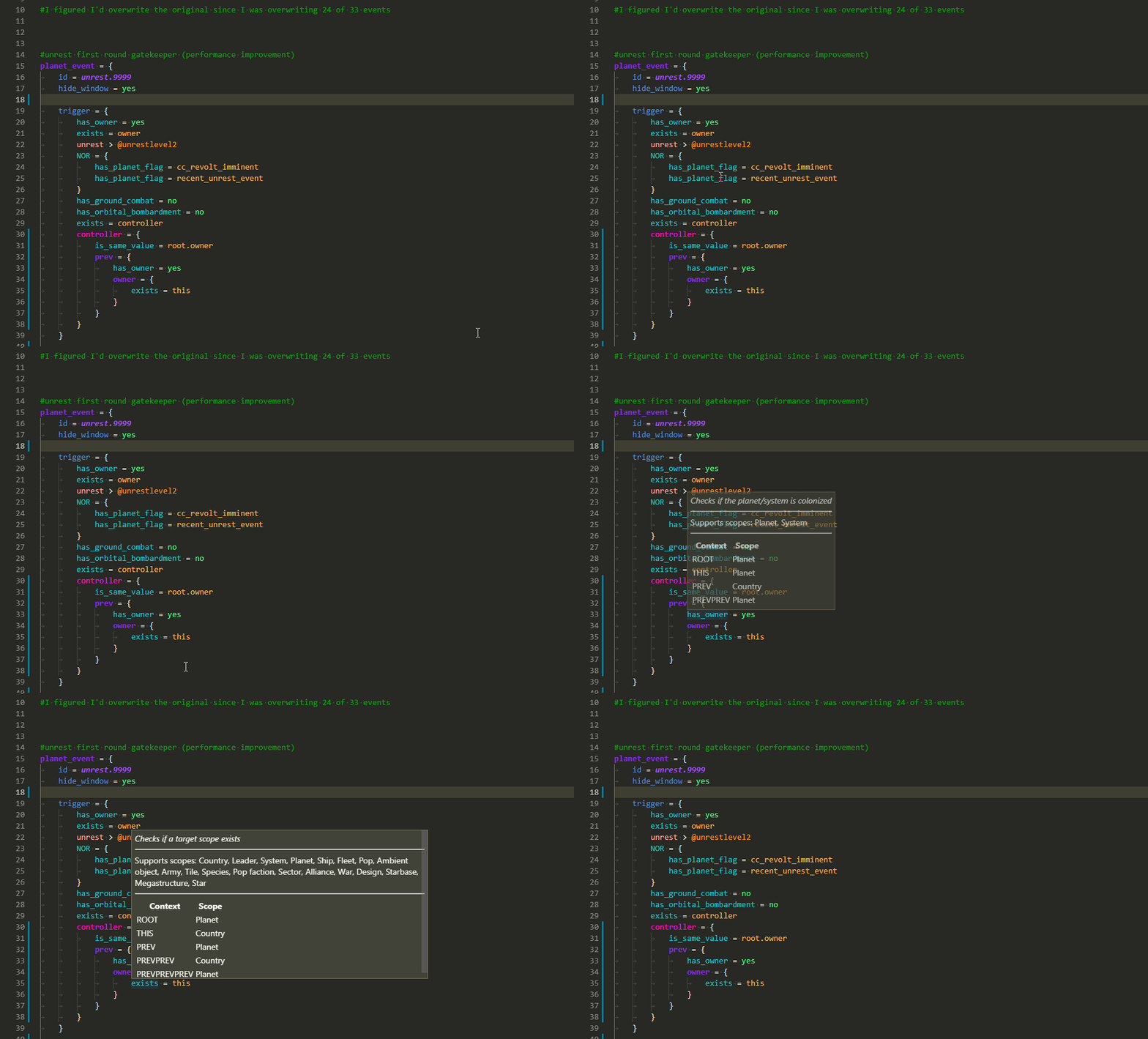
### Scope errors
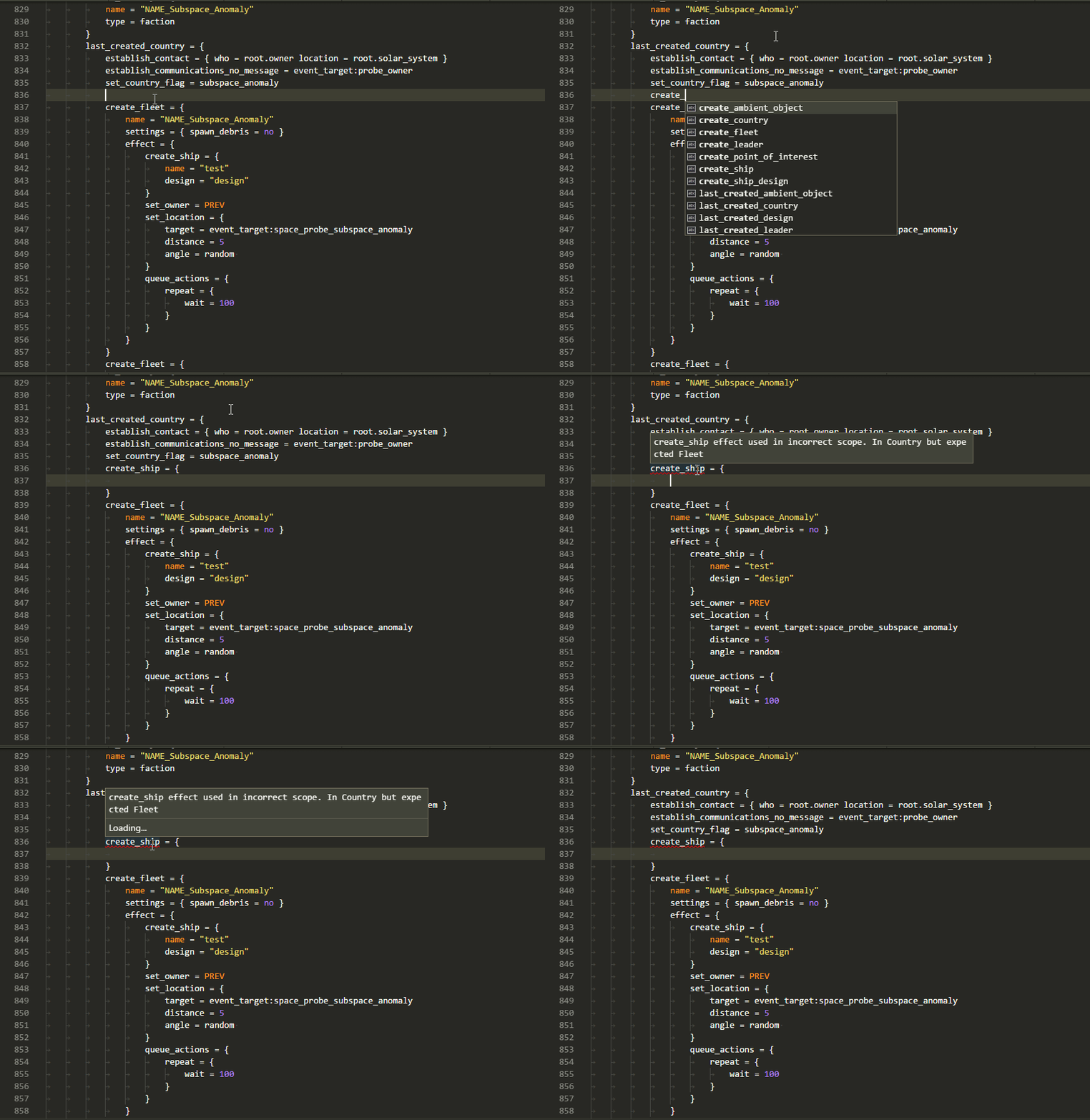
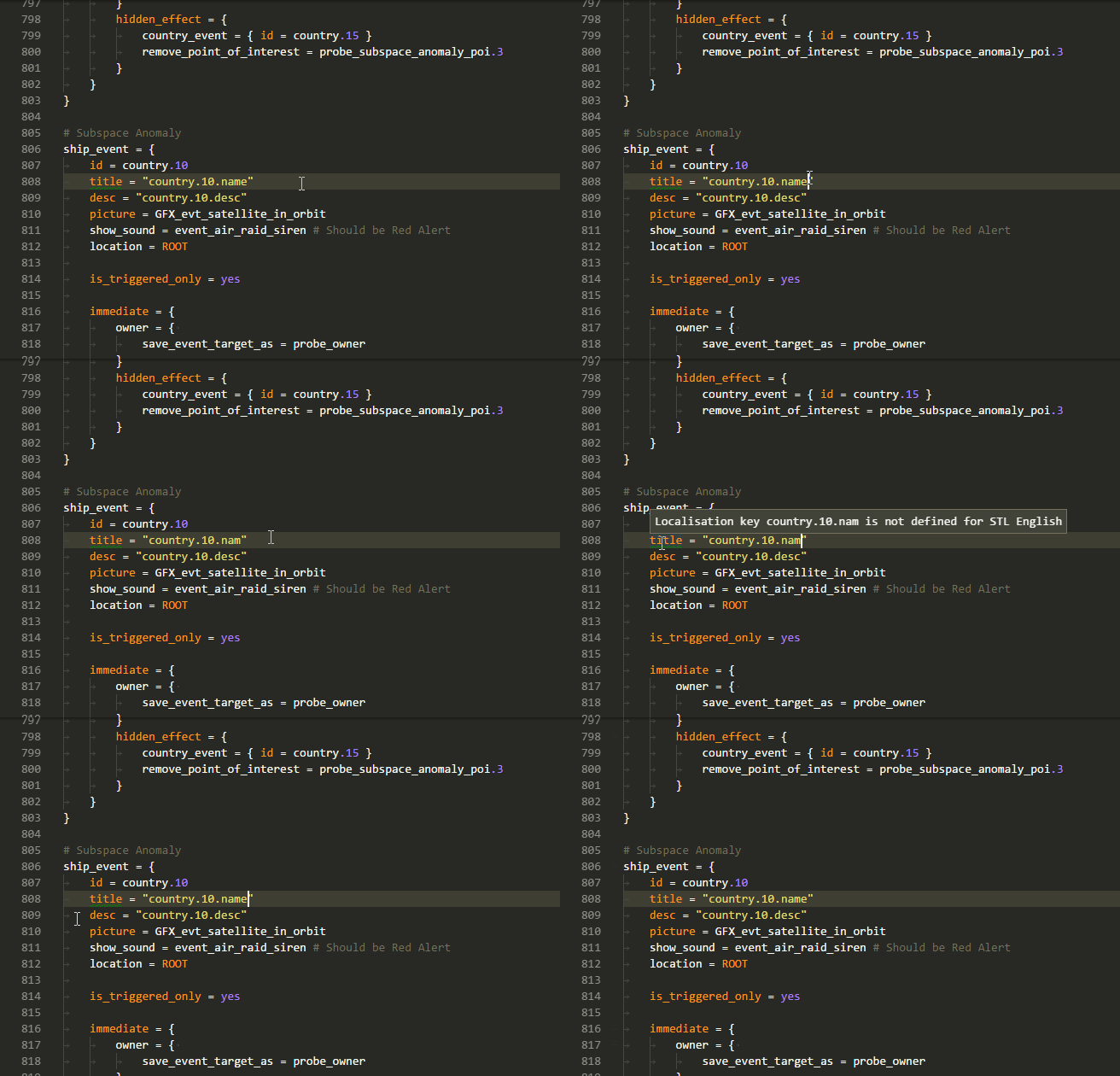
### Localisation error
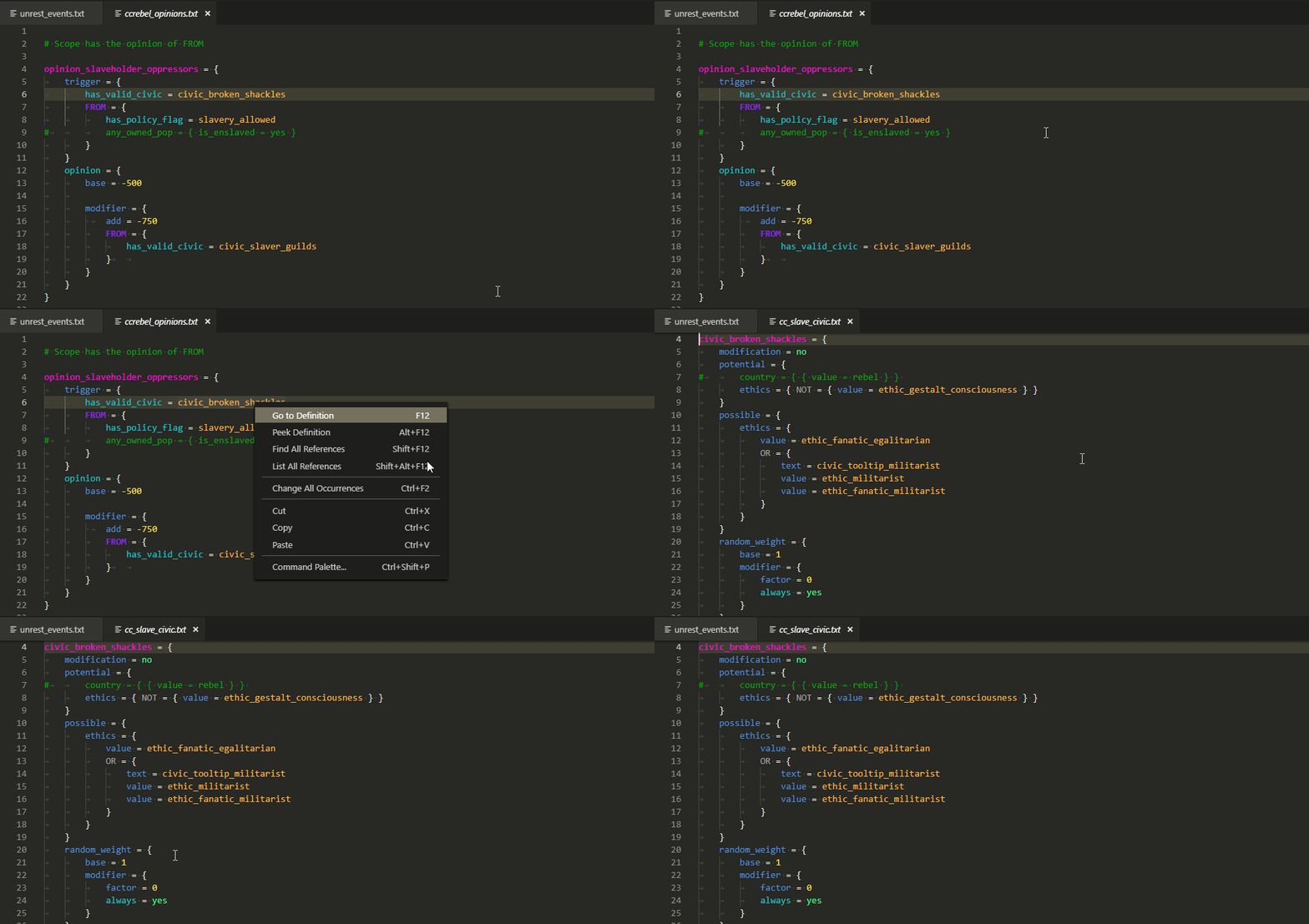
### Go to definition
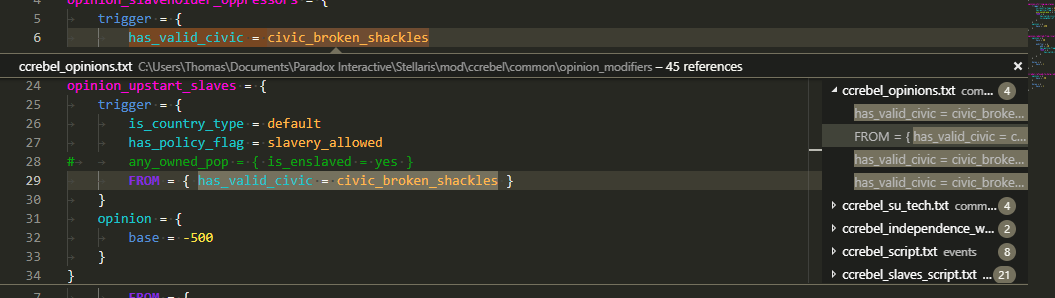
### Find all references
## Theming
The extension ships its own [TextMate grammars](https://github.com/cwtools/paradox-syntax/tree/master/syntaxes) for all the supported games, so syntax highlighting works out of the box. No second extension to install.
The grammars are vendored from [cwtools/paradox-syntax](https://github.com/cwtools/paradox-syntax) (see [`tools/sync-paradox-syntax.sh`](tools/sync-paradox-syntax.sh) to refresh them); the `.cwt` rules grammar is owned here. Themes live under [`release/themes/`](release/themes/). Every theme paints the full scope set from both grammars (game scripts and `.cwt` rule files) plus a generic baseline, so coloring is consistent whatever file you're in. Pick one with the Color Theme picker:
* [**Paradox - Syntax**](release/themes/Paradox-Syntax.tmLanguage.json). Default
dark scheme modeled on VS Code's Dark+.
* [**Paradox - Kate**](release/themes/Paradox-Kate.tmLanguage.json) and
[**Paradox - Kate Light**](release/themes/Paradox-Kate-Light.tmLanguage.json).
Inspired by KDE's
[Kate / Breeze](https://invent.kde.org/frameworks/syntax-highlighting)
palette.
* [**Paradox - Nord**](release/themes/Paradox-Nord.tmLanguage.json).
[Nord](https://www.nordtheme.com) palette.
* [**Paradox - High Contrast**](release/themes/Paradox-HighContrast.tmLanguage.json)
and [**Paradox - High Contrast Light**](release/themes/Paradox-HighContrast-Light.tmLanguage.json).
Accessibility variants, saturated tokens on black/white.
* [**Paradox - Dimmed**](release/themes/Paradox-Dimmed.tmLanguage.json) and
[**Paradox - Quiet Light**](release/themes/Paradox-QuietLight.tmLanguage.json).
Re-homed from the upstream
[tboby.paradox-syntax](https://marketplace.visualstudio.com/items?itemName=tboby.paradox-syntax)
extension.
The per-game grammars (`stellaris`, `hoi4`, `eu4`, `ck2`) are intermediate. The end state is a single merged grammar with game-specific keywords injected on top, instead of separate per-game files.
## Credits
The TextMate grammars under [`release/syntaxes/`](release/syntaxes/) are vendored from the [cwtools/paradox-syntax](https://github.com/cwtools/paradox-syntax) extension (Copyright (c) 2018 Thomas Boby, MIT). Original authors and contributors:
* **Thomas Boby** (publisher
[`tboby`](https://marketplace.visualstudio.com/publishers/tboby)) and
**Dayshine**, with contributions from **Gratak** and others. See the upstream
[contributors list](https://github.com/cwtools/paradox-syntax/graphs/contributors)
and [commit history](https://github.com/cwtools/paradox-syntax/commits/master).
The bundled themes draw on the following:
* **Paradox - Dimmed** is by **Gratak** (Adam Przybylski), re-homed from the
upstream
[Paradox-Dimmed source](https://github.com/cwtools/paradox-syntax/blob/master/themes/Paradox-Dimmed.tmLanguage.json).
* **Paradox - Quiet Light** is by **UristMcDorf**, re-homed from the upstream
[Paradox-QuietLight source](https://github.com/cwtools/paradox-syntax/blob/master/themes/Paradox-QuietLight.tmLanguage.json).
* **Paradox - Kate** and **Paradox - Kate Light** take their palette from KDE's
[Kate / Breeze syntax highlighting](https://invent.kde.org/frameworks/syntax-highlighting)
(Kate Editor, [KDE community](https://kde.org)).
* **Paradox - Nord** uses the [Nord](https://www.nordtheme.com) palette (Arctic
Ice Studio, MIT). See the
[Nord repo](https://github.com/nordtheme/visual-studio-code).
* **Paradox - High Contrast** and **Paradox - High Contrast Light** follow
[VS Code's built-in Default High Contrast](https://code.visualstudio.com/docs/getstarted/themes#_high-contrast-theme)
theme (Microsoft).
`cwtools-md-edition` itself is a fork of
[cwtools/cwtools-vscode](https://github.com/cwtools/cwtools-vscode) maintained
by the [Millennium Dawn mod team](https://github.com/MillenniumDawn), and
drives a Rust language server from
[MillenniumDawn/cwtools](https://github.com/MillenniumDawn/cwtools).
## Links
* [vic2-config](https://github.com/cwtools/cwtools-vic2-config)
* [vic3-config](https://github.com/cwtools/cwtools-vic3-config)
* [ck2-config](https://github.com/cwtools/cwtools-ck2-config)
* [eu4-config](https://github.com/cwtools/cwtools-eu4-config)
* [hoi4-config](https://github.com/cwtools/cwtools-hoi4-config)
* [stellaris-config](https://github.com/cwtools/cwtools-stellaris-config)
* [ir-config](https://github.com/cwtools/cwtools-ir-config)
* [ck3-config](https://github.com/cwtools/cwtools-ck3-config)