https://github.com/millionintegrals/image-data-encode
Encode data in images
https://github.com/millionintegrals/image-data-encode
Last synced: about 1 year ago
JSON representation
Encode data in images
- Host: GitHub
- URL: https://github.com/millionintegrals/image-data-encode
- Owner: MillionIntegrals
- License: mit
- Created: 2014-12-11T23:04:23.000Z (over 11 years ago)
- Default Branch: master
- Last Pushed: 2015-04-26T15:45:00.000Z (about 11 years ago)
- Last Synced: 2025-03-17T04:36:37.762Z (over 1 year ago)
- Language: Python
- Homepage:
- Size: 2.43 MB
- Stars: 10
- Watchers: 0
- Forks: 0
- Open Issues: 0
-
Metadata Files:
- Readme: README.md
- License: LICENSE
Awesome Lists containing this project
README
# Image data encoding
[](https://travis-ci.org/MillionIntegrals/image-data-encode)
My small hobby python project to test an algorithm idea I've had once, about how one can encode arbitrary chunk of data
in an existing image without changing it visually too much.
Sadly, it only works when you save images in a lossless compression format such as PNG.
Project is written in *Python 3*.
### Usage
Program is invoked by calling the encoder/main.py file. Here is a brief help information:
```
mi@mihome ~/repos/img-data-encode> python3 -m encoder.main -h
usage: main.py [-h] [-i INFILE] [-o OUTFILE] [-a ALGORITHM] [-d DATAFILE]
[--block_size BLOCK_SIZE] [--intensity {1,2,3,4,5,6,7,8}]
{info,encode,decode}
Encode data in your images
positional arguments:
{info,encode,decode} Specify which action you want to choose
optional arguments:
-h, --help show this help message and exit
-i INFILE, --infile INFILE
Specify input file
-o OUTFILE, --outfile OUTFILE
Specify output file
-a ALGORITHM, --algorithm ALGORITHM
Choose your algorithm
-d DATAFILE, --datafile DATAFILE
Specify data file
Algorithm parameters:
--block_size BLOCK_SIZE
Algorithm block size
--intensity {1,2,3,4,5,6,7,8}
Algorithm intensity
```
You invoke action *info* to see how much bytes of data you can write to given image with supplied algorithm settings.
Generally, the higher the intensity and lower the block size the more data you can write to given image. But if you
specify intensity too high or block size too low distortions may become visible in encoded image.
This action only needs an *infile* and algorithm parameters.
To invoke action *encode* you need all *infile*, *outfile* and a *datafile* (plus the algorithm options). If given algorithm options give you enough data capacity to save all the data you wanted, everything should go smoothly.
To decode, specify action *decode*, an *infile* to be the previously encoded image, and an *outfile* as where to save
the data to. Algorithm options must be the same as in the encoding step. Decoded data will be saved to the outfile
path.
### How does it work
When I have some time, I'll write an explaination about how the algorithm works. Feel free to contact me if you'd be
interested in seeing it.
# Example
They say an image is worth a thousand words.
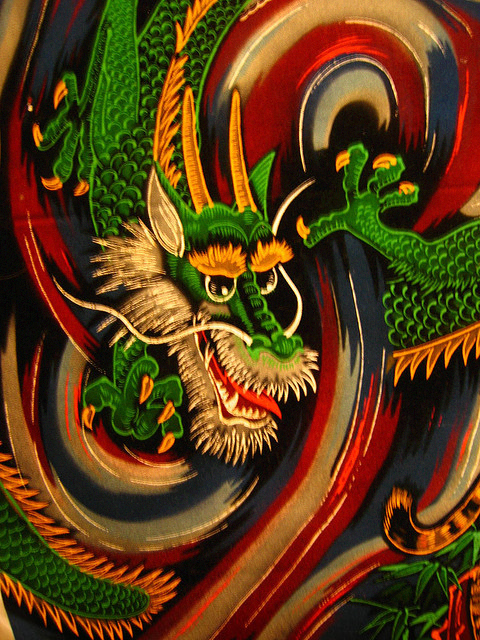
Here is a relatively small image of a dragon (480 × 640) I've downloaded from Flickr:
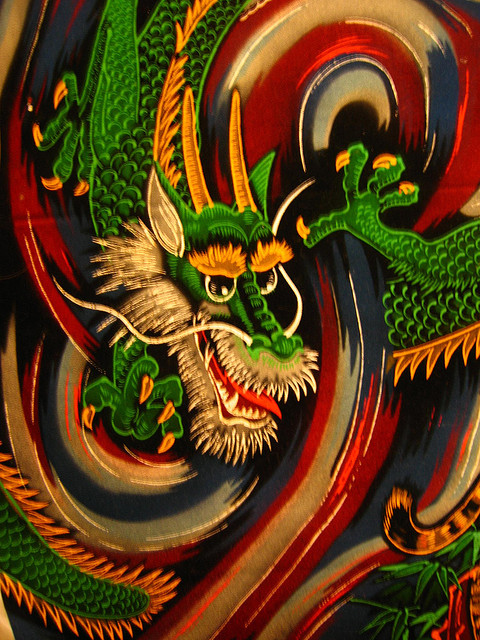
And this is the same image with the whole Alice in Wonderland (160kb) text encoded in it. Parameters were block_size=3, intensity=4.