https://github.com/minutebase/ember-portal
Render stuff here, put it over there
https://github.com/minutebase/ember-portal
Last synced: 9 months ago
JSON representation
Render stuff here, put it over there
- Host: GitHub
- URL: https://github.com/minutebase/ember-portal
- Owner: minutebase
- License: mit
- Created: 2015-06-10T10:00:04.000Z (about 11 years ago)
- Default Branch: master
- Last Pushed: 2018-10-08T15:11:47.000Z (over 7 years ago)
- Last Synced: 2025-04-11T18:07:01.922Z (about 1 year ago)
- Language: JavaScript
- Homepage: http://minutebase.github.io/ember-portal
- Size: 938 KB
- Stars: 8
- Watchers: 1
- Forks: 4
- Open Issues: 10
-
Metadata Files:
- Readme: README.md
- Changelog: CHANGELOG.md
- License: LICENSE.md
Awesome Lists containing this project
README
# Ember-portal
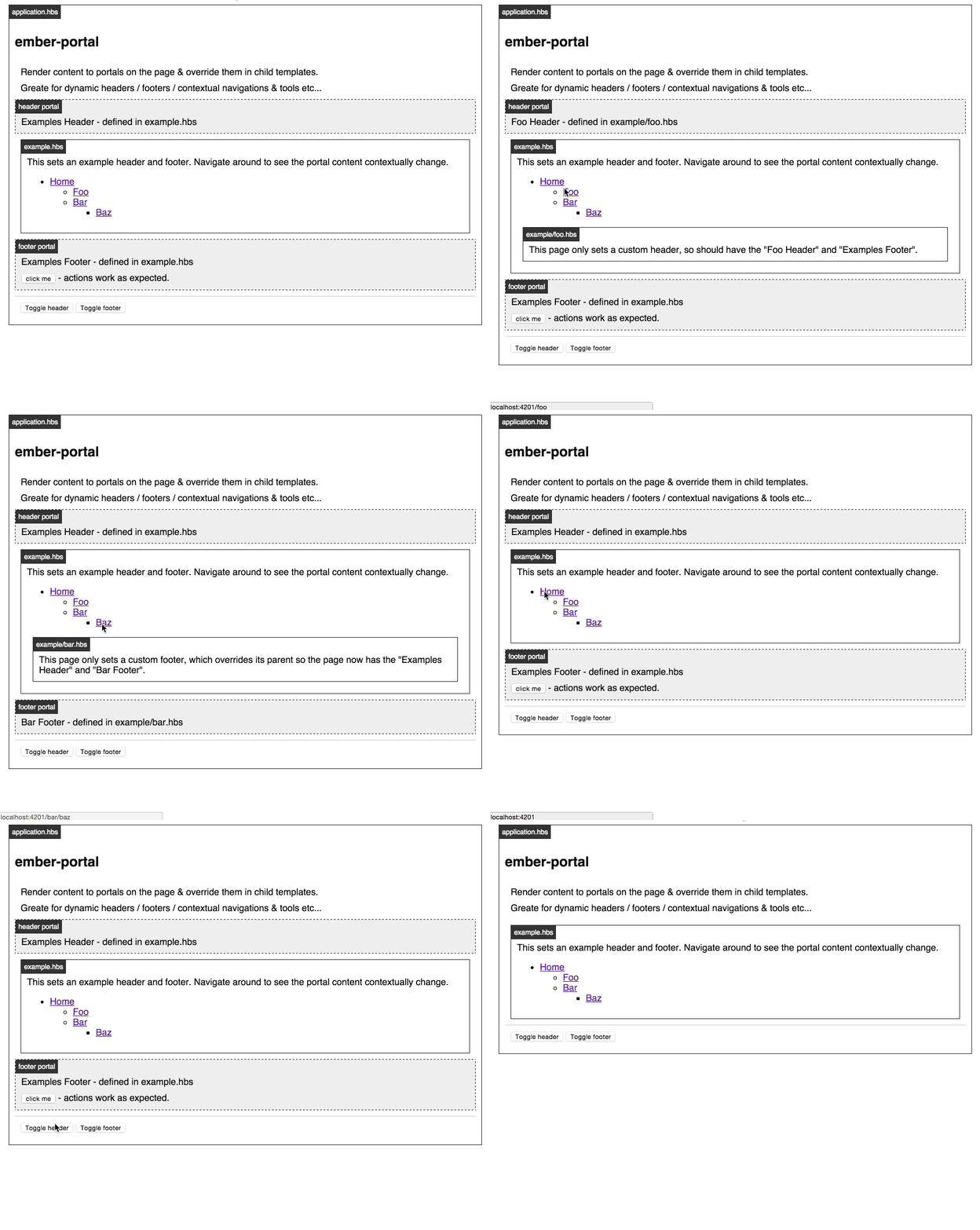
Render stuff here, put it over there.
[Demo](http://minutebase.github.io/ember-portal)
## Installation
```
ember install ember-portal
```
## Basic Usage
Setup some portals in your application template, or wherever:
```hbs
{{! app/templates/application.hbs }}
{{portal-for name="header"}}
{{outlet}}
```
These will be empty until you give them some content from some other template:
```hbs
{{! app/templates/foo.hbs }}
{{#portal-content for="header"}}
This will appear in the header
{{/portal-content}}
```
If you render to the same portal in a deeper template, it will replace the
previous content:
```hbs
{{! app/templates/foo/bar/baz.hbs }}
{{#portal-content for="header"}}
This will replace the header content
{{/portal-content}}
```
## DOM Layout
ember-portal uses [ember-wormhole](https://github.com/yapplabs/ember-wormhole) and manages the DOM element it needs to render the child elements into.
Given the following template:
```hbs
{{portal-for name="header"}}
{{#portal-content for="header"}}
the content
{{/portal-content}}
```
It will result in the following HTML:
```html
the content
```
The `{{portal-for}}` component takes `class` and `portal-class` attributes to add class names for styling, for example:
```hbs
{{portal-for name="header" class="header-outer" portal-class="header-inner"}}
{{#portal-content for="header"}}
the content
{{/portal-content}}
```
It will result in the following HTML:
```html
the content
```
## Developing
### Installation
* `git clone` this repository
* `npm install`
* `bower install`
### Running
* `ember server`
* Visit your app at http://localhost:4200.
### Running Tests
* `ember test`
* `ember test --server`
### Building
* `ember build`
For more information on using ember-cli, visit [http://www.ember-cli.com/](http://www.ember-cli.com/).