https://github.com/mir4a/colorfast
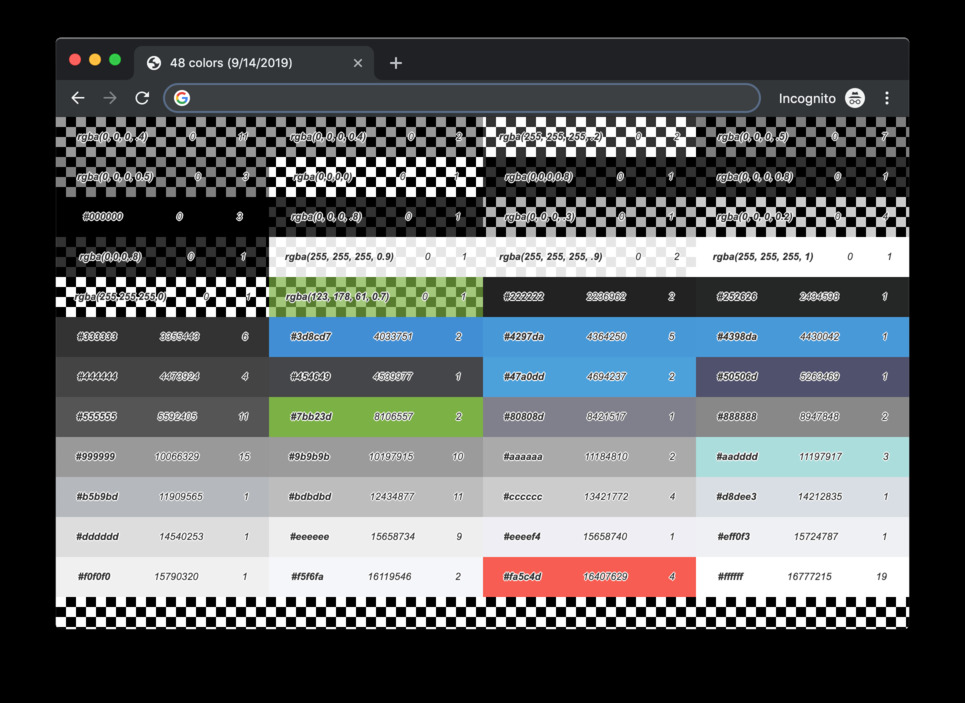
Tool which helps developers to manage color schemas in projects by gathering and representing all colors in project files.
https://github.com/mir4a/colorfast
analyzer color color-palette color-scheme colors colorscheme colorschemes developer-tools refactoring-tools sass scss stylesheet stylesheets tool
Last synced: 3 months ago
JSON representation
Tool which helps developers to manage color schemas in projects by gathering and representing all colors in project files.
- Host: GitHub
- URL: https://github.com/mir4a/colorfast
- Owner: mir4a
- License: isc
- Created: 2019-08-10T21:18:52.000Z (almost 7 years ago)
- Default Branch: master
- Last Pushed: 2023-01-04T10:29:21.000Z (over 3 years ago)
- Last Synced: 2025-10-21T05:21:52.562Z (9 months ago)
- Topics: analyzer, color, color-palette, color-scheme, colors, colorscheme, colorschemes, developer-tools, refactoring-tools, sass, scss, stylesheet, stylesheets, tool
- Language: TypeScript
- Homepage: https://www.mir4a.pp.ua/colorfast/
- Size: 1.32 MB
- Stars: 2
- Watchers: 1
- Forks: 0
- Open Issues: 18
-
Metadata Files:
- Readme: README.md
- Changelog: CHANGELOG.md
- License: LICENSE
Awesome Lists containing this project
README
According to [LEXICO](https://www.lexico.com/en/definition/colorfast) _colorfast_ is:
> Dyed in colors that will not fade or be washed out.
In fact, this tool will help developers to vanish all extra colors in a project
which supposed to be the same as _color schema_, but went uncontrollable during development.
Once I saw a project which had clear and strict color schema of about 16 colors,
but it turned out that project files contain over 200 variations of origin schema.
This is why _Colorfast_ was made.
# Installation
```bash
npm install --save-dev colorfast
```
# Usage
## CLI
```bash
npx colorfast --input ./path/to/styles/directory --scheme ./path/to/sass/variables --report ./path/where/to/save/report
```
## API
> See full documentation [here](http://www.mir4a.pp.ua/colorfast/)
### Gather colors info
Default function is gathering colors info from the given styles path and returns ColorMap
```js
import colorfast from "colorfast";
const colorMap = colorfast(stylesDirPath, pathToSassVariables);
```
### Helpers and algorithms
1. Sorting colors
Simple [insertion sort](https://en.wikipedia.org/wiki/Insertion_sort) is using for sorting array of colors by their _index_ (hex value).
```js
import { insertionSortForColors } from "colorfast";
const unsortedColors = ["#fff", "rgb(0, 0, 0)", "#336699"];
const sortedColors = insertionSortForColors(unsortedColors); // ["rgb(0, 0, 0)", "#336699", "#fff"]
```
2. Color helpers
Range of helpers for converting different color format to HEX and get color index.
```js
import { convertRGBtoHEX, getColorIndex, getHEXValue, fullHEX } from "colorfast";
convertRGBtoHEX("rgb(0, 0, 0)"); // "#000"
convertRGBtoHEX("rgba(0, 0, 0, 0.5)"); // "#000"
convertRGBtoHEX("rgba(0, 0, 0, 0.5, 0)"); // ""
getColorIndex("rgb(255, 255, 255)"); // 16777215
getColorIndex("#000"); // 0
getHEXValue("#fff"); // 16777215
fullHEX("#fff"); // #ffffff
fullHEX("#369"); // #336699
```