https://github.com/misakuo/svgtoandroid
Converting SVG to VectorDrawable
https://github.com/misakuo/svgtoandroid
android svg vector-drawable
Last synced: about 1 year ago
JSON representation
Converting SVG to VectorDrawable
- Host: GitHub
- URL: https://github.com/misakuo/svgtoandroid
- Owner: misakuo
- License: mit
- Created: 2015-12-16T09:43:27.000Z (over 10 years ago)
- Default Branch: master
- Last Pushed: 2024-01-02T04:49:43.000Z (over 2 years ago)
- Last Synced: 2025-03-28T20:07:10.991Z (over 1 year ago)
- Topics: android, svg, vector-drawable
- Language: Java
- Homepage: https://plugins.jetbrains.com/plugin/8103
- Size: 3.35 MB
- Stars: 530
- Watchers: 11
- Forks: 45
- Open Issues: 15
-
Metadata Files:
- Readme: readme.md
- License: LICENSE
Awesome Lists containing this project
README
## SVG2VectorDrawable [](https://travis-ci.org/misakuo/svgtoandroid)
[](http://www.android-arsenal.com/details/1/3137)

README:
[中文](https://github.com/misakuo/svgtoandroid/blob/master/readme.md) | [English](https://github.com/misakuo/svgtoandroid/blob/master/readme_en.md)
### DEPRECATED
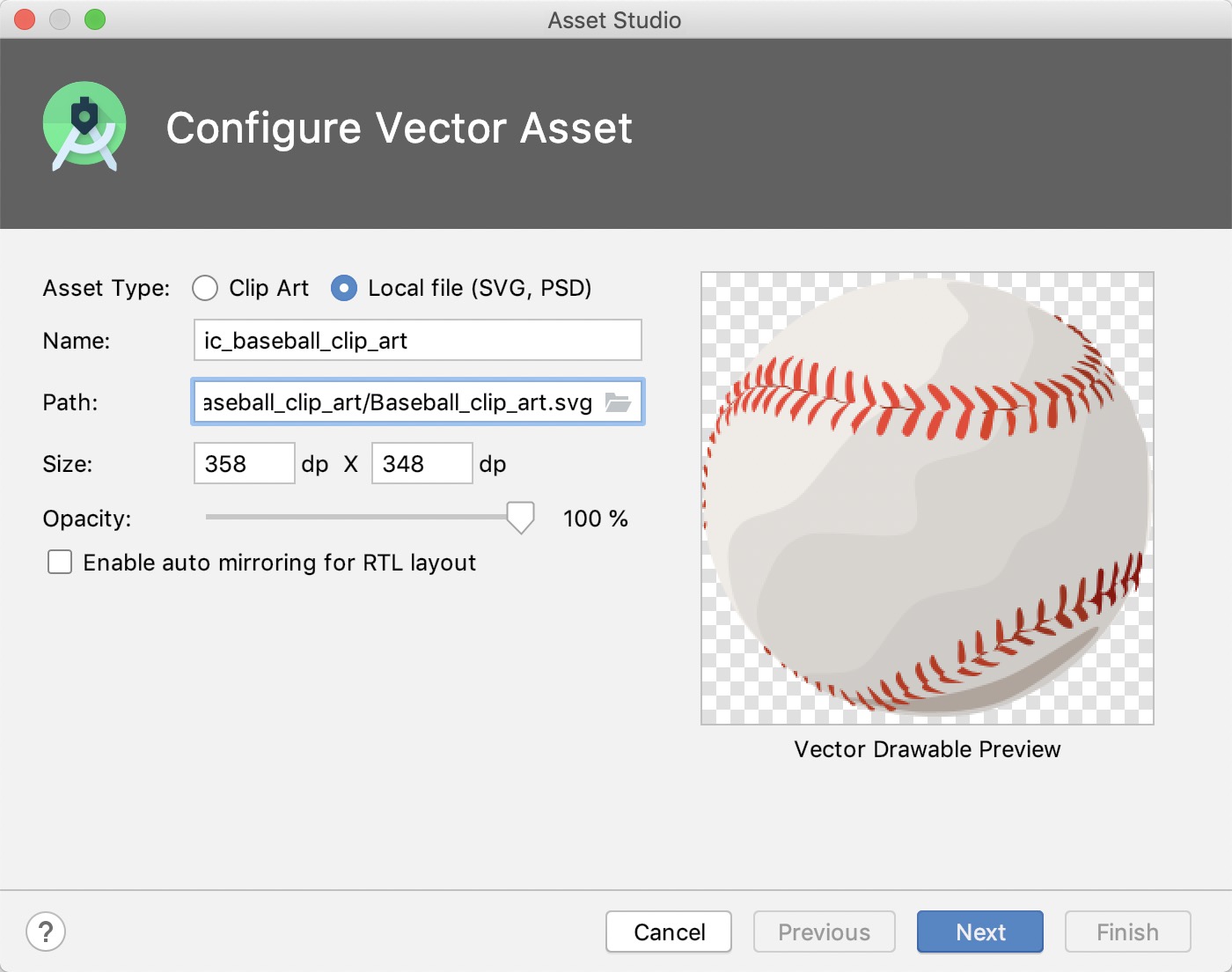
Please using the **Asset Studio** instead.
### 简介
Intellij Platform插件,通过其可以完成从svg文件到Android VectorDrawable的自动化转换。
### 特性
- 图形化界面
- 自动解析当前Project,如果当前Project为Android Project,则会列出所有Module
- 支持将SVG解析为多种dpi的VectorDrawable
- 支持SVG的transform属性
- 支持批量转换指定目录内的所有svg文件
### 属性对应表
|SVG Attribute|VectorDrawable Attribute|
|:-:|:-:|
|id|android:name|
|fill|android:fillColor|
|fill-opacity|android:fillAlpha|
|fill-rule|android:fillType|
|stroke|android:strokeColor|
|stroke-opacity|android:strokeAlpha|
|stroke-width|android:strokeWidth|
|stroke-linejoin|android:strokeLineJoin|
|stroke-miterlimit|android:strokeMiterLimit|
|stroke-linecap|android:lineCap|
|transform|android:{scaleX/Y \| translateX/Y \| pivotX/Y \| rotation}|
### 使用
#### 安装
本插件支持Intellij IDEA和Android Studio,需要JDK版本1.6+
##### 通过本地jar文件安装
[从此处](https://github.com/misakuo/svgtoandroid/blob/master/svg2android.zip) 下载`svg2android.zip` 文件,在IDE中打开 Preferences -> Plugins -> Install plugin from disk... 选择 svg2android.zip ,添加后重启IDE
##### 通过插件仓库在线安装
在IDE中打开Preferences -> Plugins -> Browse Repositories,搜索SVG2VectorDrawable,安装插件并重启IDE
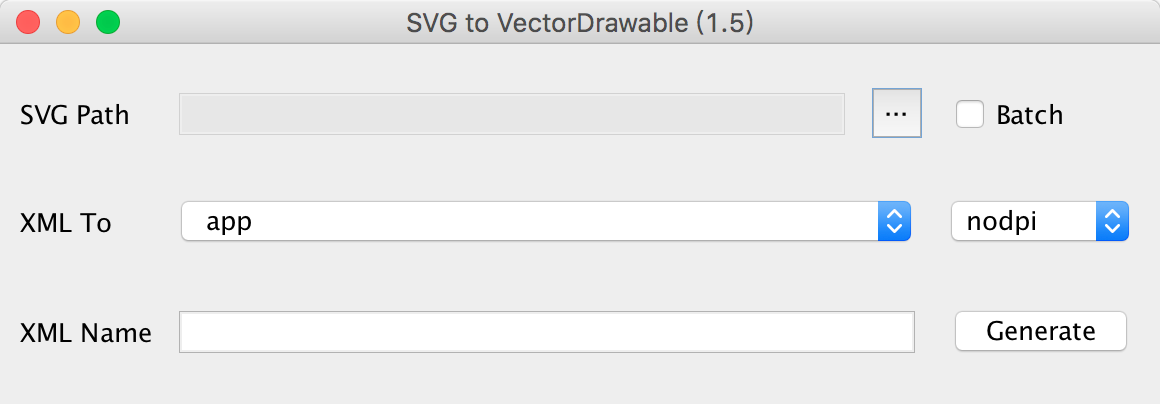
#### 界面
#### 用法
##### GUI模式

- 点击`···`按钮,选择一个SVG源文件,或勾选`batch`,并点击`···`选择一个包含svg文件的目录
- 在第一个下拉选框中选中要生成xml文件的module,在第二个选框中选择生成的VectorDrawable的分辨率
- 填入生成xml文件的文件名,默认为vector_drawable_ + SVG文件的名称
- 点击`Generate`,插件会生成出VectorDrawable并在编辑器中打开(默认覆盖同名文件)
注意:在module中已存在的分辨率目录为黑色字体,未存在的目录为灰色字体,如果选中不存在的目录,则插件会自动生成该目录。
##### Generate模式

- 在任意代码编辑器窗口中呼出`Generate`菜单(例如macOS默认是control+enter)
- 选择`VectorDrawable`,插件会将指定目录中的所有svg文件转换到当前module的drawable目录中(默认跳过同名文件)
#### 设置项
打开`Prefreences -> Other Settings`,选择`SVG to VectorDrawable`,打开设置面板

- SVG source: 设置存放svg文件的默认目录,在Generate模式中将会从该目录获取svg文件
- Xml prefix: 设置生成的xml文件名的默认前缀
- Auto check for update: 勾选后在每次打开GUI的时候会进行自动版本更新检查操作
- Override the existing xml file when generating: 勾选后在生成过程中将会覆盖已存在的同名文件
#### 更新日志
##### 1.5
支持fill-rule属性(该属性目前仅被API 24+支持)
添加Generate模式
支持批量生成
##### 1.4.2
针对Sketch导出的SVG文件做了优化
##### 1.4.1
代码优化,更换新Icon
##### 1.4.0
支持“transform”属性
##### Early
创建项目,bug fix
*欢迎提交Issue和PR*
***
Reference: [svg2vectordrawable](https://github.com/Ashung/svg2vectordrawable)